

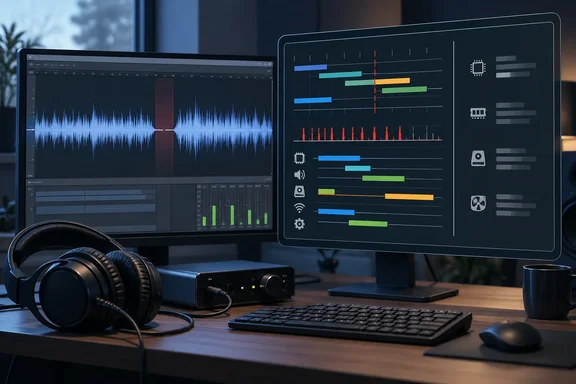
The distinction affects how you should read the results. LatencyMon can be very good at what it does. It just doesn't do everything the headline promises.
What LatencyMon measures
LatencyMon looks for the causes of buffer underruns. It measures kernel timer latencies and reports DPC and ISR execution times, as well as hard page faults. In most cases it also identifies the drivers and processes responsible for running those routines.
The mechanism matters because it explains why a driver can stall a whole machine. When an interrupt fires, whatever thread was running on that processor is paused, whatever its priority. The interrupt service routine (ISR) runs and may queue a deferred procedure call (DPC) to hand off some of the work. The DPC will most likely run right away on the same processor. ISRs and DPCs run at an elevated IRQL, so the scheduler can't preempt them. The audio application waits until both finish.
That is why a badly behaved Wi-Fi, graphics or storage driver can cause audible crackle. It is a real and well-documented failure mode. It is a narrower failure mode than "my PC is slow."
Where the MakeUseOf article goes too far
MakeUseOf's piece, by Yadullah Abidi, says LatencyMon finds hidden Windows services hogging your CPU. It also says the tool diagnoses game stutter, video-call lag and choppy streaming, and that a single run gives "a straightforward verdict."
The vendor's own documentation doesn't go that far:
- Scope: Resplendence's download page describes LatencyMon as a "real-time audio suitability checker." It doesn't present it as a general performance monitor. Its sibling product, WhySoSlow, is the one listed as a tool to "find out why your system is running slow."
- Thresholds: The 2,000/4,000 µs verdict boundaries come from the vendor. Resplendence says they are chosen arbitrarily. They are not universal pass/fail lines for gaming, video calls or general responsiveness.
- Buffer sizes: Audio buffer settings change what counts as acceptable. The lower the buffer, the less tolerance there is for long routines.
- Other symptoms: Game stutter and streaming problems can have many causes that DPC/ISR timings won't reveal.
None of this makes the tool bad. It means a "suitable" verdict doesn't prove your PC is healthy, and an "unsuitable" one doesn't prove one named driver is guilty.
What the verdict means
According to Resplendence, the report's conclusion works like this:
| Longest DPC/ISR routine seen | Verdict |
|---|---|
| Under 2,000 µs | Suitable for real-time audio without dropouts |
| 2,000–4,000 µs | Doubtful |
| Over 4,000 µs | Unsuitable |
The report also shows the highest measured DPC and ISR execution times, the drivers behind the longest routines, how often executions fall into each time category, and the highest hard page fault resolution time with the process involved.
Treat these numbers as evidence to investigate. They are not a diagnosis.
How to run it
- Get it from the publisher. Resplendence's downloads page lists LatencyMon 7.31 as a Free Home Edition. It is 3.62 MB. Windows 11, 10, 8.1, 8, 7 and several Windows Server releases are listed. Windows XP is not supported. Avoid third-party download mirrors.
- Click Start. The Main tab gives an overview. The Stats tab has the detailed report. Click Stop when you're done.
- Select all CPUs. Resplendence says to select all available CPUs for a complete analysis.
- Run it long enough to catch the problem. MakeUseOf says five to ten minutes. That isn't an official universal rule. Focusrite's support guidance for audio-interface users says to run it for at least fifteen minutes while playing audio, with the glitch occurring at least once. If your problem is intermittent, a short clean run proves little.
- Look at the Drivers tab. Sort by highest execution time to see which drivers lead the list. Focusrite suggests drivers exceeding 0.5 ms could be causing audio issues. That is a stricter yardstick than the vendor's 2 ms line, and it reflects audio-interface work.
Baseline test or symptom capture?
The guidance differs depending on what you're trying to do. Resplendence's FAQ says that in general you should not run your audio software during a test. Its interrupt-to-process measurement already simulates an audio process, and most tests should run with nothing else in the background. The exception is when you want to measure hard page faults in the audio process itself.
Focusrite, on the other hand, wants audio playing through the interface during the test so the glitch actually shows up while LatencyMon is watching.
Both are reasonable. They answer different questions:
- Clean baseline: Follow the vendor's advice and keep the system quiet.
- Reproducing a specific glitch: Follow your audio-interface maker's workflow and capture the symptom.
Measurement caveats
LatencyMon isn't a passive observer. It measures kernel timer latencies as part of its work. Resplendence's technical notes say it uses an ETW kernel logger session and a kernel driver. The tool itself executes DPCs while measuring, which can skew values such as "total time spent in DPCs."
For cleaner DPC numbers, the documentation says to disable three options:
- Measure latency by means of a kernel timer
- Measure SMI and CPU stalls
- Perform CPU speed sanity check
The FAQ adds that LatencyMon can stop analysing by itself if it can't keep up with the volume of events, and that it then can't guarantee accuracy. Antivirus software may also prompt you when you click Start. A single run is a data point, not a verdict.
Reading a driver name
A driver at the top of the list is a lead. Some examples from the vendor and from Focusrite:
- tcpip.sys or ndis.sys: Resplendence says these often point to a wireless adapter. It suggests testing with Wi-Fi disabled and using Ethernet, then rerunning. Focusrite adds that network-related latency can also come from background apps, VPN software and antivirus.
- dxgkrnl.sys: Focusrite describes this as a graphics driver issue. It suggests checking for GPU driver updates and testing with integrated graphics if available.
- ACPI.sys: Focusrite describes this as a power-management driver.
- storport.sys: Focusrite describes this as a Microsoft storage port driver. It says high latency can occur if the standard controller isn't in use.
- Motherboard or critical system drivers: Resplendence warns there may be nothing you can do to make the system suitable for real-time audio.
The MakeUseOf article names specific file names for Nvidia and AMD graphics drivers and mentions Intel's Dynamic Platform and Thermal Framework and Rapid Storage Technology. I couldn't confirm those specific claims against the vendor's documentation. Don't uninstall storage software on the strength of a single article.
A safer troubleshooting order
- Reproduce the symptom and note which drivers and values appear in the report.
- Check for driver updates through Windows Update and the device maker. Focusrite points Intel and AMD users to those vendors' own driver-detection tools. For other systems, check with the PC or component maker.
- Isolate one device at a time. Focusrite advises disconnecting peripherals, and reconnecting them one by one if the glitch disappears. If a nonessential adapter is suspected, disable it in Device Manager, retest, and re-enable it if nothing changes.
- Rerun LatencyMon after each change. Resplendence notes another device or driver may still be involved.
- Try a clean boot. Focusrite lists this as a later step for finding which app, driver or service contributes to the problem.
- Escalate to the PC or component maker, or a technician, if you aren't comfortable making hardware or BIOS changes. That is Focusrite's own advice.
I'd be cautious about some of the fixes MakeUseOf lists. It suggests free driver-updater utilities, blanket device disabling, switching to the highest-performance power plan and BIOS tweaks. Focusrite does mention power plans and BIOS settings, but with trade-offs. For example, disabling stepping technologies like Intel SpeedStep means the CPU will likely run at maximum clock, which affects battery life on laptops. These are not universally safe fixes, and they depend on your hardware.
Hard page faults are a separate signal
LatencyMon also reports hard page faults, which are a different matter from DPC/ISR delays. Resplendence says it believes hard page faults are the most common cause of audio dropouts. It also says they are common in memory-hungry programs. It treats them as a problem only if they hit the process producing the audio, while it is producing audio, and you can hear the interruptions.
To check, stop the monitor, open the Processes tab, sort by the number of page faults, and look for your audio application. If page faults are the cause, Resplendence's suggestions include:
- Closing unnecessary RAM-hungry applications and services (it calls the Search Indexer service notorious).
- Adding more RAM.
Resplendence also mentions disabling the page file. That comes with a warning: the system can run out of memory, and it will no longer create crash dump files. I wouldn't recommend it casually.
Who should use it
LatencyMon is worth installing if you hear crackles, pops or dropouts in audio, or you suspect a driver is causing real-time latency. It is free, small and made by the vendor of a known diagnostic suite.
If your PC is simply slow, start with other tools. Task Manager, Resource Monitor and Windows Performance Recorder are the usual first stops (this is general industry knowledge, not from the sources above). And a poor real-time-audio verdict alone is no reason to buy hardware, uninstall storage software or change BIOS settings.
Bottom line
- LatencyMon is a real-time audio suitability checker that measures DPC, ISR and hard page fault behaviour. It is not a general slowdown finder.
- The 2,000/4,000 µs thresholds are the vendor's own arbitrary audio-oriented boundaries.
- Test duration depends on your symptom. Five to ten minutes isn't a universal rule, and Focusrite recommends at least fifteen.
- A driver in the report is a lead for controlled testing, not proof of guilt.
- Change one thing at a time, retest, and undo changes that don't help.
References
- This free tool tells you exactly what’s slowing down your PC MakeUseOf · 2026-10-03T13:30:16+00:00
- Resplendence Software - LatencyMon: real-time audio suitability checker resplendence.com
- Troubleshooting DPC latency – Focusrite support.focusrite.com