

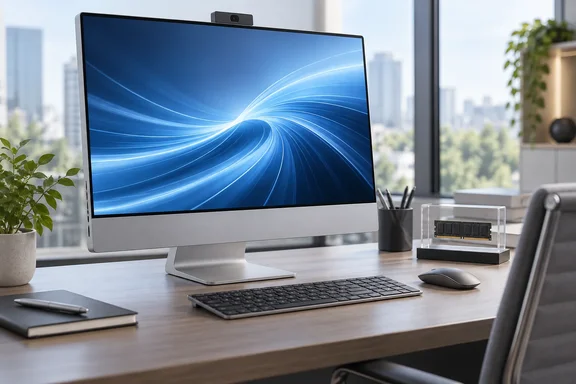
What Lenovo actually shipped
Lenovo first published the ThinkCentre Neo 50a Gen 7 27 on its PSREF spec site. According to Notebookcheck, it revealed two major changes from the previous Gen 6 variants: a switch to Intel's Wildcat Lake processors and a faster display. Pricing and on-sale dates came later.
Selling has now started, but only in some markets. Notebookcheck says the AIO is listed across Europe, Asia, Africa, and the UAE in regional SKU form. For now, though, Lenovo is selling it only in East Asia and Southeast Asia, with listed prices of HKD 9,063 in Hong Kong, KRW 1,547,850 in Korea, MYR 4,160 in Malaysia and SGD 1,363 in Singapore. The Singapore price works out to roughly US$1,065.
North America isn't on the list. Notebookcheck says the model is headed to every region except North America. Lenovo's regional pages also warn that prices, availability and configurations vary by country, so treat those figures as local listings rather than a global price.
Section summary: The model is real and on sale, but only in four Asian markets so far. Europe and other regions are expected later, and there's no sign of a US release.
The Wildcat Lake processors
Buyers get three Intel Core Series 3 processors to choose from:
| CPU | Cores / threads | Layout | Max P-core clock |
|---|---|---|---|
| Core 3 304 | 5 / 5 | 1 P-core + 4 LP E-cores | 4.3 GHz |
| Core 5 320 | 6 / 6 | 2 P-cores + 4 LP E-cores | 4.6 GHz |
| Core 7 350 | 6 / 6 | 2 P-cores + 4 LP E-cores | 4.8 GHz |
Lenovo's PSREF lists integrated Intel Graphics and an NPU on all three chips, rated at up to 15, 16 and 17 TOPS respectively.
On early PSREF listings, the Core 5 and Core 7 options appeared to be the only choices. Ubergizmo reported that Lenovo listed two main configurations: the Intel Core 5 320 (up to 4.6 GHz) or the Intel Core 7 350 (up to 4.8 GHz). The five-core Core 3 304 has since joined as the entry option.
For context, VideoCardz reported that Intel manufactures Wildcat Lake on its Intel 18A process. VideoCardz also said the Core 7 350 has a 15W base power with a 35W maximum turbo power. That's laptop-class silicon, not desktop-class. Basic Tutorials described Wildcat Lake as Intel's energy-efficient entry-level series, which is nonetheless built on the same core architecture as the significantly more powerful Panther Lake series.
Section summary: These are efficiency-first chips with low core counts, and Lenovo has put them in a 27-inch office desktop.
Performance: newer isn't automatically faster
According to Notebookcheck's benchmarks, the Gen 7 matches its Gen 6 predecessor in single-core performance. In multi-core workloads it falls behind even the older Gen 5, which Notebookcheck puts down to the five- and six-core Wildcat Lake chips. The outlet also measured almost a 30% performance gap between the Core 3 304 and the Core 7 350, even though they belong to the same family.
Those are Notebookcheck's findings, not Lenovo's, and the launch coverage doesn't include benchmark names or exact scores. The practical point still holds. If your office runs heavily multi-threaded work, like big spreadsheet recalculations, local compiles or batch media exports, look at independent benchmarks before you assume the Gen 7 is an upgrade over a Gen 5 you already own. For browsers, Teams calls and Office documents, single-core speed and responsiveness usually matter more. That last point is general industry knowledge, not something from the launch coverage.
This lineup has also moved unusually fast. Basic Tutorials noted that Lenovo had just unveiled the ThinkCentre Neo 50a Gen 6 a few weeks ago with Intel's Lunar Lake chips—and is already following it up with Gen 7. Procurement teams that standardized on Gen 6 this summer may find it replaced before their first order ships.
Section summary: Expect single-core performance on par with Gen 6 and weaker multi-core than Gen 5. The Core 3 and Core 7 options differ by far more than the name.
Memory and storage: choose carefully at checkout
This is where the configurator catches people out:
- Core 3 304: 8 GB of LPDDR5X-7467 only.
- Core 5 320: more than 8 GB is available.
- Core 7 350: the only option with 32 GB.
- Storage: 256 GB, 512 GB or 1 TB M.2 2280 SSDs with every processor.
Buying the right amount of memory up front matters, because you probably can't add more later. Discussing the family's mini PC sibling, VideoCardz contrasted it with the Neo 50a Gen 7, which uses soldered LPDDR5X-7467 memory. Reporting on the 24-inch Gen 7 also found no SO-DIMM upgrade option. Lenovo hasn't separately confirmed this for every 27-inch SKU, but an 8 GB Core 3 unit should be treated as an 8 GB machine for its whole life. Running Windows 11 and a modern browser in 8 GB is uncomfortable, and it gets tighter every year.
Storage is more forgiving. Notebookcheck's earlier PSREF report said the 27-inch Gen 7 has dual M.2 PCIe Gen 4 SSD slots, which leaves room to add a second drive later.
Section summary: Pick memory as if you'll never upgrade it. For most business users, that means skipping the 8 GB Core 3 configuration.
Display, ports and wireless
You can choose a touch or non-touch IPS panel. Both are 1,920 x 1,080, with 350 nits peak brightness, 99% sRGB coverage and a 120 Hz refresh rate. InfoCity reported that this is an increase from 100 Hz and 300 nits on the previous 27-inch model.
Full HD stretched over 27 inches is a low pixel density. The 120 Hz refresh makes scrolling and cursor movement smoother, but text won't look any sharper. If you want a sharper screen, you'll have to look at other models.
According to Notebookcheck's PSREF coverage, the physical connections include two full-function USB-C 3.2 Gen 2x2 ports, four USB-A 3.2 Gen 2 ports, HDMI 2.1 input and output, a headphone jack, and Gigabit Ethernet. There are also 3W stereo speakers and a 5MP webcam with privacy shutter, which are standard for a meeting-room PC.
For wireless, Lenovo offers four modem options. The top choices, Intel BE213 or Realtek RTL8922AE, provide Wi-Fi 7 and Bluetooth 5.4. Wi-Fi 7 isn't guaranteed everywhere, though: Notebookcheck said the AIO will also be offered with either Wi-Fi 6 or Wi-Fi 7, depending on the region.
Section summary: You get a smooth but modest-resolution panel, a good set of ports, and Wi-Fi 7 on some configurations.
Who should consider it?
Here's where the evidence points for IT buyers and small businesses:
- Good fit: front desks, shared workstations and meeting rooms, where saving desk space, having a built-in webcam and running quietly matter more than raw multi-core performance.
- Choose Core 5 or Core 7: if you want more than 8 GB of memory, which should be most buyers.
- Check local SKUs: available configurations, touch panels and wireless modules vary by country.
- Look at the alternatives: if you mostly need multi-core throughput, Notebookcheck's numbers suggest an older Gen 5 unit may do as well or better. The 24-inch Neo 50a 24 Gen 7, a separate model launched earlier, is the choice if desk space is tight.
Lenovo has made a sensible, efficient office AIO with a better display. The risk is the configurator. It's easy to end up with an 8 GB Core 3 unit that looks like a bargain and becomes a problem later.
Update: HDMI input details and self-upgradeable second SSD slot clarified (September 27, 2026)
The Gadgeteer reports that Lenovo’s HDMI 2.1 TMDS connection is a shared input/output port, not two independently usable HDMI ports. It can accept a 1080p signal at up to 120 Hz, letting the all-in-one’s screen serve another compatible device, or output up to 4K at 60 Hz to an external display—but not both functions at the same time.
The report also adds that the two USB-C ports support 20 Gbps transfers, DisplayPort 2.1 output and up to 15 W power delivery. That makes the Neo 50a more useful in a desk setup with external displays and accessories than the basic port list suggests.
On upgradeability, Lenovo reportedly designates the second M.2 slot for customer self-upgrades, supporting SSDs up to 1 TB each. Memory remains soldered and non-upgradeable, so the warning to choose RAM capacity at purchase still applies.
Finally, some configurations may include an IR-capable 5 MP camera for face-recognition sign-in; buyers should verify the local SKU rather than assume it is standard.
References
- Lenovo releases new ThinkCentre AIO with Intel Wildcat Lake, 120 Hz display and 32 GB RAM - Notebookcheck Notebookcheck · 2026-09-26T14:50:00+00:00
- Lenovo ThinkCentre Neo 50a Gen 7 Puts a 27-Inch Work PC Into the Space of a Monitor - The Gadgeteer The Gadgeteer · 2026-09-27T02:00:03+00:00
- Lenovo reveals new ThinkCentre AIO with up to Intel Core 7, 32GB RAM, and 120Hz touchscreen - Notebookcheck News notebookcheck.net