

That is a meaningful shift in emphasis. Buyers choosing a ThinkPad T14 typically value manageability, input devices, connectivity and longevity at least as much as benchmark leadership. The Gen 7 can satisfy much of that brief, but it is not one uniform machine: processor, graphics, display, battery, storage and wireless options differ materially. A base configuration should not be mistaken for the limits of the platform, and an entry processor should not be used to judge every Gen 7 model.
A business laptop that preserves useful ports
Lenovo positions the T14 Gen 7 Intel as a business system, and its physical connectivity supports that role better than many thin 14-inch Windows laptops. The specification includes two Thunderbolt 4 ports, two USB-A ports, HDMI 2.1, a 3.5 mm audio jack and an RJ-45 Ethernet port. For an office worker, that reduces dongle dependence: a Thunderbolt dock can handle desk peripherals, while HDMI remains available for a meeting-room display and Ethernet for a wired corporate network.
The chassis is also specified as having passed MIL-STD-810H testing, alongside the spill-resistant keyboard. Those are useful confidence signals, particularly for travelling staff and shared-device deployments. They should not, however, be inflated into a promise that the notebook is indestructible. Passing a military-standard test regimen does not establish that it is the most durable laptop in its class, nor does it guarantee survival from every drop, spill or transport accident.
The practical ThinkPad strengths remain relevant on Windows. A keyboard and pointing system that allow users to work comfortably for long periods are not captured by synthetic scores, and the TrackPoint remains a differentiator for people who prefer keyboard-centred navigation. Optional fingerprint readers can also provide a convenient Windows Hello sign-in route, depending on the selected configuration.
Repairability is the defining upgrade
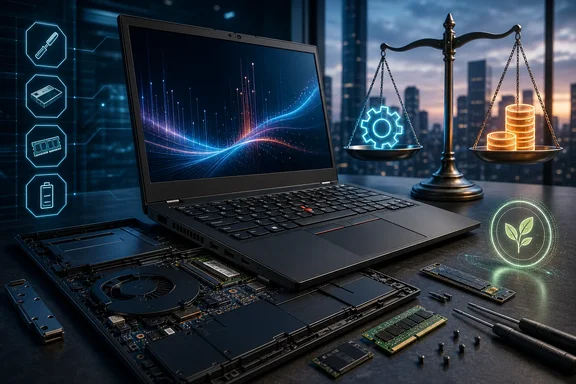
The most substantive Gen 7 advancement is its internal design. Lenovo uses one dual-channel LPCAMM2 memory module, with support up to 64GB of LPDDR5X-7467 memory. Unlike permanently soldered memory, this design creates a path for memory replacement or capacity upgrades, even though it does not provide the two conventional SODIMM slots some buyers may expect.
That distinction matters for both individual ownership and enterprise lifecycle planning. RAM requirements can rise well after purchase as browser tabs, collaboration clients, endpoint security tools, local development environments and virtual machines accumulate. A machine whose memory can be changed has a better chance of being redeployed rather than retired when its original configuration becomes restrictive.
Independent teardown reporting strengthens the case beyond the specification sheet. It found easier access through the bottom cover, a tool-free removable battery, modular USB-C ports, a fan that can be cleaned separately, and a replaceable keyboard. The M.2 2280 SSD remains modular as well. These choices turn several common failure or wear points into service operations rather than automatic motherboard replacements.
For a Windows fleet, that can have tangible consequences. An IT department may be able to address degraded battery runtime, a damaged USB-C port, keyboard failure, dust buildup or storage needs with a targeted repair. For home users, the same design can make a battery swap or SSD replacement less intimidating and potentially less expensive. Actual repair cost will still depend on parts availability, warranty terms and local service policies, but the hardware architecture is considerably more accommodating than the sealed designs increasingly common in premium laptops.
There is a counterpoint. LPCAMM2 is not as ubiquitous as desktop DIMMs or traditional laptop SODIMMs, so third-party part availability and pricing deserve attention before treating the upgrade path as guaranteed. Still, a replaceable proprietary module is materially better for long-term serviceability than non-replaceable memory.
Processor names conceal a broad range of machines
The T14 Gen 7 Intel spans Intel Core Ultra Series 3 processors with significantly different core counts and integrated graphics tiers. The Core Ultra 5 332 is a six-core, six-thread option with Intel Graphics; Intel rates its graphics at up to 18 TOPS and its NPU at up to 46 TOPS. Other platform configurations extend beyond that baseline.
For the usual Windows productivity load—Microsoft 365, browser-based work, video calls, document management and line-of-business applications—the lower-end configuration should be capable. The NPU specification also means it belongs to the current generation of AI-capable Windows hardware, though buyers should distinguish theoretical accelerator ratings from an immediate must-have benefit. Whether an AI feature helps depends on software support, the Windows edition and organisational policy around local and cloud processing.
Performance is where the value argument becomes less straightforward. Independent testing of a Core Ultra 5 325 configuration found overall performance had stagnated relative to the previous generation. More notably, its basic four-Xe Intel Graphics implementation was measured roughly 30% to 50% behind the Gen 6 Lunar Lake Arc 140V graphics. That does not make the tested system poor at office work or web use; it does mean that casual gaming, GPU-accelerated creative tasks and graphics-heavy displays may expose its limits sooner.
This is not proof that every Gen 7 is a graphics downgrade. Lenovo's broader specifications include more capable Arc B370 and B390 configurations, but North American buyers should treat those carefully. They are H-series configurations, and Lenovo's current specifications say processors with an H suffix are not available in North America. In a US-focused purchase decision, they are therefore not actionable configure-to-order alternatives unless a US SKU is independently confirmed. Buyers should assess the graphics tier actually offered for their region rather than assuming a global configuration list applies to the US.
The same caution applies to unverified benchmark charts or individual test anecdotes. Results can vary with processor choice, power profile, memory, display, drivers and firmware. In business procurement, sustained workload tests on the exact shortlisted configuration are more useful than a single score attached to a different SKU.
Screen, storage and battery: do not buy from the base spec alone
A 1920×1200, 60Hz IPS screen is available, but it is not the Gen 7's only display. Lenovo also lists 500-nit IPS panels with full sRGB coverage, as well as a 2.8K OLED panel with 120Hz variable-refresh-rate capability and full DCI-P3 coverage. This is a major purchasing decision, not a minor checkbox.
The basic IPS panel may be appropriate for document work and controlled office lighting. Workers who spend time in bright environments should give priority to the 500-nit option. People handling colour-sensitive images, video or design work may find the OLED specification more attractive, though a higher-resolution, higher-refresh display can also affect battery life. Organisations seeking consistent results should standardise the display selection across a fleet rather than assuming all T14s have equivalent panels.
Storage is similarly broader than a simple 512GB or 1TB PCIe 4.0 choice. Lenovo lists a single M.2 2280 SSD bay, with PCIe 4.0 offerings from 256GB through 1TB and PCIe 5.0 performance options at 512GB, 1TB and 2TB. The single-slot layout means capacity expansion requires replacing rather than adding a drive, but its standard physical form factor is a practical advantage for service.
Battery capacity also varies. Both 60Wh and 75Wh batteries are offered. WLAN versions start at approximately 1.27kg with the 60Wh battery and 1.37kg with the 75Wh battery; WWAN-equipped models weigh more. This is an unusually clear example of why quoted laptop weight and runtime should always be attached to a particular configuration.
An independently tested 60Wh/Core Ultra 5 325 system achieved 18 hours 5 minutes in a Wi-Fi web-use test at roughly 150 cd/m², falling to 10 hours 31 minutes at maximum brightness. Those results support the view that the T14 can deliver strong endurance, but they are not a universal promise. Screen choice, brightness, radio use, background software, battery capacity and workload will all change real-world runtime. For workers routinely away from power, the 75Wh option is likely worth considering even with its modest weight increase.
Pricing weakens the uncomplicated upgrade case
The central concern is cost. This US price snapshot was checked on September 15, 2026, for Lenovo configure-to-order identifier 21WNCTO1WWUS1. Lenovo displayed $1,844 as the system's “Est Value”, alongside a displayed 5% promotional price of $1,751.80. Neither number should be mistaken for a permanent street price: promotions, available configurations and commercial quotes can change quickly.
The volatility is already visible in the historical record. On May 25, 2026, an independent review recorded a historical US starting price of $1,618. That earlier figure is not a current offer, and it may not represent an equivalent configuration, but it demonstrates why a buyer should preserve the exact date, SKU and price label when comparing ThinkPad pricing.
The generational comparison is still revealing. The Gen 6 Intel ThinkPad T14 had a reported expected US starting price of $1,359 at its May 2025 arrival. These are not directly equivalent permanent retail prices or necessarily equivalent configurations, but the difference supports the conclusion that the Gen 7 entered its market at a meaningfully higher level.
There is credible wider context for rising memory costs: manufacturers allocating capacity toward high-bandwidth memory for AI data centres can tighten conventional DRAM supply and raise prices. Yet it would be speculation to say this specifically caused Lenovo's T14 Gen 7 pricing. Product pricing reflects many inputs, including component selection, currency, channel promotions, commercial support arrangements and configuration. Buyers should resist simplistic explanations and compare actual quotes.
For corporate purchasing, a higher invoice price could still be defensible if the repairable design lowers downtime and extends deployment life. That calculation needs real local numbers: warranty coverage, labour rates, replacement-part availability, expected battery replacements and the cost of user interruption. For a self-funded buyer, sale timing may be decisive. The gap between the September 15 estimated value and displayed promotion already shows why it is unwise to treat the first listed price as the final cost.
Who should choose it?
The ThinkPad T14 Gen 7 Intel is most compelling for Windows users and organisations that prioritise ports, a traditional ThinkPad control scheme, potentially long battery life and markedly better repair prospects. It is especially interesting where a laptop must remain useful for several years and where repair rather than replacement is a realistic operational goal.
It is less automatically compelling for buyers who need the strongest integrated graphics performance at the lowest cost. In that case, the exact Series 3 processor and graphics tier must be checked, along with regional SKU availability. North American buyers in particular should not plan around the H-series Arc B370 or B390 configurations without confirmation of a purchasable North American SKU. The Gen 6 or competing systems may offer better value depending on current discounts. Display requirements deserve the same scrutiny: the base panel, brighter sRGB IPS option and 2.8K OLED option serve different needs.
The best reading of this generation is not that it is invincible, nor that every configuration is a performance winner. It is a well-equipped business laptop whose repairability finally matches its long-life reputation more closely. That is a substantial achievement. Whether it is the right purchase depends on avoiding a base-model assumption, selecting the screen, battery and processor deliberately, confirming region-specific configuration availability, and demanding a price that reflects its real performance position rather than only its ThinkPad badge.