

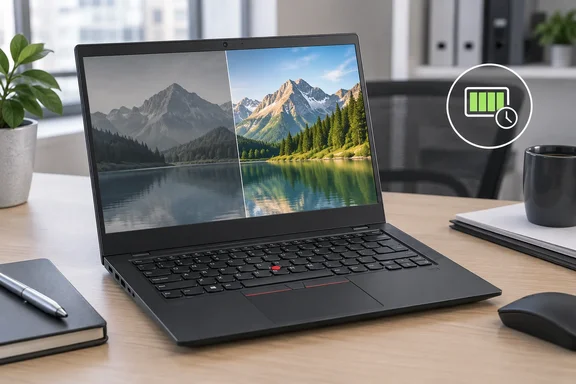
The important qualification is “tested configuration.” Lenovo’s official specifications show substantial processor and display variation within the T14 Gen 7 Intel family. This review is a warning about one particular combination—not a verdict on every laptop carrying the same badge.
What PCMag tested—and why the price matters
PCMag’s Windows 11 Pro review unit contained an Intel Core Ultra 5 325 processor, integrated Intel Graphics, 16GB of LPDDR5X memory and a 512GB SSD. Its 14-inch, 1920×1200 IPS display was non-touch and operated at 60Hz.
The publication reported these prices during its review:
| Configuration | Main components | Reported price |
|---|---|---|
| Entry model | Core Ultra 5 325, 16GB RAM, 256GB SSD | $1,751.80 |
| Tested model | Core Ultra 5 325, 16GB RAM, 512GB SSD | $1,799.30 |
| Higher-end model | Core Ultra 7 365 vPro, 32GB RAM, 1TB SSD, brighter touch display | $2,979 |
These are PCMag’s review-period dollar figures, not verified current checkout prices or corporate quotations; the captured review text does not explicitly identify the currency. PCMag also observed changing discounts during testing.
That distinction matters. A negotiated fleet purchase is not the same transaction as buying one laptop from a public storefront. Nevertheless, buyers should not assume that a volume discount automatically makes a modest configuration good value. The final quote needs to justify the actual components, support terms and user experience.
The keyboard remains the strongest everyday attraction
PCMag praised the keyboard’s comfortable raised keycaps, the familiar TrackPoint and the physical pointer buttons above the touchpad. Its reviewer also found the 2.84-pound machine easy to carry, although the utilitarian black chassis lacked the premium feel expected at this price.
The review’s conferencing observations were positive: a clear 5-megapixel webcam, an effective microphone and speakers that remained composed at higher volume. These are useful strengths for a machine whose working life may consist largely of documents, meetings and browser applications.
Connectivity is another practical advantage. Lenovo confirms two Thunderbolt 4 ports, two USB-A ports, HDMI and Ethernet. That gives administrators several options for existing peripherals and desk setups.
There is a small but worthwhile catch: PCMag found the USB-C connectors closely spaced enough to cause trouble with wide plugs and dongles. A generous port count is welcome; being able to use the required ports simultaneously is better. Testing the intended accessories on a sample unit would be sensible before a fleet order.
The screen is the configuration trap
PCMag measured its review panel at:
- 447 nits maximum brightness.
- 100 nits at the 50% brightness setting used for its battery test.
- 62% sRGB coverage.
- 46% Adobe RGB and DCI-P3 coverage.
The reviewer described muted colors and limited suitability for bright outdoor work. The color measurements are particularly relevant for employees selecting photographs, preparing marketing material or checking visual assets.
However, the maximum-brightness figure and the low color coverage describe different weaknesses. A screen can reach a respectable peak brightness while still reproducing a restricted range of colors.
Lenovo lists a 400-nit, 45% NTSC non-touch IPS option, two 500-nit touch IPS options rated at 100% sRGB, and a 2880×1800 OLED option rated at 100% DCI-P3 with 120Hz variable refresh. Those are manufacturer specifications, not independent measurements.
The procurement lesson: specify the panel, not merely “14-inch IPS.” Resolution alone does not distinguish these options.
Performance is adequate, rather than persuasive
PCMag reported that the tested T14 finished last in half of its productivity tests and toward the lower end in the remainder. Its assessment covered general productivity, CPU rendering, video conversion and Photoshop work.
The reviewer nevertheless found ordinary office use responsive. Slowdowns appeared during a heavier combination of system updates, downloads, browsing, music streaming and document work.
That makes the findings more nuanced than “slow laptop.” The tested machine handled routine work, but showed limited headroom when demands accumulated.
The comparison group also was not price-matched: PCMag included substantially more expensive Dell Pro and Surface Laptop for Business configurations alongside a MacBook Air and ThinkPad X13. Rankings therefore show how this sample performed within that group, not a universal measure of value.
Lenovo also lists H-series processors and Arc B370/B390 graphics options in the Intel family. Their presence does not prove better results here, but it limits how broadly the reviewed Core Ultra 5 configuration’s findings should be applied.
Thirty-seven hours needs an asterisk
The standout result was 37 hours and 3 minutes in PCMag’s battery rundown, ahead of the comparison Surface’s 34 hours and 50 minutes.
That test played a local 720p video with Wi-Fi and keyboard lighting disabled, brightness at 50% and volume at 100%. On this panel, the brightness setting produced just 100 nits.
It is an impressive controlled-test result—not a promise of 37 hours of connected work. Nor does setting every laptop to 50% brightness guarantee equal screen luminance, as PCMag’s measurements demonstrate.
For fleet evaluation, use the result as evidence of strong endurance potential, then test the intended workload at a comfortable, measured brightness.
Buy the specification, not the badge
Before approving an order, ask for a quote that identifies the exact processor, panel, memory, storage, battery and required security features. Lenovo lists fingerprint, IR-camera and smart-card options, while vPro depends on the eligible platform configuration. These features should not be assumed from the ThinkPad name alone.
Then pilot that configuration with representative users, applications, docks and peripherals.
PCMag’s assessment supports a conditional conclusion: this T14 Gen 7 sample is appealing for mobile office work where typing comfort and endurance take priority. Its screen and performance make the reported single-unit price harder to defend. A better panel and a suitable fleet quote could change that calculation—but those details belong on the purchase order, not in the buyer’s imagination.
References
- Lenovo ThinkPad T14 Gen 7 Review: The Classic Fleet Laptop Treads Water - PCMag Australia PCMag Australia · 2026-10-03T13:00:00+00:00
- Lenovo ThinkPad T14 Gen 7 Review: The Classic Fleet Laptop Treads Water - PCMag PCMag · 2026-10-03T13:00:00+00:00
- Document psref.lenovo.com