

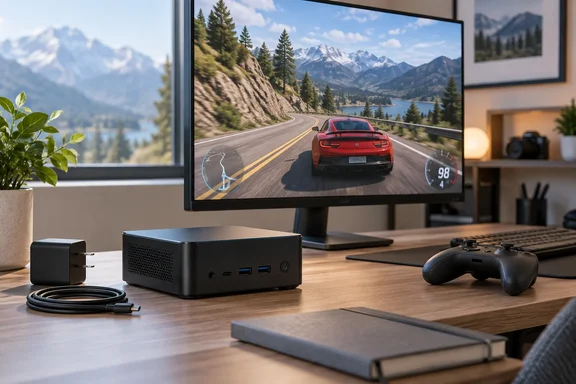
The strongest takeaway is not that gaming towers have become obsolete. It is that this particular Core Ultra X7 and Arc B390 combination appears capable of useful 1080p gaming alongside everyday desktop work. Before buying, readers should distinguish it from the less powerful machines carrying the same Yoga Mini name.
Small chassis, significant configuration differences
The reviewed system pairs an Intel Core Ultra X7 processor with Arc B390 graphics, 32GB of LPDDR5X-8533 memory and a 1TB PCIe 4.0 SSD, according to How-To Geek. It runs Windows 11 Home.
Lenovo’s official Product Specifications Reference identifies the X7 option as the Core Ultra X7 358H with Arc B390. It also lists Core Ultra 5 325/Intel Graphics and Core Ultra 5 338H/Arc B370 alternatives. These are not interchangeable gaming configurations.
Tom’s Guide provides a useful comparison: its review unit used the lower-end Ultra 5 325, 16GB RAM and a 512GB SSD. Its observations therefore should not be treated as benchmarks of Campanale’s X7/B390 machine.
Physically, Lenovo specifies a 0.65-liter enclosure measuring 130 × 130 × 48.6mm and weighing approximately 0.6kg. This is genuinely compact hardware, not merely a conventional desktop photographed beside an unusually large coffee mug.
What the 1080p gaming results establish
Campanale’s two reported results give the Yoga Mini a credible casual-gaming angle:
| Game | Resolution and preset | Reported frame rate |
|---|---|---|
| Forza Horizon 5 | 1080p, High | 91 FPS |
| Forza Horizon 6 | 1080p, High | 55 FPS |
Those figures belong to How-To Geek’s testing, not WindowsForum’s. The review does not disclose driver version, power mode, test duration, minimum frame rates or whether additional rendering features were enabled. Consequently, the numbers are useful indicators rather than a complete, reproducible benchmark suite.
The distinction matters. An average frame rate does not reveal every hitch, and two racing games cannot establish performance across an entire game library. The sensible interpretation is promising 1080p capability, not guaranteed high-setting performance in every demanding release.
Campanale also reported trouble-free use of DaVinci Resolve and Lightroom. Without project specifications or export timings, that supports a positive usability impression—not a measured claim that this mini PC replaces a workstation.
USB-C power makes the portability practical
The port inventory is unusually useful for such a small machine. Lenovo confirms two Thunderbolt 4 ports, two additional USB-C 10Gbps ports—including one with USB Power Delivery input—USB-A 10Gbps, HDMI 2.1 TMDS, 2.5Gb Ethernet and a headset jack.
That official inventory resolves an inconsistency between review descriptions and supports How-To Geek’s account of four USB-C connectors.
Campanale used both the included 100W USB-C adapter and a third-party 140W charger successfully. That is a welcome practical finding, but it does not establish compatibility with every USB-C charger, cable or dock.
Tom’s Guide independently demonstrated something more specific: its reviewer powered the Yoga Mini and obtained video output through one USB-C cable connected to an MSI Pro Max 271UPXW12G monitor. That supports a tidy single-cable desk arrangement with the tested display, not universal compatibility with all USB-C monitors.
For travel, the appeal is straightforward: pack the computer and suitable power equipment, then connect it to a display at the destination. The catch is equally straightforward—it remains a desktop, with no built-in screen or battery.
Upgrade limits deserve attention before checkout
Lenovo confirms soldered, non-upgradable memory and a single SSD position. Its documented storage offerings extend to 2TB; that is not proof that every larger aftermarket drive is supported.
For buyers, the practical consequence is to choose RAM capacity upfront. Storage can be replaced, but this is not a chassis offering a second internal SSD bay for effortless expansion.
Pricing also needs careful interpretation. How-To Geek reported approximately $2,087 from Lenovo and $1,490 from Best Buy without bundled keyboard and mouse. Those are the review’s reported offers, not guaranteed checkout prices or proof that the bundles otherwise match exactly.
The verdict: portable desktop, credible gaming bonus
The Yoga Mini’s attraction is the combination: a small Windows PC, useful connectivity, USB-C power and encouraging gaming results from the higher-end configuration.
The buying priorities should be equally concrete: confirm the processor and graphics, select enough soldered RAM, check the precise bundle and ensure the intended power-and-display arrangement is supported.
For someone seeking a compact everyday desktop that can also handle selected games at 1080p, the X7/B390 Yoga Mini deserves consideration. Its strongest achievement is making that compromise look surprisingly comfortable—not making the compromises disappear.
Update: New benchmarks broaden the Yoga Mini’s performance picture (October 4, 2026)
StorageReview’s October 4 review adds measured productivity, rendering and graphics results for the Core Ultra X7 358H/Arc B390 configuration, according to the outlet. Its tests used Lenovo’s Default power plan, providing a stated operating condition missing from the earlier gaming results.
According to StorageReview, the Yoga Mini scored 10,369 in PCMark 10 and 4,473 in Cinebench 2026’s multi-thread test—respectively 31 percent and 22 percent above its tested Dell Pro 5 14 laptop with a higher-tier X7 368H processor. The advantage was not universal: the Dell led in Geekbench CPU testing. These mixed results do not establish that the desktop chassis consistently outperforms comparable notebooks.
StorageReview also reported a Time Spy graphics score of 6,774, versus 3,590 for the Snapdragon-based ASUS Ascent QN10. That adds synthetic graphics evidence, rather than independently reproducing the previously reported Forza frame rates.
For creative users, the new tests add a more concrete limitation: according to StorageReview, the Yoga Mini processed tested Topaz Video AI 4× upscaling workloads at below 2.5 frames per second, and its 16× Aion slow-motion test did not finish. Those results qualify the earlier positive editing impressions: everyday creative work and demanding AI video processing remain distinctly different buying requirements.
References
- Lenovo Yoga Mini Review: Core Ultra X7 358H and Arc B390 in a 0.65-Liter Puck - StorageReview.com StorageReview.com · Sun, 04 Oct 2026 02:33:57 GMT
- Lenovo Yoga Mini Gen 11 review: A tiny desktop with playable 1080p gaming How-To Geek · 2026-10-03T15:30:14+00:00
- Lenovo Yoga Mini review | Tom's Guide tomsguide.com