

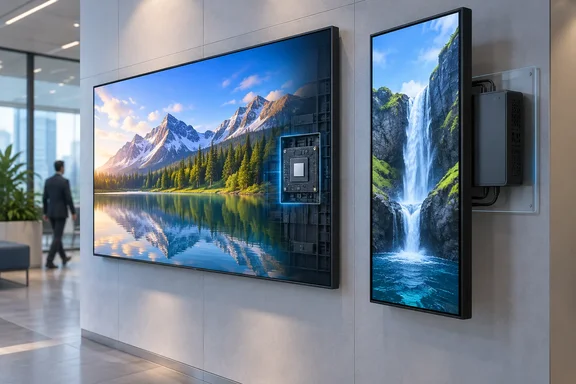
Trade publication invidis reports that the premium UP5Q series became the first display platform in the history of the SignageOS benchmark program to successfully pass all test scenarios, providing a new reference point for SoC-based digital signage. Before anyone throws out their Windows media players, it helps to look at what was tested, what wasn't, and what "PC parity" actually means here.
What the SignageOS benchmark found
invidis says the report was published by SignageOS in cooperation with content provider Screenfeed and covers LG's current professional display lineup. The main results, as invidis relays them:
- LG UP5Q (premium tier): Passed all 60 benchmark scenarios. invidis says no platform has done that since SignageOS started the program seven years ago.
- Gapless 4K playback in both orientations: The UP5Q is described as the first webOS display to play UHD H.265 video back-to-back without gaps in both landscape and portrait. Performance reportedly didn't drop measurably when moving from Full HD to UHD workloads.
- HTML5 stress tests: It passed all three of Screenfeed's real-world HTML5 workloads. These are news, weather and sports apps with dozens of elements animating at the same time.
- LG UH5Q (mainstream tier): Passed 54 of 60 scenarios, or 90%. Five of its six failures involved UHD content. The sixth was the toughest HTML5 test.
The UH5Q did pass every Full HD video scenario in the report, including:
- Multi-playlist playback
- Mixed media content
- Streaming applications
- Synchronized video walls
The report breaks results into 15 test groups instead of a single overall score. It also compares both LG tiers against a dedicated Windows 11-based media player, which is where the "PC parity" headline comes from.
Section summary: The premium LG panel passed everything. The mainstream panel handled Full HD fine but struggled with 4K and the heaviest browser content.
The webOS "9.0" naming problem
invidis calls the tested platform "webOS 9.0." SignageOS's own developer documentation tells a messier story. Its supported-devices list puts the UP5Q and UH5Q (sizes 43 to 86 inches) under webOS 8. It says LG's API mistakenly reports some webOS 8 models as version 9, and that LG hasn't disclosed any official webOS 9 lineup. The same docs call the platform "webOS 8.0 (AKA '9.0', webOS Signage 24)."
For administrators this matters in practice. If your CMS, device-management scripts or asset inventory filter devices by the OS version the API reports, these panels may show up as "9" even though the vendor documentation lists them as webOS 8. Check which label your tooling relies on before you write rules around it.
Why the two tiers perform differently
The hardware explains the gap. SignageOS's gapless-playback guide says the UH5Q/UH7Q use an M23 chipset that supports gapless playback up to Full HD (1920 × 1080). The UP5Q uses an O24 chipset that supports up to 4K UHD (3840 × 2160), but only with HEVC, AV1 or VP9 video.
That matches the benchmark closely. The UH5Q's UHD failures reflect its chipset's documented limit, not a surprise weakness. It also means your 4K library needs to be encoded in one of those codecs if you want seamless 4K on the UP5Q. An older H.264 4K file is outside the documented envelope.
The same documentation shows how far LG's platform has come. SignageOS says webOS 4.1 and 6.0 have trouble with gapless UHD playlists because limited GPU memory prevents preloading the next UHD video, and that portrait UHD video isn't supported on those platforms at all. Portrait 4K going from unsupported to passing a benchmark within a few generations is real progress.
LG's own product pages describe the UP5Q-E as having a high-performance SoC that allows for multiple tasks to be performed without a separate media player, and highlight 32GB storage with USB 3.0 file transfer. That is marketing copy. The SignageOS results are the third-party evidence behind it.
Section summary: The chipset split (M23 vs O24) accounts for the benchmark split, and 4K on the UP5Q depends on HEVC, AV1 or VP9 encoding.
The history, as SignageOS tells it
SignageOS co-founder and CPO Lukas Danek describes the trend in terms of generations. "Every SoC generation we benchmark closes gaps the previous one couldn't," said Lukas Danek, CPO and co-founder of SignageOS. "WebOS 4.0 struggled with simultaneous playlists, WebOS 6.0 solved that but not UHD, and now UP5Q has closed that gap too. He argues that SoC displays are no longer catching up to mainstream signage needs.
That's a vendor-adjacent view, and you should read it that way. SignageOS sells cross-platform device management and development tools, so it benefits from a market where many kinds of displays can run content directly. Its benchmark archive is real, though. The SignageOS research center has published earlier reports, including a comprehensive study on the LG digital signage platform, webOS 4.0, which gives the generational comparison something to rest on.
Caveats worth knowing
A few things should temper the "PC parity" headline:
- Parity applies to this benchmark only. Passing 60 signage scenarios shows the UP5Q matches a Windows 11 player on those specific playback and rendering tests. It doesn't show equivalence for general computing, custom native apps, peripheral-heavy kiosks or anything outside the test set.
- The scenario count has changed. When SignageOS added Screenfeed's HTML5 tests in October 2023, it described its method as 61 scenarios across 15 categories. The current report is described as 60 scenarios. Public sources don't explain whether a test was dropped, merged or counted differently.
- Key test details aren't public. Firmware versions, pass/fail thresholds and the specs of the Windows 11 comparison player weren't in any public material we found. A "Windows PC" could mean a low-end mini PC or a much more capable machine, and the parity claim depends a lot on which one.
- The memory-price argument is unsupported. invidis adds that the case for SoCs is stronger in current times, where memory prices have tremendously driven up external media prices. That's plausible given recent component-market pressure, but the reporting offers no pricing data to back it, so treat it as the publication's opinion.
- Some deployments still need a PC. invidis itself notes that the largest experiential installations, AI-driven applications and highly interactive projects may still need dedicated computing hardware.
What this means for Windows-based signage fleets
This section is analysis based on general enterprise IT experience, not on the report.
For IT teams running Windows signage players, the real question isn't whether webOS beats Windows. It's whether each screen still justifies a separate managed endpoint. Every Windows player behind a display is another device that needs monthly patches, endpoint protection, hardware replacement cycles, OS lifecycle planning and, in many organizations, a licence. Removing that box from a Full HD menu board simplifies things considerably.
A reasonable way to decide:
- Audit content by resolution and codec. If a site only runs Full HD video and simple layouts, the UH5Q's results suggest it can handle the job without an external player.
- Mark every 4K or portrait-4K screen. These fit the UP5Q better, provided the content is encoded in HEVC, AV1 or VP9.
- Stress-test your heaviest HTML5 content. The UH5Q's one non-UHD failure was the toughest HTML5 scenario. Browser-heavy dashboards are where the cheaper tier is most likely to fall short.
- Keep Windows players where Windows adds something. Custom .NET apps, USB peripherals, complex interactivity and anything that needs local compute are still good reasons for a PC.
- Confirm CMS support. A display that passes a benchmark doesn't guarantee your content platform supports that model's firmware and API. Also check the webOS 8/"9" labelling issue above.
Bottom line
SignageOS's benchmark, as reported by invidis, is a real milestone. An LG display with a built-in SoC passed every scenario in a seven-year-old test program, and the chipset documentation explains both why the premium UP5Q passed and why the mainstream UH5Q didn't. "PC parity" holds for signage playback workloads, not for PCs in general. For many Full HD deployments, and for 4K deployments encoded correctly, the Windows player behind the screen may soon be the most expensive part of the installation with the least reason to be there.
References
- PC-Parity: LG Sets New Standards for SoC Performance - Sixteen:Nine Sixteen:Nine · 2026-09-29T05:59:00+00:00
- Gapless playback issue | signageOS Documentation docs.signageos.io
- LG webOS Supported devices | signageOS Documentation docs.signageos.io