

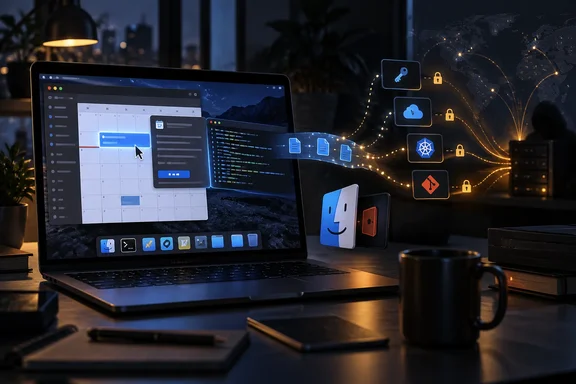
How MacSync turns an iCloud calendar event into a zsh script
The calendar route is a clever abuse of a legitimate Apple service, and it only works after the victim has already run something malicious. In the chain Kaspersky analyzed, the attack starts with a malicious DMG disk image containing an .APP application. On launch, that loader checks whether the bundle carries macOS's com.apple.quarantine attribute and strips it with xattr -cr. It then decrypts an XOR-encrypted URL stored in its overlay. In some samples, the URL points straight to a file on an attacker-controlled server. In at least one sample, it points to a public iCloud calendar hosted under caldav.icloud.com.
This is where the technique gets unusual. BleepingComputer reports that the downloader feeds the retrieved calendar data to macOS's zsh shell. Most of the calendar text produces errors, but commands placed after the event's DESCRIPTION: line run and fetch an archive with the malware components. Kaspersky gives more detail on the mechanics. The downloader opens an anonymous pipe, starts the shell with zsh -s so it reads commands from standard input, and streams the calendar file in line by line. The shell treats the calendar's formatting lines as invalid commands and keeps going until it reaches the attacker's script.
That script downloads a .TAR.GZ archive from iCloud containing another .APP bundle. The downloader removes the quarantine attribute, gives the app an ad-hoc signature and runs it. Kaspersky says it could not see the scripts served from the attacker's own server, but it considers them very likely identical to the one in the calendar event.
To be clear about the limits: viewing or subscribing to a calendar does not infect a Mac. The calendar is only a hosting location. A downloader already running on the machine fetches the event text and deliberately pipes it into a shell. Other coverage of Kaspersky's findings also describes the iCloud step as occasional. Kaspersky said that in some cases, one of the malicious downloads in the attack sequence is hosted in a public iCloud calendar entry in *.ics format. For defenders, the appeal to attackers is clear: requests to Apple's own infrastructure look far less suspicious in network logs than requests to a new or unknown domain.
Toria, ClickFix and cracked apps: the ways MacSync reaches a Mac
MacSync is sold as malware-as-a-service, meaning criminals rent the toolkit and each operator chooses how to deliver the first stage. Kaspersky notes that recent public reporting has mostly covered ClickFix-style delivery, where victims are talked into pasting commands into Terminal. MacSync also spreads as free or cracked versions of popular apps and as supposedly new software. BleepingComputer adds that MacSync has been observed recently being delivered in ClickFix campaigns disguised as Homebrew and macOS disk space analyzer tools.
The campaign Kaspersky examined in detail used a fake cryptocurrency wallet called Toria. The app does not exist, but the attackers gave it a dedicated web page and promoted it on X and Telegram. Kaspersky found two delivery paths even within this one fake-app campaign. In the simpler path, the DMG contained a compiled JXA (JavaScript for Automation) script. It decoded a shell script and passed it straight to the interpreter without writing it to disk. In the more complex path, described above, the same script only appears after a series of droppers and loaders.
Kaspersky's press materials also mention document-sharing apps as lures. The company said the attack begins with a malicious file ending up on a user's device – this may be a result of the user downloading the malware disguised as a certain application (a document sharing app, crypto wallet app or other apps).
Accounts of the family's origins differ slightly. BleepingComputer dates MacSync's emergence to April 2025. Kaspersky's technical report says it was first advertised on the dark web in 2025 under the name Mac.c and later renamed. Some press coverage says 2024–2025. All accounts agree that the early versions were AppleScript-based and closely resembled the AMOS stealer family, and that the malware has since developed features of its own.
Binary droppers and pkgunpack show MacSync's authors investing in evasion
Kaspersky's main finding is that MacSync's developers have replaced script-based droppers with compiled binaries, and that the main payload now consists of modules written in Objective-C and Swift. All the binaries are FAT Mach-O files, so they run natively on both Apple silicon and Intel Macs.
After the calendar stage, the chain gets deeper:
- The first downloaded app is a dropper. It decrypts an AES-CBC-encrypted, zlib-compressed executable and writes it to
/tmp/.sys-followed by a 16-digit random value. - That executable is a second dropper with anti-analysis checks. It queries
sysctlforkern.hv_vmm_presentandmachdep.cpu.brand_stringto detect virtual machines, and it setsPT_DENY_ATTACHthroughptraceto block debuggers from attaching. - The second dropper delivers a downloader script. That script retrieves a further payload from the command-and-control (C2) server, decrypts it and runs it in memory.
- The final script downloads and decrypts the infostealer and the backdoor, sets up persistence and uploads stolen data.
The last stage uses a homemade utility called pkgunpack with two commands, genkey and decrypt. It generates a Curve25519 key pair on the victim's Mac and sends the Base64-encoded public key and a one-time code to the server. The server returns a payload key encrypted with the resulting shared secret, and the payloads themselves are decrypted with AES-GCM. The utility also zeroes out its key and data buffers after use. Kaspersky reads this as an attempt to hinder forensic collection and dynamic analysis.
Incident responders who know older MacSync samples will recognize some traits. The main script function is still named daemon_function. Stolen data still goes to C2 in HTTP PUT requests, now in 90 MB chunks, which differs from earlier versions. The backdoor's download path on the C2 server begins with /loader/. Each stage writes temporary files and .lock files to /tmp and cleans up after itself.
What the Swift infostealer takes, and why developer Macs are the prize
The infostealer is a Swift application that first asks the user for their administrator password. The prompt is styled to match whichever app the malware is impersonating. After the password is entered, a fake system notification says the app is damaged and offers to move it to the Trash, which gives the victim a plausible explanation for the app "not working." To check the password, the malware uses macOS's Pluggable Authentication Modules (PAM) API instead of the dscl utility most Mac malware relies on. Kaspersky says this technique was first seen in the wild in July 2026 in the Pam Stealer family and expects it to become more common.
The stealer collects:
- Browser history, cookies, saved logins and passwords, Local State files and crypto wallet extension data.
- Data from cryptocurrency wallet apps and from Telegram.
- The device login password and the Keychain file.
- System information, including installed apps, running processes, device model, hardware details and UUID.
- Configuration files for SSH, zsh, AWS, Kubernetes, Git and other tools.
- Zsh and Bash command histories and the current user's profile picture.
This data is why the story matters beyond Mac owners. Shell histories often contain tokens pasted on the command line. Cloud CLI configuration files can hold access keys. SSH and Git configs lead to source code repositories. Kaspersky concludes from the targeted data and the fake-app themes that MacSync is aimed at developers, crypto users and others working in IT or crypto. It warns that one compromised developer machine can put corporate systems and downstream users at risk.
Kaspersky also found an unfinished Keychain feature, disabled in every sample seen so far. The code tries to change a Keychain entry's partition list with the security set-generic-password-partition-list command. The encrypted strings target entries such as Chrome Safe Storage and Brave Safe Storage. When the stealer then tries to read the secret, macOS still shows a confirmation request. Kaspersky thinks the authors want silent access to browser secrets in future versions, but the analyzed samples do not bypass Keychain without a prompt.
The Finder-disguised backdoor is built to survive cleanup
The backdoor is the new and more dangerous part of the package, because it turns a one-time data theft into ongoing access. It is an Objective-C Mach-O binary that poses as Finder. It stores its files, including a backup copy of itself, in $HOME/Library/Application Support/System. Kaspersky notes that this directory does not exist on macOS by default, so the malware creates it. It writes logs to $HOME/Library/Logs/.sysnotif-agent.log.
It uses three separate persistence mechanisms:
- A LaunchAgent named
com.apple.finder.agent. - A line added to
.zshrcthat runs a.repair-runscript whenever zsh starts. - Similar commands added to the global Git
pre-commitandpost-checkouthooks, so ordinary developer work re-triggers the malware.
The .repair-run script checks whether the backdoor files are still there. If they are missing, it restores them from the backup and re-creates and reloads the LaunchAgent. It also kills BTMNotificationAgent, NotificationCenter and BackgroundTaskManagementAgent, so the user never sees macOS's alert about a new background item. On macOS versions older than 13.0, the backdoor also uses an embedded helper to add itself to Login Items through the CoreServices framework.
The backdoor polls its C2 server over HTTP at /v1/agent/ping, refreshes expired access tokens through /v1/agent/refresh, and uploads files through /v1/asset/ endpoints. Its requests include a custom X-Upload-Token header. Kaspersky found that almost every command works the same way: the backdoor takes a Base64-encoded AppleScript from the server's response and runs it. The named commands cover running arbitrary attacker-supplied AppleScript, installing or replacing browser extensions, replacing the legitimate Ledger wallet app with a version supplied by the attacker, collecting and uploading system information and files, and checking or restoring persistence. Kaspersky did not have the AppleScript payloads for these commands, so it inferred their purpose from command names and status messages.
The exception is a command called live_browser. It does not use AppleScript. Instead, the backdoor looks for a component called sn_relay, downloads and runs it if it is missing, and reports back to C2. Kaspersky says it could not determine what sn_relay does. Based on the name and server messages, the researchers speculate that it could enable interception of browser traffic, but that is unconfirmed.
What this means for you
If your organization has Macs used by developers, cloud engineers or anyone handling crypto, act now. Kaspersky has not published any victim counts or prevalence data, so this is a targeted threat to high-value machines, not a mass outbreak. Windows-only home users are not directly affected, but IT teams running mixed fleets should treat a MacSync infection as a credential-compromise incident, not just a malware cleanup.
On a suspected machine, check for the specific artifacts Kaspersky documented: the com.apple.finder.agent LaunchAgent, the $HOME/Library/Application Support/System directory, .repair-run references in .zshrc and the global Git hooks, hidden /tmp/.sys-* files and the .sysnotif-agent.log file. Kaspersky's report also lists file hashes, the hash of the malicious calendar and defanged C2 addresses for detection work. Kaspersky's own products detect the family under verdicts such as HEUR:Trojan.OSX.MacSync.* and HEUR:Trojan-PSW.OSX.MacSync.*.
Kaspersky has not published a remediation procedure. Its findings do make one thing clear: deleting the fake app is not enough. The backdoor restores itself from backup and re-triggers from shell startup and Git activity. Given what the stealer collects, assume that every secret on the machine was taken. That includes browser-saved passwords, session cookies, SSH keys, AWS and Kubernetes credentials, Git tokens and anything in the shell histories.
- Never paste Terminal commands from websites, chat messages or "fix" pages. ClickFix-style lures remain one of MacSync's main entry points.
- Install apps only from their original developers, and treat DMGs from unfamiliar sites, cracked software and newly promoted apps such as the fake Toria wallet as hostile.
- Treat an admin password prompt right after launching a new app, especially one followed by a "damaged app" notice, as a sign of infection.
- Monitor
.zshrcand global Git hooks on managed Macs, because MacSync uses both for persistence. - If a Mac is compromised, rotate cloud, SSH and Git credentials and revoke browser sessions from a clean device, not the infected one.
Hosting part of the chain on a public iCloud calendar is a small change with a clear purpose: it puts attacker traffic on infrastructure that defenders trust. Combined with compiled droppers, per-session payload encryption, a self-repairing backdoor and a Keychain feature still in development, MacSync is being actively improved as a commercial product. Expect the next version to arrive with a working Keychain module and a new lure, and give developer Macs the same scrutiny your Windows endpoint teams already give privileged admin workstations.