

What Microsoft actually said
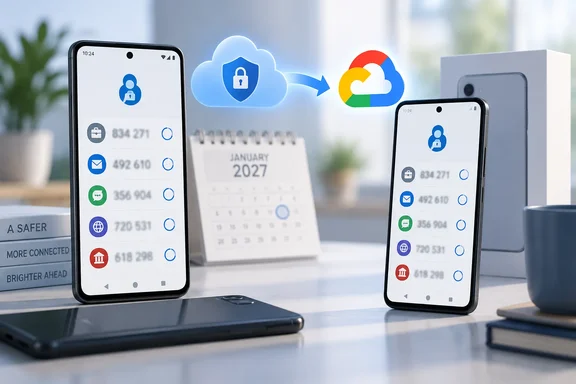
The Microsoft Support page on backing up Authenticator carries a notice inside the Android instructions. It says that from January 2027 you will no longer use your Microsoft personal account to enable backup. Instead you must enable "Microsoft Authenticator" from Google One backup.
Microsoft gives no specific day in January. It also gives no reason, no minimum app version and no migration procedure. Guru3D likewise notes that Microsoft has not provided a reason for the change.
The notice describes a future change, not one already in force. The existing steps still apply today: open Authenticator, go to Settings, turn on Cloud Backup, pick a Microsoft personal account and tap OK. Heise reports that this flow still works, with a notice pointing to the change.
Where the new setting lives
Microsoft's note is terse. Heise reports that in the Google One app's settings, under "Back-up" and then "More device data", you should select the "Microsoft Authenticator" entry. Heise also explains that Google One then stores the app's settings and data in Google's cloud storage.
A Microsoft Q&A poster in September said they could not find Authenticator in Google One backup yet. That is unsurprising for a change scheduled for 2027, but it means you cannot test the new route today.
What a restore brings back
Backup and restore only work between the same device type. An iOS backup cannot be restored to Android, and the reverse is also true. Microsoft's page lists what comes back, by account type:
- Personal Microsoft account using only a one-time code: the code is available after restore.
- Personal Microsoft account with passwordless sign-in: only the account name is saved, so you sign in again.
- Work or school accounts: only the account name is saved, so you sign in again.
- Third-party accounts (Microsoft cites Amazon, Facebook and Gmail): the one-time codes, which refresh every 30 seconds, are available after restore.
A restore is therefore not a full clone of the old phone. Anyone who relies on Authenticator for corporate sign-in should expect to re-register or re-sign-in on the new device, whichever cloud holds the backup.
The storage question
Google says that Google's own Android backup help page says a Google Account includes 15 GB of free backup storage, with more available through Google One. Neowin suggests Authenticator backups will count against that allowance and that a full account might block the backup. That is a reasonable inference, but Microsoft has not said how large the backup is or whether it counts against the quota. Treat it as unconfirmed.
Google's help page also warns that not every app can back up and restore all its settings and data. Whether Authenticator's backup behaves differently for any account type under the new method is not documented.
Why Microsoft might be doing this
Microsoft hasn't said. Two outside explanations are circulating, and both are interpretation, not Microsoft's statement:
- Parity with iOS. pbxscience reports that Authenticator on iPhone moved to iCloud and iCloud Keychain from September 2025. Neowin makes the same comparison. Both platforms would then rely on the phone vendor's cloud.
- Enterprise hygiene. pbxscience argues the old design forced employees to link a personal Microsoft account to back up corporate MFA data. It says that created data-separation headaches. This is that site's analysis, not a Microsoft statement.
There is a trade-off. Your second-factor seeds would sit in Google's ecosystem, and recovery would depend on your Google account's security. On the plus side, Heise points out that Android users typically already have a Google account, so a Microsoft account is no longer needed just for this feature.
What to do now
- Check your current state. Open Authenticator, go to Settings and look at the Cloud Backup toggle. Note which Microsoft account holds the backup.
- Don't rely on a single copy. Make sure each important account has a recovery method that doesn't depend on the app, such as backup codes or a second registered sign-in method.
- Plan for the January change. Check Microsoft's support page and your Google One backup settings once the new entry becomes available. Microsoft hasn't said whether existing backups migrate automatically, so don't assume they do.
- For admins: Microsoft's page points IT administrators to guidance on blocking third-party TOTP in Entra ID to prevent credential backup. Users on managed phones may need clear instructions, because Google's help page says backup isn't available on work-profile or company-owned devices.
- If a backup went to the wrong account, Microsoft's current fix is to turn Cloud Backup off to delete it, then turn it on again and choose Change account.
Unanswered questions
- The exact date in January, and whether the old method stops at once.
- Whether existing Microsoft-account backups are migrated, deleted or left untouched.
- How much storage the backup uses.
- Whether the change needs a particular Authenticator version.
- How the new route handles restores on devices from different manufacturers.
For most people this looks like a settings change, not a crisis. Still, authentication data is the one thing you don't want to find missing when you drop your phone in a lake. Check your backups well before January.
References
- Microsoft Authenticator set to remove native backups in 2027 Neowin · 2026-10-05T18:22:01+00:00
- Microsoft Authenticator: Android backup only with Google One from January heise.de
- Microsoft Authenticator Android Backups Will Move to Google One in 2027 guru3d.com