

The idea is simple and overdue. The details that matter most to administrators have not been published yet. Here is what the roadmap says, what Microsoft's documentation already covers, and what IT teams should watch for.
What the roadmap entry says
The listing is short. Here are its key fields:
| Field | Roadmap value |
|---|---|
| Roadmap ID | 571880 |
| Product | Microsoft Copilot Studio |
| Platform | Web |
| Status | In development |
| Release rings | Preview and General Availability |
| Preview target | September 2026 |
| GA target | October 2026 |
| Cloud instance | Worldwide (Standard Multi-Tenant) |
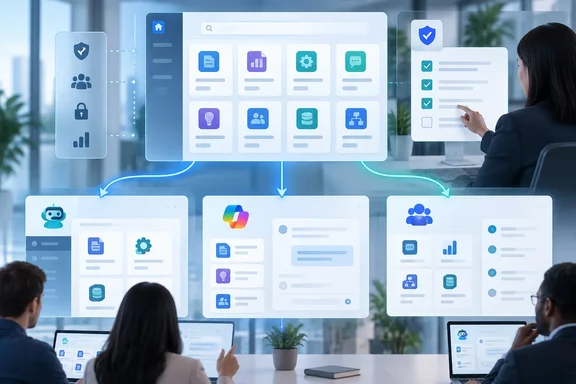
According to the description, the catalog is powered by the Microsoft 365 App Store. Shared skills are meant to work beyond Copilot Studio, in Microsoft 365 Copilot and Cowork as well. Microsoft presents this as a way for organizations to standardize proven ways of working while keeping central governance.
A few cautions:
- "In development" does not mean shipped. The preview month is September 2026, which ends today, and the listing gives no day, rollout group or confirmation that the preview has started.
- GA is only "October 2026." No exact date is given, and roadmap dates often move.
- Government clouds are not listed. Only Worldwide (Standard Multi-Tenant) appears, so GCC and sovereign-cloud tenants shouldn't count on this for October.
- The roadmap page itself says all information is subject to change, and entries are removed once a feature ships or is cancelled.
Summary: This is a planned feature with target months, not a finished product with documentation.
A quick refresher: what a "skill" is in Copilot Studio
"Skill" means something specific in Microsoft's documentation. The Copilot Studio skills overview on Microsoft Learn describes a skill as a capability with a name, a description and a set of instructions written in Markdown. A skill can also bundle scripts, reference materials, templates and other resources.
The same page explains how skills differ from other agent components:
- Instructions set general agent behavior and personality.
- Knowledge is data the agent can reference.
- Tools perform actions through external services, connectors, APIs and MCP servers.
- Skills are reusable, task-specific capabilities packaged as Markdown-based files.
Learn also says the orchestration runtime decides when to activate a skill by matching the user's request against the skill's description. The skill's wording therefore does real work: a vague description means the skill is triggered at the wrong times or not at all.
Today, Microsoft documents three ways to add a skill to an agent:
- Upload a skill: import a
SKILL.mdfile or a.zipbundle with supporting scripts, templates and reference documents. - Create from blank: write the name, description and instructions yourself.
- Generate with AI: describe the skill in plain language and let Copilot draft it.
The companion "Create a skill" page describes the steps: open the agent, go to the Build tab, select Skills in the components panel, and pick either Generate with AI or Create from blank. Skill names must use lowercase letters, numbers and hyphens, and can't start or end with a hyphen. Microsoft recommends testing the agent in the Preview tab after adding a skill.
Scope matters here. Both Learn pages say their features apply to agents or workflows powered by the GitHub Copilot harness, and that usage-based billing, which can consume Copilot Credits, applies to using, building, testing and evaluating those agents. Neither page describes the new catalog. Don't assume catalog skills will be added through the same upload flow or come with the same requirements.
Summary: Makers can already create and share skills. What's missing is an approved, organization-wide place to find them, and that's the gap the catalog is meant to fill.
Why the App Store matters
Building on the Microsoft 365 App Store is the most interesting design choice in the listing. It means skills could be distributed through an existing storefront rather than a separate repository.
Microsoft's support documentation already describes the App Store experience in the Copilot app. Users select the Apps icon or go to the App Store, where they find a catalog of the apps available to you and some filters to help you more quickly find what you're looking for. In the full store, users can search for a specific app using the search field or select from a list of categories, and if it's an app you want, select Add to add the app to the Microsoft 365 Copilot app.
That's how apps and agents are added today. Microsoft hasn't said skills will use the same browsing, filtering or "Add" controls, so treat that as a reasonable guess, not a promised design. The appeal of the approach is clear, though: skills would go through the same governed distribution channel IT already uses for apps and agents, instead of being passed around in Teams chats as .zip files.
How this fits Microsoft's September 25 announcements
The roadmap entry follows the "new Copilot" announcement made four days earlier. In that post, Jared Spataro, Microsoft's CMO for AI at Work, wrote that across Microsoft 365, Skills help bring specialized expertise directly into the apps, like financial skills in Excel and legal skills in Word, and enable organizations to scale best practices through reusable, role-specific workflows.
The same post described a broader distribution layer. Plugins extend what Copilot can do, bringing together skills, connectors and other capabilities so users can complete more workflows without leaving the apps they use every day. Microsoft said that, rolling out now and generally available across surfaces in the coming weeks, a new plugin registry will bring Microsoft, partner and custom-built plugins together in one unified catalog. The post added that IT can approve and manage plugins centrally, and that developers and partners can publish once to reach supported experiences.
Is the Copilot Studio skill catalog the same thing as the plugin registry? Microsoft hasn't said so. Both involve central approval, cross-surface reuse and a single catalog, and plugins are described as containing skills. But the roadmap item and the blog post name different features with different schedules: "coming weeks" for the plugin registry, and September preview with October GA for the skill catalog. Admins should plan for them as separate features until Microsoft says they are one.
There's already an unofficial shelf
Microsoft already publishes skills informally. The CAT Agent Skills site on GitHub, from Microsoft's Copilot Acceleration Team, describes itself as a place to discover, browse, and download reusable skills for Cowork, Copilot Studio, and Scout AI agents. Its entries include a skill that tells you which Microsoft 365 / Copilot Studio agent option fits your scenario, and a Business OS skill for Copilot Studio meant to help agents turn repeatable work into reusable skills.
That shows both the demand and the problem. A public GitHub gallery is useful for ideas, but it isn't an approved internal catalog with admin controls. The roadmap item goes after the enterprise version: approved skills, selective sharing and centralized governance.
What administrators should prepare for
Microsoft hasn't published admin controls, role requirements or licensing for this feature yet. Until it does, here are some practical steps based on general governance practice:
- Inventory what already exists. Find the skills your makers have created or uploaded, including
SKILL.mdfiles and.zipbundles. Duplicates are a sign the catalog will be useful. - Choose owners early. Someone has to maintain each approved skill. A shared skill with no owner becomes a shared liability.
- Review bundled content like code. Skills can include scripts and reference materials, so treat approval as a code-and-content review, not a simple click.
- Watch for scoping controls. The roadmap says "selectively share," but not whether that means tenant-wide, group-based or per-user. That will determine how sensitive a skill you can publish.
- Follow the cost model. Skill features on the GitHub Copilot harness already fall under usage-based billing. Whether catalog skills used in Microsoft 365 Copilot or Cowork are billed differently is unknown.
- Check the Message Center. Roadmap entries usually come before Message Center posts, which normally carry the rollout details and admin guidance.
Summary: Prepare an inventory and an ownership model now, and wait for real documentation before setting policy.
Open questions
Microsoft's current materials don't answer the most important governance questions:
- Who can submit a skill to the catalog, and who approves it?
- How are updates to a skill versioned and pushed to agents already using it?
- Can a skill be recalled or deprecated after it's been added to many agents?
- Does the catalog work only with GitHub Copilot harness agents, or also with standard Copilot Studio agents?
- What licenses or roles are needed to browse, add or publish?
- When will GCC and sovereign-cloud tenants get it, if at all?
These are the details that decide whether a reuse catalog becomes a well-run library or a cluttered drawer of half-finished prompts.
The bottom line
The skill catalog addresses a real problem: good agent behavior is repeatable, but many organizations still build it from scratch agent by agent. Running shared skills through the Microsoft 365 App Store, with centralized governance and reach into Microsoft 365 Copilot and Cowork, would turn useful Markdown files into managed organizational assets.
For now it's a roadmap promise with a September preview target, an October GA target and no published procedure. Makers can keep building skills with the documented Build-tab tools. Admins should use the next few weeks to get their existing skills in order before a catalog makes them visible to the whole company.
References
- Microsoft Copilot Studio: Discover & Add Skills from the skill catalog Microsoft 365 Roadmap · 2026-09-29T23:05:21.588180Z
- Skills overview for agents - Microsoft Copilot Studio (GitHub Copilot) | Microsoft Learn learn.microsoft.com
- Create a skill for an agent - Microsoft Copilot Studio (GitHub Copilot) | Microsoft Learn learn.microsoft.com