

The event in brief
The conference is run under the World of End User Computing (WEUC) banner. The board described the move away from the old Citrix User Group Community and other vendor-specific events toward a multi-platform foundation. Johnny Ma received the WEUC Community Award, formerly the Stephanie Roper Award.
The expo floor mixed big names (HPE, Nutanix, Citrix, Omnissa, Parallels) with desktop management and startup vendors such as Nerdio, Liquidware, Leostream, IGEL, 10ZiG, Recast, Tassient and Nevona.ai. Everything below is the speakers' account as reported by StorageReview, not independent testing.
DEX panel: telemetry without the noise
The Digital Employee Experience panel included speakers from Citrix, Recast Software, Omnissa and Liquidware. The argument was that hypervisor CPU, memory and ping checks miss what users actually see on home networks, thin clients and multi-cloud setups.
The examples offered were:
- An endpoint security agent consuming about half of client threads.
- An ISP transit hop that looks like virtual desktop lag.
- An oversized cloud instance with an idle vGPU.
These are illustrations from the session, not measured prevalence.
The panel also discussed feeding DEX telemetry into ServiceNow so remediation starts before a ticket is filed. Panelists were cautious about automated anomaly detection. StorageReview's own view is that unattended remediation needs strict guardrails and verification before it touches production. That is sensible: a script that "fixes" the wrong thing at scale is just an outage with extra steps.
Legacy apps: retask hosts instead of rebuilding
The Parallels-sponsored session covered a multi-tenant Parallels RAS deployment serving Skyward's K-12 school management software. It reportedly handles more than 2,000 concurrent users across hundreds of districts. The unsupported legacy backend is isolated from outside exposure.
The headline claim came from an MSP architect: session hosts can be retasked to a modern broker in under 15 minutes by swapping the agent service. Golden images, application runtimes and local user configurations stay as they are. The team also cleared file transmission and HTML5 redirection bottlenecks by pushing dedicated filesystem drivers to users.
Treat this as one speaker's case study. The report gives no OS or application versions, prerequisites or rollback plan. It is a prompt to evaluate a delivery-layer change before committing to a rebuild, not a recipe.
Entra travel policies: the Microsoft-heavy session
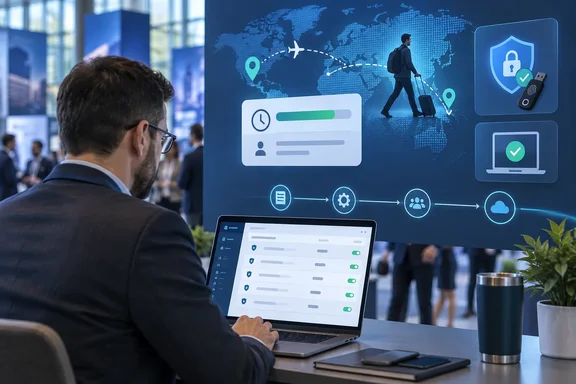
Daniel Keer of Digitally Accurate presented a way to handle traveling employees without hand-managing temporary security groups. According to the report, geo-blocking built on static named locations breaks when someone signs in from an airport or overseas hotel. The usual fix is a manual bypass that lingers after the trip.
Keer's design combines Conditional Access with Entra ID Governance entitlement management:
- Publish a self-service travel catalog through access packages.
- Users request a time-bound travel window.
- A manager approves automatically through the workflow.
- The access expires on a hard end date.
- Compensating Conditional Access controls apply, including phishing-resistant MFA and Intune device compliance.
Microsoft's documentation supports the building blocks, with a caveat. An access package only appears in the My Access portal if its catalog is enabled, the package isn't hidden, and at least one enabled policy lets that user request it. The policy's "Self" request option must be checked for users to request access for themselves. The conference account doesn't include exact policy configurations, so you would have to design the details yourself: who can request, what the policy covers, who approves, and when access ends.
Baselines Keer recommended
- Block legacy authentication. Microsoft says more than 97 percent of credential stuffing attacks use legacy authentication. Wait, that figure is from Microsoft's Learn page, which also says the policy should start in Report-only mode. Administrators can find legacy use by filtering sign-in logs by Client App, including the non-interactive tab, before enforcing.
- Restrict device code flow. Microsoft calls it a high-risk flow that can feature in phishing, and recommends blocking it wherever possible. It also warns about exceptions. If you use device code flow for device registration and have a policy targeting all resources, you need to exempt the Device Registration Service. Check sign-in logs first, because shared or conference-room devices may depend on it.
- Restrict unmanaged and unknown client platforms. This was Keer's recommendation to curb token-harvesting phishing kits. The report gives no further configuration detail.
- Validate before enforcing. Keer advised Report-only mode plus the What If tool, and exempting break-glass accounts. Microsoft's What If documentation adds a limit: only enabled or report-only policies are evaluated. It also doesn't test service dependencies. Its example is that a Teams test won't account for a policy on Exchange Online. What If also needs all sign-in parameters supplied, or it can't evaluate conditions that depend on them. Report-only and What If are complementary, not proof that every real sign-in has been tested.
The custom controls date: sources disagree
Keer reportedly urged attendees to prepare for the retirement of legacy custom controls in favor of native external authentication methods before a May 2027 milestone. Microsoft's own sources don't fully agree on the timeline:
- The Learn page for custom controls says adding or editing custom controls will not be allowed starting September 2026. It describes full retirement only as "early 2027".
- Message center item MC1422061 says new custom controls can't be created or modified from September 2026, and full retirement comes in May 2027.
- A Microsoft Entra blog post on Tech Community says custom controls retire September 30, 2026, and reach end of life in May 2027.
So May 2027 is consistent with the message center and the Entra blog. The Learn page is vaguer. The date that matters now is the September 2026 freeze, which is effectively here. If you use custom controls, you can no longer create or edit them, so the practical path is migration.
Microsoft's migration steps are to find policies using custom controls, configure the third-party provider as an external authentication method, and switch policies to the standard "Require multifactor authentication" grant control. Then validate the flows. Organizations not using custom controls aren't affected and need no action.
Leostream's brokering preview
Leostream CEO Karen Gondoly previewed Leostream Cloud, a hosted management plane that would remove the on-premises connection broker. Per the report, the company hasn't announced it publicly, so it is a preview, not a product with a launch date.
She also described an outbound-only agent that opens a reverse SSH tunnel to the Leostream Gateway, avoiding inbound firewall rules. It coordinates Amazon DCV, HP Anyware (PCoIP) and Microsoft RDP. The platform is said to broker physical workstations, Proxmox VE, VMware vSphere, and AWS and Azure instances, and to power down idle compute when shifts end. These are vendor-session descriptions, not independent security or performance evaluations.
Local LLMs and the burnout panel
In an unconference breakout, Stephen Wagner and Jaymes Davis showed local inference with Ollama and a front end such as Open WebUI. Use cases included indexing runbooks, parsing documentation and building coding assistants. Fenton added that llmfit-style profiling is worth running first to check RAM and VRAM against model size.
"Without the data leaving the building" depends on configuration. Check model, telemetry, storage and network settings before feeding it sensitive material. The report offers no hardware specs, benchmarks or setup steps.
The Empower Panel on systems engineering burnout featured Jarian Gibson, Janna White, Kai Berry-Helmlinger and Riley Fiske. The report gives no detailed conclusions from it. The day ended with Dinner with Strangers.
What admins should take away
- Entra: Audit custom controls now, since edits are blocked. Move to external MFA and plan for a May 2027 end of life per Microsoft's message center.
- Conditional Access: Run new policies in Report-only mode, then check them in What If. Exclude break-glass accounts and inventory legacy auth and device code usage first.
- Travel access: Entitlement management gives you expiry and approval. You still have to design the policy details yourself.
- Legacy apps and brokers: Treat the under-15-minute retasking claim and Leostream Cloud as conference claims to verify, not planning assumptions.
The unglamorous conclusion: most of these wins come from tightening policy and watching telemetry, not from buying something new.
References
- EUC World Amplify 2026 Day Two: Skipping Forklift Migrations, DEX Without Alert Fatigue, Entra Travel Polic... - StorageReview.com StorageReview.com · Fri, 02 Oct 2026 20:42:34 GMT
- The Conditional Access What If tool - Microsoft Entra ID | Microsoft Learn learn.microsoft.com
- Understand access package visibility in the My Access portal - Microsoft Entra ID Governance | Microsoft Learn learn.microsoft.com