

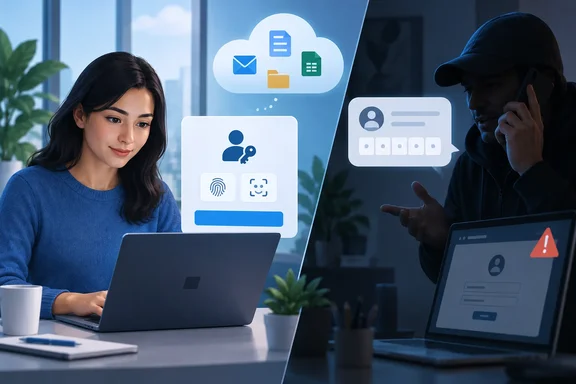
Microsoft Security Research documented the campaign in a September 9 report. Microsoft said it has observed the activity since May 2026 across multiple compromised accounts. The passkey itself isn't what the attackers are after. The story about setting one up is just the cover.
How the scam works
Microsoft's report describes a playbook that runs on urgency. The attack often begins with a routine-seeming call or message to a user's personal phone number from someone claiming to be the organization's IT helpdesk. The caller says a passkey, MFA or single sign-on (SSO) configuration must be updated immediately to avoid disruption. Employees are sent to a website that closely resembles a legitimate Microsoft sign-in page, and the link may arrive by SMS on their personal phone.
Here's the key detail. Microsoft says passkey enrollment is often not the actor's real objective. The passkey story is a pretext to guide victims through adversary-in-the-middle (AiTM) phishing or device-code authentication flows.
The two paths work differently:
- AiTM phishing: A lookalike page sits between you and Microsoft. It can capture credentials and session tokens.
- Device-code phishing: This one is nastier because nothing looks fake. Microsoft explains that the user is persuaded to enter a code on the legitimate Microsoft authentication page. That approval issues a token to an attacker-controlled client, which can then reach whatever the account can reach, without stealing a browser cookie.
That second path defeats the usual advice to "check that you're on the real Microsoft page." You can be on the real page and still hand over your account. What matters is who started the request and how you got there.
The attackers also do their homework. Microsoft says the actor appears to invest heavily in pre-attack research, likely gathering information about employees and organizational structure from social networks and professional profiling platforms. In a smaller number of cases, they use already compromised accounts to send similar passkey-themed messages through Microsoft Teams, which makes the request look legitimate.
The phishing domains are built to look familiar. Microsoft says the actors commonly register generic domains and put the target organization's name in a subdomain. Its defanged examples include company-name.integratedsso[.]com and contoso[.]add-passkey[.]com. Seeing your company's name at the front of a URL doesn't mean your company, or Microsoft, controls it. Microsoft adds that these domains are often live within hours, which gives defenders little time to block them.
Section summary: The lure is about passkeys, but the attack is AiTM or device-code phishing. A genuine Microsoft page doesn't prove the request is genuine.
After the break-in: persistence, reconnaissance, collection
This isn't a one-off password theft. The attackers establish persistence by adding their own MFA method to the compromised account, then use the identity to search Microsoft Graph, SharePoint, OneDrive and Exchange for valuable data.
The stages, based on Microsoft's findings:
- Persistence. The actor registers a new phone number, authenticator app or software-based one-time password (OTP) token. Microsoft notes that an added MFA method alone doesn't survive a full credential and session reset. It becomes durable persistence when combined with stolen tokens, sessions that were never revoked, or later access to valid credentials.
- Graph reconnaissance. Attackers use the Microsoft Graph API to map users, groups, permissions and resources. Microsoft points out that a single Graph call to endpoints like
/usersor/groupslooks normal. The warning sign is the pattern: one identity working methodically through tenant resources and then moving into mail and files. - Collection. In SharePoint and OneDrive, the activity generated large volumes of FileAccessed and FileDownloaded events, pointing to systematic retrieval of cloud documents. Some intrusions also reached Exchange Online through REST API access to email.
The collection is deliberately slow. Microsoft says it often ran from several hours to multiple days, with fewer than 1,000 files or emails accessed in any one-hour period, likely so it would blend in with normal traffic. That figure describes what Microsoft saw. It isn't a detection threshold, and your tenant's baseline will differ. Microsoft also saw the python-httpx user agent in high-volume SharePoint and OneDrive activity, but says the user agent alone should not be treated as malicious.
In one case Microsoft investigated, the attacker's first stop after completing MFA was My Sign-Ins, the portal where users manage their security information. In other words, the attacker went straight for the page where authentication methods are managed.
On attribution, Microsoft Threat Intelligence assesses that the initial access activity is used by a range of threat actors, including Storm-3121, Storm-3032 and others. Microsoft links Storm-3121 to access that leads to ShinyHunters and Falcon extortion. It describes Storm-3032 as actors who split from the BlackFile group and now operate under the Helix extortion banner. That is Microsoft's assessment. Not every incident with a similar lure belongs to these groups.
Section summary: Once in, attackers add their own MFA method, map the tenant through Graph, and collect files and mail at a pace designed not to stand out.
Why the timing matters: the real Entra passkey rollout
This is where the social engineering gets its credibility. According to Microsoft's Entra ID documentation (last updated September 23), passkeys became the default authentication experience on September 1, 2026, and were automatically enabled for users set up for SMS or voice.
This is how you tell a real prompt from a scam:
| Legitimate Entra passkey prompt | Scam | |
|---|---|---|
| Starts from | Your own normal sign-in, after you complete MFA | An inbound call, SMS or Teams message |
| Urgency | Microsoft says users get unlimited snoozes by default | "Do it now or lose access" |
| Where it happens | The sign-in flow you started yourself | A link or code supplied by the caller |
| Who's asking | Your tenant's registration campaign | Someone claiming to be IT on your personal phone |
The rollout has more milestones, and the attackers could use them too. Microsoft's documentation says:
- February 1, 2027: Microsoft-provided SMS and voice delivery retires for all users except Global Administrators and external users. Internal guest users follow this date.
- After each retirement date: A user whose only MFA method is SMS or voice must register a passkey during sign-in to continue. Microsoft describes that prompt as blocking.
- July 1, 2027: Retirement for Global Administrators and external users.
- October 30, 2026: Organizations that still need SMS or voice can start selecting and configuring a telephony provider through Microsoft Security Store.
My own read, not Microsoft's: once real prompts become mandatory next year, "you'll be locked out" gets more believable. Expect the lures to change their wording to match.
Section summary: Real passkey prompts are expected right now, but they come from your own sign-in, not from someone calling you.
What users should do right now
If you get an unexpected request to set up a passkey, MFA or SSO:
- Don't use the caller's link, code or instructions. That includes entering a code on a page that really is Microsoft's.
- Hang up and contact your IT help desk through a number or channel you already trust. Don't use one the caller gave you.
- Report it, even if you didn't go along with it. In many of Microsoft's investigations, the employee's memory of a call or text was the earliest, and sometimes the only, evidence of how the compromise started. A phishing link opened on a personal phone that isn't onboarded to Microsoft Defender for Endpoint may leave no trace in endpoint telemetry.
If you think you already went along with it:
- Review your recent sign-in activity and your registered security information (authentication methods).
- Look for any authenticator app, phone number or other MFA method you didn't add yourself.
- Tell IT right away. Removing a rogue method yourself won't necessarily end the attacker's access if their session tokens are still valid.
What admins should check
Microsoft's guidance focuses on correlation, not single indicators:
- Investigate as a sequence. Look at risky or unusual sign-ins together with newly registered authentication methods and devices, device-code events, token activity, Graph enumeration, and unusual SharePoint, OneDrive or Exchange activity.
- Don't rely on one indicator. Microsoft says an IP or domain match isn't conclusive on its own, and the actors deliberately used separate IP addresses for authentication, reconnaissance and exfiltration. Also note that a sign-in to a service doesn't prove a file was opened. Microsoft distinguishes service access from stronger evidence such as FileDownloaded events.
- Contain confirmed compromises fully. Revoke active sessions and refresh tokens, reset credentials, remove attacker-registered authentication methods and attacker-created mailbox rules, and require secure re-registration of methods.
For prevention, Microsoft recommends:
- Phishing-resistant MFA (FIDO2/passkeys, Windows Hello for Business) enforced through Conditional Access.
- Strict Conditional Access for security info registration, including sign-in frequency set to always, managed devices or named locations, phishing-resistant authentication strength, and a separate policy blocking registration when sign-in risk is high.
- Blocking device code and authentication transfer flows through Conditional Access unless there's an explicit business need. This directly shuts down one of the two attack paths.
- Restricting user consent to applications and reviewing service principals with Mail.Read, Files.Read.All or Directory.Read.All permissions.
- Enabling Microsoft Graph activity logs and mailbox auditing, with alerts for unusual enumeration, method registration and high-volume access.
- Strict identity verification before any helpdesk-initiated MFA reset, with an alert on every such reset.
For planning the rollout itself, Microsoft documents the registration campaign under Entra ID > Authentication methods > Registration campaign in the Entra admin center, with State set to Microsoft Managed and a target security group. Tenants that need more time can use a temporary opt-out: set passkeyDynamicMigration to true through the Microsoft Graph beta authentication methods policy, which requires the Policy.ReadWrite.AuthenticationMethod permission. The opt-out only covers the period up to February 1, 2027. After that, enforcement applies regardless.
One more practical step: tell your users what a real passkey prompt looks like before the scammers do. Microsoft's rollout guidance recommends phased communication (awareness, action, reminder). Adding "IT will never call you to walk you through this" costs nothing and addresses exactly this kind of social engineering.
The bottom line
Nothing in Microsoft's report shows passkeys being broken. As Barracuda put it, passkeys remain strong, but attackers are using passkey-related messages as social engineering lures, and the real risk starts after they get into a trusted Microsoft 365 account. The weak points are the enrollment process, the device-code flow, and people's trust in anyone who says they're from IT.
The short version: a passkey prompt that shows up during a sign-in you started yourself is probably your organization doing the right thing. A caller asking you to set one up right now is not something you should act on until you've checked with IT through a channel you trust.
References
- Fake Passkey Prompts Are Targeting Microsoft 365 Users; Here's What to Check - International Business Times, Singapore Edition International Business Times, Singapore Edition · 2026-09-29T12:38:08+00:00
- Passkey-themed social engineering leads to identity and cloud compromise | Microsoft Security Blog microsoft.com
- Passkeys by default and retirement of Microsoft-provided SMS and voice authentication - Microsoft Entra ID | Microsoft Learn learn.microsoft.com