

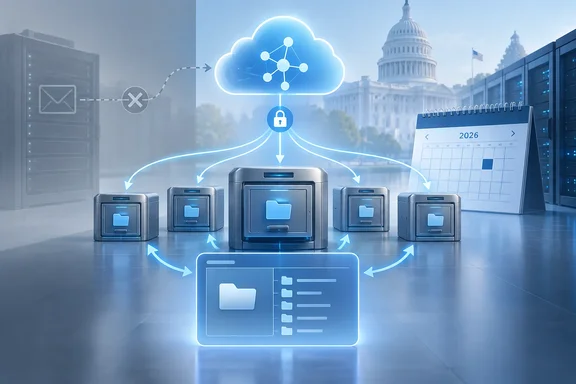
The entry lists GCC, GCC High and DoD as the cloud instances. Its status is In development, and it targets general availability in November 2026. Admins in those environments should mark the date. They should also note that EWS is already being switched off.
What the roadmap entry says
The details are short:
- Feature: Microsoft Graph access to archive mailboxes, covering the main archive and any auxiliary archives
- Product: Microsoft Purview, under Data Lifecycle Management
- Platform: Web
- Release ring: General Availability
- Clouds: GCC, GCC High, DoD
- Status: In development
- Target: November 2026
The entry also mentions EWS-based APIs being deprecated. That puts this work inside the larger EWS shutdown rather than treating it as a standalone Purview feature.
Treat the November date as a target, not a promise. Microsoft's roadmap site says it shows "estimated release dates" and that all information is subject to change.
Section summary: This is the government-cloud entry for Graph access to archive mailboxes. It is still in development, with a November 2026 target that could move.
This is the second roadmap entry for the feature
The commercial version came first. WindowsForum covered Roadmap ID 567313 earlier. Microsoft added it on July 7, 2026, promising Microsoft Graph access to primary and auxiliary archive mailboxes for Microsoft Purview Data Lifecycle Management, with worldwide general availability planned for August 2026.
That August date has since slipped. Message center post MC1469565, as mirrored by community trackers, now gives the worldwide schedule as beginning in late October 2026 and expected to complete by early November 2026.
Put the two together and ID 573701 looks like the follow-on for government clouds, landing about when the commercial rollout is supposed to finish. That is an inference from the matching titles, descriptions and dates. Microsoft has not said so directly.
The message center post also describes what is shipping. Microsoft Graph APIs support archive mailbox scenarios through mailbox import and export APIs and MailboxFolder APIs for folder management operations, and applications may need to handle redirect responses when archive content resides in auxiliary archive mailboxes.
It lists the kinds of tools affected: eDiscovery solutions, compliance and records management workflows, data lifecycle management solutions, backup and export tools, and custom applications that access archive mailboxes.
Section summary: The commercial cloud is getting this in late October to early November 2026. ID 573701 appears to be the government-cloud version, targeting November.
Why the timing is tight
Microsoft's EWS deprecation page sets the schedule:
- October 2026: EWS starts to be disabled globally for all organizations, per Microsoft Learn's EWS deprecation guidance
- April 2027: EWS is fully disabled
So EWS shutdown starts in October, while archive support for government clouds is aimed at November. Any organization that reaches archive data only through EWS could be left without a working route for a while.
Microsoft's own guidance makes the point bluntly. If an EWS capability is not on its parity roadmap, organizations should not expect a Graph equivalent before EWS is fully disabled.
Archive work shows up twice on that parity roadmap, as two separate items:
| Gap | What it covers | Microsoft's ETA |
|---|---|---|
| Import-Export (Archive) | Full-fidelity export and import of items in archive mailboxes | Q4 CY2026 |
| In-Place Archive (Generic CRUD) | Access and manage items in an existing In-Place Archive; does not create archive mailboxes | Q4 CY2026 |
| Sovereign Cloud availability | Exchange APIs needed for EWS migration made available in supported sovereign clouds | Q4 CY2026 |
The last row matters for government tenants. Getting the Exchange workload APIs into sovereign clouds is its own Q4 target. The roadmap entry lists GCC, GCC High and DoD together, but it does not promise they all get the feature on the same day.
Backup vendors are already planning around the gap. Druva has told customers that it has migrated Mail, Calendar, Contacts, and Tasks backups to Microsoft Graph, but Archive Mailbox backups still require EWS. NinjaOne SaaS Backup's documentation (hosted on Dropsuite's help site) warns that once EWS is disabled, any backup or restore request that includes an in-place archive folder will proceed without that folder's data. The request completes, but the in-place archive folder content is skipped.
That second failure is the dangerous one. The backup job reports success but leaves out the archive, and nobody notices until a restore or eDiscovery request comes up short.
Section summary: EWS shutdown starts before archive support reaches government clouds. Several backup vendors still rely on EWS for archives today.
Why auxiliary archives are hard
Auto-expanding archiving adds auxiliary archive mailboxes as the archive grows. Microsoft's Graph documentation explains that folder contents can end up spread across the main archive and those auxiliary mailboxes. A folder can appear in the main archive as an "expanded folder" while its items are stored somewhere else.
The "single, seamless Archive view" in the roadmap is about hiding that layout. Microsoft's existing Graph guidance shows how apps deal with it today, using redirects:
- Reading folders: The app requests a folder using the main archive mailbox ID. If the folder lives in an auxiliary archive, Graph can return HTTP 308 Permanent Redirect with a
Locationheader, and the app repeats the request at that URL. - Exporting items: Items stored in an auxiliary archive can come back with an
ErrorArchiveFolderMovedPermanentlyerror instead of data. The app sends a new export request for those items to the URL in the error message. - Importing items: Importing into a folder in an auxiliary archive can return HTTP 409 Conflict, naming the mailbox where the import session should be. The fix is to create a new import session for that mailbox and retry with the new session's
importUrl. - Folder names: Archive mailboxes don't support well-known folder names. Use folder IDs.
All of Microsoft's published examples call the /beta/admin/exchange/mailboxes/... endpoint. Don't assume all of this is already available in Graph v1.0.
Early developer reports show the design isn't complete yet. In one Microsoft Q&A thread, a developer said they cannot access messages inside auxiliary archive mailboxes; the Import-Export APIs have redirect mechanisms to point to the right resource, but they hit a 500 error with the /messages APIs. That is one user's report, not a confirmed bug. Still, it shows exactly where testing should focus.
Section summary: Auxiliary archives split one archive across several mailboxes. Today's Graph approach uses redirects (308, 409, and an error code on export), and those paths need careful testing.
What these APIs are not
Some limits are worth repeating:
- They are not a backup product. Microsoft says the mailbox import/export APIs are not designed for backup and restore and points customers to Microsoft 365 Backup instead.
- The export format is closed. The Graph team's GA announcement says exported items are opaque, and the supported pattern is to keep the stream and import it back into Exchange Online.
- Archives weren't in the first GA release. When the import/export APIs reached GA on May 7, 2026, they covered primary and shared mailboxes. Archive mailboxes, public folders and group mailboxes were excluded. In the blog comments, a Microsoft responder told a developer waiting on archive access that support was "coming soon."
- This doesn't create archives. Per the parity table, the CRUD capability works on existing archives. Provisioning is a separate matter.
What admins and developers should do now
In GCC, GCC High or DoD, take this in order:
- Find your EWS users. Microsoft recommends starting with EWS Usage Reports to see which apps are still calling EWS.
- Mark the archive-dependent ones. List every script, connector and vendor tool that reads, exports, imports or manages archive content.
- Work out what each one needs. Read-only access, full-fidelity import/export and general folder/item management are different capabilities, and they may arrive at different times.
- Ask vendors for dates. Get written confirmation of when each backup, eDiscovery or records product will move archive handling to Graph in your cloud, not just commercial.
- Build in redirect handling. Code for 308 redirects, the
ErrorArchiveFolderMovedPermanentlyexport error, 409 import conflicts and folder-ID-only references from the start. - Check that archives were actually captured. After the EWS cutoff, confirm that backup and export jobs include archive content. A green status doesn't prove it.
- Watch the roadmap. Check ID 573701 and the EWS parity page again before committing to dates.
The bottom line
Roadmap ID 573701 brings Graph access to archive mailboxes to GCC, GCC High and DoD, targeted for November 2026. The commercial cloud's own date has already slipped once, so treat November as an estimate.
For government IT teams, the practical upshot is a likely gap of a few weeks between EWS shutdown starting and the replacement arriving. Finding your archive-dependent apps and pressing vendors for dates now is the best way to avoid backups that quietly skip archived mail.
References
- Microsoft Purview: Data Lifecycle Management-Graph API Support for Archive Mailboxes Microsoft 365 Roadmap · 2026-10-06T22:56:31.053213Z
- Handle archive mailbox redirects - Microsoft Graph | Microsoft Learn learn.microsoft.com
- Microsoft Exchange Web Services (EWS) Deprecation help.dropsuite.com