

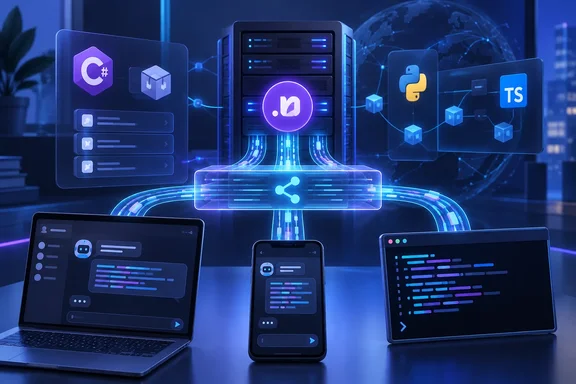
AGUI.* NuGet packages, and they let any ASP.NET Core or .NET service stream agent output to user interfaces without needing Microsoft Agent Framework. Microsoft announced the SDK on its .NET blog on September 25, 2026. The project's September 23 release lists version 1.0.0 for all five packages. The bigger change is structural: Microsoft Agent Framework (MAF) no longer maintains its own AG-UI code in .NET. It now uses the shared SDK, so a C# backend follows the same protocol code as the TypeScript and Python implementations.
The AGUI.* NuGet packages give .NET a protocol layer that doesn't depend on a framework
According to Microsoft, the .NET SDK sits in the AG-UI repository next to the TypeScript and Python SDKs and is published on NuGet under the MIT license. It supports both directions. AGUI.Server turns an agent into an AG-UI endpoint, and AGUI.Client lets a .NET application call one. Both are built on the same set of protocol types.
The SDK is split into five packages:
| Package | Role | Target frameworks listed on NuGet |
|---|---|---|
AGUI.Abstractions | Protocol model: events, messages, tools, capabilities, interrupts, state, source-generated JSON serializer | .NET 8, .NET Standard 2.0, .NET Framework 4.7.2+ |
AGUI.Formatting | Wire-format abstraction and default Server-Sent Events (SSE) implementation | .NET 8, .NET Standard 2.0, .NET Framework 4.7.2+ |
AGUI.Protobuf | Optional protobuf codec generated from the TypeScript .proto definitions | .NET 8, .NET Standard 2.0, .NET Framework 4.7.2+ |
AGUI.Client | HTTP client and IChatClient implementation for consuming AG-UI endpoints | .NET 8, .NET Standard 2.0, .NET Framework 4.7.2+ |
AGUI.Server | Server adapter that converts Microsoft.Extensions.AI chat streams into AG-UI events | .NET 8 |
The client and server packages bring in the abstractions they need, so most applications only reference one of them. The protobuf codec covers only some event types. SSE is the default transport and carries all of them. On the NuGet gallery, the ag-ui-protocol profile also shows an older umbrella package, AGUI 0.0.1, marked deprecated. Developers who search NuGet for "AGUI" should pick the specific client or server package instead.
The packages are already in use. NuGet shows more than 170,000 total downloads for AGUI.Abstractions and about 121,000 for AGUI.Server. Most of that likely came from MAF's dependency chain before 1.0 (that's an inference, not a reported figure). The 1.0.0 release notes describe a real schema milestone. The .NET models are now generated from the frozen AG-UI 1.0 JSON Schema, and the release adds generated types for content parts, tool-result parts, capabilities, run outcomes, token usage including cache writes, and file sources.
AG-UI replaces custom streaming formats with typed events
The problem AG-UI addresses is familiar to anyone who has built a chat front end over a language model. Agents don't fit the simple request-and-response pattern. They run for a long time, stream tokens as they go, hand work to subagents, and call tools partway through a response. Without a shared protocol, each framework uses its own streaming format, and front-end developers have to parse chunks, track state and map events by hand. That code breaks whenever the format changes.
AG-UI represents an agent run as a stream of typed events. Lifecycle events such as RUN_STARTED and RUN_FINISHED mark the start and end of a run. Text events such as TEXT_MESSAGE_START, TEXT_MESSAGE_CONTENT and TEXT_MESSAGE_END carry streamed output. State events such as STATE_DELTA keep the agent, the app and the user in sync. Microsoft Learn's getting-started guide describes the transport: HTTP POST for requests, SSE for responses, JSON serialization, uppercase event names and camelCase field names such as threadId and runId. In CopilotKit's documentation, AG-UI is described as "the wire format: 16 event types, transport-agnostic, framework-agnostic."
The client decides how to render those events. The same endpoint could feed a web app, a terminal, a mobile app, or chat platforms such as Slack and Teams. Those are choices for whoever builds the client. The .NET SDK doesn't include any of those interfaces.
CopilotKit is the other name on the announcement. It describes itself as the company behind the AG-UI Protocol — adopted by Google, LangChain, AWS, Microsoft, Mastra, PydanticAI, and more. MAF support isn't new: in November 2025, CopilotKit wrote that AG-UI is already being adopted across the ecosystem, with support in frameworks like LangGraph, CrewAI, Mastra, ADK, and now Microsoft Agent Framework. What's new is that the .NET protocol code now lives in the protocol's own repository, not inside Microsoft's framework.
The AGUI.Server adapter builds on IChatClient
The server side hooks into IChatClient, the standard chat abstraction in Microsoft.Extensions.AI. If a service already produces an IChatClient, the SDK needs no other integration point.
Microsoft's minimal ASP.NET Core example has four steps:
- Run
dotnet add package AGUI.Server. - Register the app's
IChatClientas a singleton. Then addAGUIJsonUtilities.DefaultTypeInfoResolverat the front of the ASP.NET Core JSON options'TypeInfoResolverChainso the protocol types serialize correctly. - Map a POST endpoint that accepts
RunAgentInput, the protocol's request payload. Callinput.ToChatRequestContext(...)to unpack it into the messages andChatOptionsthe chat client expects. - Call
GetStreamingResponseAsync(...)on the chat client, pipe the result through.AsAGUIEventStreamAsync(context, cancellationToken), and returnTypedResults.ServerSentEvents(events).
AsAGUIEventStreamAsync does the protocol bookkeeping that hand-written adapters tend to get wrong. According to Microsoft, it emits RUN_STARTED and RUN_FINISHED around the run, closes any open text or reasoning block before moving to a different message or tool call, and combines multiple interrupts into a single terminal RUN_FINISHED.
This design keeps the web server in the application's hands. The SDK supplies protocol primitives, not a hosted service. A worker service, an internal API or an existing line-of-business app can add an AG-UI endpoint with its own routing, authentication and middleware. Microsoft says no agent framework is required.
The 1.0.0 release notes add one server feature: typed access to AG-UI client state. That's useful when a front end sends shared state that the backend needs to read.
AGUI.Client makes a remote agent look like any other IChatClient
The client package covers the other direction. AGUIChatClient implements IChatClient, so it works anywhere code already accepts that interface. The agent on the other end could be written in Python, TypeScript or C#, and the calling code stays the same. After running dotnet add package AGUI.Client, you create the client by passing an options object built from an HttpClient and the endpoint address.
Microsoft Learn's MAF tutorial adds some practical detail. It builds AGUIChatClientOptions from an HttpClient with its BaseAddress set to the server and a path of /. It then calls .AsAIAgent() to treat the remote endpoint as a local MAF agent and streams responses with RunStreamingAsync.
Learn also documents a behavior that affects multi-turn apps. AGUIChatClient is stateless. To continue a conversation held on the server, the client reads threadId and runId from the first turn's RunStartedEvent and sends them on the next request as ThreadId and ParentRunId, along with only the new messages. If the server doesn't persist sessions, each request gets a new session, and the client has to resend the conversation history.
Learn is explicit about the security boundary: thread and run identifiers are protocol data, not authorization credentials. A service that exposes an AG-UI endpoint still needs real authentication in front of it.
The 1.0.0 release notes also say the client now sends protocol version 1.0 with every RunAgentInput and checks the producer's protocol version, which mirrors the TypeScript client's handshake. In practice, a .NET 1.0 client talking to an older pre-1.0 server may hit version validation. Test that pairing before upgrading one side on its own.
Framework compatibility is split between client and server
Microsoft says AG-UI can be consumed from .NET Framework 4.7.2 and later, but exposing an endpoint requires current .NET. The NuGet listings back that up. AGUI.Client, AGUI.Abstractions, AGUI.Formatting and AGUI.Protobuf all target .NET 8, .NET Standard 2.0 and .NET Framework 4.7.2. AGUI.Server lists only .NET 8.
That split matters for Windows shops with older code. A WPF or WinForms desktop app, or a service still on .NET Framework, can connect to a remote agent through AGUIChatClient without being ported. Hosting an endpoint means running .NET 8 or later, which is also the prerequisite in Microsoft Learn's MAF tutorial.
Microsoft Agent Framework moves onto the shared SDK, with some API renames
For existing MAF users, this is mostly a dependency swap. MAF, Microsoft's SDK for building AI agents in .NET and Python, used to include its own AG-UI implementation. It now depends on the AGUI.* NuGet packages and keeps only the ASP.NET Core integration that turns an agent into an endpoint. That hosting package, Microsoft.Agents.AI.Hosting.AGUI.AspNetCore, is still a prerelease and is installed with the --prerelease flag.
With MAF, hosting takes a few lines. Call builder.Services.AddAGUIServer(), create an AIAgent from an existing chat client with chatClient.AsAIAgent(name: ..., instructions: ...), and map it with app.MapAGUIServer("/", agent). Microsoft Learn confirms that MapAGUIServer accepts RunAgentInput requests and streams the agent's response as AG-UI events over SSE. It also notes that MapAGUIServer works with any MAF agent, not only the Azure OpenAI one in its example.
Microsoft says the programming model hasn't changed, but several APIs were renamed:
| Before | Now |
|---|---|
AddAGUI(), MapAGUI() | AddAGUIServer(), MapAGUIServer() |
Microsoft.Agents.AI.AGUI namespace | AGUI.Client, AGUI.Server, AGUI.Abstractions |
AGUIChatClient positional constructor | Options-based constructor |
| Reading the originating request | chatOptions.TryGetRunAgentInput(out RunAgentInput? agentInput) |
Microsoft's main compatibility promise is that the event format hasn't changed, so existing front ends keep working against an upgraded backend. Source compatibility is a separate question. Any .NET code that calls the old method names, imports the old namespace or builds AGUIChatClient with positional arguments needs editing before it will compile.
The 1.0.0 release notes list further breaking changes in the SDK itself. Model types were renamed to their 1.0 schema names. The protocol version constant now reads 1.0. Serialization now omits optional null fields but keeps nulls inside payloads. Any code or test that compares emitted JSON byte for byte will notice that last change.
Cross-language interoperability works through CopilotKit's React client
Because the C#, TypeScript and Python SDKs share one wire protocol, a .NET backend can serve clients built with any of them. The most visible example is CopilotKit's React front end. Microsoft Learn says that to connect CopilotKit's React front end to an Agent Framework AG-UI backend, you register your endpoint as an HttpAgent in the CopilotKit runtime, which allows CopilotKit's frontend tools to flow through as AG-UI client tools, and all AG-UI features (streaming, approvals, state sync) work automatically. According to Microsoft, CopilotKit's Interactive Dojo includes running examples against a .NET backend.
The AG-UI repository has paired client and server samples for each part of the protocol: chat, backend and frontend tools, human-in-the-loop, shared state, reasoning, multimodal input, interrupts, parallel tool calls, protobuf and telemetry. These are reference implementations. Features such as human approval flows still need application logic on both ends.
One boundary to keep in mind: support for the individual AG-UI features in MAF differs by language. Learn's AG-UI overview says MAF support varies by SDK; use the language-specific section on this page for the current support level and implementation guidance. Something working in the Python samples doesn't mean the .NET hosting package supports it the same way.
What this means for .NET teams choosing an AG-UI path
Which package you install depends on whether your .NET code will host an agent or call one, and whether it already uses MAF.
Teams that already have an IChatClient-based service and want to stream to a web or chat front end should start with AGUI.Server on .NET 8 or later and keep their own ASP.NET Core pipeline. Teams building agents in MAF should use the prerelease Microsoft.Agents.AI.Hosting.AGUI.AspNetCore wrapper and plan for the renamed APIs. Desktop or legacy apps that only need to call an agent can use AGUI.Client, including on .NET Framework 4.7.2. Teams that don't need any of this can wait. Nothing about existing Microsoft.Extensions.AI code has to change.
- Install
AGUI.Serverto host an endpoint (.NET 8+) orAGUI.Clientto consume one (.NET 8, .NET Standard 2.0 or .NET Framework 4.7.2+), and skip the deprecatedAGUIumbrella package. - MAF users upgrading should replace
AddAGUI()/MapAGUI()withAddAGUIServer()/MapAGUIServer(), move imports fromMicrosoft.Agents.AI.AGUIto theAGUI.*namespaces, and switchAGUIChatClientto the options-based constructor. - Existing front ends should keep working against an upgraded backend, since Microsoft says the event format is unchanged. Still, re-test JSON handling for renamed 1.0 model types and for optional nulls that are now omitted.
- Test mixed-version client/server pairs before rolling out, because the 1.0.0 client sends protocol version
1.0and validates the server's version. - Put real authentication in front of any AG-UI endpoint, because Microsoft documents
threadIdandparentRunIdas correlation data, not credentials. - Keep in mind that the MAF hosting package is still a prerelease even though the standalone
AGUI.*packages are at 1.0.0, so pin versions and check APIs against the release you target.
Before this release, AG-UI in C# meant using Microsoft's framework-specific implementation. Now the protocol code lives in the protocol's own repository, versioned together with the TypeScript and Python SDKs, and MAF depends on it like any other consumer. For .NET teams, the practical step is to choose the client or server package, move to the renamed APIs, and treat the AG-UI 1.0 schema as the contract between their agents and interfaces. The next version change to plan for is MAF's hosting package leaving prerelease.
References
- AG-UI Protocol now has a first-class .NET SDK .NET Blog · 2026-09-25T17:05:00+00:00
- Getting Started with AG-UI | Microsoft Learn learn.microsoft.com
- AG-UI Integration with Agent Framework | Microsoft Learn learn.microsoft.com