

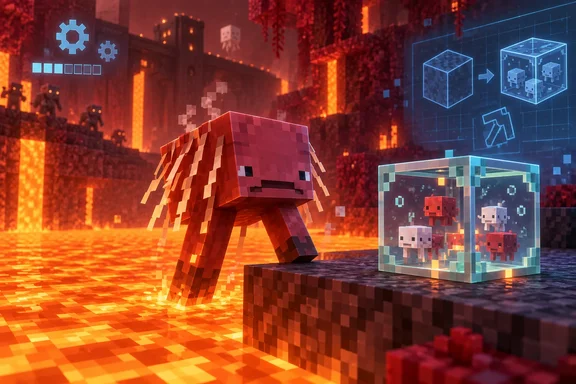
Minecraft Bedrock 26.60.28 is the fourth build on the 26.60 Preview track
The 26.60 cycle has had a steady weekly rhythm. Mojang's official changelog index lists 26.60.21, then 26.60.22/23, posted 8 September 2026, then 26.60.24, posted: 16 September 2026. That makes 26.60.28 the fourth build, as TalkEsport reported. Sportskeeda covered the same release on the same day. It described the build as bringing practical gameplay improvements, some usual bug fixes and this time, some experimental creator tools.
We couldn't find Mojang's own 26.60.28 post on the Minecraft Feedback site when this article went up. The patch notes below come from contemporaneous reporting by TalkEsport, Sportskeeda and ModsCraft. Their lists agree on the main items. Microsoft's documentation also backs up that the build exists. The Microsoft Learn reference page for the @minecraft/server scripting module lists a prerelease target called 2.12.0-beta.1.26.60-preview.28, and it says the 2.x module is the latest as of Minecraft "1.26.60-beta.28".
The numbering can look inconsistent, but it isn't. Bedrock's player-facing versions now use a year-based major number, so the 2026 builds are "26.xx". Creator-facing format versions and API targets still use the older 1.26.xx style. When the patch notes mention format version 1.26.60, they're talking about the same release train as the consumer build 26.60.28.
Every Mojang Preview post carries the same warning. Mojang says these work-in-progress versions can be unstable and may not be representative of final version quality. Treat 26.60.28 as a test build and plan for things to go wrong.
Minecraft Preview on Windows and Xbox installs beside the retail game
Mojang's official line on platforms hasn't changed in months: Minecraft Preview is available on Xbox, PlayStation, Windows, and iOS devices. Separately, the beta is available on Android (Google Play). Nintendo Switch isn't in the public program. Sportskeeda notes that Nintendo Switch remains excluded from the preview program.
On the four Preview platforms, Minecraft Preview is its own app with its own worlds. TalkEsport says it installs next to your regular game, so your main worlds stay untouched. In practice, a Windows PC or Xbox can run 26.60.28 without touching the retail install. TalkEsport also says Preview is free for anyone who already owns Bedrock Edition on that platform.
Windows 10 and Windows 11
- Open the Minecraft Launcher.
- Select Minecraft for Windows in the left-hand menu.
- Open the version dropdown next to the Play button and choose Minecraft Preview.
- Click Install, and click Play when the download finishes.
If Preview is already installed, TalkEsport says the launcher updates it when you open it. You can also open the Microsoft Store, go to Library, and select Get updates. The Store route helps if the launcher hasn't picked up the new build yet.
Xbox One and Xbox Series X|S
Sportskeeda and TalkEsport describe the same Xbox Insider Hub flow:
- Open the Xbox Insider Hub app, and download it from the Microsoft Store if you don't have it.
- Go to Previews in the left menu, select Preview, and click Join.
- Once joined, go to My Games & Apps > Full library > Owned games to install Preview.
If you already have Preview installed, navigate to Manage > Updates to start downloading the 26.60.28 patch.
PlayStation
On PlayStation you enroll from inside the retail game:
- Launch your regular copy of Minecraft.
- Open Settings from the title screen.
- Scroll down the left menu to Preview and select Get PlayStation Preview.
- Download Minecraft Preview from the store page that opens.
To update an existing install, highlight the Minecraft Preview tile, press Options and choose Check for Update. Check that the build has actually arrived before you rely on it. The previous week, Mojang said that because of unexpected build issues Preview 26.60.24 wouldn't reach iOS or PlayStation at all. That was a problem with that build only, but it shows platform availability can change from week to week.
iOS and iPadOS
Apple devices get Preview through TestFlight. Install Apple's TestFlight app, join through Mojang's Minecraft Preview TestFlight invite, and install Minecraft Preview from inside TestFlight. Later updates arrive there too. TalkEsport points out that TestFlight caps the number of testers. When the program is full, new players have to wait for a slot.
The Android 26.60.28 beta replaces your real copy of Minecraft
Android and ChromeOS work differently. There's no separate Preview app. You opt your existing Minecraft install into the beta channel on Google Play. The process Sportskeeda describes is short: tap the Minecraft store listing and scroll down until you reach the Join the beta section. Tap Join and wait a few minutes for Google Play to register your account into the beta test. Then update the app from the same listing.
The catch is that the beta takes over your main app for as long as you stay enrolled. Any world you open while on 26.60.28 is opened by test code. TalkEsport warns that worlds you open in the beta may not load in the regular version later. Mojang's standing guidance is to use the official join/leave instructions it publishes for the beta. It points players there to join or leave the beta, and that's the supported way out.
Timing may also slip on Android. TalkEsport reports that Mojang has also said the Android beta may arrive later than other platforms this week. If Google Play hasn't offered the update yet, try again in a day or two. Don't go looking for an APK on a third-party site. Some sites repost these builds, but the only supported route is the Google Play beta.
26.60.28 patch notes: crash fixes, a new Strider dismount and container fixes
For regular players, the most useful changes are stability fixes. Sportskeeda and TalkEsport both report two crash fixes. Sportskeeda says the build eliminates game crashes caused by rendering too many hearts on the HUD or loading damaged resource files. That's the kind of crash you hit when a heavily modded world or a corrupted resource pack takes down a session.
Xbox Live sign-in also gets a fix. Before, sign-in could hang forever. Now it times out and shows a network error, according to TalkEsport, and ModsCraft's list includes the same fix for a silent Xbox Live sign-in hang. A clear error message is easier to troubleshoot than a spinner that never stops.
These are the reported gameplay and world changes:
- A player getting off a Strider now lands one block away, in the direction they're looking, on a block that isn't lava.
- When two effects of the same type overlap and the stronger, shorter one ends, the HUD now shows the weaker, longer one correctly.
- Sheep no longer get stuck in their grazing animation.
- Hoppers and other containers no longer lose their items when you replace them with the
/fillor/setblockcommands. - Redstone now connects visually to custom blocks that produce a Redstone signal.
- Red and brown mushrooms now need support from the center of the block below them. Some existing mushroom placements may behave differently.
The rest is interface and platform polish. Character Creator clothing now hides under equipped armor. Texture support detection is fixed on older Windows graphics cards. A failed server join now sends you back to the Servers tab instead of the main menu. Achievement-page profile stats no longer load forever when opened from the pause menu, and turning off Extra Large UI restores the default GUI scale.
Realms gets three changes. There's a setup flow for unused subscriptions, and member search now updates as you type. The remaining-days counter is gone from the subscription tab because, TalkEsport says, it didn't always match the real renewal date.
TalkEsport and ModsCraft both mention improved split-screen performance on Nintendo Switch 2. That fix is in the shared game code. Switch players can't install Preview, so they won't see it until the full release.
Creators get minecraft:entity_storage and a collision_box format change
The biggest change for add-on makers is a new experimental block component, minecraft:entity_storage. According to TalkEsport, it sits behind the beta scripting API and needs the Upcoming Creator Features experiment turned on. Here's how it's reported to work:
- A block can hold up to four entities.
- The component only exists on blocks that have a
minecraft:block_entitycomponent withentity_storageset to true. - Scripts get five methods:
store,transfer,release,getEntitiesandsize. - Storage is kept separate for each content pack, but the four-entity limit applies across all packs combined.
Microsoft's own documentation backs this up in part. The @minecraft/server module reference on Microsoft Learn lists BlockEntityStorageComponent and BlockEntityStorageInfo classes. That confirms the API surface exists. It doesn't document each behavior listed above. The design looks similar to the named-tick API Mojang introduced in 26.60.24, which is also scoped per content pack and also limited to four per block position.
The collision-box change affects more creators. Mojang's official 26.60.24 changelog says minecraft:collision_box no longer accepts a single box object from format version 1.26.60 onward. Only arrays are allowed. Mojang's migration example turns a block defined with "format_version": "1.26.20" and one origin/size object into a "format_version": "1.26.60" block where the same object sits inside a one-element array. TalkEsport reports that 26.60.28 goes further. With the experiment enabled, collision boxes can also be defined with min and max coordinates as well as origin and size.
Other creator changes in this build, as reported:
- Jigsaw structures get an optional
on_placedcallback that runs after placement. - Cloud height in custom dimensions can be set anywhere from -512 to 512.
- Two tamed-entity properties move to stable in
@minecraft/serverv2.11.0. ModsCraft names the component asEntityIsTamedComponent. - Dedicated servers get new settings for ticking-area limits.
This fits the rest of the 26.60 cycle. Mojang has spent recent builds tightening schemas that will reject invalid entity JSON "in versions 1.26.60 and newer". The 26.60.22/23 changelog, for example, made the schema for minecraft:behavior.panic stricter when parsing so that it will fail to load an entity json that has invalid data in versions 1.26.60 and newer. Anyone who bumps their pack's format version to 1.26.60 should expect validation failures, not silent fallbacks.
What this means for you
Whether to install 26.60.28 depends mostly on your platform. On Windows 10 or 11 and Xbox, Preview is a separate app, so trying the Strider change or the crash fixes costs you a download and nothing else. On Android, joining the beta changes your only copy of the game, so do it only after you've backed up worlds you care about. If you're a creator, the collision-box and schema changes in 26.60 are the reason to test now instead of waiting for the retail update.
- Windows players can install Preview from the Minecraft Launcher's version dropdown, and can use Microsoft Store > Library > Get updates if the launcher hasn't picked up 26.60.28.
- Xbox players join through Xbox Insider Hub > Previews, then install from Full library > Owned games, or use Manage > Updates on an existing install.
- Android and ChromeOS players should back up worlds before tapping Join on Google Play, and should leave through Mojang's official instructions instead of installing third-party APKs.
- Add-on authors moving to format version 1.26.60 should convert every single-object
minecraft:collision_boxinto an array and re-check entity JSON against the stricter schemas. - Anyone testing multiplayer should know that, per TalkEsport, only players on the same build can join each other, so friends on retail Minecraft can't join a Preview world.
- Report bugs you find to Mojang's bug tracker at bugs.mojang.com, which Mojang names in every Preview post.
The 26.60 cycle has moved one build a week since late August, and each build has tightened the 1.26.60 format rules. Assume those rules will ship with the full 26.60 release. The entity-storage component will stay behind the Upcoming Creator Features experiment until Mojang says otherwise. Creators who test their packs against 26.60.28 now will have fewer broken blocks and entities on release day. Everyone else can try the build in the Preview app without any risk to their main worlds, except on Android.
Update: Minecraft 1.060 reportedly rolls out on PS5 and Xbox Series X|S (September 26, 2026)
UpdateCrazy reports that Minecraft update 1.060 is now available for PlayStation 5 and Xbox Series X|S, suggesting the 26.60 work has begun reaching retail players rather than remaining limited to Preview and beta channels.
The reported retail patch adds fixes not listed in the 26.60.28 Preview coverage, including a bug that could make inventory items invisible with non-default Display Brightness and anti-aliasing set to 1. It also prevents Spectator Mode players from being struck by projectiles, stops cushions in unloaded chunks from disappearing after a reload, and restores achievements in some older worlds using activated Marketplace add-ons.
For Windows users, the update reportedly carries forward the older-GPU cube-map texture detection fix already seen in Preview. It also includes an iOS launch-stability fix and improved network stability for Nintendo Switch devices.
If the rollout is confirmed across all Bedrock platforms, creators should still treat the format-version and experimental scripting changes separately: those were Preview-focused 26.60 features and are not necessarily enabled or finalized in the retail patch.
References
- How to Download Minecraft Bedrock 26.60.28 Beta and Preview: Steps and Patch Notes TalkEsport · 2026-09-22T21:09:04+00:00
- minecraft/server Module | Microsoft Learn learn.microsoft.com