

Minisforum’s store lists the 32 GB RAM and 1 TB SSD configuration at that same price, with estimated shipping in late September. As of September 21, buyers should therefore distinguish the ability to order from immediate dispatch; the shipping date remains the manufacturer’s estimate.
The strongest argument for the M2 Pro is the combination of features rather than any single benchmark result. Notebookcheck’s measurements underpin the performance assessment below; a second independent set of measurements was not available for comparison.
What the $1,439 configuration includes
Notebookcheck tested an M2 Pro running Windows 11 Pro, with Intel’s Core Ultra X7 358H processor, integrated Arc B390 graphics, 32 GB of LPDDR5X-7467 memory and a 1 TB YMTC SSD. The review lists a chassis measuring 195 × 195 × 47.5 mm and weighing approximately 1.37 kg.
That compact enclosure also contains a 134-watt power supply. According to Notebookcheck, the machine includes stereo speakers and a fingerprint reader, plus a stand and VESA mounting hardware in the package. The internal supply eliminates a separate power brick, making the M2 Pro easier to arrange on a desk without another box to accommodate.
The power-supply rating should not be mistaken for measured electricity consumption. It describes the supply’s capacity, while the processor’s power limits and the complete system’s wall-power draw are separate figures. Quiet operation alone also does not establish low energy consumption.
At this price, the buying question is how many of the M2 Pro’s capabilities you will actually use. Its fast Ethernet, multiple USB4 connections and room for additional SSDs make a stronger value argument for a demanding desktop setup than for someone who only needs a small machine for email and documents.
Strong CPU results, with a clear sustained-power limit
Notebookcheck reports testing the M2 Pro in its factory-default “Auto” profile. The review identifies the corresponding processor limits as 65 watts for short bursts and 45 watts for sustained operation. These limits help explain why a quick benchmark and a long, fully loaded workload need not produce identical performance.
In Notebookcheck’s Cinebench 2024 testing, the M2 Pro scored 1,093 points in the multi-core test and 123 points in the single-core test. Its comparison results put those numbers in perspective:
| System tested by Notebookcheck | Cinebench 2024 multi-core | Cinebench 2024 single-core |
|---|---|---|
| Minisforum M2 Pro, Core Ultra X7 358H | 1,093 | 123 |
| Khadas Mind Pro, Core Ultra X7 358H | 1,090 | 124 |
| GMK EVO-T1, Core Ultra 9 285H | 1,142 | 126 |
| Minisforum AI X1 Pro, Ryzen AI 9 HX 370 | 1,267 | 121 |
These are Notebookcheck’s measurements of the listed configurations, rather than predictions for every workload. They show the M2 Pro performing almost identically to another system using the same processor, while the Ryzen-powered AI X1 Pro leads this particular multi-core comparison.
For developers and other users running CPU-intensive applications, the useful conclusion is that the M2 Pro offers substantial processing capability without topping every compact-desktop benchmark. A rendering score does not establish compilation speed or virtual-machine capacity, but it does temper any suggestion that the machine is an outright performance leader.
Notebookcheck also observed a slight performance decline during its repeated Cinebench R15 multi-core test as the processor settled to the sustained 45-watt limit, with CPU temperatures reaching 86°C. That is more precise than describing performance as completely unchanged under prolonged load: the review supports effective sustained operation, with an expected reduction from short-duration boost performance.
Arc B390 improves the gaming proposition
According to Notebookcheck, the integrated Intel Arc B390 frequently outperformed AMD’s Radeon 890M in its comparisons, representing a substantial improvement in integrated graphics capability. The publication nevertheless cautioned that demanding games still involved limitations.
That supports considering the M2 Pro for a combined productivity and gaming desktop, but not assuming that every demanding title will run at the desired resolution and quality settings. The evidence supports capable integrated graphics, rather than a blanket replacement for a dedicated gaming GPU.
Notebookcheck reports that an external graphics card can be connected through USB4, although the M2 Pro lacks a dedicated OCuLink connector. For a buyer, that provides an expansion path, but it also changes the appeal of the original package: an external graphics enclosure adds another device to a setup whose chief attraction is its compact, self-contained design.
The practical decision is whether the Arc B390 meets your normal needs. Treat external graphics as an option for a specific future requirement, rather than an assumed purchase needed to complete the machine.
Connectivity has measurable benefits—and one weak spot
Notebookcheck reports three 40 Gbps USB4 ports, 10 Gbps Ethernet, a separate 2.5 Gbps Ethernet connection, HDMI and DisplayPort connectivity. Its review also lists Wi-Fi 7 and Bluetooth 5.4.
For a desktop connected to fast local storage, the 10 Gbps interface is particularly relevant. Its benefit depends on the rest of the transfer path supporting comparable speeds; the port rating alone is not a measured file-copy result. The two Ethernet connections may also be useful where separate network connections are required, without establishing that the M2 Pro has been validated for a particular server or network-appliance role.
USB4 performance received a concrete test. Using an ADATA SE920 external SSD, Notebookcheck measured approximately 3,015 MB/s in the AS SSD 1 GB sequential-read test. That is useful evidence of fast external-storage capability, although it describes that drive and benchmark combination rather than every USB4 peripheral.
The built-in SD reader was much less impressive. Notebookcheck measured 22.8 MB/s in its JPG copy test and 23.67 MB/s in its sequential-read test. For photographers or anyone regularly importing large batches of media, those results weaken the convenience argument for the integrated reader; a suitably faster external reader would be worth considering.
Notebookcheck also notes that the machine provides only three USB-A ports. Buyers with several existing USB-A peripherals should count their connections before assuming that three USB4 ports remove the need for a hub.
Storage can grow, but memory cannot
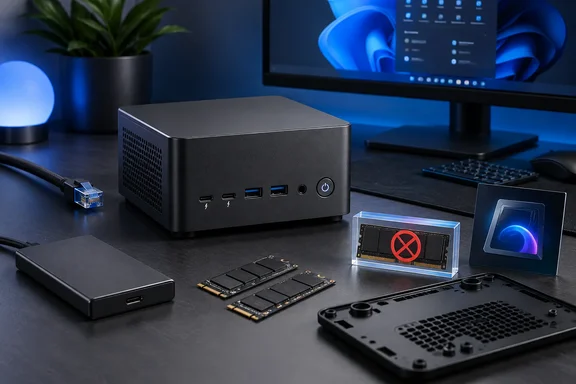
The most consequential upgrade limitation is straightforward: the reviewed configuration’s 32 GB of RAM is soldered and cannot be expanded, according to Notebookcheck.
For development environments, several simultaneous virtual machines or memory-heavy local AI workloads, this should be a purchase-time decision. Additional SSD capacity cannot remove a physical RAM limit. Buyers whose existing workloads already approach 32 GB should prioritize memory headroom over the M2 Pro’s otherwise generous connectivity.
Storage is more flexible. Notebookcheck found two empty M.2-2280 slots alongside the installed SSD, and reports that both the SSD and Wi-Fi module are replaceable. Passive coolers for additional SSDs are included in the package.
Physical access is the complication. According to the review, reaching the storage requires removing the bottom panel and then the power-supply and speaker unit. This makes an occasional capacity upgrade plausible, but it is less convenient for users who regularly swap drives.
The distinction is important: three SSD slots describe expansion capacity, not ease of maintenance. The review’s access description is also not a complete disassembly procedure, particularly for a machine containing an internal power supply.
Quiet operation helps justify the package
Notebookcheck reports average noise of approximately 33 dB(A) under load and describes the cooling system as effective during prolonged use. That is an encouraging result for a compact PC intended to sit close to the user, although it should not be interpreted as silence or as a maximum reading across every operating condition.
The default power profile is part of that assessment. Notebookcheck’s results should not be assumed to describe noise and temperatures after increasing power limits, even though the BIOS offers alternative profiles.
Taken together, the evidence supports a specific kind of value: the M2 Pro is appealing for buyers who want a compact Windows 11 Pro desktop with capable integrated graphics, fast external storage and networking, and restrained operating noise. Its $1,439 price is easier to justify when those features replace equipment or expansion you would otherwise need.
The decisive constraint remains memory. If 32 GB provides sufficient headroom, the M2 Pro’s combination is worth considering; if RAM expansion or frequent internal servicing is part of your plan, its fixed memory and obstructed SSD access are reasons to choose a different design.
References
- Mini PC with maxi performance: The Minisforum M2 Pro offers surprisingly good value for the money Notebookcheck · 2026-09-21T04:46:00+00:00