

What the specifications mean for a PC setup
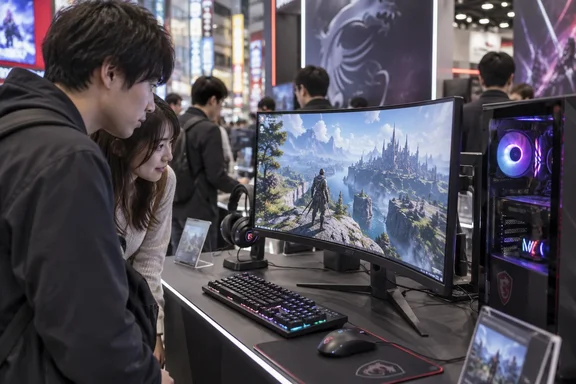
MSI lists a 27-inch, 2560 × 1440 Rapid VA panel with a 1500R curve, a maximum 180Hz refresh rate, and a 0.5ms gray-to-gray minimum response time. It also specifies 300-nit typical brightness, a 5000:1 typical contrast ratio, and AMD FreeSync support. Those are manufacturer figures: the response-time minimum is not a measurement of every pixel transition, and a game needs a PC capable of producing high frame rates to make full use of the refresh rate. ASCII’s event preview does not provide independent motion or latency tests.
The connection choice matters more than the headline “180Hz” might suggest:
- DisplayPort: MSI lists up to 2560 × 1440 at 180Hz.
- USB-C with DisplayPort Alt Mode: Also listed at up to 2560 × 1440 at 180Hz, with up to 15W power delivery.
- Either HDMI 2.0b input: Listed at up to 2560 × 1440 at 144Hz, not 180Hz.
For a Windows gaming PC, that makes DisplayPort the straightforward choice when aiming for the monitor’s maximum listed refresh rate. If Windows offers only 144Hz at WQHD over HDMI, the input specification is a sensible first thing to check—not necessarily a fault with the display. USB-C’s 15W output is a convenience for compatible devices, but should not be mistaken for full-power laptop charging.
Wide color is a possibility, not a calibration result
ASCII highlights the screen’s appeal for games, movies and creative work. MSI’s Japanese specifications claim 97% Adobe RGB and 97% DCI-P3 coverage. That is promising on paper for someone who wants one screen for gaming and image-heavy tasks, but gamut coverage alone does not establish color accuracy. Anyone choosing a monitor for color-critical RAW development or video work would still need evidence of calibration and performance in the modes they intend to use. ASCII has not published those measurements in this preview.
There are practical desk considerations, too. MSI lists 110mm of height adjustment, tilt and swivel, but no portrait pivot; its specifications also list a 75 × 75mm VESA mounting pattern. The curved shape and stand are precisely the sorts of details that are easier to judge at a desk than in a product photograph.
When and where to see it
ASCII schedules TOKYO Gaming-PC STREET 9 for Saturday, October 10, 2026, from 1:00 p.m. to 5:30 p.m. Japan time at the first-floor venue in LIFORK AKIHABARA II, Akihabara TMO Building, 3-13-2 Sotokanda, Chiyoda-ku, Tokyo. Admission and viewing are listed as free, with no purchase required. ASCII says visitors can compare gaming equipment and ask its editorial staff questions.
If you go specifically for the MAG 275CQRF QD E2, inspect the curve from your usual seating distance and ask which input and refresh rate the demonstration uses. A few minutes with the screen can help settle whether its shape suits you; it cannot, by itself, replace measured response-time or color-accuracy testing.
References
- The 'MAG 275CQRF QD E2' Gaming Monitor: Curved, High-Speed, Wide Color Gamut – I'm Absolutely Loving This Feature-Packed Display! - ASCII.jp ASCII.jp · 2026-09-28T04:40:00+00:00
- ASCII.jp:湾曲、高速、広色域の全部盛り、盛り盛りゲーミングモニター「MAG 275CQRF QD E2」が盛り盛りで気に入った! ascii.jp
- MSI MAG 275CQRF QD E2 jp.msi.com