

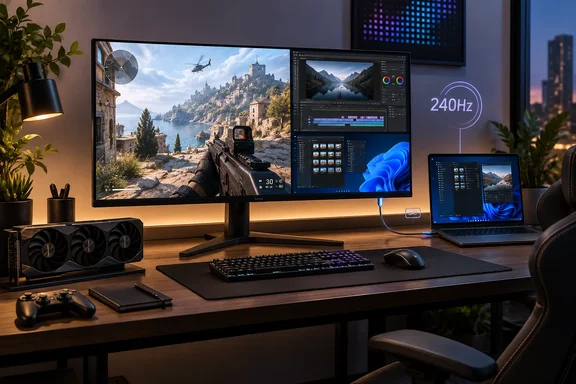
The setup: what he bought and why
Shields moved from a 165Hz Acer Predator IPS panel to an MSI MPG 321URX. He bought it in early 2025, when he says it cost about $900. He cites a current price of $634, which I couldn't verify. Street prices change by retailer and by week, so treat every dollar figure in the story as his claim.
He splits his time between workdays of browser tabs, Slack and writing, and evening FPS games such as PUBG, Call of Duty and Battlefield 6. That mix explains his priorities: more screen space, a pixel density at least as good as before, and 240Hz for fast shooters.
The pixel-density argument
His math holds up. A 27-inch 2560x1440 panel works out to roughly 109 pixels per inch (PPI). A 32-inch 3840x2160 panel comes to roughly 138 PPI. So the bigger screen is also the sharper one, which surprises people who assume "bigger means coarser."
The catch is GPU load. A 4K frame has about 8.3 million pixels, against about 3.7 million at 1440p. That is more than double the rendering work per frame.
What the MSI actually offers
MSI's own pages describe the MPG 321URX as a 31.5-inch QD-OLED. It has a 3840x2160 panel, a 240Hz refresh rate and a 0.03ms GtG response time. It carries VESA ClearMR 13000 and DisplayHDR True Black 400 certifications. These are manufacturer figures, not independent measurements.
Connectivity matters for a PC desk. MSI lists DisplayPort, HDMI 2.1 and USB-C (DP Alt Mode) all at 3840x2160 up to 240Hz, with 90W power delivery over USB-C. A single cable can therefore feed a laptop and charge it. RTINGS also notes a built-in KVM switch, which helps if you share the monitor between a desktop and a work laptop.
Shields quotes color coverage of 99% DCI-P3. MSI's page agrees on that one, citing 99 percent DCI-P3 coverage. A retail listing of the monitor gives Adobe RGB 97%, DCI-P3 99% and sRGB 138%, so his Adobe RGB (96%) and sRGB (137%) numbers are slightly off from the listed figures.
Burn-in: the real question
Burn-in is the main reason people hesitate. Shields says it has improved but hasn't gone away, and the evidence supports that.
- Warranty: MSI's spec page lists a 3-year warranty that includes panel burn-in. KitGuru noted that the specifics were unclear and that owners likely need to follow MSI's OLED Care guidelines. Read the terms for your region and seller before you buy.
- Mitigation: OLED Care 2.0 has three parts: Pixel Shift, Panel Protect and Static Screen Detection. Club386 warned that most of these features are off by default. Check the on-screen menu on day one.
- Independent view: RTINGS still flags the risk of permanent burn-in from constant static elements, which could matter for office-only use.
For Windows users, the obvious static elements are the taskbar, title bars and docked toolbars. Auto-hiding the taskbar, using dark mode and setting a short screen-off timeout are cheap habits that help. I'm offering those from general industry knowledge, not from a test.
Text clarity: a mixed picture
Shields says he writes on the monitor for 8+ hours a day and doesn't notice text fringing. OLED panels use non-standard subpixel layouts that can make Windows text look slightly off. RTINGS tests text clarity as a separate category. The packet doesn't show that every QD-OLED beats every WOLED, so the claim that QD-OLED is generally sharper should be read as his view, not a rule. In its review of this model, RTINGS lists sharp text and image clarity as a pro. That fits his experience, but it covers one monitor.
If text looks rough on yours, Windows' ClearType Text Tuner is the usual first thing to try.
The GPU question
Shields drives the monitor with a GeForce RTX 5090, calls that "practically a necessity" for 240Hz at 4K, and leans on DLSS in heavier games. Treat that as one person's setup, not a threshold. Frame rates depend on the game, the settings and your tolerance for upscaling.
Two points about the tech:
- DLSS Super Resolution renders at a lower resolution and reconstructs the image.
- Multi Frame Generation inserts extra frames and is limited to RTX 50-series cards, to my knowledge of NVIDIA's feature set. Generated frames are not the same as natively rendered ones, and I couldn't re-check NVIDIA's pages in this pass.
A 240Hz panel only helps as much as your PC can feed it. A mid-range card will still look good at 4K with upscaling, but it won't hit 240fps in demanding titles.
Should you upgrade?
It makes sense if:
- you want more desktop space and denser pixels,
- you value OLED contrast and color for games, video or creative work,
- your GPU can handle 4K with upscaling.
Consider waiting if:
- your graphics card is already struggling at 1440p,
- you spend most of the day with static UI on screen,
- you play competitive shooters and want maximum frames over resolution,
- the price is still too high. Shields suggests 1440p OLED as a cheaper step.
A note on the model
Shields bought the MPG 321URX, but RTINGS notes it has been replaced by the MPG 322URX QD-OLED. Check which version a retailer is actually selling before you compare prices. Pricing for the ASRock, the MSI 321UPX and the Acer Predator X27U comes from Shields and wasn't independently confirmed.
Bottom line
This is a credible enthusiast account, not a lab test. The core numbers (4K at 240Hz on QD-OLED, a roughly 138 PPI density and a 3-year burn-in warranty) check out against MSI and RTINGS. Prices and "game-changing" impressions are his own. If you do go OLED, turn on the protection features, hide static UI where you can, and read the warranty terms.
References
- MSI MPG 321URX QD-OLED Review - RTINGS.com rtings.com
- MSI MPG 321URX QD-OLED review: a pixel performance prodigy club386.com
- Why I upgraded to a 4K OLED PC gaming monitor Tom's Hardware · 2026-10-07T14:38:31+00:00