

What changed
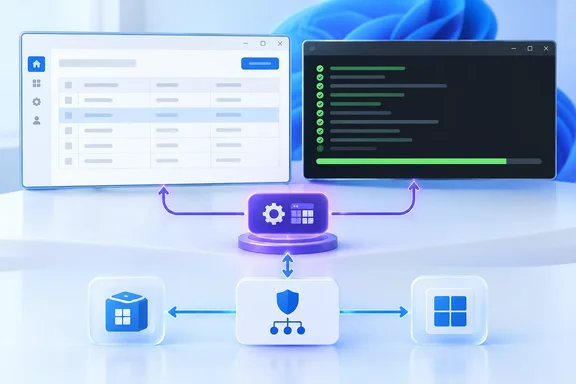
With MSTest 4.5 and MTP 2.5, the same UI-thread testing pattern works for UWP and WinUI 3. The supported models are classic and modern UWP, packaged or unpackaged WinUI 3, and WinUI hosts that use AppContainer. Microsoft's MSTest overview backs this up. AppContainer support needs MSTest 4.5 and MTP 2.5 or later, and VSTest doesn't support unpackaged WinUI 3.
The old pain is easy to recognize. Creating a UI object from a plain [TestMethod] fails. A 2022 Microsoft #ifdef Windows post showed that even var grid = new Grid() throws a wrong-thread COM exception when run from a regular test method. [UITestMethod] fixes this by running the test on the UI thread.
The new post goes further than the old guidance. It says [UITestMethod] dispatches the whole MSTest call for each test, including TestInitialize and TestCleanup. That means async setup and cleanup keep UI-thread access too. [STATestMethod] gives you an STA thread but doesn't create a WinUI dispatcher.
Pick a model first
Packaging and sandboxing are separate choices. Packaging adds MSIX identity and AUMID activation. The trust level decides whether the process runs full trust or in AppContainer.
| App model | Identity and trust | Launch path |
|---|---|---|
Classic UWP (uap10.0) | MSIX, AppContainer | Sidecar controller, AUMID activation |
Modern UWP (UseUwp) | MSIX, AppContainer | Sidecar controller, Native AOT host, AUMID activation |
| Unpackaged WinUI 3 | No identity, full trust | Direct apphost launch |
| Packaged WinUI 3 | MSIX, full trust by default | Sidecar controller, package registration, AUMID activation |
| Packaged WinUI 3 with AppContainer trust | MSIX, AppContainer | Sidecar controller, exact package-SID pipe authorization |
For WinUI, the guidance is to start unpackaged. Move to packaged only if the behavior under test needs package identity, packaged activation contracts, or an exact match with the installed app. UWP is always packaged and sandboxed.
Packaged and sandboxed apps don't start as the initial test tool. MSTest.Sdk first launches a normal full-trust sidecar controller. The sidecar owns test arguments, cancel requests, reports, retries and the final exit code. It then starts the app that hosts the tests. None of Microsoft.NET.Test.Sdk, vstest.console, UwpTestHostRuntimeProvider or the Visual Studio deployment runtime is involved.
Step 1: Select MTP and pin the SDK
Put this in global.json at the repo or solution root:
{
  "test": { "runner": "Microsoft.Testing.Platform" },
  "msbuild-sdks": { "MSTest.Sdk": "4.5.0" }
}
Without the runner entry, .NET 10 uses VSTest for dotnet test. MSTest.Sdk 4.5 bundles MTP 2.5, the sidecar controller, the UWP adapter and bootstrap assets, and the packaged launcher.
Step 2: Configure the project
Modern UWP. The project is small. Use MSTest.Sdk as the SDK, target net10.0-windows10.0.26100.0, and set UseUwp and PublishAot to true. Keep the app's XAML, manifest, architecture and Native AOT settings. In OnLaunched, activate the window and turn the activation string back into test arguments with PackagedAppExtensions.GetTestApplicationArguments(args.Arguments). Then call MicrosoftTestingPlatformApplication.RunAsync, assign the result to Environment.ExitCode, and call Exit().
Classic UWP. Keep the existing uap10.0 project and import MSTest.Sdk alongside MSBuild.Sdk.Extras. The sidecar builds the .build.appxrecipe layout, installs the declared frameworks and starts the app by AUMID. You still need the Visual Studio MSBuild/UWP toolchain. You don't need its VSTest runtime. Run from a Developer PowerShell for Visual Studio: build with msbuild, then run the InvokeTestingPlatform target.
Self-hosted WinUI 3. The shared project uses these settings:
OutputTypeisExe.- The target framework is
net10.0-windows10.0.19041.0. TargetPlatformMinVersionis10.0.17763.0.UseWinUIis true.UnitTestApp.xamlis removed fromPageand added as anApplicationDefinition.- The
TestContainerproject capability is included. - The sample references Windows App SDK
1.8.251106002. That is the sample's value, not a requirement.
MSTest.Sdk detects the WinUI entry point and suppresses its own Main. It also generates the RunAsync helper. In OnLaunched, create and activate a Window. Then set UITestMethodAttribute.DispatcherQueue = _window.DispatcherQueue. Next, run MTP with the process arguments (Environment.GetCommandLineArgs()[1..]). Assign the result to Environment.ExitCode, then close the window and exit in a finally block.
The exit-code line matters. The generated WinUI entry point returns void. Without that assignment, a failing run can look green to CI.
The dispatcher gotcha
The dispatcher must be set explicitly. Developers have hit this error for years: UITestMethodAttribute.DispatcherQueue should not be null, with a reminder to set the static property during test initialization. A GitHub issue (testfx #5175) reports it when running a WinUI 3 test app from the command line. The same issue says it worked in Visual Studio's Test Explorer. In the self-hosted pattern, the OnLaunched assignment is what prevents this.
The Microsoft Learn documentation shows the same pattern. The WinUI app acts as the test host and owns the entry point, UI thread and process lifetime. According to the source article, you shouldn't add [assembly: WinUITestTarget(...)] to this self-hosted pattern. It can trigger a second application startup.
Step 3: Choose the deployment delta
- Unpackaged (the default choice). Set
WindowsPackageTypetoNoneandEnableMsixToolingtofalse. Include no manifest or package-asset items. The result is a standard apphost that MTP launches directly. - Packaged full trust. Remove those two overrides and keep the template's
Package.appxmanifestand assets. You need a Windows TFM of10.0.19041.0or later. Registering unsigned build output also needs Developer Mode or a similar sideloading policy. - AppContainer. Keep the packaged host and set
uap10:TrustLevel="appContainer"in the manifest. MTP grants only that package SID access to its controller, cancellation, TRX, HangDump and Retry pipes. Never grantALL APPLICATION PACKAGES.
MSTest.Sdk registers the packaged-app launcher for packaged WinUI projects. Leave TESTINGPLATFORM_PACKAGEDAPP_LAUNCHER unset. Its default, auto, uses packaged launch only when a matching AppxManifest.xml describes the app. Otherwise it keeps the faster normal launch path.
Step 4: Write a test that proves it
The post's sample test awaits Task.Yield() in TestInitialize, the test body and TestCleanup. At each point it checks that DispatcherQueue.GetForCurrentThread()?.HasThreadAccess is true. The body creates a Grid and asserts the same thing on the grid's own dispatcher. This catches a common bug. Code can behave on the first line of a test and then lose the UI thread after an await in setup or teardown.
Step 5: Run it
- Full-trust WinUI, packaged or unpackaged: use
dotnet run, ordotnet test --project .\MyWinUiTests.csproj -c Release -a x64. - UWP and AppContainer WinUI: run from a non-elevated Developer PowerShell. Build first, then call
msbuildordotnet msbuildwith/t:InvokeTestingPlatform. - Avoid
dotnet exec. It putsdotnet.exein the middle and can break WinUI resource loading.
Expect a window to flash briefly. The console then prints a summary like "Passed! - Failed: 0, Passed: 1...". A packaged development layout can stay registered after the run. To remove it, run Get-AppxPackage -Name '<package identity name>' | Remove-AppxPackage -PreserveApplicationData.
CI troubleshooting checklist
A green build on your workstation doesn't prove a packaged test host works on a clean agent. Check these on the actual agent image:
- The user context can register the package.
- Developer Mode or an equivalent sideloading policy is enabled. This is required for unsigned build output.
- The package's declared frameworks are installed. A workstation that already has UWP framework packages or the Windows App SDK runtime can hide this gap.
- Framework-dependent WinUI 3 apps have the matching Windows App SDK runtime. A self-contained build removes that dependency. Test it in the exact package model CI will use.
- AppContainer tests run non-elevated.
- A deliberately failing test produces a non-zero exit code.
Analysis
This is a practical consolidation. It removes the reliance on VSTest and Visual Studio's deployment provider for runtime. It also lets the same MSTest lifecycle and [UITestMethod] tests cover every Windows app model. The sidecar design is sensible. Any process that is sandboxed or packaged can't easily be the thing that reports results and returns an exit code. A normal full-trust controller can.
The caveats are real, though. UWP builds still need the Visual Studio MSBuild/UWP toolchain, and packaged models need machine policy. The project files and run commands also differ by model, so don't expect one copy-paste setup to cover them all. The post comes from Microsoft's own engineer. The sample versions are pinned to what the post uses, and your own app and CI image should confirm them.
If you have a WinUI project with tests stuck on VSTest, the unpackaged route is the lowest-friction place to start.
References
- UWP and WinUI 3 apps: UI testing with MSTest .NET Blog · 2026-10-05T17:05:00+00:00
- WinUI3 Test App UITestMethod failing · Issue #5175 · microsoft/testfx github.com
- MSTest とMicrosoftを使用して WinUI 3 アプリをテストします。Testing.Platform - .NET learn.microsoft.com