

What changed in v2.3.0
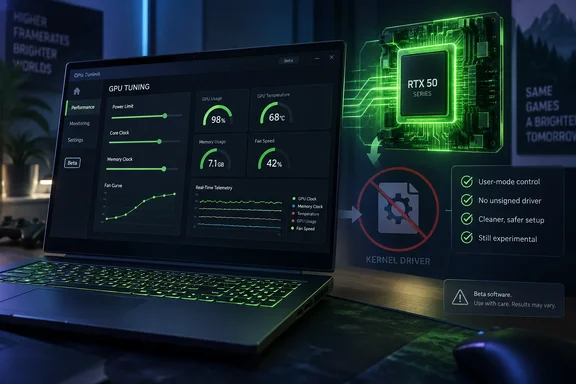
The developer released v2.3.0 on 28 September. The developer describes it as a Windows tuning utility for RTX 50-series Laptop GPUs. The main change is that it can control the laptop GPU power limit through a user-mode method, with no custom unsigned Nvpwr kernel driver required.
The release lists these features:
- TGP and power-limit control
- GPU core-clock tuning
- Memory-clock tuning
- Real-time GPU telemetry
- Automatic GPU and VBIOS detection
- A compatibility resolver for different laptop configurations
- Support for Windows 10 and Windows 11 x64
Which GPUs are targeted
The target list now covers the RTX 5050, 5060, 5070, 5070 Ti, 5080 and 5090 Laptop GPUs. "Target" is the developer's word and it matters. The only configuration the developer calls verified is a Lenovo Legion Pro 5 with an RTX 5070 Ti Laptop GPU, which is the platform used for the main development and validation.
The release warns that laptop GPU power management differs significantly between manufacturers, VBIOS versions, subsystem IDs and NVIDIA driver versions. The developer says hardware other than the verified configuration should be treated as experimental until more user reports arrive. Users whose laptops misbehave are asked to submit the laptop model, GPU, NVIDIA driver, VBIOS and power-limit information through the project's Discord bug-report system.
In practice, a laptop on the target list isn't a laptop that has been shown to work. If you own a Legion Pro 5 with an RTX 5070 Ti, you're closest to the tested path. Everyone else is a beta tester.
Setup: how the unsigned-driver requirement went away
Earlier builds had a more invasive setup. The v1.8.0 release notes said the program worked properly only with driver signature verification disabled. The steps were:
- Run the program as Administrator.
- Open an elevated command prompt and enter
shutdown /r /o /f /t 0. - Go to Troubleshoot, then Advanced options, then Startup Settings, then Restart.
- Press 7 or F7 to disable mandatory driver signature enforcement.
That path is not part of the v2.3.0 notes, which instead describe the user-mode method. Disabling driver signature enforcement lowers a basic Windows protection, so dropping the requirement is a real improvement.
Don't over-read it, though. The v2.3.0 notes say only that the custom unsigned kernel driver isn't needed. They don't say the tool never needs elevated rights or won't trigger other Windows security prompts. The tool still works by reverse-engineering NVIDIA's internal power-management behavior, so it remains unofficial software for an undocumented interface.
History: how the project got here
Earlier coverage gives the background. The project began on a Lenovo Legion Pro 5 Gen 10 with an RTX 5070 Ti Laptop GPU. That machine uses a 115W base graphics-power limit plus up to 25W through Dynamic Boost, for a normal maximum of 140W. Guru3D reported that the tool changes the power-policy ceiling without flashing a modified VBIOS or physically altering the motherboard.
The older v1.5.0 and v1.8.0 notes listed experimental ranges of up to 180W for the RTX 5070 Ti and 225W for the RTX 5080 and 5090. Those figures belong to those builds. The v2.3.0 notes don't restate them, so don't treat them as confirmed ceilings for the new release. TweakTown's summary of the earlier builds also pointed to unsigned binaries with no source code, and to thermal, electrical and security risks. Those concerns are separate from the kernel-driver change.
The v1.5.0 and v1.8.0 builds were also tied to NVIDIA driver 616.92. The v2.3.0 notes don't repeat that restriction, but they do list the NVIDIA driver version as a compatibility variable.
Risks and cautions
Neither VideoCardz nor the developer shows benchmarks of what a higher limit buys on any laptop. The release documents controls, not measured gains.
The risks are the usual ones for power-limit changes. The developer warns that higher power limits or clocks can increase temperatures, power consumption and instability. VideoCardz adds practical advice for anyone tempted:
- Read reviews of your specific laptop to understand its cooling capacity.
- Check the wattage of the power adapter.
- Make sure the system has real power and thermal headroom.
- Try NVIDIA's own tuning options in the NVIDIA App first.
Laptop cooling is sized for the factory limit, so extra watts mostly turn into heat in a chassis with little room for it. A higher setting can also run into the power adapter's rating. Neither limit goes away because the software path is cleaner.
How you get it
The release page presents the full package as a paid product. The GitHub notes say NvpwrControl Pro costs $10 as a one-time payment, with a customer Discord that provides releases, beta builds, installation guides, known issues and support. The release says payment is handled through Whop. Earlier coverage described the project as free and open on GitHub, so the access model has changed. Paying doesn't guarantee your laptop is compatible, and the beta label applies either way.
Bottom line
v2.3.0 removes the unsigned kernel driver and the signature-enforcement workaround, and it widens the target list to the whole RTX 50 Laptop family. It doesn't widen the proven list: one Lenovo configuration is verified. Treat it as a beta for enthusiasts who understand their laptop's thermal and power limits. Everyone else should stick with the official tuning controls in the NVIDIA App.
References
- NvpwrControl expands RTX 50 Laptop GPU support, power tuning now runs in user mode - VideoCardz.com VideoCardz.com · 2026-10-04T16:05:14+00:00
- Releases: LevinAi-arch/rtx-5070ti-laptop-160w-power-limit github.com
- New modding tool raises RTX 5090 laptop GPU power limit up to 225W tweaktown.com