

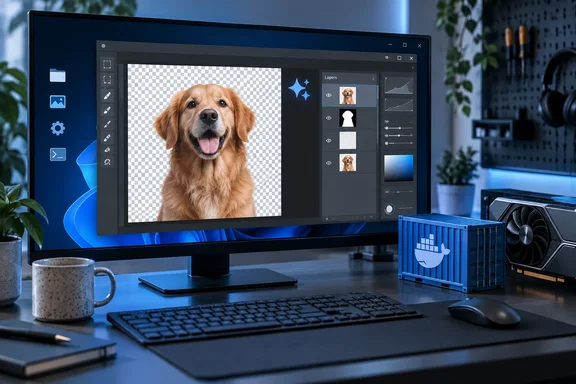
It won't replace Photoshop yet, and the project says so itself. It is still worth a look for Windows users who can run Docker and want background removal and simple layer editing to happen on their own hardware.
What Odysseus is, and where the image editor sits
Odysseus is not an image editor that picked up some AI features. It is an AI workspace, and the editor came later. XDA reports that PewDiePie (Felix Kjellberg) released Odysseus as a free, self-hosted AI workspace, and it has grown a lot since launch. The GitHub org has been renamed from pewdiepie-archdaemon to odysseus-dev, and the repo is at almost 90k stars. When the repository was checked for this story it showed about 87,700 stars. That number changes daily, so treat it as a measure of attention rather than a spec.
The image tools sit at the edge of the project. XDA notes that most of the workspace is about chat, agents, and research, and the gallery and image editor are filed under "extras". A mirrored copy of the project README shows that same category: "Extras — gallery/image editor, themes, uploads, web search, presets, sessions, and 2FA." The official Odysseus site says a little more. Its Image Gallery panel claims users can generate, edit, remove backgrounds, and inpaint in their own gallery.
Other outlets that covered the launch mostly skipped the editor. Android Authority self-hosted Odysseus on a DIY NAS and wrote that there's also an image editor and a to-do list feature it hadn't tried yet. XDA's new report is one of the first to test the editor properly.
Section summary: Odysseus is a large, fast-growing, open-source AI workspace licensed AGPL-3.0-or-later. The image editor is officially an "extra" and not the main feature.
Why PewDiePie built it
His stated reason is privacy. 80.lv covered the launch in June and reported that Odysseus is pitched as self-hosted, "meaning you don't need to hand over your data to corporations and hope they don't get hacked." He has also said he doesn't want AI doing the work for him: "I don't want AI to do the work for me or replace the work. I want to do it, and it can help if I want it to."
The editor follows the same idea. You edit by hand, and the AI tools are there when you choose to use them. PewDiePie's plans for it are big. According to 80.lv, "I am building my own Photoshop," PewDiePie said boldly, while admitting it's far from being as robust.
The official site describes the project as local-first, privacy-first, and free of telemetry, and it also lets you connect external APIs. Those privacy claims come from the project. No independent security audit backs them. Whether your data leaves the machine depends on which models, endpoints, and integrations you set up.
Inside the Gallery and editor
XDA's hands-on account is the most detailed look so far. The observations below are from that report. The editor carries an ALPHA badge, so expect them to change.
The Gallery comes first. XDA says it resembles Google Photos, with albums and tags. Drop a whole folder in and you get an album with that folder's name. Double-click a photo and choose edit to open the editor, or start from a blank canvas with preset pixel ratios.
The tool rail will look familiar to anyone who has used Photoshop or Photopea:
- Move, crop and transform at the top
- Brush and eraser
- Clone, lasso and magic wand further down
- AI tools at the bottom, marked with sparkle icons
- Undo, redo and a full history panel along the top
Layers work the way you'd expect. A panel on the right gives each layer its own visibility toggle and opacity slider, and you can reorder or add layers. The project saves each layer's image data, position and opacity. XDA says unfinished work is kept as a server-side draft, so you can pick it up later from another device. When you finish, you can overwrite the original in the gallery or save a new copy.
XDA's verdict is modest: good enough for cropping an image for social media or cloning out a small speck. The "you can resume from another device" feature is worth a second look, too. On a self-hosted app, "the server" is your own machine, so the backups and access controls are yours to manage.
Section summary: It's a standard layer-based editor with a photo library attached. Nothing here is new, but it runs entirely on your own terms, and it is clearly still alpha.
The AI tools: small models run on a CPU, big ones need a GPU
XDA divides the AI features into two groups, and hardware decides which group you can use.
Generative fill: heavy, and in practice it needs a GPU
In XDA's build, generative fill offered only local Stable Diffusion models from the Cookbook, Odysseus's hardware-aware model manager. The reporter says the editor ignored an OpenAI key they tried. That result applies to this feature in this build. The wider workspace does support API-connected models: daily.dev's coverage says Odysseus connects to local models via Ollama, llama.cpp, LM Studio, or vLLM, and optionally to cloud APIs.
XDA saw two model options:
| Model | Purpose | Reported footprint |
|---|---|---|
| Stable Diffusion inpainting | Fills a masked area, with extra inputs for the mask | Download passed 9 GB after 30 minutes on XDA's setup |
| Stable Diffusion 3.5 Medium | General text-to-image generation | About 2.5B parameters, ~9.9 GB VRAM (text encoders not included) |
XDA's standard Docker setup didn't pass the GPU through, so everything ran on the CPU and the reporter never got the large models working. Don't assume this happens on every machine. The current repository ships separate Docker Compose files for NVIDIA and AMD GPUs and links to GPU setup notes. GPU access depends on your host, your container runtime and your configuration. On Windows, that means checking that your Docker setup actually exposes the GPU before you start a 9 GB download.
The single-task tools that do run on a CPU
The smaller tools are where the editor works today. XDA found them in the Cookbook's Dependencies tab:
- Background removal uses
rembg, whose small ONNX models download automatically on first use. - Denoise and Upscale use
realesrgan, based on Tencent ARC Lab's Real-ESRGAN. - Click-to-select uses
sam_mask, built on Meta's Segment Anything. It needs PyTorch and transformers installed.
All three ran fine on XDA's CPU. The Sharpen AI tool was the reporter's favorite, and they rated it about as good as paid equivalents. There was one hiccup. The one-click rembg install hung, and the reporter had to finish it with a single pip command in PowerShell. XDA didn't publish the exact command, so check the project's docs instead of guessing.
Section summary: Background removal, denoising, upscaling and click-to-select work on an ordinary PC. Generative fill needs a capable GPU that the container can actually use.
Is it really doing "what Adobe and Canva charge for"?
For a few specific tasks, yes. Beyond those, the claim is too broad.
Canva's own photo-editor page says the editor is free, but some features, like Background Remover and Magic Eraser, are only available on Canva Pro, Teams, and Education. That makes local background removal a real, measurable saving for Canva free users. On Adobe, XDA writes that Photoshop's Generative Fill runs on Adobe's cloud and that each generation uses a credit from a monthly allowance. Adobe's terms differ by plan, so check your own plan before assuming what it covers.
The comparison stops there. Canva offers templates, collaboration, stock libraries and a large ecosystem. Photoshop has decades of refinement behind it. Odysseus offers:
- Background removal with no subscription
- Basic layer editing
- Your files stay on your machine
In exchange, you handle your own setup, maintenance, updates and security. For some people that's a good deal. A busy marketing team is better off paying for Canva.
Setting it up on Windows
The current README gives this Docker quick start:
- Clone the
odysseus-dev/odysseusrepository. - Copy
.env.exampleto.env. - Run
docker compose up -d --build. - When the containers report healthy, open
[url]http://localhost:7000[/url]in your browser. - Find the initial admin password by running
docker compose logs odysseus.
The repository also includes Windows-specific scripts: launch-windows.ps1 and build-windows-portable.ps1. Native install, GPU, HTTPS and other configuration steps are in the project's separate setup guide.
To use the image tools, open the Cookbook, go to Dependencies, and install rembg, realesrgan and sam_mask. If an install hangs the way XDA's did, check the setup documentation before changing anything by hand.
Security settings to get right
Odysseus includes agents that can run shell commands, so it deserves care. The README warns users to keep auth enabled, keep private data out of Git, and not expose raw model/service ports publicly. It also says to keep LOCALHOST_BYPASS=false everywhere except local development. Android Authority found that folder access is limited to the paths you give the container, but shell commands can still reach out of the folder you pick for a workspace to hit other files in Odysseus' file path, so tread carefully. Running software yourself only makes it private and secure if you configure it that way.
Bottom line
A YouTuber is building an open-source Photoshop alternative inside his AI chat app, and it is working better than you'd guess. For now, Odysseus's image editor handles the unglamorous basics well: cropping, cloning, layers and CPU-friendly background removal, with no subscription and no cloud upload. Generative fill depends on GPU hardware that many readers don't have, the editor is officially alpha, and self-hosting leaves the security settings to you.
If you already run Docker on Windows and object to paying monthly for background removal, it's worth an afternoon. If you need a finished, supported creative suite, keep paying Adobe or Canva for now.
References
- PewDiePie's free self-hosted image editor does what Adobe and Canva charge for XDA · 2026-09-28T23:00:17+00:00
- GitHub - VibeWithClaude/pewdiepie-odysseus: Self-hosted AI workspace. · GitHub github.com
- Free Online Photo Editor: Free & easy image editing - Canva canva.com