

The pitch: a quieter Word without the subscription
Shah's complaint is that Word has become busier as Copilot spreads through Microsoft 365. He says he barely uses Copilot when drafting and wants a writing app that stays out of the way. He settled on ONLYOFFICE's Document Editor. In his account, the ribbon-style layout felt familiar and he was productive within hours. His existing DOCX articles opened with headings, hyperlinks, tables and images intact.
Those are first-person observations. Fonts, unusual layouts and embedded objects are where Word-compatibility claims tend to break down, so treat them as a starting point rather than a promise.
What the free product actually is
According to ONLYOFFICE's help center, the current stable release is 9.4.0, dated 19 May 2026, and the project's source is released under AGPL-3.0. Some facts from the vendor's own documentation:
- Scope: It is more than a word processor. The suite covers text documents, spreadsheets, presentations, fillable forms and PDFs. It handles DOCX, ODT, XLSX, ODS, CSV, PPTX and ODP, among other formats.
- Platforms: Windows, Linux and macOS are supported. ONLYOFFICE also announced that the suite is on the Microsoft Store, which gives Windows users a one-click install route.
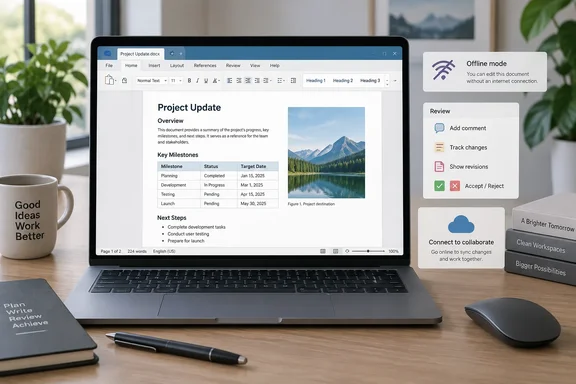
- Offline use: The app does not need a constant internet connection and works with documents stored locally.
- Licensing: The vendor's FAQ says the free desktop suite is limited to one computer. It also says commercial use carries no special conditions or limitations. That is the vendor's stated position and applies only to the desktop suite, not to the online ONLYOFFICE Docs product.
- Interface: A tab-based interface keeps several files in one window. Under Settings you can choose whether new files open in their own tab or their own window. A document can also be dragged out into a separate window.
Review tools and PDFs
Shah says Track Changes, comments, document comparison and accept/reject all work as he expects. ONLYOFFICE's documentation for the Collaboration tab lists the same controls: commenting, Track Changes, display modes for suggested changes, managing those changes and loading a document for comparison.
On PDFs, the vendor's product page lists text editing, object insertion, annotations, comments and freehand drawing. Shah's own verdict is measured. He finds it handy for markup and quick changes, but says he would not drop a dedicated PDF editor for heavy work. That seems fair.
The caveats that matter
Collaboration needs the cloud. The help center says real-time co-editing, reviewing for text documents, commenting and chat are available once you connect the desktop app to a cloud. That can be ONLYOFFICE's own cloud or a third-party service such as Nextcloud, ownCloud, Seafile, Moodle, Liferay or kDrive, and it requires an internet connection. Some features, including Mail Merge in the Document Editor, are available through the desktop interface only after connecting to the cloud. If you rely on seamless Microsoft 365 coauthoring through OneDrive or SharePoint, this is not a drop-in equivalent.
It is not AI-free. Shah's reason for switching is avoiding Copilot, but ONLYOFFICE has its own AI features. The help center describes an AI Agent tab where you pick a provider and configure it. The company's Store announcement also highlights AI tools for summarizing, translating and rewriting. The difference is that you choose whether to connect anything, and which provider.
Fidelity needs checking. The vendor claims high compatibility with Microsoft Office formats. No documentation promises perfect fidelity for every file. A user quoted on the vendor's own page reported that font problems were the only issue they hit, likely because the fonts were not installed. If you open an important document, check pagination, fonts, tables and any embedded objects before sending it on. Installing the missing fonts is the usual first fix.
Version 10 is announced, not shipped
Shah says ONLYOFFICE 10.0 is due soon. As of 4 October 2026, ONLYOFFICE has announced it but not released it. The company's 10 September blog post promised it for autumn. It listed four reworked apps, about 50 new features, at least seven user-requested features, around 1,000 bug fixes, more than 30 security enhancements, new AI providers and new format support. It also said the final figures were not yet in.
The company has not given a release date. A community reply from the vendor says it does not announce release dates in advance and describes 10.0 as coming this autumn with no exact date yet. GitHub's ONLYOFFICE test repository shows 10.0.0 builds tagged in late September. These look like internal testing releases, not a public launch, and the stable release remains 9.4.0.
Who should try it
ONLYOFFICE Desktop Editors is worth a trial if you want a free local editor with a Word-like ribbon and tabbed documents. It also suits people who move between Windows, Mac and Linux and want review tools without a subscription. Install it alongside Word, open a few of your real documents, and see how the layouts hold up. Check the cloud-dependent features against your team's workflow before you commit.
For a fuller picture, wait to see how 10.0 changes the interface and the fidelity story once it actually ships.
References
- I found a free Microsoft Word alternative that doesn't compromise on features XDA · 2026-10-04T13:49:26+00:00
- Free office suite for Windows, Linux and macOS | ONLYOFFICE onlyoffice.com
- ONLYOFFICE 10.0 is coming this autumn | ONLYOFFICE Blog onlyoffice.com