

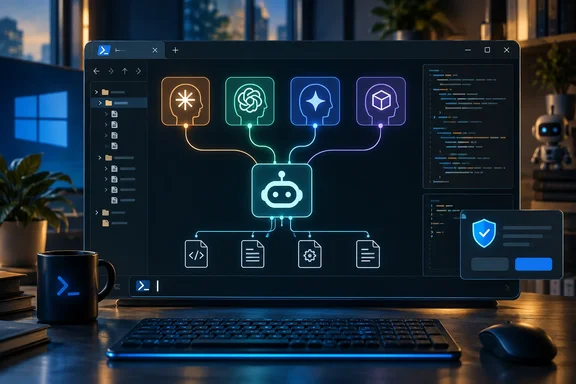
Her argument is simple. No single model is best at everything, so the model you want depends on the job. Paying a monthly fee for each vendor's tool just to switch between them costs a lot. Local models don't need a subscription, but they usually mean opening a different app. You stop juggling bills and start juggling windows instead.
What OpenCode actually is
OpenCode belongs to the same family as Anthropic's Claude Code and OpenAI's Codex. It's a coding agent that works inside your project, not a chatbot you paste code into. The project's documentation says it comes as a terminal interface, a desktop app or an IDE extension. It can read and edit files across a codebase, run shell commands, use Language Server Protocol (LSP) integration to understand code structure, and connect to Model Context Protocol (MCP) servers for extra features.
The main difference is that it isn't tied to one vendor. OpenCode's provider documentation says it uses the AI SDK and Models.dev to support more than 75 LLM providers, and it can also run local models. You keep one tool and change the model behind it.
Section summary: OpenCode is an open-source coding agent that works with many AI companies' models. It is not a front end for one vendor.
How the XDA setup works: one subscription, some API keys, local models
Faisal didn't drop subscriptions entirely. Her setup has three parts:
- ChatGPT Plus stays as her one subscription. OpenCode lets you sign in with a ChatGPT Plus or Pro account, so the OpenAI models she already pays for work inside it.
- Claude and Gemini go through pay-as-you-go APIs. She only uses them sometimes, so she pays for what she uses instead of another flat monthly fee.
- Local models cover lighter tasks, with no per-token charge.
The Claude part matters. OpenCode's own docs say plugins exist that let Claude Pro and Max subscribers use those plans in OpenCode, and that Anthropic explicitly prohibits this. The docs also say OpenCode stopped bundling those plugins as of version 1.3.0. So if you want Claude in OpenCode and want to stay within Anthropic's rules, use an Anthropic API key. A third-party plugin that signs you in with your subscription is not the approved route.
OpenCode's docs also name the subscriptions it says work with no setup: ChatGPT Plus and GitHub Copilot. That's a real point for Microsoft-focused developers. If your employer already pays for Copilot, you can sign in through GitHub's device-login flow and use those models in OpenCode.
Section summary: ChatGPT Plus and GitHub Copilot subscriptions are officially supported. Claude subscriptions are not, so Claude has to go through Anthropic's API.
Setting it up on Windows
For Windows, OpenCode's installation docs list these options:
- Chocolatey:
choco install opencode - Scoop:
scoop install opencode - npm:
npm install -g opencode-ai - Mise or Docker, or a prebuilt binary from the project's releases page
The docs say Bun installation on Windows is still in progress, so don't use that route yet.
OpenCode also handles Windows shells for you. According to its configuration docs, if you don't set a shell, OpenCode will automatically discover and use a sensible default based on your operating system (e.g. pwsh or cmd.exe on Windows). That matters because the agent's shell tool runs real commands on your machine.
After installing:
- Open your project folder and run
opencode. - Run
/connectand pick a provider. For OpenAI, the ChatGPT Plus/Pro option opens a browser to sign in. You can also choose to paste an API key by hand. - Repeat
/connectfor Anthropic and any other API providers. OpenCode stores those credentials in~/.local/share/opencode/auth.json. That's a plain file on disk, so protect it like any other secret. - Run
/modelsto switch between the models you've connected. - Run
/initso OpenCode analyzes the project and creates anAGENTS.mdfile describing its structure and coding patterns.
What success looks like: after /connect, the provider's models show up in the /models list. If they don't, check the login or the API key before blaming the model.
Gemini
The XDA piece says Gemini is used through an API but doesn't say which route. OpenCode's docs cover Google Vertex AI. It needs a GOOGLE_CLOUD_PROJECT environment variable, an optional VERTEX_LOCATION, and either a service-account key file or gcloud application-default credentials. Gateways such as OpenRouter are another way to reach many vendors' models with one key.
Azure, for enterprise shops
The docs also cover Azure OpenAI, including signing in with Microsoft Entra ID via the Azure CLI instead of an API key. You run az login, then /connect, select Azure, and enter your resource name. Your identity needs the Cognitive Services OpenAI User role for Azure OpenAI models, or Cognitive Services User for other Foundry models. OpenCode doesn't discover your deployments automatically. Pick a model whose catalog name matches your deployment, or set the deployment name in config. For organizations that already route AI traffic through Azure, this keeps OpenCode inside existing identity and billing controls.
Wiring up local models
Local models are the free part of this setup, but you still have to configure them. OpenCode talks to local servers through the @ai-sdk/openai-compatible package, and you define a custom provider in opencode.json. The docs give example endpoints:
| Local runtime | Example baseURL in OpenCode docs |
|---|---|
| Ollama | [url]http://localhost:11434/v1[/url] |
| LM Studio | [url]http://127.0.0.1:1234/v1[/url] |
llama.cpp (llama-server) | [url]http://127.0.0.1:8080/v1[/url] |
| Atomic Chat | [url]http://127.0.0.1:1337/v1[/url] |
| NVIDIA NIM (on-prem) | [url]http://localhost:8000/v1[/url] |
Each entry needs a provider ID (any name you like), the npm package, a display name, the baseURL, and a list of model IDs. These ports are examples, not requirements. Change the host and port to match your own server.
Common failure point: the model ID in your config has to match what the local server reports. For Atomic Chat, the docs say to query the server's /v1/models endpoint to list the IDs currently loaded. If a local model is missing or throws errors, check that first.
"Free" also needs a caveat. Local inference costs nothing per token, but it uses your GPU, RAM and electricity. Small models are usually weaker than frontier models at complex agent work. That fits Faisal's approach of keeping local models for lighter tasks.
The safety setting to change first
The XDA piece praises OpenCode's Plan and Build modes and its granular permissions, and both exist. The official docs describe Plan mode as a mode that turns off the agent's ability to make changes, so it proposes an approach instead. Press Tab to switch between Plan and Build. There are also /undo and /redo commands to reverse changes.
The default matters more, though. OpenCode's configuration docs say that by default, opencode allows all operations without requiring explicit approval. You can change this using the permission option. The tools page says the same: by default, all tools are enabled and don't need permission to run. There are some protections built in. The permissions docs say doom_loop and external_directory default to "ask". read is "allow", but .env files are denied by default.
For most people, a sensible first config is to have the agent ask before editing files or running shell commands:
{
  "$schema": "[url]https://opencode.ai/config.json[/url]",
  "permission": {
    "edit": "ask",
    "bash": "ask"
  }
}
Per-permission values are allow, ask and deny, and shell rules can use patterns. The docs' own example sets edit to deny, bash to ask, and webfetch to allow. If different repositories need different rules, you can create a .opencode/opencode.json file in any project directory to override your global permissions for that project.
For budget-watchers, the config also has a small_model setting. Per the docs, it configures a separate model for lightweight tasks like title generation. By default, OpenCode tries to use a cheaper model if one is available from your provider, otherwise it falls back to your main model.
Section summary: Set edit and bash to ask before you point OpenCode at a real codebase. Plan mode is a planning workflow, not a sandbox.
Does this actually save money?
It depends on how you work. The XDA piece gives no prices, token counts or measured savings, so treat "my wallet likes this" as one person's experience. The logic holds up. One subscription plus pay-as-you-go APIs for models you rarely use will usually cost less than three flat-rate plans. But if you'd use Claude heavily every day, API billing could cost more than a subscription. Before you cancel anything, look at your actual usage.
Also consider what a single interface doesn't combine. Billing, rate limits, data-handling terms and each vendor's policies stay separate. Anthropic's rule on subscriptions shows how quickly a vendor can change what works. OpenCode's docs are updated continuously, so check them before relying on any specific provider feature.
The bottom line
OpenCode's real value is that you use one interface regardless of which model is behind it. You learn one set of commands, and one project instruction file (AGENTS.md) works across models. For Windows developers, a few details make it worth trying: Chocolatey and Scoop installs, PowerShell detected automatically, GitHub Copilot sign-in, and Entra ID support for Azure. Tighten the default permissions first, and pay for Claude through the API rather than a subscription.
Related WindowsForum topics: GitHub Copilot tips, running local LLMs with Ollama or LM Studio on Windows, and hardening developer workstations.
References
- I stopped paying for multiple AI coding tools and built one setup that can use Claude, GPT, Gemini, and local models XDA · 2026-09-27T22:00:17+00:00
- github.com github.com
- Providers | OpenCode opencode.ai