

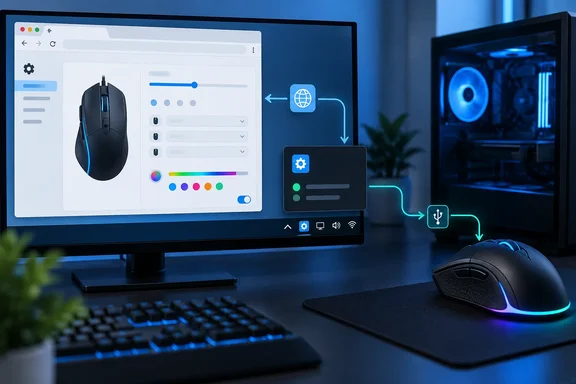
Here is how OpenMouse works, why Razer support broke, and how to get it working again.
What OpenMouse does
French tech blogger Korben describes the workflow this way: plug in the mouse, open the site in Chrome or Edge, then change DPI, polling rate, button mappings and RGB lighting, depending on what your model supports. The project's GitHub repository calls it a browser-based control panel that lets you prefer... more precisely, it lets you view a mouse's information and change supported settings without installing a separate app for each brand.
Some background:
- License: The web control panel is licensed under GNU AGPL-3.0, and contributions are accepted under the same license.
- Privacy: The project describes OpenMouse as free and says it collects no telemetry. Read that as "no telemetry," not as a promise that nothing ever leaves your machine. Bridge, for example, fetches a game list and update information from the internet.
- Architecture: The device drivers live in a separate library,
@openmouse/protocol. Each driver's codec layer is transport-independent, while its drivers entry points own discovery filters, device clients, retries, and application-facing status conversion. That separation is what later made Bridge possible.
Summary: OpenMouse is one browser tab that replaces several vendor apps, as long as your mouse is on the list.
Will it work with your mouse?
According to Korben, the project tracks 746 devices, and 232 of them are marked as confirmed working with a registered driver. The rest are community requests or models waiting for hardware testing or a driver. Korben's examples include the Logitech G502, MX Master 3S and G Pro X Superlight, plus Razer's DeathAdder V3 and Viper V3 Pro. The Razer Basilisk V3 was still waiting for a test on real hardware.
Two caveats:
- The numbers change. The catalog is updated constantly, and the status labels have been revised (the current set includes categories such as "Test Needed," "Driver Needed" and "Needs Bridge"). Check the live supported-device list instead of trusting any count printed in an article, including this one.
- "Supported" doesn't mean every setting works. The project's GitHub organization page says protocol support varies by device. Some drivers offer full read/write control of RGB, DPI, debounce and polling rate, while others are read-only. Korben gives a Corsair example: the Nightsword RGB is listed as compatible but read-only, and iCUE has to be closed first. Several other Corsair models need a driver. The project's own documentation doesn't spell out the Corsair cases, but the general point holds.
Contributors who add a driver are asked to state which product IDs they verified on hardware. That is a good sign for accountability, but your exact revision of a mouse may not be one of them.
Summary: Check the live list and your model's status before you uninstall your vendor software.
What changed in Chrome 153 for Razer mice on Windows
Around September 8, Razer users on Windows found that OpenMouse could no longer connect to their mice. On September 12 the project published an incident report saying the cause was a years-old bug in Chrome itself, and the fix for it, landing in Chrome 153. It affected Razer mice on Windows with Chrome or Chromium 153 and later.
The debugging is worth reading for any Windows admin. Chrome's device log showed "Access is denied (0x5)," which normally means another process has the device locked. The developer checked several likely causes and ruled each one out:
- A legacy Razer driver reinstalled by Windows Update (removed with
pnputil, no change) - Razer Synapse or Razer Central running in the background (not running)
- Another process holding a handle to the device (Process Explorer showed none)
- Chrome sandbox or permission limits (running elevated and with
--no-sandboxmade no difference)
The browser version turned out to be the cause. A portable Chromium pinned to 152.0.7977.83 connected the same mouse on the same Windows install without any changes: same drivers, same everything else. Chrome 153 (the post names build 153.0.8010.37) still failed.
The root cause, as OpenMouse explains it
WebHID has a cross-platform rule: web pages may not read or write reports on HID collections the browser recognizes as a standard mouse or keyboard. That rule is what stops a website from acting as a keylogger. On macOS and Linux, Chrome reads the device's real report descriptor. Windows doesn't expose the raw descriptor, so Chrome builds a substitute. According to OpenMouse, the Windows code never set a collection type on that substitute. It defaulted to "physical" instead of "application," so the protection check returned false for every device on Windows.
Razer's control channel on the affected models sits on exactly that kind of protected collection. It was reachable from a browser only because of the bug. The project's own verdict is that the protected-collection rule is correct and Chrome is right to enforce it everywhere.
This is OpenMouse's account. The project references Chromium's public bug tracker, but this article has not checked it independently. Edge is also Chromium-based, so it would likely behave the same way, but the incident report names only Chrome and Chromium.
Summary: Chrome didn't break anything. It closed a security gap that Razer access had been relying on for years.
The fix: OpenMouse Bridge
Bridge shipped on September 23. Its job, according to the project, is simple: OpenMouse talks to your mouse through Bridge instead of through the browser. Bridge talks to the mouse the same way any normal desktop app would, so the browser's rules about which devices a web page can touch don't apply to it.
The drivers and the settings screen stay the same. The OpenMouse repository says the panel prefers its loopback native HID transport over browser WebHID whenever Bridge is reachable, and this keeps Razer control interfaces protected by Chrome 153+ usable without relying on the browser's former protected-collection bypass.
A side effect is that OpenMouse now works in Firefox, which has never supported WebHID. Safari is still unsupported.
| Detail | Bridge (beta) |
|---|---|
| Platforms | Windows x64, macOS (Intel and Apple silicon); Linux in progress |
| License | MIT (the web panel is AGPL-3.0) |
| Admin rights | Not required; no system service or driver installed |
| Network exposure | Listens only on 127.0.0.1, with an allowlist of approved origins |
| Code signing | Not yet signed |
Installing Bridge on Windows
- Download the Windows archive from the project's GitHub releases. A checksum is published if you want to verify it.
- Extract it to a permanent folder, such as Documents. Keep the
native-hidfolder next to the app. Bridge needs it. - Run
openmouse-bridge. An OpenMouse icon appears in the system tray. - Because the beta isn't code-signed, Windows will probably show the blue "Windows protected your PC" screen. Click More info, then Run anyway.
- Open the control panel from Bridge's tray menu or in your browser as usual. It finds Bridge automatically, with no pairing step.
How to tell it worked: a Games page appears in the sidebar. It only shows while Bridge is running.
Ignore the old workaround. The September 12 post suggested running an older Chromium build just for OpenMouse. The project has since said that workaround is no longer needed. An outdated browser kept around to exploit a patched security bug is not something to leave on your PC.
Extras: game profiles and battery alerts
- Game profiles apply your chosen DPI, polling rate and button settings when a tracked game starts, and restore your normal settings when it closes. Saved profiles run in the background, so the control panel doesn't need to be open.
- Low-battery alerts for wireless mice default to 20%. Bridge checks every five minutes and holds back repeat alerts for several hours.
- Launch at login is available. Automatic updates are off by default, and each update is verified against a published SHA-256 checksum before it installs.
One caveat on battery alerts. The release post says they work even when OpenMouse isn't open. One version of the Bridge repository documentation, however, said battery readings still came from the control panel, so true alerts with the browser closed required a background reader that didn't exist yet. The documentation has been changing quickly. If those alerts matter to you, test them with the browser closed.
Troubleshooting
- No Games page: Bridge isn't running, or the page loaded before Bridge started. Start Bridge, then reload the panel.
- "Could not reach OpenMouse Bridge": Bridge was closed while you were editing. Restart it and try again.
- A profile didn't apply: Check that the game's tile shows the Auto badge and that the correct mouse is selected under Target device.
- Reporting a bug: Bridge's Windows logs are in
%APPDATA%\OpenMouse\OpenMouse Bridge\config\logs. The project says they record command names and timings but not HID report payloads or full serial numbers.
Summary: For Razer on Windows with Chrome 153 or later, Bridge is the supported fix. It is beta, unsigned software that runs with your user privileges.
Analysis: is it worth it?
The appeal is clear. Vendor peripheral suites are often heavy, require accounts and run services in the background. A single open-source panel covering Logitech, Razer, Pulsar and other brands is attractive, especially for anyone tired of keeping three utilities installed for three mice.
The Chrome 153 episode also shows the weakness of a browser-only tool. It works only as long as the browser allows it, and browsers are right to restrict access to HID devices. The project handled it well: it diagnosed the cause, accepted that the browser's restriction was correct, and shipped a scoped local helper within about two weeks. Bridge is still more software running on your PC, and right now it is unsigned. In a managed or corporate environment, an unsigned tray app that serves a local HTTP API is something security teams should review before users install it, even if it is bound to loopback and restricted to approved origins.
For home users who are comfortable clicking through SmartScreen, the trade-off is reasonable: check your mouse's status on the live list, keep vendor software around until you have confirmed OpenMouse writes the settings you need, and install Bridge only if you need it, mainly for Razer on Windows, Firefox support or game profiles.
References
- OpenMouse - Configure your gaming mouse right from the browser - Korben Korben · 2026-10-06T07:55:43+00:00
- GitHub - OpenMouse-Project/openmouse: Browser-based control panel for supported gaming mice — change DPI, polling rate, and sensor settings without installing a driver. github.com
- Every Razer mouse stopped connecting on Windows this week — OpenMouse openmouse.app