

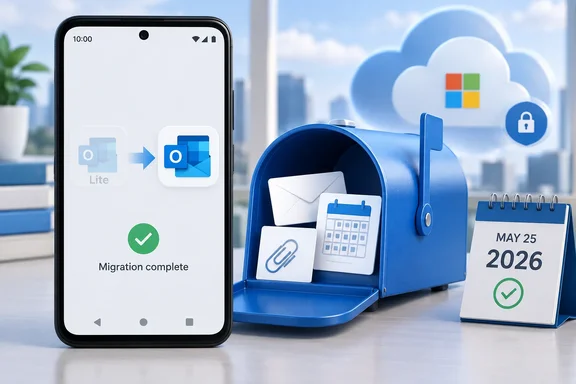
The date is important: as of September 21, 2026, this is a past deadline, not a shutdown coming “within the next six weeks.” The Verge covered the announcement on April 14, reporting that Lite would still launch after retirement but would lose mailbox access.
What stopped working—and what remains available
Microsoft retired Outlook Lite in two stages, according to Microsoft 365 Message Center notice MC1276508, preserved in the Microsoft 365 Message Center Archive. New installations were blocked on October 6, 2025. Existing installations could continue until the final mailbox-functionality cutoff on May 25, 2026.
The notice describes the post-retirement behavior explicitly: users can launch Outlook Lite, but mailbox access is disabled, and in-app navigation and functionality no longer work. An app icon that still opens therefore does not mean the email client remains supported or usable.
The retirement affects the app, not the underlying mailbox. Microsoft says accounts are not deleted or disabled, and existing email, calendar items, and attachments remain accessible after users sign in to Microsoft Outlook Mobile. The change also does not alter tenant-level configurations, policies, or service availability. For an organization, a user losing access through Lite should not automatically be treated as evidence of an Exchange Online outage.
The affected product is specifically Outlook Lite on Android. This announcement is not a retirement of Outlook for Windows or the standard Outlook mobile app.
How to move from Lite to Microsoft Outlook
Microsoft’s documented replacement is the standard Microsoft Outlook app from the Google Play Store. This is a move to another application, rather than an instruction to keep updating the retired Lite client. The retirement notice provides the following route:
- Open the Google Play Store on the Android device.
- Search for Microsoft Outlook and install the app.
- Sign in using the existing account credentials.
- Confirm that the expected mailbox, calendar items, and attachments are accessible.
Microsoft also documented an Upgrade option inside Outlook Lite, if available. Because the retirement notice says Lite’s navigation no longer works after the cutoff, the direct Play Store route avoids depending on that option.
The notice does not call for exporting mail or creating a replacement email account. Its stated outcome is access to existing mailbox data through Outlook Mobile.
Device compatibility remains a practical consideration. The Verge reports that Outlook Lite launched in 2022 as a smaller Android app designed for lower battery use and operation across 2G and 3G networks. That history explains why the replacement may be a more consequential change for people using older or resource-constrained phones. Neither the retirement announcement nor that reporting establishes equivalent performance for the full Outlook app on those devices.
What Microsoft 365 administrators should do
Microsoft says no administrator action is required to implement the retirement. It nevertheless recommends notifying affected users, encouraging installation of Outlook Mobile, and updating internal documentation or helpdesk guidance that still references Lite.
For support teams, the useful distinction is between a retired client and an account-access problem. Lite’s loss of mailbox functionality is expected under the retirement notice; changing tenant settings is not a documented remedy. Microsoft says the existing tenant policies remain unaffected, so moving users to Outlook Mobile should not be interpreted as permission to bypass organizational access controls.
Any remaining internal instructions that direct Android users to install or troubleshoot Outlook Lite should now point to the standard Microsoft Outlook app and the existing-account sign-in process.