

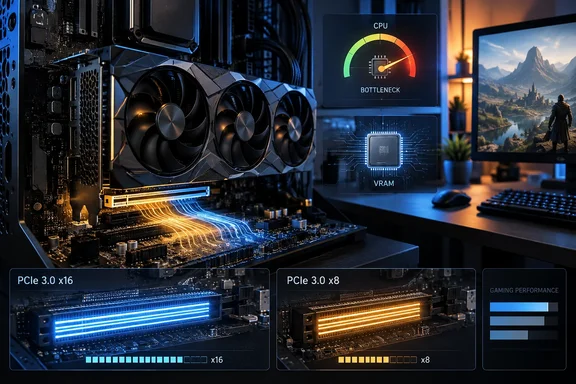
That result supports the central point in XDA Developers’ report: a full-width PCIe 3.0 x16 connection is rarely the limiting factor in a conventional gaming upgrade. But its conclusion needs a sharper boundary. “PCIe 3.0 is fine” applies to a GPU that actually negotiates a full x16 link, has enough VRAM for the games and settings in use, and is paired with a CPU that can feed it. It does not give old platforms a blanket pass.
For Windows gamers and PC builders, the useful decision is not whether a motherboard has the newer number printed beside its primary slot. It is whether the whole platform — CPU, memory, firmware, lane layout, storage and graphics card configuration — is now preventing the GPU from doing its job.
PCIe bandwidth is not the GPU’s working memory
The misleading comparison is between the PCIe link’s theoretical throughput and the graphics card’s onboard memory bandwidth. PCIe is the connection between the processor, system memory, storage and GPU. GDDR memory is the fast local pool the GPU uses continuously while rendering a frame.
AMD’s Radeon RX 9050, for example, is an 8GB card with 288GB/s of memory bandwidth, while its PCIe 5.0 x16 interface has roughly 64GB/s of usable bandwidth in each direction. PCIe 3.0 x16 reduces that host-to-GPU path to roughly 16GB/s per direction, but the card is still doing the bulk of its frame-by-frame work in local VRAM rather than streaming texture data over the motherboard slot every moment.
That is why the massive paper difference between PCIe generations does not translate neatly into frame-rate scaling. PCI-SIG’s own figures put PCIe 3.0 x16 at about 32GB/s aggregate bandwidth and PCIe 5.0 x16 at about 128GB/s aggregate. Those are real differences, and they matter for some devices and workloads. In games, though, a well-provisioned GPU generally avoids treating the PCIe bus as a substitute for VRAM.
Gamers Nexus’ RTX 5090 testing is especially valuable because it removes the usual objection that older cards simply do not stress the bus. The RTX 5090 is an extreme high-end card, yet its PCIe 3.0 x16 results remained close to PCIe 5.0 x16 in the tested games. That is strong evidence against replacing a motherboard solely to change a properly operating x16 graphics slot from Gen 3 to Gen 4 or Gen 5.
It is not evidence that every legacy system is a sensible match for an RTX 5090.
The CPU bottleneck is often the expensive mistake
A PCIe 3.0-only board commonly points to an older processor, and that processor is more likely to limit performance than the slot itself. In CPU-bound games, particularly at 1080p or high-refresh 1440p, the processor must prepare draw calls, simulation work, AI behavior and frame data quickly enough to keep the graphics card occupied. When it cannot, GPU utilization falls even if the PCIe connection has unused bandwidth.
This is why a GPU upgrade can produce disappointing results on an older Windows gaming system despite apparently healthy PCIe link speeds. The card may be running at PCIe 3.0 x16 exactly as designed, while the CPU is holding frame rates — and especially frame-time consistency — below what the new GPU could deliver on a current platform.
The distinction matters for owners of AM4 systems. A Ryzen 7 5800X3D installed on an older X370 board can still be a highly effective upgrade, even though that board exposes the GPU through PCIe 3.0. In that scenario, the CPU upgrade can extend the system’s useful gaming life substantially without requiring a motherboard, DDR5 memory and a new Windows installation.
By contrast, keeping a much older CPU simply because its board has a physical x16 slot is false economy when pairing it with a modern high-end GPU. The bottleneck may move from PCIe bandwidth to processor performance, memory latency, or both. A new motherboard may be part of the answer, but the value comes from the platform change: newer CPU support, faster storage connectivity, more capable I/O, modern networking and a more current firmware base. PCIe 5.0 is a byproduct, not necessarily the purchase justification.
The important exception is PCIe 3.0 x8
XDA Developers correctly identifies the situation where the advice changes: graphics cards that expose only eight PCIe lanes. A PCIe 5.0 x8 GPU installed in a PCIe 3.0 system does not receive the equivalent of Gen 3 x16 bandwidth. It runs at PCIe 3.0 x8, cutting the available one-way bandwidth to roughly 8GB/s.
That is relevant to Nvidia’s GeForce RTX 5060 Ti, RTX 5060 and RTX 4060 family, which use x8 interfaces. It is also relevant to systems where the primary-looking x16 slot is electrically wired for only eight lanes — a common possibility on some compact boards and on platforms where lanes are shared with additional expansion slots or M.2 storage.
The limit becomes most visible when VRAM capacity is exhausted. Once a game’s active textures and buffers no longer fit in local memory, Windows and the graphics driver may have to move data between system RAM and VRAM over PCIe. The result is not merely a lower average frame rate. It can appear as inconsistent frame times, stutter, delayed texture loading and worse 1% lows — precisely the problems an average-FPS benchmark can understate.
TechSpot’s PCIe scaling tests on the RTX 5060 Ti illustrate why the lane count and VRAM question must be considered together. Its testing found much larger gaps for the 8GB model in VRAM-heavy scenarios than the modest loss suggested by x16 RTX 5090 testing. The 16GB and 8GB RTX 5060 Ti may share a GPU name, but their behavior under constrained PCIe bandwidth is not interchangeable.
The practical warning is simple: an 8GB, x8 graphics card is a riskier upgrade for a PCIe 3.0 machine than a 16GB, x16 card. Lowering texture settings can reduce VRAM pressure, but that is a workaround for a constrained configuration, not proof that the interface limitation has disappeared.
Check the negotiated link before blaming the motherboard
A physical x16-length slot does not guarantee that the graphics card is operating at x16, nor does an idle desktop reading necessarily show the link’s full active state. Modern GPUs reduce link speed and power use when they are not under load.
Before planning a platform replacement, verify the actual PCIe connection in GPU-Z, HWiNFO, or the GPU details reported by the driver utility while a game or GPU load is running. The result should be read as a pair: generation and lane width. “PCIe 3.0 x16” is materially different from “PCIe 3.0 x8,” and “PCIe 1.1 x16” at the Windows desktop may simply be the card’s power-saving state rather than a fault.
Also check the motherboard manual rather than relying on the slot’s shape. Look for:
- The electrical lane count assigned to the primary graphics slot with all M.2 sockets and secondary PCIe slots populated.
- BIOS updates that improve CPU support, PCIe compatibility or Resizable BAR support.
- Any PCIe-generation setting that has been manually forced in firmware after troubleshooting a riser cable or stability issue.
- Whether the graphics card is installed in the CPU-connected primary slot rather than a chipset-connected secondary slot.
A riser cable can introduce another complication. A Gen 4 or Gen 5-capable GPU may need the BIOS manually set to Gen 3 to remain stable through an older or lower-quality riser, but this is usually a compatibility fix for the cable, not evidence that the graphics card or motherboard is defective.
Upgrade the platform for the limits you can measure
The strongest conclusion from the available testing is narrower than “PCIe does not matter.” Full PCIe 3.0 x16 remains adequate for most GPU gaming workloads, including surprisingly powerful cards, provided the system has sufficient CPU performance and the game stays within VRAM.
The stronger case for a motherboard-and-platform replacement starts when observable limits accumulate: the CPU cannot sustain the desired refresh rate, memory capacity is too low, storage is restricting the workload, the board lacks needed I/O, or the graphics card is operating at PCIe 3.0 x8 and routinely runs out of VRAM. Those failures affect the experience directly; a generational PCIe label by itself does not.
For an owner of an older but balanced Windows PC, the immediate task is therefore measurement, not replacement. Confirm the active link width, watch GPU utilization and frame times in the games actually played, and distinguish a CPU ceiling from a GPU or VRAM problem. If the card is truly running PCIe 3.0 x16 and performance is otherwise where it should be, the old slot has earned the right to stay.