

The release at a glance
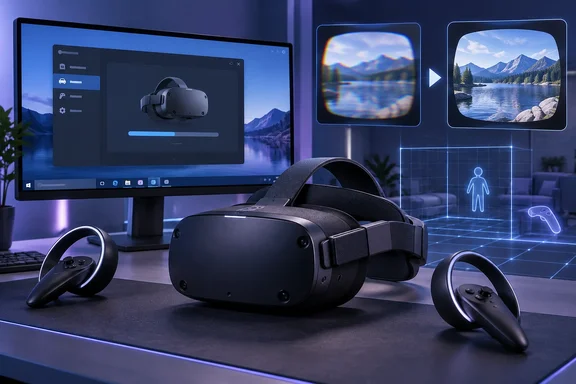
Pimax's official downloads page lists v2.0.4 as the latest release of Pimax Play, "the official software for configuring, updating, and managing your Pimax headset and connected accessories." The same page says the installer is for Windows 10 / 11, is 313 MB, and was released on 2026-09-20.
Pimax announced the build on its official X account too. That post says "Pimax Play v2.0.4 is out now!" and repeats the same feature and fix lists as the downloads page. Two official Pimax channels agree on what's in the build.
| Item | Detail |
|---|---|
| Software | Pimax Play v2.0.4 |
| Release date | September 20, 2026 |
| Platform | Windows 10 and Windows 11 |
| Installer size | 313 MB |
| Rollout | Staged over two weeks |
| Headsets with firmware | Dream Air, Dream Air SE, Crystal Light, Crystal Super |
Summary: This is a mid-sized maintenance release for a Windows-only companion app, and it ships headset firmware alongside it.
Six software fixes, described by symptom
Pimax describes the fixes by what users would notice, not by what caused them. The company says v2.0.4 fixes:
- The floor height changing unexpectedly when you enter a game
- A low-probability crash caused by the tracking algorithm library
- Controllers occasionally becoming unresponsive
- Elevated black levels in game visuals
- Frame rate dropping unexpectedly when sharpening is turned on
- Individual game settings resetting on their own
Here's why each one matters in practice:
- Floor height: If the floor shifts when a game loads, you can end up standing too tall or too short in the game. That's more than cosmetic in seated sims and room-scale games, where the floor affects how you reach for things.
- Sharpening: The option is meant to make the image look better, so a frame-rate hit is the opposite of what you'd expect. It matters most to people pushing high resolutions on the Crystal line, where every frame counts.
- Black levels: Raised blacks turn dark scenes washed-out grey.
- Settings resets: If you tune games one at a time, a setting that quietly reverts can look like a performance problem that isn't really there.
Pimax gives no figures for any of these. There are no bug IDs, no counts of affected users and no explanation of root causes. These are the vendor's claims about what it fixed, not a measure of how common the problems were. Mixed News made the same point, noting that the list has no numbers attached to any of the six software bugs, so none of it is a count of how many owners hit them.
Summary: The fixes cover tracking, input, image quality, performance, saved settings and stability. None of them comes with data on how often it happened.
Firmware for four headsets, and one oddity in the list
The release includes firmware for four headsets. Pimax's downloads page says:
- Dream Air Firmware V1.0.6: Fixed device-related issues.
- Dream Air SE Firmware V1.0.6: Fixed device-related issues.
- Dream Air SE Firmware V1.0.6: Fixed an existing screen distortion issue.
- Crystal Light Firmware V1.0.22: Fixed compatibility issues.
- Crystal Super Firmware V1.0.18: Fixed compatibility issues.
That's five lines for four headsets. The Dream Air SE V1.0.6 entry appears twice, once with the generic "device-related issues" note and once with the distortion fix. The Dream Air line is separate, and both headsets use the same V1.0.6 version number. The most likely explanation is that the Dream Air SE firmware does both things and the page split it into two lines. Pimax doesn't say so, though, so read it as a formatting quirk and not as two different SE builds.
The screen distortion fix is the one firmware change Pimax actually describes. It doesn't say what the distortion looked like, what triggered it, or whether it was tied to particular hardware revisions. The Dream Air SE is new: Pimax's own April 5 progress update said production and shipping for the Dream Air SE (both Lighthouse and SLAM versions) were also scheduled to start that month. A distortion fix five months after first shipments is typical of how a new optical product settles down in its first year. That's general industry pattern, not something Pimax has said.
For the Crystal Light and Crystal Super, the only description is "compatibility issues", which tells owners almost nothing about what changed.
Summary: Dream Air SE owners get the one firmware fix Pimax explains. Everyone else gets a version bump with a one-line description.
New features and quality-of-life changes
The release isn't only bug fixes. Pimax lists four additions:
- IPD and volume adjustment options added to the custom button settings
- A notification when the headset is not tracking properly when launching a game
- An optimized repair process for cases where the SteamVR driver is not installed
- Support for account deletion
The tracking warning is probably the most useful day to day. It should catch a problem before you're already in a game and wondering why the world is drifting. The SteamVR repair change is aimed at a familiar PC VR problem: a companion app that can't find, or has lost, its SteamVR driver. Pimax doesn't explain how account deletion works, whether it can be undone, or what happens to headset registration afterward, so don't assume the answers until the company documents them.
Why you might not have it yet
Pimax says: "This version will be gradually rolled out to all users over the next two weeks." Counting two weeks from September 20 puts the end of the rollout around October 4. Pimax hasn't promised that exact day, so treat it as a rough target.
Staged rollouts are normal. Microsoft does the same with Windows feature updates, and the idea is simple: if something breaks, it breaks for a small group first and not for everyone at once. If Pimax Play hasn't offered you 2.0.4 yet, that doesn't mean your installation is broken.
Which version number should you trust?
According to Mixed News, Pimax's channels don't agree on the current version. The newest release-notes thread on Pimax's community forum was still for 2.0.2 when the outlet checked. That thread is on the OpenMR forum: "Pimax Play v2.0.2" is posted in the Release Notes category, dated July 2, 2026.
This isn't the first time the forum has been where Pimax Play builds show up. Pimax used OpenMR to announce the 2.0 open beta in March, telling users to opt into the Public Test Channel in Pimax Play to receive this update. So a missing forum thread probably doesn't mean anything about 2.0.4 itself. It does mean forum readers may be looking at out-of-date information.
Go by the downloads page. It's where the installer comes from, it calls v2.0.4 the latest release, and the X announcement backs it up.
What to do now
- Check your version in Pimax Play. If it offers 2.0.4, install it and let it apply any headset firmware it pushes.
- Don't want to wait? The downloads page offers the 313 MB Windows installer directly, labelled as the latest release.
- Dream Air SE owners who've seen distortion have the most reason to update early, since theirs is the only headset with a described firmware fix.
- Test the problems you actually had. If sharpening was costing you frames or your floor kept moving, check those specific cases after updating. Pimax's notes don't promise that every similar symptom has the same cause.
- If the problem is still there, Pimax's downloads page points to its support team.
The bottom line
Pimax Play 2.0.4 is a solid maintenance update. Several of the fixes target problems VR users feel right away, like the floor at the wrong height, dead controllers and a sharpening option that slowed things down. Dream Air SE owners get the only firmware fix Pimax explains. The weak spot is the documentation: vague firmware notes, a duplicated line on the downloads page, and a forum that's two releases behind. If you're wondering whether your headset is finally fixed, update and check for yourself.
References
- Pimax Play 2.0.4 fixes a Dream Air SE screen distortion, and rolls out over two weeks - mixed-news.com mixed-news.com · 2026-09-28T21:42:03+00:00
- Now Available: Pimax Play 2.0 Open Beta - Release Notes - OpenMR | Community forum.openmr.com
- Pimax Play 2.0.2 - Release Notes - OpenMR | Community forum.openmr.com