

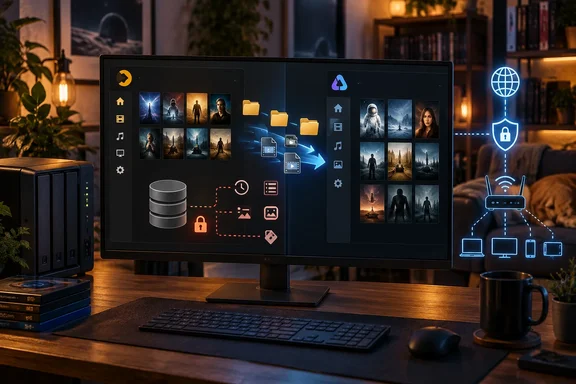
Why people are leaving Plex
Plex's remote-streaming paywall has grown over the past year and a half. The Remote Watch Pass became available on April 29, 2025, at an introductory $1.99 per month or $19.99 per year. Plex later said that from March 23, 2026, remote streaming of personal media would require a Plex Pass or Remote Watch Pass on Smart TV devices. That covers TVs from Samsung, LG and Vizio, plus PlayStation and Xbox consoles.
Local streaming is not affected. Plex says local streaming remains free, and nothing changes if you're on the same network as the server.
Prices have also moved. Android Authority reported that the Remote Watch Pass rose from $1.99 to $2.99 per month, and from $19.99 to $29.99 per year, from June 1, 2026. The same report put Plex Pass at $6.99 per month or $69.99 per year. Treat these figures as a snapshot, because Plex can change them.
Whether this amounts to a "creeping paywall" is a matter of opinion. The requirement mostly affects people who stream away from home. If the server owner has an active Plex Pass, all Plex accounts accessing that server can keep streaming remotely at no extra cost. The author doesn't say which paid feature prompted the switch. He does say remote access is something he uses often.
What the author reports
Mitchell has about 20 years of ripped DVDs on his own hardware. He installed Jellyfin next to Plex and pointed it at the same movie and TV folders. Jellyfin scanned them and built its own library with artwork, ratings and season and episode organization. Nothing was moved. Watch progress saved within Jellyfin once he started using it.
He hit two problems. His old file names were sloppy, and some obscure international titles needed manual help to be identified. He also says remote access and playback troubleshooting needed hands-on configuration.
This is one person's experience. The account doesn't give his server OS, Jellyfin version, hardware, client devices or how he handled remote access. "Nothing broke" shouldn't be read as a guarantee.
What moves and what doesn't
Jellyfin builds its own catalog from your files. It doesn't import Plex's years of accumulated state. Mitchell says the Plex database wouldn't carry over. That covers watch statuses, playlists, collections, users and custom metadata. He found third-party tools that might migrate some of it and chose a clean start.
Third-party options do exist, but they are narrow. An open-source GitHub project, plex-to-jellyfin, describes itself as a tool for migrating Plex watch states to Jellyfin. Its README says it covers watched, unwatched and partially watched items for a target Plex user and Jellyfin user. It matches media by external ID, then by file path, then by approximate title, and it has a dry-run mode. It isn't an official Jellyfin feature. Nothing in it suggests it moves playlists, collections, user accounts or custom metadata. Test it with the dry run and back up first.
Why a library might fail to match
Jellyfin's documentation explains the author's naming trouble.
- Libraries are virtual. They can pull in files from several server locations, and you can add or remove them at any time. That fits the "leave everything where it is" approach.
- Separate library types work best. Jellyfin discourages mixed libraries because their metadata results are unreliable. Use dedicated Movies and Shows libraries.
- Naming matters. Jellyfin's movie guidance prefers one folder per film, named to match the metadata provider's title. Adding the year or a provider ID helps. Some characters in file names can cause problems:
<,>,:,",/,\,|,?and*. - Disc structures are limited. DVD
VIDEO_TSand Blu-rayBDMVfolders work, but they don't support multiple versions, parts or external subtitle and audio tracks. ISO images may work but aren't supported. Jellyfin recommends remuxing them. This matters for anyone with a ripped-DVD collection. - Permissions can hide folders. If a folder doesn't show up in the picker, check that the Jellyfin service account can read it.
- Local .nfo files outrank online metadata. Jellyfin can read and write .nfo files, local metadata has priority over remote providers like TMDb, and the setting can't be disabled. If you have old .nfo files from Kodi, a stale one can override what Jellyfin would have found online.
Remote access is its own project
Remote access was the feature Mitchell valued most in Plex, and it is the part where "free" requires the most work. Jellyfin's networking documentation is clear that you must expose the server yourself.
- Ports. The defaults are TCP 8096 for HTTP, TCP 8920 for HTTPS and UDP 7359 for local client discovery. Discovery won't work outside your local subnet.
- Don't open a port straight to the internet. The documentation calls this insecure and not recommended. It lists a reverse proxy, a VPN, or a VPS acting as a reverse proxy as alternatives.
- Use HTTPS. Jellyfin recommends it, preferably terminated at a reverse proxy with a certificate from a trusted authority such as Let's Encrypt. Self-signed certificates are strongly discouraged.
- Configure known proxies. External-access settings behind a reverse proxy only work if the known proxies are set correctly. You can allow or block external access per user.
- Base URL caveats. Running Jellyfin under a path can break some integrations, and client apps may need the path entered too.
Jellyfin does not charge for remote access, but you take on the networking and security work Plex used to handle for you. A VPN is the lowest-exposure option for a small household.
A safer way to try it
- Leave Plex running. Install Jellyfin beside it.
- Add Movies and Shows as separate libraries. Point them at the existing folders.
- Check folder permissions if anything is missing.
- Review the matches. Fix names, add years or provider IDs, and identify obscure titles by hand.
- Test playback on the devices you actually use. Jellyfin lists clients for Android, iOS, Android TV, Fire TV, Roku, webOS, Samsung Tizen and Xbox, but a client existing doesn't mean it behaves identically to Plex's.
- Back up before running any watch-state migration tool.
- Plan remote access separately, and decide on a VPN or reverse proxy before you open anything.
- Cancel Plex only after the new setup has worked for a while.
Verdict
Mitchell's main point holds up. Your files don't have to move, and Jellyfin can build a usable library from them. The article's headline oversells the rest. Careful file naming, the Plex database and remote access are where real migrations can run into trouble. The migration is smooth if your files are tidy and a clean start doesn't bother you. It will take more work if you depend on years of Plex watch history, collections and playlists, or on easy remote sharing with family.
References
- Forget Plex's creeping paywall: I moved my whole library to Jellyfin, and nothing broke on the way MakeUseOf · 2026-10-05T12:30:15+00:00
- GitHub - qdm12/plex-to-jellyfin: CLI and web UI tool to migrate Plex watch states (watched, unwatched, partially watched) to Jellyfin for a target Plex and Jellyfin user. Not vibe coded. · GitHub github.com
- Local .nfo metadata | Jellyfin jellyfin.org