

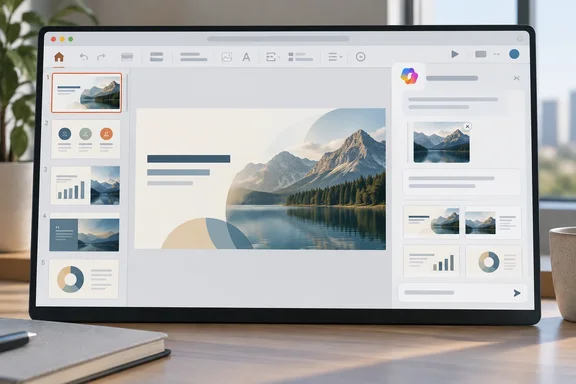
PowerPoint Agent Mode gains an image reference during deck creation
The change concerns creating a presentation in Agent Mode, where a user describes the deck in the Copilot pane. Microsoft’s support guidance says Copilot can ask about the audience and desired presentation or image style, produce an outline for the user to refine, and then generate slides. The roadmap’s new element is the ability to provide an image as a reference during that creation process.
A reference image is distinct from an instruction to generate a new picture or add an image to a finished slide. Microsoft documents those image-generation and slide-editing tasks separately. The brief roadmap description does not say whether the referenced image influences slide content, visual style, or both, or whether Copilot places that image in the resulting deck. Someone preparing a presentation should therefore treat the output as a draft to inspect, not assume that attaching an image specifies a finished design.
Roadmap 555890 leaves the PowerPoint platform scope unsettled
The roadmap details supplied for ID 555890 identify Mac, worldwide standard multi-tenant cloud availability, April 2026 general availability, and a “Launched” status. But a February 2026 Microsoft 365 roundup by Super Simple 365 associates that same ID and feature description with Web, also listing April 2026. Merill Fernando’s Microsoft 365 roadmap archive carries the image-reference description under a different ID, 555882, with Web as the platform and July 2026 as its general-availability month. Those records support the existence of the announced change; they do not establish one reliable date and platform combination for it.
Microsoft’s general Agent Mode help page lists PowerPoint for Microsoft 365 for Mac among its applicable products. That establishes documentation for Agent Mode on Mac, not availability of this particular image-reference option there. The page also still says that referencing files in Agent Mode is “coming soon.” It does not explain whether that note covers images or reflects an earlier stage of the rollout, so it cannot supply an image-attachment procedure.
The nearby Reference a file command is another potential source of confusion. Microsoft documents it for drafting a slide from a selected file in an existing or new presentation; users can select the command or type / to choose a file. That is a different task from attaching an image while Agent Mode creates a whole presentation, and its steps should not be assumed to work for the new capability.
What this means for you
If your presentation depends on a particular image, check the Agent Mode controls in the PowerPoint version you use before planning around this feature. Microsoft’s documented starting sequence is to open a new presentation, select the Copilot icon at the bottom-right of the slide, choose Add Content, and select Agent Mode. From there, describe the deck you want; the current help page does not specify a verified next step for attaching an image reference. Copilot’s presence can also depend on the user’s Microsoft 365 subscription and organizational settings.
- Look for an image-reference option in your own Agent Mode session before relying on it for a deadline; the available roadmap records disagree on platform and timing.
- Refine Copilot’s proposed outline before asking it to generate slides, then review and edit the resulting presentation.
- Do not use the documented Reference a file slide-creation steps as instructions for attaching an image to a new Agent Mode deck.
- If you need an image visibly placed on a slide, inspect the generated deck and add or adjust it yourself as needed; the roadmap description promises a reference, not placement.
Image references could make the start of a Copilot presentation more useful to people who already have a visual example in mind. For now, the sound workflow is to confirm that the control appears in the PowerPoint environment you actually use and to judge the generated slides against the image yourself.