

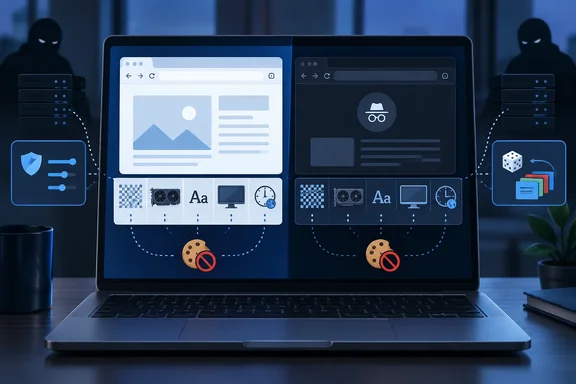
This is one writer's test on one machine. It shows how the protections differ, but it does not rank the browsers for everyone.
What the test measures
EFF describes Cover Your Tracks as two things at once. Its stated goal is to help users find their own balance between privacy and convenience. It also acts as a research project on trackers and privacy add-ons.
Two separate questions are involved:
- Tracker handling. The test simulates loading different kinds of trackers and sets your protection level by whether they load. If a simulated tracker loads but its cookies are blocked, EFF reports "partial protection." That is because tracking by IP address and other means is still possible.
- Fingerprint uniqueness. EFF compares your browser's reported traits against other recent visitors. The traits include the user agent, screen resolution, time zone, fonts, and hashes of canvas and WebGL images. It also checks the Do Not Track header, platform, language and touchscreen support.
A good tracker score therefore says little about how identifiable your browser is. One of EFF's own pages says that an add-on intended to protect you can even lead to your full identification.
Test conditions
The author, Yasir Mahmood, used maximized windows at 100% zoom on one Windows 11 laptop. The versions were:
- Chrome 154.0.8037.98
- Edge 154.0.4258.53
- Firefox 157.0
- Brave 1.96.60
He also noted that the headline verdict drifts between runs. Every new setup read "unique" the first time and "nearly unique" on reruns, because EFF's comparison data now included his own earlier visits. He therefore compared the underlying values, such as the canvas hash, rather than the headline label.
Chrome and Edge: private mode changed nothing
Chrome's normal window came back "unique." It leaked at least 18.43 bits of identifying information among roughly 353,000 browsers EFF had tested in 45 days. Incognito read "nearly unique" at 16.85 bits. The author says the canvas hash, graphics string, font list, 12 threads and 16GB memory figure were identical in both windows.
The only change was in the tracker rows, which moved from "No" to "Partial protection." Incognito blocks third-party cookies by default, and that has nothing to do with the fingerprint. EFF's learn page says plainly that Chrome does not provide protection against trackers or fingerprinters in Incognito Mode.
Edge behaved the same way, with one Edge 154 detail. The author says Edge 154 no longer has a separate Strict option for InPrivate. InPrivate windows now follow the main setting under Settings > Privacy, search, and services > Tracking prevention. Moving that setting from Balanced to Strict turned both tracker checks to "Yes." All three Edge runs still produced the same canvas hash.
Two caveats apply to Edge:
- The Edge hash differed from Chrome's only because the author had graphics acceleration turned off, so Edge reported Windows' software renderer instead of his GPU.
- Microsoft's Edge 154 stable-channel release notes list the build 154.0.4258.53 from October 1, 2026. In the portion I could review, they do not mention the InPrivate Strict change. That detail rests on the author's observation.
Firefox: the one browser where private mode mattered
Firefox was the only browser where the private window changed what was sent. Even a normal window on default Standard protection labeled the canvas and WebGL hashes "randomized by first party domain." It also described the GPU generically as "Radeon R9 200 Series, or similar." The author ties this to stronger Standard protection that Mozilla added in Firefox 151.
The private window went further:
- It reported eight threads instead of 12.
- It trimmed the font list, which cut the fonts' contribution from 6.05 to 3.83 bits.
- The verdict still read "unique," because EFF had never seen that combination before.
The author found that choosing Strict under Settings > Privacy and security > Enhanced Tracking Protection matched the private window value for value. That gives you comparable protection in a normal window.
The advanced option
The guide also covers an optional experiment:
- Type
about:configin the address bar and accept the warning. - Search for
privacy.resistFingerprinting. - Click the toggle to set it to
true.
On the author's laptop, Firefox then reported a UTC time zone, four threads and a generic Mozilla renderer. The verdict was still "unique," because so few people run it that way, and sites showed times in UTC. The reset arrow beside the preference undoes the change. Mozilla recommends the regular protection for most people, since this setting breaks some sites.
Brave: randomization changed the verdict
Brave was the only browser that changed the fingerprint row itself. Both its normal and private windows read "your browser has a randomized fingerprint." The canvas, WebGL and audio values showed as randomized per site. The renderer read simply "Brave," and the screen size was reported as 1680x1050. The other browsers reported 1536x864, which is the author's 1920x1080 display at 125% scaling.
Brave says these values change per site and per session, including after a restart. That makes visits harder to link, but it does not make you anonymous. The sharpest test was turning off Block fingerprinting at brave://settings/shields. Brave's canvas, WebGL and audio values then matched Chrome's exactly. On this laptop, the identifying signal comes mostly from the hardware, not from the browser's name.
A fair counterpoint
A "randomized" label is not universally accepted as the best result. A Privacy Guides forum poster in 2025 noted that Brave still sent its time zone offset and GPU model details. The poster argued that this amounts to more identifying bits than other browsers, yet the test labels it "randomized." Another blog post argues that randomization without generalization can still leave stable signals. Those are community views, not controlled research. They do show that EFF's green label and a real-world privacy outcome are not the same thing.
Extensions: tracker rows up, fingerprint unchanged
Adding Privacy Badger and uBlock Origin Lite to Chrome turned both tracker rows to "Yes" and earned a strong protection summary. Every fingerprint value stayed the same except one. Privacy Badger turned on Do Not Track, which only about one in four browsers in EFF's data sends. That added a distinguishing detail instead of hiding one.
What Windows users should take from this
- Private windows do their real job. They clear that session's history, cookies and site data when closed. They are not a fingerprint defense in Chrome or Edge.
- Tracker blocking is not fingerprint protection. Check the raw values, not only the colored summary.
- Your everyday browser matters more than the window type. Brave randomizes by default, and Firefox Strict trims what it shares. Tor Browser and Mullvad Browser go much further. EFF's own guidance calls Tor Browser among the newer browsers built to thwart fingerprinting.
- Beware of odd combinations. A rare privacy setup can make you stand out, as the Firefox "unique" verdicts show.
- Keep your own tests fair. Hold the device, version, zoom, display scaling and graphics acceleration constant. Note your extensions. Rerun and compare values, not labels, because your earlier visits enter EFF's dataset.
Limits of the evidence
The figures come from one laptop, specific builds and the author's own settings. They are not reproduced independently. The "unique" and "nearly unique" labels depend on EFF's changing dataset, and EFF notes that its test does not cover every tracking method. No browser here guarantees anonymity, and the TweakTown guide says so itself. The guide carries affiliate disclosures and shopping widgets, but its test results do not depend on them.
The practical conclusion is modest and useful. If you want to be harder to recognize, change your browser's fingerprint behavior, not just the window you open.
References
- I ran the EFF fingerprinting test on 4 browsers, and only one stood apart - TweakTown TweakTown · 2026-10-06T22:10:15+00:00
- I ran the EFF fingerprinting test on 4 browsers, and only one stood apart - TweakTown TweakTown · 2026-10-06T22:10:15+00:00
- Notas de la versión de Microsoft Edge para el canal estable | Microsoft Learn learn.microsoft.com