

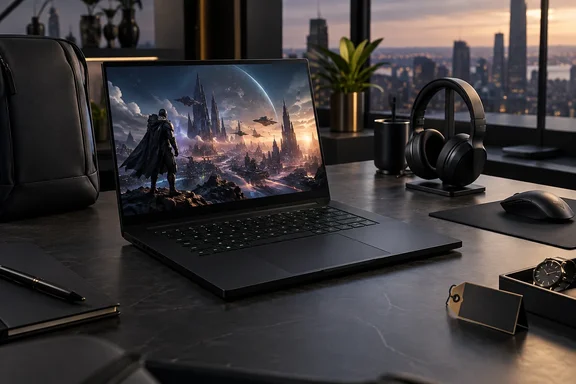
Both verdicts hold up. Here's what the 2026 Blade 16 gets right, where the other reviews disagree, and which spec-sheet numbers to check before you spend close to five figures.
What's inside the 2026 Blade 16
TechRadar's review unit was the top configuration: an Nvidia GeForce RTX 5090 Laptop GPU, Intel's Core Ultra 9 386H, 32GB of LPDDR5X-9600 memory, a 2TB PCIe 4.0 SSD and a 16-inch 2560 × 1600 OLED panel running at 240Hz. It reviewed the machine after three weeks of use as a daily driver.
The processor is the biggest change. As PC Gamer notes, the Panther Lake-based Intel Core Ultra 9 386H replaces the AMD Ryzen AI 9 HX 370 found in last year's top-spec config. Intel's spec page describes it as a mobile Core Ultra Series 3 chip with 16 cores and 16 threads: four Performance cores, eight Efficient cores and four Low Power Efficient cores. It boosts to 4.9GHz and is rated at 25W base power and 80W maximum turbo power. PC Gamer also points out that the iGPU here isn't the Arc B390 found in Intel's top-of-the-line Panther Lake chips. That matters if you were hoping to game lightly on battery using only the integrated graphics.
Configurations and pricing
| Configuration | GPU | RAM / SSD | US | UK | Australia |
|---|---|---|---|---|---|
| Base (per TechRadar) | RTX 5070 Ti | 32GB / 1TB | $3,499.99 | £3,499.99 | AU$5,999.95 |
| Mid (per Tom's Hardware) | RTX 5080 | not specified | $3,999.99 | not listed | not listed |
| Review unit | RTX 5090 | 32GB / 2TB | $4,899.99 | £4,799.99 | AU$8,399.95 |
Tom's Hardware lists the same US prices independently, so there's roughly a $900 jump from the RTX 5080 model to the RTX 5090. PC Gamer puts the RTX 5090 price in context: that's $400 more than the previous RTX 5090-equipped Blade, and, as usual, you can largely blame the memory crisis. TechRadar also mentions a 64GB memory option but doesn't give its price. It adds that stock was tight in some regions, with units on preorder or sold out, so check your local store before planning around a delivery date.
Summary: the 2026 hardware is a real step up, and the price rose with it. Every configuration costs as much as a solid used car.
The power-limit puzzle: 175W, 165W or 160W?
This is the most useful thing to check before buying, and none of the reviews explain it:
- TechRadar says the RTX 5090 has a 175W TGP. In its testing, the GPU peaked at 165W.
- PC Gamer labels its test unit RTX 5090 (175 W), and Tom's Hardware's spec table also lists 175W.
- Razer's own product and comparison pages list the 2026 RTX 5090 model at up to 165W TGP.
- Notebookcheck describes the GPU as NVIDIA GeForce RTX 5090 Laptop GPU (Up to 160W TGP).
So there are three different numbers from reputable sources. They could come from different power modes, firmware versions or measurement methods. Razer also sells a Laptop Cooling Pad that it says uses "HyperBoost" technology to unlock extra power on the new Blade 16. That's a possible explanation, but no source links it to any of these figures. Treat 175W as a reviewer figure and 165W as Razer's official rating. TechRadar's observed 165W peak happens to match Razer's number.
For buyers, this matters because mobile GPU wattage is a big reason one RTX 5090 laptop beats another. The name on the box tells you less than the power limit behind it.
Gaming performance: fast, with some caveats
TechRadar's results at native 2560 × 1600 are strong:
- Cyberpunk 2077, Ray Tracing Ultra, no DLSS or frame generation: 35fps.
- Cyberpunk 2077 with DLSS Quality and Multi Frame Generation turned on: 115.6fps average.
- Total War: Warhammer III at Ultra: 116.7fps.
- Standard 1080p Medium suite: 289.2fps in Total War, 310fps in Cyberpunk and 166fps in Final Fantasy XIV.
Keep the settings in mind when reading those numbers. The jump from 35fps to 115.6fps comes mostly from Nvidia's upscaling and frame generation, not raw GPU power. Frame-generated frames make motion look smoother but don't reduce input latency the way native frames do. The 1080p Medium figures exist to compare laptops against each other, not to show how anyone would actually play on a 1600p OLED.
TechRadar also reported an average GPU clock of 2,100MHz at 65°C. The CPU ran hotter, reaching 93°C at its 4.9GHz peak.
Other reviews agree that it's fast, but not always the fastest. PC Gamer found the Blade competitive in its Cyberpunk testing, while a larger Lenovo Legion Pro 7i with an RTX 5080 beat it in some games thanks to more cooling room and a 24-core CPU. Notebookcheck found that in GPU-bound games like Cyberpunk 2077 (QHD) and Baldur's Gate 3, the Blade 16 rivals heavier 175W RTX 5080/5090 laptops like the Lenovo Legion Pro 7 or the Asus Scar 16. CGMagazine was more enthusiastic still: in its tests the Blade easily performed above almost every other gaming laptop I've tested, except for last year's Blade 18 2025.
Summary: for a laptop this thin, gaming performance is excellent. Calling it the best, though, depends on which competitors you compare it with and how much weight you'll carry.
The CPU: great for games, weaker for heavy multithreaded work
TechRadar's Cinebench 2024 single-core score of 128 was the highest its reviewer had seen from a laptop. Its multi-core score was 1,234, and Geekbench 6.6 came in at 2,895 single-core and 16,971 multi-core.
The other reviews add context:
- PC Gamer's Cinebench 2024 multi-core result was 1,200, against 2,039 for the Lenovo Legion Pro 7i.
- Tom's Hardware said the Blade trails its competitors in multithreaded productivity work.
- Stuff found that raw CPU muscle is between 10-15% slower for single-core workloads than the Ryzen AI 9 HX 370 in the previous generation Blade 16, and that multi-core performance is improved by about the same margin. That clashes with TechRadar's single-core praise. The difference probably comes down to which benchmarks each outlet ran.
Notebookcheck's summary is that raw multi-core CPU performance still trails Apple Silicon and both Intel and AMD HX-series chips. The 386H is an efficiency-focused H-series chip competing against power-hungry HX processors. If you compile large codebases, render long video timelines or run several virtual machines on Windows 11, a thicker HX-based laptop will finish sooner. Stuff still says the Blade is quick enough to edit and render 4K video, just not as fast as the biggest desktop replacements.
Battery life: check which test you're reading
TechRadar's battery results need careful reading. Its written review gives 81 minutes in PCMark's gaming test and describes that as eight minutes behind an Alienware 15. But its benchmark table lists the same test as "1 hour and 41 minutes," which is 101 minutes. The review doesn't say which is right. We'd go with the 81-minute figure, since the review repeats it in several places, but note the discrepancy.
TechRadar's automated PCMark video test kept crashing, so the reviewer looped an hour-long YouTube video with Wi-Fi on instead. The laptop lasted about 3.5 hours.
Tom's Hardware found nearly 13 hours in its non-gaming battery test. Razer claims up to 13 hours in PCMark 10 Modern Office and up to 15 hours of video playback. Razer's footnotes explain how it got there: Display Brightness 45%, Keyboard Light OFF, Display Refresh at 60Hz, Intel Power Saver turned ON, Synapse Performance in BATTERY SAVER mode.
These results don't necessarily contradict each other, because they measure different things. Streaming video over Wi-Fi at higher brightness drains the battery much faster than office work on a power-saving profile. If you want Razer-like runtimes, you'll have to use Razer-like settings.
The 280W charger refills the battery quickly, according to TechRadar, but it didn't publish a charge time.
Design, display and ports
On design, TechRadar is enthusiastic. It praises the soft-touch aluminium finish, subtle bevels and understated look, and its only design complaint is the glowing green Razer logo on the lid.
A few details to know:
- Display: TechRadar says the 16:10 OLED works out to about 189 PPI and carries VESA DisplayHDR TrueBlack 1000 certification. Razer rates it at up to 500 nits in STD Mode and up to 1100 nits in HDR Mode. We think the reviewer's case for 1600p over 4K on a 16-inch screen is sound: fewer pixels leaves the RTX 5090 enough headroom to actually use 240Hz.
- Size: measurements vary by source. Razer quotes 14.9mm thin and 4.6lb. TechRadar lists 355 × 250.5 × 17.4mm and 2.14kg (4.71lb). Tom's Hardware gives 0.69 inches at the thickest point and 0.59 inches toward the front, which suggests Razer's figure is the thinnest point.
- Ports: one Thunderbolt 5, one Thunderbolt 4, three USB 3.2 Gen 2 Type-A, HDMI 2.1, an SD card reader and a 3.5mm audio jack, plus Wi-Fi 7 and Bluetooth 6.0.
- No Ethernet: TechRadar calls this out as a real flaw on a gaming laptop. For comparison, Notebookcheck's spec listing for the larger 2025 Blade 18 includes a 10/100/1000 LAN Card. If you want wired networking at LAN parties or low-latency online play, budget for a USB or Thunderbolt Ethernet adapter or a dock. None of the reviews tested one.
Upgrades: storage yes, memory no
This affects how long the laptop stays useful, so plan it before you order:
- Memory is fixed. Razer's own footnote says memory is soldered/onboard and not upgradeable. If there's a chance you'll need 64GB for local AI models, VMs or big creative projects in the next few years, buy it now.
- Storage can be upgraded. TechRadar says you can swap the SSD with a Torx screwdriver. Notebookcheck lists 32GB Soldered (64GB option available) + Dual M.2 SSD Slots, so you could add a second drive instead of replacing the first.
- Why you might upgrade the SSD: TechRadar found the stock Lexar NM790 PCIe 4.0 drive only "OK." It has no DRAM cache and won't keep up with PCIe 5.0 drives. It's fine for loading games but not great for heavy file work.
The verdict: who should buy it?
TechRadar's final score is 4.5 out of 5: 5/5 for design and performance, 4/5 for battery life and 3/5 for value. The consensus across reviews is fairly clear.
Buy it if:
- You want top-tier 1600p gaming in a laptop that doesn't look like a gaming laptop.
- You value the OLED panel, the build quality and portability over raw benchmark scores per dollar.
- You'll spec your RAM correctly up front and you're fine with a Thunderbolt dock.
Skip it if:
- Value matters. The RTX 5080 model saves $900 over the 5090, and TechRadar says the Alienware 16 Area-51 is "a heck of a lot cheaper."
- You do heavily multithreaded work, where HX-based rivals are faster.
- You need built-in Ethernet or upgradeable RAM.
So is it the best gaming laptop ever? That's one experienced reviewer's opinion, not something the benchmarks settle. What the evidence does show is a laptop that stays very close to much bulkier machines in games while beating most of them on build quality and screen. It costs about as much as a flight to Tokyo in first class, and unlike the flight, it doesn't include an Ethernet port.
References
- Cost effective? No, but the Razer Blade 16 (2026) might just be the best gaming laptop I've ever tested TechRadar · 2026-09-30T10:40:09+00:00
- Thinnest RTX 5090 Gaming Laptop - Razer Blade 16 | Razer United States razer.com
- Razer Blade 16 (2026) Review: Intel Panther Lake & 160W RTX 5090 Tested - Notebookcheck News notebookcheck.net