

It's a fair question. It's also one that needs careful handling. The evidence is one user's troubleshooting story, not a lab test, and Microsoft has not announced any rules that would limit how much memory third-party desktop software can use.
What the user reported
The report comes from Redditor MrAmbiG, who posted in the OpenRGB community about replacing Razer's software for lighting control. According to his post:
- He owns four Razer RGB devices and wanted a simple, calming rainbow effect across all of them.
- He says he spent about six hours trying to set it up in Razer Chroma before giving up.
- He objected to Razer Synapse and Chroma holding "2GB+ RAM" just to control device lighting.
- He then tried OpenRGB, the open-source lighting controller, but it started and immediately shut down.
- He opened Windows Services (
services.msc) and disabled the Razer services. OpenRGB then ran long enough for him to install its effects plugin, select all four devices and apply the rainbow effect. - The lighting worked, but OpenRGB still starts and exits immediately, so the fix is not stable.
- He also tried SignalRGB and dropped it because it asked him to sign in with a Google account.
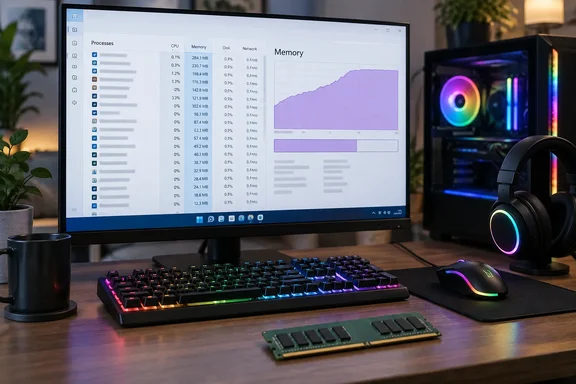
Wccftech's write-up adds a more precise figure, which it says comes from the user's screenshot: 25 instances of "RazerAppEngine" using about 2,044MB in total. Those numbers come from a single Task Manager snapshot on one machine. They don't show what an average Razer installation uses, and they don't tell you which processes were doing real work and which were idle helpers.
Section summary: one user, one screenshot, more than 2GB of Razer-related memory by his count, and a workaround that half-worked. It's worth taking seriously, but it isn't proof of anything broader.
He's not the first to complain
This isn't the first time RazerAppEngine has drawn criticism on Razer's own forums. On Razer Insider, a user of the Synapse beta described the New Synapse using approx. 400MB of memory when idle. Another asked "does Synapse seriously need nearly 1GB to work?" The same thread is titled "A zillion 'RazerAppEngine' processes running", and one poster said that while multiple processes can be fine if there's an actual benefit, "there are definately too many processes spawned."
A more extreme case appeared in June 2026. A Synapse 4 user with a large set of Razer peripherals said that after leaving the PC on overnight, the Razer app engine process was using 18.3 GB of RAM. According to that user, restarting the Razer apps fixed things temporarily, until memory use climbed back to the same level and whatever game was running began stuttering and eventually crashed. Memory that keeps growing like that looks more like a leak than normal overhead. It is a different problem from the steady ~2GB MrAmbiG described.
Complaints go back further than the RazerAppEngine era. In 2020, a Synapse 3 user said GameManagerService, or Razer Game Manager, was taking up a lot of RAM even with no apps open, and that disabling just that service also disabled Synapse and the keyboard and mousepad lighting. That's worth remembering before you start disabling services yourself.
In fairness to Razer, one unofficial Synapse help site says Razer's own Synapse 4 support explains that higher memory use can happen because the app runs multiple modules and background components. A modular design that spawns several processes isn't automatically a problem; Chromium-based browsers work the same way. What matters is whether the memory use matches what the user is actually getting out of it. For one static lighting effect, 2GB is hard to defend.
Section summary: complaints about RazerAppEngine's memory use have been showing up on Razer's forums for years. They range from a few hundred megabytes at idle to one user's 18.3GB after an overnight session.
The Microsoft angle: guidance, not enforcement
Wccftech's headline says Microsoft should impose "stringent rules" on third-party apps. That's an opinion, not a description of current policy.
Microsoft does publish detailed advice for developers. Its Microsoft Learn guide on app performance recommends reducing foreground memory use, minimising background work, freeing resources when an app is in the background, and fixing memory leaks. It points out that an app's memory use affects the whole system, not just the app: when RAM runs short, Windows trims and pages out older content, and switching back to another app can mean reading that data from disk again. That slowdown is what users actually notice.
That advice is voluntary. Nothing in Windows stops a traditional Win32 program like Synapse from using as much memory as it asks for. Could Microsoft change that? It could tighten certification requirements for the Microsoft Store or for hardware partners. But most peripheral software is downloaded straight from the vendor's website, where Microsoft's control is limited at best.
Microsoft's own apps have the same problem. In August 2026, Digital Citizen reported that the built-in Windows 11 Weather app used about 500–600MB while mostly idle, around 1.5GB while being used, and briefly spiked to about 1.6GB. It compared that with under 250MB for the macOS Weather app. Digital Citizen noted that the comparison doesn't prove both apps do the same work behind the scenes. Wccftech's "five times higher" figure also comes from that comparison, not from any measurement by Microsoft.
Section summary: Microsoft tells developers how to cut memory use but doesn't enforce limits on desktop software. Its own Weather app has been criticised for the same thing.
Why 2GB matters more on an 8GB PC
On a 32GB gaming PC, a 2GB background utility is annoying but survivable. On an 8GB laptop, it's a much bigger share of the total.
Microsoft Support's own memory guidance says 8GB is recommended to keep a device running long term, and suggests 16GB or more for demanding work. Microsoft's Windows Performance Toolkit documentation says available memory matters most on low-memory devices, where Windows relies heavily on paging content in and out of memory.
Wccftech also says the DRAM shortage has pushed manufacturers towards 8GB configurations. The evidence gathered for this story doesn't confirm that market claim, so treat it as Wccftech's assertion. Either way, the maths is simple. Windows, a browser and a game or work app already compete for 8GB. A lighting utility taking a quarter of it is a real cost.
What to do if your peripheral software is using too much RAM
The Reddit post doesn't list the services he disabled or say what stopped working afterwards, so it isn't a template to copy. Here's a more careful approach:
- Measure first. Open Task Manager (Ctrl+Shift+Esc), go to Processes, and sort by Memory. Expand the group entries, because Razer's processes can sit under a single heading.
- Watch it over time. A one-off reading can mislead. If a process's memory keeps rising over hours, as in the 18.3GB overnight report, that points to a leak worth reporting to the vendor with logs, not just killing.
- Try the least drastic fix first. Before touching services, check whether the vendor app offers settings to stop it launching at startup. You can also turn it off on the Startup apps page in Task Manager.
- Uninstall rather than cripple. If you're moving to OpenRGB or another tool for good, a clean uninstall through Settings > Apps > Installed apps is usually tidier than leaving services disabled. Half-disabled vendor software can break on its next update.
- Treat
services.mscas a last resort. If you do disable services, write down each one and its original startup type so you can undo it. As the GameManagerService report showed, disabling one service can take lighting, device detection or firmware tools with it. - Set expectations for alternatives. Check that OpenRGB supports your specific devices before you commit. Even MrAmbiG's successful result came with an OpenRGB crash that he still hadn't fixed.
The bottom line
It's easy to blame Razer here, and the forum history gives people plenty to point at. But the bigger issue affects the whole industry. Peripheral utilities, launchers and even some of Microsoft's own apps are often built as though memory were unlimited. Microsoft can publish best-practice guides, but it can't make a vendor's lighting tool run lean.
Can Windows 11 get more memory-efficient if the apps on top of it don't? Only up to a point. Until vendors treat memory as something users pay for, people who notice will keep doing what MrAmbiG did: open Task Manager, go through the process list and remove what they don't need.
References
- Microsoft’s Goal To Make Windows 11 More Memory-Efficient Should Start With Stringent Rules For Third-Party Apps; User Claims Razer Software Alone Consumed 2GB RAM - Wccftech Wccftech · 2026-09-30T12:22:36+00:00
- Synapse 4 and Chroma app extreme memory usage | Razer Insider insider.razer.com
- A zillion 'RazerAppEngine' processes running | Razer Insider insider.razer.com