

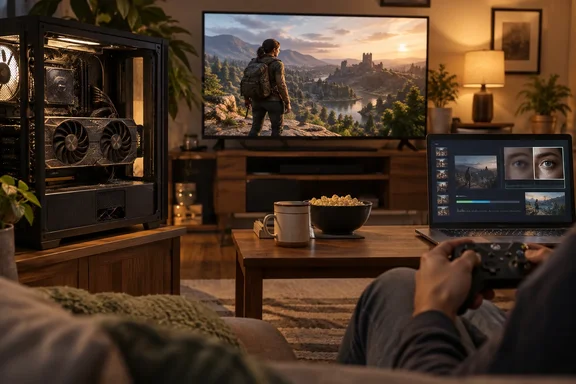
To be clear about what this is: it's one person's experience, not a benchmark study. He gives no frame rates, settings or CPU comparisons. What his setup does show is a useful pattern. Pick tasks that suit the hardware, add the right software, and an "obsolete" card can keep earning its place in the case.
The hardware: modest by 2026 standards, but not useless
The 2070 Super's numbers aren't impressive today, but they aren't nothing. NVIDIA's own product page lists 2560 NVIDIA CUDA Cores, a 1770 MHz boost clock, 1605 MHz base clock, 14 Gbps memory speed, 8 GB GDDR6 and a 256-bit memory interface. TechPowerUp's launch review filled in the rest: an RT core count of 40, a Tensor core count of 320, 160 TMUs, and 64 ROPs.
The card has a slightly unusual history. The RTX 2070 Super was a whole different beast from the original RTX 2070, which had maxed out the "TU106" silicon; NVIDIA had to tap into its larger sibling, the 12 nm "TU104", the same chip used in the RTX 2080. It launched as NVIDIA's answer to AMD's Navi cards and got a clock speed bump from a boost clock of 1,620MHz on the RTX 2070 to 1,770MHz with the Super version.
Two parts of the spec sheet explain why the card is still useful. NVIDIA's page lists Turing NVIDIA Encoder (NVENC) support, and the Tensor cores that power DLSS can also run NVIDIA's video upscaler. Those features, more than raw rasterization, keep the card relevant.
Section summary: The 2070 Super is a cut-down TU104 with 8GB of VRAM, first-generation RT cores, Tensor cores and a Turing NVENC block. It's weak at ray tracing, but it has plenty of useful side hardware.
A Windows 11 PC as a living-room console
Raj says he could never justify spending another $750 on an Xbox Series X, especially as Microsoft kept bringing its games to PC. What he was missing was a console-style interface: turn the PC on, pick up an Xbox Elite Series 2 controller and play, without touching a keyboard. Windows 11's Xbox mode filled that gap.
Microsoft's Windows Experience Blog said on April 30, 2026 that Xbox mode would begin rolling out in select markets to Windows 11 PCs, including laptops, desktops and tablets. Microsoft describes it as a streamlined, controller-friendly interface that puts your library and recently played games within easy reach while minimizing background distractions. The rollout is staged by market, so it may not have reached every Windows 11 PC yet.
The key to Raj's setup is the TV. It's a 1080p LED panel, and 1080p is where the card is still comfortable. He says most titles are perfectly playable as long as you avoid ray tracing, which he says has been painful on Turing since day one. That fits the general view that first-generation RT hardware was always a preview more than a practical feature.
For the few games the card can't handle on its own, he uses Lossless Scaling, a third-party utility he calls a $7 tool, and specifically its LS1 upscaler. The Steam store page separates the app's two main features:
- LSFG frame generation creates extra frames to make motion look smoother.
- Scaling (LS1, FSR, NIS and others) renders the game at a lower resolution and upscales it to recover some of the lost quality.
LS1 is an upscaler, not frame generation. Anyone copying this setup should also know about the limits the developer lists on the store page:
- Only windowed and borderless fullscreen modes are supported. Exclusive fullscreen may work only if Lossless Scaling outputs to a second display.
- The app needs spare GPU capacity. On a card that's already at its limit, running it can lower the game's own frame rate. That matters on a 2070 Super.
- The minimum OS is Windows 10 version 2004. The recommended setup is Windows 11 24H2 with an RTX 30-series, Radeon RX 6000 or Arc GPU, so the 2070 Super is below the recommended spec.
- The store page says the community has found it safe with online games that use anti-cheat, but this can't be guaranteed.
Raj also says the machine runs Vulkan-based emulators without complaint, and that while it won't be playing GTA 6 anytime soon, it handles most of the Game Pass library he already pays for.
Section summary: Xbox mode supplies the console-style interface, a 1080p TV keeps the card in its comfort zone, and Lossless Scaling covers the harder titles. Check the windowed-mode and spare-GPU requirements before counting on that last part.
One GPU for every screen in the house
Raj says the most impressive trick isn't the living-room setup. It's that the same PC can stream games to basically any device in the house with a video decoder. He credits Sunshine, the open-source streaming host, and the card's dedicated NVENC encoder. In his setup, the same card runs Star Wars Jedi: Fallen Order on the TV and streams Hello Kitty Island Adventure to his sister's M2 MacBook Air.
LizardByte's official documentation describes Sunshine as a self-hosted game-streaming host for Moonlight clients. It supports hardware encoding on AMD, Intel and NVIDIA GPUs, falls back to software encoding, and has a web interface for configuration and client pairing. If you're setting this up on Windows, the project documents a few things worth knowing:
- OS and network minimums: The current requirements table lists Windows 11 or later for the host, and 5GHz 802.11ac Wi-Fi on both host and client as the network minimum. For 4K, it suggests CAT5e Ethernet or better.
- Your card is covered: For 4K streaming on Windows, LizardByte suggests a GeForce GTX 1080 or newer, which includes the 2070 Super. The project warns that the tables are a work in progress and shouldn't guide hardware purchases.
- Capture follows the display GPU: On Windows, Sunshine captures through the Desktop Duplication API, which only works on the GPU driving the display. The docs suggest a dummy HDMI plug for multi-GPU or eGPU setups.
- HDR has conditions: HDR streaming on Windows needs a GPU that can encode HEVC Main 10 or AV1 10-bit, HDR switched on in the host OS, and the HDR option enabled in the Moonlight client. Otherwise the stream is SDR. From general industry knowledge, Turing's NVENC supports HEVC but not AV1 encoding, which only arrived with the RTX 40 series.
- Controller emulation is changing: The docs describe a separately licensed, paid Virtual HID Broker for full virtual gamepad support. ViGEmBus remains as a limited, end-of-life fallback for Xbox 360 and DualShock 4 controllers.
- Troubleshooting: If pairing or streaming fails, check the logs in the web UI's Troubleshooting tab first. The documentation also says users of LizardByte's prebuilt packages don't need to install the CUDA Toolkit for NVENC, which only matters if you compile Sunshine yourself.
One part of the original story needs a caveat. Raj says NVENC handles the stream "without eating into the gaming performance." A dedicated encoder does take most of the load off the shaders, which is the point of the design. But based on general industry knowledge, capture and encoding still carry some overhead, and the result depends on resolution, bitrate and network quality. Think "small cost," not "free."
Raj also points out that the same NVENC hardware can transcode video, so the PC can double as a Jellyfin server for the house's media library. That's his own setup. Hardware transcoding in Jellyfin needs its own configuration, and not every media task needs a GPU.
Section summary: Sunshine plus Moonlight turns the 2070 Super into a home streaming server. The Windows 11 minimum, 5GHz Wi-Fi guidance and HDR rules are worth checking before you start.
Making old TV shows look less old
A lot of what Raj watches is old: "Twin Peaks kind of old," in his words. Some of it is 480p DVD rips, where grain and compression artifacts look worse on a 1080p screen. RTX Video Super Resolution (VSR) addresses that by using the Tensor cores to enhance video in the browser.
Owners of RTX 20-series cards didn't always have this feature. NVIDIA's October 17, 2023 announcement of RTX VSR 1.5 expanded support to GeForce RTX 20-series desktop and laptop GPUs, giving them the same AI video enhancement as the 30 and 40 series. That update retrained the model to tell fine detail apart from compression artifacts. It also added de-artifacting for videos played at native resolution; before that, only upscaled video could be enhanced. The feature shipped in that day's Game Ready Driver.
Raj says he turns it on in the NVIDIA app and uses it in Chrome, Edge and Firefox. NVIDIA's Control Panel help documents the same control under "RTX video enhancement," with some useful details:
- It applies to video played in supported browsers, not every video player on your PC.
- Higher quality levels make video look sharper but use more GPU resources. On a card that may also be streaming a game, that tradeoff matters.
- Laptops with NVIDIA Optimus need Chrome or Edge set to "High Performance" in Windows Graphics Settings, or VSR won't run properly.
Raj calls the improvement "rather subtle," and that's a fair expectation. VSR reduces artifacts and sharpens an upscale. It can't recover detail that a 480p DVD rip never contained.
Section summary: RTX 20-series cards have supported VSR since version 1.5 in October 2023. Expect cleaner playback in supported browsers, not restored footage, and watch the GPU load if the card is doing other work.
What's next, and what it all means
Raj ends with two more uses. The card has just enough VRAM to load a small local AI model when he needs one, though he doesn't say which model, quantization or speed. He'd also like to try upscaling photos and videos from the Sony Handycam era, but that's a plan, not a result, and should be read that way. The 8GB of VRAM is a real limit for local AI, and larger models will quickly outgrow it.
There's a broader lesson here for Windows users. Most of what makes this six-year-old card useful isn't raw rasterization. It's the extra hardware NVIDIA built into Turing, plus software from Microsoft, NVIDIA, an indie developer and an open-source project that happens to support it:
| Task | What does the work | Main caveat |
|---|---|---|
| Couch gaming | Xbox mode on Windows 11 plus a 1080p TV | Rolling out by market; ray tracing still weak |
| Harder titles | Lossless Scaling's LS1 upscaler | Windowed/borderless only; needs spare GPU capacity |
| Game streaming | Sunshine plus Moonlight via NVENC | Small overhead; Wi-Fi and network quality matter |
| Media serving | NVENC transcoding (author's Jellyfin setup) | Needs its own configuration |
| Old video cleanup | RTX Video Super Resolution | Browsers only; cleans up but can't restore detail |
The counterargument is fair: none of this makes a 2070 Super a modern card. Ray tracing is still something to avoid, 8GB of VRAM is getting tight, and the card is below the recommended spec for the Lossless Scaling tool it relies on. But the question isn't whether it can match a new flagship. It's whether it still does enough of what you need to justify its power draw, and for one XDA writer with a 1080p TV and a house full of laptops, it does.
Before you list your Turing card on a marketplace for pocket change, it's worth trying these jobs on it first.
References
- My "obsolete" RTX 2070 Super still games, streams, and sharpens my video, and it's only getting started - XDA XDA · 2026-09-28T16:01:18+00:00
- GeForce RTX 2070 SUPER Graphics Cards | NVIDIA nvidia.com
- NVIDIA GeForce RTX 2070 Super Founders Edition Review | TechPowerUp techpowerup.com