

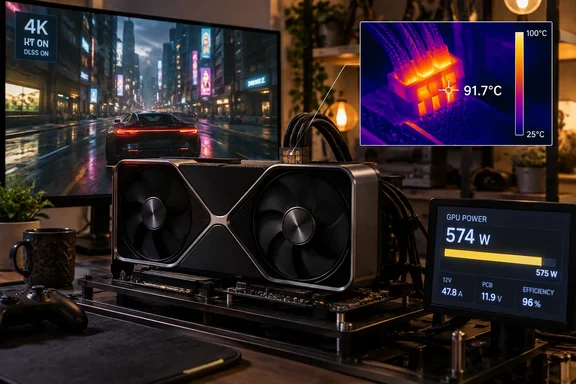
QuasarZone's DLSS 5 test puts the RTX 5090's 12V-2×6 connector above the GPU core
QuasarZone published the results on September 23, 2026, and VideoCardz reported the data the next day. The test did not judge image quality. Instead of focusing on image quality or what DLSS 5 actually does to a game's visuals, the test looked at power consumption, GPU temperatures and 16-pin connector temperatures when the technology is enabled. QuasarZone explained its reasoning like this: neural rendering adds extra computation on top of normal rendering rather than replacing it, so more power draw and more heat should follow.
The setup was simple and it was written down. The test used Cyberpunk 2077 at 4K with DLSS Quality and the Ultra preset for 20 minutes, with room temperature at 27.5°C ±0.5°C. QuasarZone's system table lists a Ryzen 7 9850X3D on an ASUS ROG Crosshair X870E Hero, a 1,000 W ATX 3.1 Platinum power supply, an open acrylic case, Windows 11 Pro 25H2, and GeForce Game Ready Driver 616.92.
The temperatures were measured at the plug itself, not reported by a sensor on the card. The RTX 5090 connector was measured from both sides using a thermal camera. On the side facing the four sense pins, temperature increased from 80.9°C to 91.7°C. On the latch side it increased from 77.1°C to 83.4°C. The sense-pin side rose 10.8°C and the latch side rose 6.3°C.
The GPU core warmed far less. Tom's Hardware, reporting on QuasarZone's data, says before DLSS 5, the average core and peak temperatures for the GeForce RTX 5090 were 79.4 and 82.3 degrees Celsius, respectively. Afterward, they increased to 83 and 86.3 degrees Celsius. As a result, the 16-pin power connector was the hottest spot on the GeForce RTX 5090. Anyone watching only GPU temperature in an overlay would have seen a modest 3–4°C rise. The connector heat they had no sensor for rose much more.
The RTX 5080 comparison shows the cost follows wattage
QuasarZone ran an RTX 5080 Founders Edition through the same test. The RTX 5080 FE stayed much cooler, reaching 48.6°C and 52.2°C from the same two directions with DLSS 5 enabled. The published figures don't include RTX 5080 connector temperatures with DLSS 5 off, so there is no before-and-after for that card. The useful comparison is between the two cards with DLSS 5 on: the RTX 5080 connector ran roughly 40°C cooler on the sense-pin side.
Both cards drew a lot more power. HWiNFO reported the RTX 5090 increasing from an average of 509.2W to 575.1W after DLSS 5 was enabled. The RTX 5080 increased from 298.2W to 350.3W. Both cards were therefore operating close to their respective 575W and 360W power limits. In both cases DLSS 5 took up most of the remaining headroom under the power limit. The RTX 5080 simply reaches its ceiling at a much lower current through the same connector. This is our inference: the same software cost lands much harder on the plug when the card is a 575 W part.
Three different ways to count RTX 5090 power, and why 647 W is a peak
The headline number is easy to misread, because QuasarZone measured power three ways and they don't agree.
HWiNFO reads the card's own telemetry. Tom's Hardware notes that HWiNFO uses a software-level API to poll power metrics from the graphics card's telemetry sensors. While it is sufficient for everyday monitoring, nothing is more accurate than measuring power directly from the circuit board. The Nvidia Power Capture Analysis Tool (PCAT) is perfect for that. External PCAT measurements showed even higher figures because they also captured short power spikes.
| RTX 5090 FE measurement | DLSS 5 off | DLSS 5 on |
|---|---|---|
| HWiNFO average board power | 509.2 W | 575.1 W |
| PCAT total card power, average / peak | 527.3 W / 582.5 W | 593.9 W / 658.0 W |
| PCAT 16-pin input only, average / peak | 516.5 W / 571.7 W | 582.7 W / 646.7 W |
The "647 W" figure is the rounded 646.7 W peak on the 16-pin input with DLSS 5 on. It is not the average. The more telling number is the average: 582.7 W through the 16-pin connector with DLSS 5 on. That is above the card's 575 W limit, and it was sustained across the run, not a momentary spike. In its own write-up, Tom's Hardware says QuasarZone found that the GeForce RTX 5090's average and peak power draw increased by 13%, effectively exceeding the graphics card's power limit.
One discrepancy is worth flagging. Tom's Hardware also describes the 16-pin figures as a 582.7 W reading without DLSS 5 against 646.7 W with it. VideoCardz's detailed account gives 582.7 W as the DLSS 5-on average and 646.7 W as the DLSS 5-on peak, with 516.5 W / 571.7 W for DLSS 5 off. The table above follows VideoCardz, whose figures match the rest of QuasarZone's published numbers.
For scale, Tom's Hardware points out that 658 W is modest compared with custom boards that allow more power. It says on the GeForce RTX 5090 32G Lightning Z with DLSS 5, we observed the graphics card's power consumption spike to 592W at 1080p, 695W at 1440p, and 848W at 4K. The Lightning Z uses two 12V-2×6 connectors, so that load is shared across two plugs rather than one.
Per-pin current on the ASUS ROG Astral RTX 5090 stays within spec, with a narrower margin
Temperature is a symptom. Current through the individual pins is what causes it. QuasarZone used a separate card for this: an ASUS ROG Astral RTX 5090, which it lists in its test system specifically for per-pin current measurement. According to VideoCardz, the test also used an ASUS ROG Astral RTX 5090, limited to the same 575W as the Founders Edition, to check current through each power pin. These readings come from the Astral, not the Founders Edition whose connector temperatures appear above.
With DLSS 5 off, the six 12 V pins carried 6.94 A to 7.47 A. With DLSS 5 on, they carried 7.83 A to 8.51 A. All six stayed under the 9.2 A per-pin figure QuasarZone cites as the specification, and about 0.7 A separated the highest pin from the lowest. On a healthy, correctly seated connector, the measured load stayed within spec.
QuasarZone then modeled a failure case, and this is where the risk shows up. Its calculation assumed one pin stopped carrying current because of wear or a poor connection, with the lost current shared across the remaining pins. With DLSS 5 off, the highest pin would reach about 8.9 A, still under 9.2 A. With DLSS 5 on, the same theoretical case puts it at about 10.1 A, over the cited value. Nobody saw a pin fail during the test; this is arithmetic. It does explain why a connector that has survived months of normal gaming could fail once DLSS 5 raises the load. The spare margin that used to cover one bad contact is mostly gone.
How DLSS 5 reached RTX 5090 owners before the testing did
The timing explains why power tests are only arriving now. NVIDIA announced DLSS 5 with real-time neural rendering in March 2026. It spread quickly in late August when a copy of the model leaked. Tom's Hardware described how a version of the DLSS 5 model leaked with NBA2K27 and was quickly modded into many other games. The community then packaged it for OptiScaler, a mod tool that makes it easy to add to most titles. QuasarZone notes the mod versions have been applied to older games without DLSS support, and even to the Windows desktop itself.
Melting reports followed. In early September, VideoCardz reported this case occurred while he was testing DLSS 5 Neural Rendering in NBA 2K27 (so the only official game, mind you). The affected card is an MSI GeForce RTX 5090 Gaming Trio OC. The owner said DLSS 5 raised his GPU's power draw from about 450 W to more than 600 W. MSI officially rates the Gaming Trio OC at 575W. A GPU-Z screenshot shared after the incident shows a maximum Board Power Draw of 613.5W. Erek says the card remained above 610W for a period rather than reaching that value as a brief spike. TechPowerUp also mentions a single report of an RTX 5080 that reportedly "died" after DLSS 5 testing. It gives few details, and QuasarZone's cool RTX 5080 connector readings don't explain it.
Tom's Hardware's early testing on September 2 found the same power pattern in different conditions. It used OptiScaler injection in Cyberpunk 2077, Hogwarts Legacy, and Control. In Cyberpunk 2077, the jump in power consumption from DLSS 5 on the Lightning Z is eye-popping: 580 W to 723 W, or a 25% increase. The RTX 5090 Founders Edition only goes from 482 W to 551 W, which means that it's practically power-limited. Tom's cautioned that community injection may not behave exactly like a developer's integration through NVIDIA's Streamline framework. It also noted that NVIDIA's technical paper puts the model at 8 ms per 4K frame, which matched what it measured. QuasarZone's reporting doesn't say how DLSS 5 was enabled in Cyberpunk 2077, so the same caveat about injection versus official integration may apply.
Two outlets, with different methods, reach the same conclusion: DLSS 5 pushes an RTX 5090 Founders Edition up against its 575 W limit, and cards allowed more power will use it. What QuasarZone adds is where that heat goes. On a single-connector card, it ends up in the plug.
What this means for you
If you own an RTX 5090, especially one with a single 12V-2×6 connector, treat DLSS 5 as a sustained maximum-power workload, not a free visual upgrade. RTX 5080 owners face much less connector heat in this test. Owners of cards with lower power limits aren't covered by this data at all.
The practical question is how much margin your connector has left. QuasarZone's per-pin model shows a healthy connector stays within spec under DLSS 5, and one poor contact is what tips it over. That puts the focus on the condition of the physical connection, not on the software setting alone. The usual advice for 16-pin connectors is to make sure the plug is fully seated and not bent sharply near the socket. That comes from the connector's history, not from this test. Your in-game GPU temperature readout won't warn you: in QuasarZone's run the connector heated up far more than the core.
- QuasarZone measured an RTX 5090 Founders Edition connector at 91.7°C with DLSS 5 on, versus 80.9°C off, in a 20-minute 4K Cyberpunk 2077 run with the room at 27.5°C.
- The widely quoted 647 W is a PCAT peak on the 16-pin input. The DLSS 5-on average through that connector was 582.7 W, above the card's 575 W limit.
- HWiNFO read 575.1 W for the same run and misses short spikes that external tools like PCAT catch, so software monitoring understates what the connector actually carries.
- On an ASUS ROG Astral RTX 5090, per-pin current rose to 7.83–8.51 A with DLSS 5, still under the 9.2 A cited spec. QuasarZone's model of a single failed pin puts the worst pin at about 10.1 A under DLSS 5 load.
- The RTX 5080 Founders Edition connector peaked at 52.2°C with DLSS 5 on, so these connector results can't be carried over from the 5090 to lower-power cards.
- VideoCardz estimates the extra electricity for two hours of DLSS 5 play a day works out to around $7 to $9 in the US or €11 to €14 in the EU per year, so cost is a minor factor next to connector headroom.
This is one outlet's test in one game at one resolution. It fits Tom's Hardware's separate power measurements and the melting reports that prompted it, but more independent testing is needed before anyone can put a number on how often connectors actually fail under DLSS 5. What it does settle is the direction of the change. On a single-plug RTX 5090, DLSS 5 moves the card from comfortably under its power limit to running at or above it, and the connector takes that extra load. Owners weighing DLSS 5 on a 575 W card are really deciding how much of their 12V-2×6 margin they're willing to use up. Pay attention to how DLSS 5 behaves once developers ship it through NVIDIA's Streamline framework rather than community injection.
References
- DLSS 5 On! 소비 전력, 온도 정말 높아져? > 기획기사 | 퀘이사존 QUASARZONE quasarzone.com