

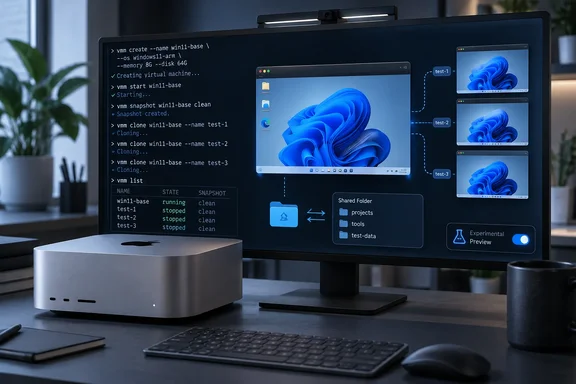
Tart's own README describes it as a tool to build, run and manage macOS and Linux VMs on Apple Silicon. That is where the project's official scope ends. A developer named Mustafa Akin has now published an experimental fork that adds Windows 11 ARM64 guests. Korben's write-up tested it on a Mac Studio M4 Max with a French Windows 11 ISO. This piece covers the setup, the failure point, the disposable-VM workflow and the limits. The fork is a preview and not a supported product.
What this is, and what it isn't
Tech2Geek's coverage describes the fork as an experimental fork that adds support for installing and running Windows 11 ARM64 on Apple Silicon Macs directly from the command line. Treat it as a testing tool.
- Source: The fork is
mustafaakin/tart, forked from the upstream Tart project, on thewindows-guest-extrasbranch. - Pinned build: Korben pins commit
e4c623c. That commit's description is "Add a script that packages a Windows preview build". - Fragile foundation: Korben says the fork depends on two private, undocumented Apple settings. A macOS update could break it. He doesn't name the settings, and I couldn't verify them independently.
- One tester's results: The 26-minute setup, the French ISO result and the instant clone are all from one tester on one Mac. They are not benchmarks.
Prerequisites
Korben lists these requirements:
- An Apple Silicon Mac running macOS 26.6 or 27.
- Xcode, to build the fork.
- A Windows 11 ARM64 ISO. Licensing is your responsibility.
Treat the macOS versions as the tested configuration, not a guarantee for other versions.
Building the preview
Building from source is Korben's choice. He notes the author also publishes a ready-made binary. Korben built it himself because the packaging script signs the app locally with the virtualization entitlement.
The commit shows what the script does. It signs the application locally with the virtualization entitlement. The script's own comments say the build is signed ad-hoc with only that entitlement, so it has no bridged networking. The comments also say a browser-downloaded binary needs its quarantine attribute removed first, because the build isn't notarized. That note matters if you choose the prebuilt binary.
The build sequence from the report:
git clone --branch windows-guest-extras [GitHub - mustafaakin/tart: macOS and Linux VMs on Apple Silicon to use in CI and other automations · GitHub](https://github.com/mustafaakin/tart.git)
cd tart
git checkout e4c623c
./scripts/package-windows-preview.sh 0.1.0-windows-preview
export PATH="$PWD/dist/windows-preview/tart.app/Contents/MacOS:$PATH"
The export line puts the preview build ahead of any Tart you already have installed, but only in that shell. If you open a second terminal, repeat the export from the tart folder. Otherwise you'll silently call the other Tart.
Creating the VM
tart create win11 --from-iso ~/Downloads/Win11_Arm64.iso
Korben says this downloads the virtio-win and WinFsp drivers, builds installation media and boots Windows unattended. His run took 26 minutes. He reports that installation forces US English and that other languages may cause problems. His French ISO still produced a French interface, but the keyboard stayed QWERTY at first.
The missing driver
This is the most useful part of the report. The author's blog says the guest agent must be installed by hand. Korben adds that the viosock driver, which links the Mac to the VM, isn't among the drivers Tart injects. Those are viostor, viogpudo, NetKVM, viorng and viofs. On his machine, tart exec didn't work until he installed it.
On the Mac, copy the driver from the cached virtio-win ISO and fetch the preview agent:
hdiutil attach -readonly -nobrowse ~/.tart/cache/windows/sha256:303f7ae40dad495d6ae474fdc571df58958a4dbc5c37a522d80f9a203867949d.iso
mkdir -p ~/tart-share
cp -R /Volumes/virtio-win-0.1.302/viosock/w11/ARM64 ~/tart-share/viosock
hdiutil detach /Volumes/virtio-win-0.1.302
curl -L -o ~/tart-share/tart-guest-agent.exe [url]https://github.com/mustafaakin/tart/releases/download/windows-preview-0.1.0/tart-guest-agent.exe[/url]
tart run win11 --dir=share:$HOME/tart-share
The cache filename and the virtio-win-0.1.302 volume name are from Korben's run. Yours may differ, so check what's actually in ~/.tart/cache/windows.
tart run holds the terminal, so open a second one for everything else.
Inside Windows, the VM logs in automatically as admin with the password admin. The shared folder appears on drive Z: under share. Open PowerShell as administrator. Remember the keyboard is QWERTY. Then run:
pnputil /add-driver Z:\share\viosock\viosock.inf /install
mkdir "C:\Program Files\Tart"
copy Z:\share\tart-guest-agent.exe "C:\Program Files\Tart\"
$a = New-ScheduledTaskAction -Execute "$env:SystemRoot\System32\conhost.exe" -Argument '--headless "C:\Program Files\Tart\tart-guest-agent.exe" --run-agent'
$t = New-ScheduledTaskTrigger -AtLogOn -User $env:USERNAME
$s = New-ScheduledTaskSettingsSet -ExecutionTimeLimit ([TimeSpan]::Zero) -RestartCount 999 -RestartInterval (New-TimeSpan -Minutes 1)
$p = New-ScheduledTaskPrincipal -UserId $env:USERNAME -LogonType Interactive -RunLevel Highest
Register-ScheduledTask -TaskName "Tart Guest Agent" -Action $a -Trigger $t -Settings $s -Principal $p
Start-ScheduledTask -TaskName "Tart Guest Agent"
Get-Service VirtioSocketWSP
The agent runs as a logon task because the clipboard and desktop live in the logged-in session. The task has no time limit and restarts every minute if it fails.
Success means VirtioSocketWSP shows Running.
If the service doesn't exist, the driver didn't install. Re-read the pnputil output. Then confirm the viosock folder really contains viosock.inf.
Verifying it works
From the Mac:
tart exec win11 cmd /c ver
Korben got Microsoft Windows [version 10.0.26200.8037]. System Information showed Windows 11 Home, build 26200, ARM64, on an "Apple Virtualization Generic Platform".
The disposable workflow
The disposable part is the point of all this:
- Shut down the base VM:
tart exec win11 shutdown /s /t 0 - Clone it:
tart clone win11 w1. Korben calls this instant. - Start the clone headless:
tart run w1 --no-graphics - Run commands with
tart exec w1 ... - Stop it with
tart stop w1, then remove it withtart delete w1.
You get a clean Windows for each test run and nothing carries over. That suits throwaway software tests and scripted jobs.
Limitations
Korben says this shouldn't be your daily Windows:
- No sound.
- No graphics acceleration.
- No suspend.
- Nested virtualization freezes when Windows tries to start WSL2 or Hyper-V.
Get-Tpmconfirms there is no TPM.- The author calls the disk the weak point. Tart's logs can also fill an SSD quickly. The report gives no figures, so keep an eye on host disk space.
The lack of a TPM and of nested virtualization rules out some Windows security features and developer workflows. Anything that needs WSL2, Hyper-V or a virtual TPM won't work here. That is my inference from the reported limits, not something the report tested.
Security
Korben flags two risks:
- The account is
adminwith the passwordadmin. Change it right away. - SSH is open on Tart's internal network.
Don't expose this VM beyond your machine. Treat it as an untrusted lab guest.
Should you use it?
Parallels and UTM remain the practical choices for most Mac users who want Windows. This fork is for developers and testers who like Tart's clone-and-delete workflow. Pin the commit, keep a fallback, and expect a macOS update to break it. The viosock workaround is worth knowing even if you never run this fork.
References
- Tart - A disposable Windows 11 VM on your Mac - Korben Korben · 2026-10-02T12:02:53+00:00
- How to Run Windows 11 on an Apple Silicon Mac with Tart - Tech2Geek tech2geek.net
- Commit e4c623c github.com