

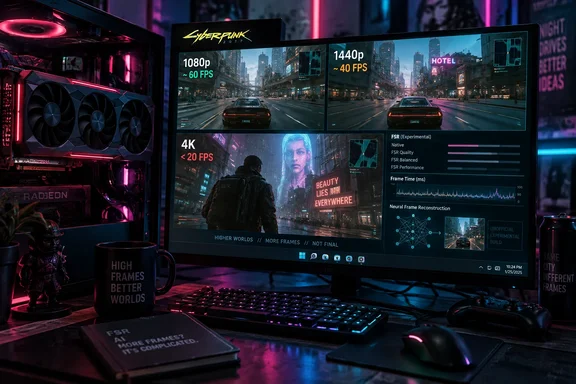
The most useful finding in XDA’s hands-on report is the resolution trade-off. Its test moved from playable 1080p performance to around 40 FPS at 1440p and below 20 FPS at 4K. Those results also need to sit beside the project’s own more modest performance estimate and an important technical distinction: this is a third-party reimplementation of the neural-network runtime, not an NVIDIA-supported Radeon port.
DLSS-NR-on-AMD brings neural rendering to Radeon through FSR
The project behind the experiment is DLSS-NR-on-AMD. Its README identifies Radeon RX 9000-series graphics cards as the primary target, with the RX 9070 XT used for testing. It also lists RX 7000-series cards as potentially compatible, while soliciting reports from users of that generation. Older GPUs are currently unsupported.
According to the maintainers, the project implements the neural-network runtime from scratch for AMD GPU architectures. That includes HIP kernels—the GPU-side computational work—AMD-oriented memory layouts, and game integration. The maintainers say their software contains no NVIDIA code or data and does not translate NVIDIA code at runtime. That is their description of the implementation, not an independently audited finding.
A separate NVIDIA component remains essential: users must supply their own legitimately obtained copy of nvngx_dlssnr.dll, specifically build 310.8.0.0. The distinction between the runtime and that required DLL explains why describing the experiment simply as “NVIDIA’s renderer running unchanged on Radeon” would be misleading. The project supplies an AMD execution path while requiring a proprietary component from a supported DLSS 5 game.
XDA explains that the integration hooks into AMD FidelityFX Super Resolution, or FSR. A game using FSR already supplies frame color and motion-vector information, which also serve as inputs to neural rendering. The mod uses that integration point to feed its additional rendering stage. Consequently, owning an RX 9070 XT alone is insufficient: the documented route also requires Windows 11, an appropriate AMD driver, and a DirectX 12 game with a compatible FSR path.
That makes this a game-level modification rather than a global graphics-driver switch. The README names Cyberpunk 2077 and GTA V Enhanced as tested games. Its broader compatibility claim covers DirectX 12 titles using FSR, but those two named examples provide the firmer starting point. Vulkan support is planned, not currently part of the documented implementation.
DLSS 5 spends GPU time on appearance instead of extra frames
The DLSS name can obscure what this experiment actually enables. NVIDIA’s official description calls DLSS 5 3D-Guided Neural Rendering: an additional stage that changes the final appearance of a rendered frame. Super Resolution reconstructs a higher-resolution image, while Frame Generation produces additional frames. The neural-rendering stage discussed here adds lighting and material detail to an image the game has already rendered.
NVIDIA describes the model as using the current rendered frame, engine motion vectors, carried temporal state, and artistic-direction values. Motion vectors describe movement between frames; here, they help the model keep its treatment consistent as the scene moves. NVIDIA says the process is deterministic and follows a strict one-frame-in, one-frame-out design. Those are properties of the official design, not a quality guarantee for every game modified through the Radeon project.
The intended effects include more convincing skin lighting, light transmission through hair and foliage, and contact shadows that help objects look grounded in a scene. This additional work explains the central trade-off: enabling neural rendering can improve aspects of appearance while reducing the frame rate. It should not be approached with the usual expectation that a DLSS-branded option will make a game run faster.
NVIDIA’s official implementation also gives developers control over that treatment. Structure Intensity governs fine detail, including effects such as ambient occlusion and subsurface scattering—the way light travels through a material such as skin. Tone Intensity controls broader lighting and color response. Semantic and engine-level masks let developers limit changes to particular objects or regions.
Those controls matter when comparing an official integration with a mod. A developer can tune the appearance for its own characters, environments, and art direction. Intercepting an existing FSR path provides access to useful frame data, but it does not by itself reproduce that developer-authored integration. The Radeon project exposes tone, structure, and skin controls in its overlay, while listing model selection as a planned feature.
NVIDIA’s September 1 launch announcement documents DLSS 5 in NBA 2K27 for GeForce RTX 50-series desktop and laptop GPUs, as well as GeForce NOW. Its research description identifies RTX 50-series hardware as the local execution platform. Radeon support remains unofficial, with a different runtime and experimental compatibility.
Cyberpunk 2077 makes the 1080p compromise concrete
XDA’s Ty Sherback tested the modification in Cyberpunk 2077 on an RX 9070 XT. He reported normally getting approximately 90 FPS at 4K with most settings at High or Ultra. With neural rendering enabled, performance fell below 20 FPS even with ray tracing switched off.
Dropping the resolution changed the experience substantially. At 1080p, Sherback reported roughly 60 FPS and described ordinary movement and gameplay as playable. At 1440p, performance was around 40 FPS. The sharper image at that intermediate resolution came at a noticeable performance cost.
| Reported configuration | XDA’s RX 9070 XT result | Practical observation |
|---|---|---|
| 4K, normal configuration, mostly High or Ultra settings | Approximately 90 FPS | The author’s usual performance baseline. |
| 4K, neural rendering enabled, ray tracing off | Below 20 FPS | The author considered this unplayable. |
| 1440p, neural rendering enabled | Approximately 40 FPS | Sharper than 1080p, but substantially slower. |
| 1080p, neural rendering enabled | Approximately 60 FPS | Playable in the reported session, though blurry on a 32-inch display. |
These figures are individual hands-on observations, not a standardized benchmark suite. XDA does not establish a complete reproducible configuration covering the mod release, FSR quality mode, and frame-generation state. Those missing details materially limit comparisons, particularly when another user is trying to reproduce the 60 FPS result.
The visual assessment is similarly specific. Sherback found that character faces gained apparent depth, skin texture, and detail. He was less convinced by changes to buildings and the surrounding landscape, judging them insufficient to justify the large performance hit. His experience therefore supports a narrower conclusion than “better graphics”: the effect was more persuasive on certain subjects than across the whole scene.
There is also a competing image-quality cost at 1080p. On Sherback’s 32-inch display, the lower-resolution presentation looked blurry. The decision is consequently not just whether neural rendering adds attractive skin detail. It is whether those changes remain worthwhile after accepting a softer overall image or a lower frame rate.
Earlier Radeon tests show why settings belong beside every FPS figure
Independent coverage supports the existence of the experiment and its demanding performance profile. In an earlier test, PC Gamer reported 61 FPS on an RX 9070 XT at 4K with RT Ultra settings and FSR 4 Balanced, falling to 9 FPS when neural rendering was enabled. That configuration differs from XDA’s report, but it reinforces the practical warning about attempting this at 4K.
The project README itself gives an approximate figure of 33 FPS at 1080p on an RX 9070 XT and describes performance as a work in progress. That is markedly below XDA’s approximately 60 FPS. The available information does not identify a common configuration that would reconcile the two figures, so neither should become a universal expectation for owners of that card.
These results are useful together without treating them as a performance trend. They establish that the effect can run on the tested Radeon hardware, that its cost can be severe, and that at least one later hands-on session found 1080p playable. They do not establish that installing the latest build will deliver a particular frame rate.
For a buying decision, this distinction is decisive. The evidence is sufficient to justify curiosity from someone who already owns compatible hardware. It is insufficient to justify buying a Radeon card specifically for unofficial DLSS 5 use or predicting parity with NVIDIA’s supported implementation.
Installing DLSS-NR-on-AMD requires a controlled, reversible experiment
The documented setup is short, but the prerequisites deserve more attention than the installer. This modification loads additional software into a game’s rendering path and depends on a proprietary DLL obtained separately. It should be confined to permitted offline, single-player experimentation.
The project warns that games with anti-cheat will block its DLL, while XDA warns that multiplayer use could be detected as cheating. The safe recommendation is to avoid anti-cheat-protected and multiplayer titles for this experiment. Disabling an anti-cheat component should not be treated as permission to modify a game or as a guarantee that account-related risks disappear.
Before installing, the documented requirements are:
- The PC must run Windows 11 with AMD Software: Adrenalin Edition 26.1.1 or later.
- The game must use DirectX 12 and expose a compatible FSR integration.
- An RX 9000-series card is the primary hardware target; RX 7000-series compatibility is less firmly validated.
- The user must possess a legitimately obtained
nvngx_dlssnr.dllversion310.8.0.0. - The experiment should take place in an offline, single-player environment where modification is permitted.
The legitimate-copy requirement matters. The project explicitly says it supplies no NVIDIA code or data and requires the user’s own DLL. Its availability does not make that proprietary file freely redistributable, and the documented route does not call for downloading it from an arbitrary DLL archive.
The Cyberpunk 2077 setup uses the executable folder
For users who accept those boundaries, the README documents this sequence:
- Place
dlssnr_on_amd_setup.exein the game’s executable directory. For Cyberpunk 2077, the specified location isbin\x64. - Place the required
nvngx_dlssnr.dllbuild310.8.0.0in that same directory. - Run
dlssnr_on_amd_setup.exeand follow its prompts. - Start the game and enable FSR. The project lists FSR 3, FSR 4, their quality settings, and FSRAA as supported choices.
- Press End to open the mod’s overlay. Use the arrow keys to adjust options and Enter to toggle them.
The executable-directory detail prevents a common ambiguity in instructions that say only to use “the game folder.” Cyberpunk 2077’s documented destination is the folder containing the executable, not simply the top-level installation directory.
An accessible overlay and a working on/off comparison provide the documented signs that the integration is active. XDA reports that switching the effect was effectively instantaneous during its test. Opening the overlay alone, however, does not establish acceptable visual quality or performance; those still depend on the game and configuration.
The overlay includes inline and asynchronous modes, with the README marking asynchronous mode as intended for photo mode only. That restriction matters when evaluating claims of playability: a mode intended for still-image experimentation should not be silently treated as the normal gameplay path. The evidence does not specify which mode produced XDA’s reported results.
The installer provides removal as well as updates
The project documents its own update and removal path. Run dlssnr_on_amd_setup.exe again and choose U to update or R to remove the modification. That is the supported reversal procedure in the README; a generic instruction to delete guessed filenames would be less reliable.
For problems, the maintainers request an issue report accompanied by dlssnr_on_amd.log. They do not provide a complete troubleshooting tree in the inspected documentation. Consequently, an overlay that fails to appear, a blocked DLL, or an unsupported configuration should not lead to improvised driver changes or attempts to bypass game protections.
The immediate goal should be modest: confirm that the documented integration works in a permitted game, compare the visual result, and decide whether its performance cost is acceptable. There is no need to turn an unsuccessful experiment into a system-wide troubleshooting exercise.
What this means for Radeon owners considering DLSS 5
Keep this modification off a normal gaming setup unless evaluating neural rendering is itself the objective. Owners of an RX 9070 XT have the strongest hardware-specific evidence, and 1080p is the most plausible starting point from XDA’s experience. Players who value a sharp 1440p or 4K image and consistently high frame rates have little practical reason to make the trade today.
The most concrete decisions are straightforward:
- Treat XDA’s approximately 60 FPS at 1080p as a reported result, not a guaranteed performance target.
- Expect a substantial cost at higher resolutions, with both XDA and PC Gamer reporting very low 4K frame rates in their respective configurations.
- Use the documented Windows 11, DirectX 12, driver, FSR, and DLL requirements rather than assuming every Radeon-equipped PC is eligible.
- Keep testing to permitted offline, single-player software and avoid multiplayer or anti-cheat-protected games.
- Use the installer’s
Rremoval option if the visual change is not worth the performance loss.
The Radeon experiment makes neural rendering accessible to a wider group of enthusiasts, and XDA’s 1080p result gives that experiment a more useful foothold than a slow-moving demonstration. Its value today is the ability to inspect the effect on hardware someone already owns. Making it a routine gaming option will require performance and compatibility that hold up across documented configurations; until then, the sensible outcome of trying it may still be switching it off.