

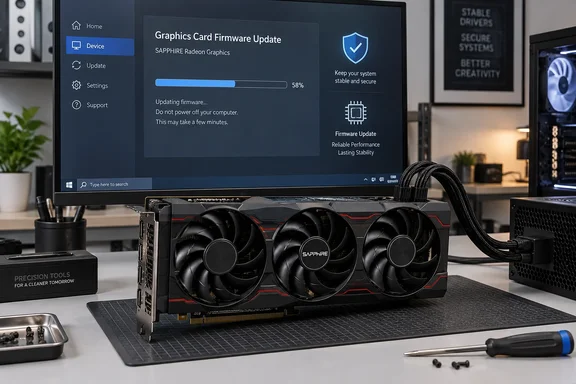
TweakTown describes the release as covering "all" of SAPPHIRE's RDNA 3 cards. SAPPHIRE's own list is more specific than that, and the details below matter if you plan to flash.
What SAPPHIRE released
SAPPHIRE's "Firmware & Security Updates" section lists eight GPUs, and VideoCardz reports that the update covers the Radeon RX 7600, RX 7600 XT, RX 7650 GRE, RX 7700 XT, RX 7800 XT, RX 7900 GRE, RX 7900 XT and RX 7900 XTX. Igor's Lab notes that the list ranges from Navi 33 cards in the RX 7600 family through Navi 32 to Navi 31 in the RX 7900 GRE, RX 7900 XT, and RX 7900 XTX. In other words, every RDNA 3 die is represented.
TweakTown's original story lists the "RX 7060" and "RX 7060 XT". No such cards exist. The correct names are the RX 7600 and RX 7600 XT, which is what SAPPHIRE's list and every other outlet covering the release show.
On timing, VideoCardz says the update was developed with AMD and has been available since September 16. Coverage only spread once TechPowerUp noticed it, so it went largely unseen for a couple of weeks.
Section summary: Eight SAPPHIRE RX 7000 models from three RDNA 3 dies are covered. The downloads appear to have been live since mid-September.
What the update fixes
Not much has been disclosed. VideoCardz reports that SAPPHIRE only says that the firmware contains a security improvement found in partnership with AMD. It recommends keeping GPU firmware updated for performance, stability and protection.
Igor's Lab puts it more bluntly: the public information does not reveal what specific security issue is being addressed, which firmware component is affected, or under what conditions the previously undescribed vulnerability could be exploited. Newsminimalist reports that AMD has not yet published a specific CVE identifier for this security issue.
Some readers will connect this to AMD's earlier Radeon security bulletins. Igor's Lab points out that in February 2026, AMD documented several vulnerabilities affecting Radeon products and listed corresponding driver versions as mitigations, but adds that there is no established link between those advisories and this firmware. The honest position is that nobody outside SAPPHIRE and AMD knows what was patched, how severe it is, or whether it changes performance.
What that means in practice (my analysis, not a vendor statement):
- There's no reason to panic. No exploit, CVE or severity rating has been published.
- There's also no reason to ignore it. A board partner releasing new firmware across a whole product family, developed with the GPU vendor, suggests the issue is real.
- There's no evidence of performance gains. Don't expect higher frame rates, and don't blame the update for any change in benchmarks without testing it yourself.
Section summary: It's a security fix with no CVE, no severity rating and no technical write-up. Treat it as worth installing, not as an emergency.
Is it really every RDNA 3 card?
Not quite. TechPowerUp wrote that the update covers all the desktop graphics cards that AMD released for the RDNA 3 lineup. However, the Radeon RX 7000 series page on Wikipedia lists a Radeon RX 7700 (Navi 32): Sep 18, 2025 OEM part, and that card is not on SAPPHIRE's list. It's an OEM model, so few enthusiasts will own one, but "every RDNA 3 card" is a slight overstatement.
Other gaps worth knowing:
- Other generations aren't covered. VideoCardz confirms that Radeon RX 9000 cards do not appear in the current list, nor do older RX 6000 models.
- This is SAPPHIRE-only for now. Newsminimalist reports that no other graphics card vendors have announced similar updates yet. If your RX 7800 XT is made by PowerColor, XFX, ASUS or anyone else, a SAPPHIRE updater is not for your card. Wait for your own manufacturer.
- Not every card will necessarily need it. Geeknetic notes that the list doesn't prove every unit of a model ships with the same firmware. The tool checks whether an applicable update exists.
The fix comes from AMD, so the obvious question is when other board partners will ship their own versions. We don't know yet.
Firmware vs. drivers
People often mix these up, so it's worth spelling out. Geeknetic explains it well: the firmware lives on the card itself, while AMD Software: Adrenalin Edition is the package installed on the operating system to manage the GPU. Updating Adrenalin doesn't necessarily mean changing the card's firmware.
So installing the latest Adrenalin release through AMD's auto-detect tool does not apply this patch. You have to run the separate firmware updater. You do still need a current driver, though, because the updater checks for one.
How to install the update (SAPPHIRE's official procedure)
These steps come from SAPPHIRE's own Firmware Security Update Notice for the RX 7000 series.
Prerequisites
SAPPHIRE's notice lists these requirements:
- Operating system: Windows 10 / Windows 11 (64-bit)
- An installed AMD Adrenalin Edition graphics driver
- No shutdowns or power interruptions during the update
- About 15–20 minutes for the whole process
The notice also warns that the AMD Radeon™ Firmware Updater for Windows requires a system restart to apply the firmware updates. Be sure to save work before running AMD Radeon™ Firmware Updater.
Steps
- Confirm your card. Check that it's a SAPPHIRE card and that its model is one of the eight listed. Download only the updater for that exact model.
- Save and run the package as administrator. SAPPHIRE says to save the update tool to any local folder (e.g., Desktop, Downloads, or Documents). Right-click the package and select "Run as administrator".
- Extract the files. Choose a local destination to save the executable files. At the saved location, locate the update package and run the program as an administrator. Yes, you need administrator rights twice: once for the package and once for the extracted program.
- Let the AMD Radeon Firmware Updater check your system. According to TechPowerUp, this tool will detect any AMD GPU present and indicate if there is a new firmware update.
- Update the driver if prompted. SAPPHIRE's notice says that in order to update the AMD Firmware, the system requires the latest version of the AMD graphics driver. If your driver is out of date, the tool tells you to install the latest one and then closes. The user can re-run the tool after installing the latest AMD graphics driver.
- Close your apps, select the GPU and flash. Once your driver is current, the tool asks you to close all open applications. TechPowerUp describes the next step: select the GPU and run the update, which will prompt a reboot once it is finished.
- Expect a second pass. Pause Hardware reports that on Radeon RX/PRO 7000 Series, the operation automatically runs twice: first in normal mode, then a second time in safe mode to complete the flash. If your PC reboots into Safe Mode on its own, that's expected. Don't interrupt it.
- Check the result. TechPowerUp says the Adrenalin software will display the exact firmware version installed on your graphics card. Write down the version before and after so you know the flash took.
Common problems
- The tool closes right away. Your driver is probably out of date. Install the latest Adrenalin driver and run the tool again, as SAPPHIRE's notice describes.
- The tool doesn't find your GPU, or says no update is available. Make sure you ran both stages as administrator and downloaded the updater for your exact model. If it still finds nothing, your card may not need the update, since the tool only offers firmware it considers applicable.
- You're nervous about bricking the card. Newsminimalist notes that users have expressed caution about updating GPU firmware, though editors note the process is standard and unlikely to brick hardware. The main risk is losing power mid-flash. On a desktop without a UPS, avoid doing it during a thunderstorm.
None of the sources I reviewed cover rolling back to the old firmware, the effect on dual-BIOS switches, or whether custom tuning profiles survive the update. If those matter to you, contact SAPPHIRE support before flashing. If you rely on Adrenalin tuning profiles, export them first just in case.
Section summary: You need Windows 10 or 11 (64-bit), a current Adrenalin driver, administrator rights twice, about 20 minutes, and patience through a reboot and a Safe Mode pass. Then confirm the new firmware version in Adrenalin.
Why this matters beyond SAPPHIRE
GPUs have become complicated systems in their own right, with their own microcontrollers, security processors and firmware. Firmware that runs below the operating system is valuable to attackers because driver updates and OS reinstalls don't touch it. Patching it means flashing the card, which is exactly the step most users never take.
For Windows PC owners and IT admins managing Radeon workstations, the takeaway is simple: GPU firmware belongs in your patch inventory alongside motherboard BIOS and SSD firmware. If you own one of the eight SAPPHIRE cards, set aside 20 minutes, plug in, and flash it properly. If your RX 7000 card comes from another maker, keep an eye on their support page. If the fix came from AMD, it will probably reach other brands' RDNA 3 cards too.
References
- SAPPHIRE issues rare BIOS and Firmware update for all of its RDNA 3 Radeon RX 7000 Series GPUs - TweakTown TweakTown · 2026-10-05T04:29:05+00:00
- Sapphire releases security firmware update for Radeon RX 7000 graphics cards - VideoCardz.com videocardz.com
- Newsminimalist newsminimalist.com