

Scope 1.2.0 Brings a Mac-Only Oscilloscope to Windows 10 and 11
Bedroom Producers Blog reported the release on September 25. Its report says Apollo View Modular has released Scope 1.2, a free beat-synced oscilloscope plugin for macOS and Windows, and the update makes it worth a look for Windows users because Scope was previously available only on macOS. The developer's own announcement, dated September 19, is the primary record. KVR Audio covered it separately on September 21 and also confirmed that the 1.2 release added Windows 10 or later, 64-bit, alongside the existing Mac version.
Windows had been promised for months. When Apollo View soft-launched Scope in May 2026, founder Jon-Mark Hampson wrote that Windows, AAX, and CLAP support are on the way, and that for now it was macOS — VST3 and AU, Intel and Apple Silicon native. KVR's product listing still shows that older state. It describes Scope as macOS-only, and one commenter there wrote, "I'll wait for the Windows version." Apollo View's current store page has replaced that wording and now lists VST3, AAX and CLAP on Windows 10 or later, 64-bit, with one licence key covering both.
The release is larger than a port. Apollo View says version 1.2.0 includes 37 additions, improvements and fixes for Scope and 76 changes for DeltaScope. Those figures count everything in the release, including bug fixes and changes shared by both plugins. They are not counts of new Scope features.
Why the AAX and CLAP Builds Matter to Windows DAW Users
A plugin format decides which DAWs can load the plugin. Apollo View's announcement says the Windows installers include VST3, AAX and CLAP, while the Mac installers add Audio Unit (AU), a format that only exists on macOS. The developer says the new AAX build brings Scope to Pro Tools for the first time, and that CLAP support covers compatible hosts such as Bitwig Studio and REAPER.
VST3 covers most Windows DAWs. The store page says Scope works in Ableton Live, Logic Pro, Pro Tools, Cubase, Bitwig Studio, REAPER, FL Studio, and any other host that takes VST3, AU, AAX or CLAP. Logic Pro and AU only matter on the Mac side. That compatibility list comes from Apollo View. No independent host-by-host testing has been published, so if you run an older DAW version, check that it supports one of the three formats before you rely on the plugin.
Licensing works the same way on both systems. Apollo View's FAQ says one purchase covers every format and platform the company ships for a plugin, including free Scope. The order email and customer portal list an installer for each platform. The FAQ adds that Windows settings and licence data live in %APPDATA%\ApolloView\, which is the folder to back up or move if you carry a configuration to a new PC.
How Scope's Beat-Synced Display Works in a Mix
An audio oscilloscope plots signal amplitude over time. A spectrum analyzer shows frequency content instead. Scope ties its time window to the song tempo. Its store page lists 22 divisions (straight, dotted, and triplet) from 1/128th note to 16 bars, so one screen can hold anything from a small fraction of a beat to four bars of 4/4.
PPQ snapping keeps that display steady. PPQ, pulses per quarter note, is the timing grid a host uses to track musical position, and Scope uses it to lock the display to the beat. KVR's product listing describes it this way: PPQ-snap locks transients to the same position every cycle for stable, repeatable views with no jitter or drift. In practice, a kick drum's attack appears in the same spot on every pass, so you can compare its shape before and after changing a compressor.
When tempo sync doesn't help, for example when looking at a sustained synth note, free-running mode sets the window in milliseconds or hertz. Version 1.2.0 adds musical-note units from C0 to C8. According to Apollo View, a ×1/×2/×4 control sets how many cycles of the chosen pitch fill the window, and existing projects keep their saved view after the update.
The remaining display controls are Left, Right, Mono and Stereo channel modes, adjustable waveform gain, custom waveform colours and an adjustable CRT-style glow. The clipping indicators track polarity: KVR's listing describes a clip overlay on the waveform plus border markers, top for positive and bottom for negative. A manual offset in samples or milliseconds lets you line the display up with the grid when plugins earlier in the chain add latency.
Apollo View says the plugin has nothing added to your audio path and describes it as zero-latency with minimal CPU load. Those are the developer's claims. No independent CPU measurements have been published.
Freeze, Zoom and Pan Move From DeltaScope Into Free Scope
For day-to-day use, the most practical change in 1.2.0 is the set of three tools moved over from the paid product. Apollo View says zoom, pan and freeze were previously DeltaScope features and are now included in free Scope. Freeze holds the waveform on screen while playback continues. You can then zoom into a transient and pan across it instead of trying to catch it as it scrolls by.
Apollo View's store page says the tool lets you catch the shape of a transient, the length of a tail, the moment two sounds overlap, without chasing them. A double-click resets to the full view. Bedroom Producers Blog gives the maximum zoom as 64x. Apollo View's release announcement doesn't mention a figure.
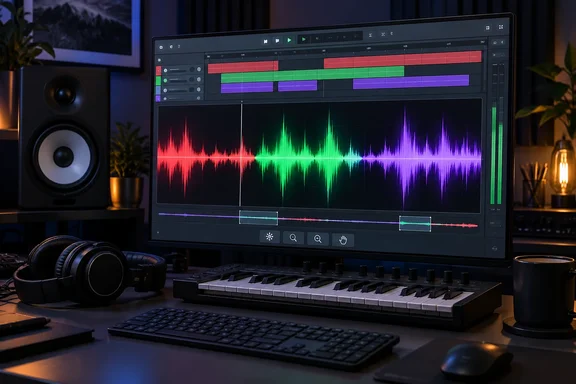
Colour by Frequency is the other visible addition, and Apollo View describes its colours inconsistently. The release announcement says the waveform goes from red in the bass through green to violet at the top. The store page says bass reads red, mids green, highs blue, and a kick under hats shows both at once, toggled in the settings cog. Whichever label is right, the use is the same: when a kick and hi-hats overlap in one waveform, colour separates them. This gives a rough picture of frequency content. It doesn't replace a spectrum analyzer, and Apollo View keeps the analyzer in DeltaScope.
Two smaller features help with sharing work. Scope can export the current display as a high-resolution PNG. Apollo View says the export keeps the lanes, grid and labels and leaves out the controls. Settings can also be exported and imported, so a preferred setup can move between a Mac and a Windows PC or be passed to a collaborator. The release notes also mention smoother drawing, and a fix for plugin windows that went blank or came up the wrong size when moved between monitors with different scaling. That fix is useful on multi-monitor Windows setups that mix scaling levels.
Scope Grew Out of s(M)exoscope
Scope follows a classic freeware tool. Bedroom Producers Blog notes that the plugin was inspired by Bram de Jong's classic s(M)exoscope, and Apollo View founder Jon-Mark Hampson used that freeware oscilloscope for years. Hampson's launch post calls Scope the plugin I wish I'd had the day s(M)exoscope stopped working. Bedroom Producers Blog's Tomislav Zlatic says s(M)exoscope still works for him and remains his go-to free pick. He also calls Oszillos-Mega-Scope one of the best available.
For Windows users, the difference is that Scope is maintained. It supports current formats, including CLAP, which older freeware predates, and it gets regular updates: it went from a soft launch in May to 1.0 in June and 1.2.0 in September. Zlatic suggests uses such as seeing how a compressor changes a kick, checking whether sidechain processing makes enough room, spotting clipping, or learning how different sounds behave. Those are all standard oscilloscope jobs. Scope displays the signal and doesn't change or repair it.
Where Free Scope Ends and £50 DeltaScope Begins
Apollo View runs a free-plus-paid model and says so openly. The FAQ says Scope is free to keep, with no trial and no feature gates, and that DeltaScope is a separate plugin rather than an unlock. The two can be installed side by side without affecting each other's presets.
Here is how the two plugins split, based on Apollo View's description:
| Capability | Scope (free) | DeltaScope (£50) |
|---|---|---|
| Beat-synced and free-running oscilloscope | Yes | Yes |
| Freeze, zoom, pan (as of 1.2.0) | Yes | Yes |
| Colour by Frequency waveform | Yes | Yes, plus coloured spectrum curves |
| Spectrum analyzer, including new Multi FFT | No | Yes |
| Level metering and on-screen waveform measurement | No | Yes |
| Sidechain input, two-signal comparison, delta/null testing | No | Yes |
| Phase correlation over time | No | Yes |
DeltaScope is aimed at comparison work: kick-and-bass phase, before-and-after processing, and null tests, where two signals are subtracted to show exactly what a processor changed. Version 1.2.0 adds Multi FFT, which Apollo View says separates closely spaced bass frequencies more clearly at the cost of a slower low-end response. DeltaScope has a demo with every feature enabled and brief periodic interruptions until you activate it.
For the release, KVR reports that Apollo View set aside 1,200 DeltaScope licences at 50% off with the code DELTASCOPE50, and there is no closing date: the offer ends once those licences are gone. That makes the price £25 while the promotional licences last. The offer dates from September 19, so it may have run out. It has no bearing on whether you can get free Scope.
Getting Scope 1.2 Running on a Windows PC
Getting the free plugin requires a £0 checkout through Paddle, Apollo View's payment provider. There is no store account to create. The licence key arrives in the order confirmation email, and you activate the plugin inside your DAW with that email address and key. There is no iLok or dongle. The FAQ says activation is checked locally, the plugins never contact a server, and they work fully offline after download.
The checkout does collect contact details. The FAQ says Apollo View keeps your name, email address and transaction reference so you can access downloads and licence keys, while Paddle handles payment details. Apollo View's May launch post promised "no email harvesting". The email collected now is needed to deliver and activate the key.
The FAQ also says you can activate on as many computers as you personally own and use, the licence doesn't expire, and updates within the current major version are free. Existing Mac users can update from inside the plugin via Settings, About, Check for Update, or download the new installer from their licence portal, where the Windows installer should now appear alongside the Mac one.
What this means for you
If you produce or edit audio on 64-bit Windows 10 or 11 and don't have a maintained oscilloscope in your plugin folder, you can install Scope now. Before you do, check that your DAW version supports VST3, AAX or CLAP. If you mainly need frequency analysis, metering or null testing, Scope 1.2 doesn't cover those. You would need DeltaScope's demo or another analyzer.
- Scope 1.2.0, released September 19, 2026, runs on Windows 10 or later, 64-bit only, as VST3, AAX or CLAP. AU builds are Mac-only.
- Pro Tools users on Windows can now load Scope through the new AAX build, and Bitwig Studio and REAPER users can choose CLAP.
- Freeze, zoom and pan, previously paid DeltaScope features, are part of free Scope from version 1.2.0.
- The free licence needs a £0 Paddle checkout with an email address. After that, activation is local and offline, and one key covers Mac and Windows.
- Windows settings and licence data are stored in %APPDATA%\ApolloView\, which is the folder to include when migrating to a new PC.
- The DELTASCOPE50 half-price offer is limited to 1,200 licences and applies only to the paid DeltaScope, not Scope.
Scope started in May as a Mac-only tribute to s(M)exoscope and is now a free, cross-platform oscilloscope that loads in every major Windows host except those limited to AU. Apollo View's next step on Windows appears to be its alignment plugin, Align: the FAQ says its Windows, AAX and CLAP builds are in development.