

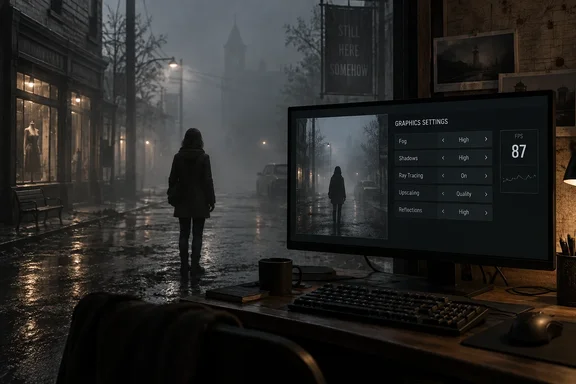
Silent Hill: Townfall's Official PC Specs Promise 30 FPS, Not 60
Konami announced in June that Silent Hill: Townfall would release September 24, 2026, on PlayStation 5, Steam and the Epic Games Store. Digital pre-orders of the Deluxe Edition include 48 hours of early access, so some PC players are already in the game before the standard launch. Scottish studio Screen Burn Interactive developed it, and Annapurna Interactive and Konami co-publish it.
The published PC requirements, confirmed by DSOGaming and other outlets that reported Konami's announcement, are:
| Minimum | Recommended | |
|---|---|---|
| Operating system | Windows 11 64-bit | Windows 11 64-bit |
| Processor | AMD Ryzen 5 3600 / Intel Core i7-8700K | AMD Ryzen 7 5700X / Intel Core i7-9700K |
| Memory | 16 GB RAM | 32 GB RAM |
| Graphics | GeForce RTX 2060 Super / Radeon RX 6600 | GeForce RTX 3080 / Radeon RX 7800 XT |
| API | DirectX 12 | DirectX 12 |
| Storage | 75 GB | 75 GB |
The notes attached to those tiers matter more than the part numbers. The minimum tier comes with the line that it "should enable to play on Low settings at 1080p 30fps." Playing on recommended requirements should enable play on High settings at 4K 30fps (using DLSS,FSR or TSR Balanced mode). Neither tier mentions 60 FPS. An RTX 3080 owner is being promised 30 FPS at 4K with upscaling turned on, not native 4K at high refresh rates.
The demands are also higher than the previous entry's. iXBT.games noted that like the previously released Silent Hill f, the new game uses the Unreal Engine 5, but the hardware requirements turned out to be noticeably higher, and that the most noticeable difference is the increase in recommended RAM to 32 GB versus 16 GB for the previous game in the series.
Both tiers list Windows 11. The games.gg guide goes further and says that staying on Windows 10 "alone may cause compatibility problems." That goes beyond what Konami has said. The requirement is published, but nobody has documented a Windows 10-specific failure. If you're on Windows 10, you're running below the stated spec. Whether the game actually misbehaves there is still unreported.
GameGPU's Benchmarks Put 60 FPS at Maximum Settings Higher Up the GPU Stack
On September 22, the Russian hardware site GameGPU published the first large benchmark set for the game. It tested cards from the RTX 3060 to the RTX 5090 and from the Radeon RX 6750 XT to the RX 9070 XT, at 1920×1080, 2560×1440 and 3840×2160. The conditions are specific: maximum graphics quality, native rendering with no upscaling, Windows 11 24H2, NVIDIA driver 617.14 WHQL, AMD Adrenalin 26.8.1, and frame rates captured with MSI Afterburner 4.6.6 in one chosen test segment.
GameGPU sets 60 FPS average as its "comfortable" line. Its results for reaching that line at maximum settings are:
- At 1080p, a Radeon RX 6750 XT or GeForce RTX 4060 Ti reaches a 60 FPS average.
- At 1440p, it takes a Radeon RX 6900 XT or GeForce RTX 4070.
- At native 4K, only a GeForce RTX 4090-class card reached a 60 FPS average.
At 4K, the site places an RX 7700 XT or RTX 5060 Ti at its 25 FPS average threshold, and an RX 6800 XT or RTX 4070 at its 25 FPS minimum threshold. Taken with Konami's figures, this makes a consistent picture. The official recommended tier gets 4K/30 only with Balanced upscaling and High settings, and native 4K at maximum settings needs far more GPU for 60 FPS. Treat an RTX 3080 or RX 7800 XT as a 4K/30 upscaled card here, not a 4K/60 native one.
The processor results are less demanding. With an NVIDIA card, GameGPU found that a Ryzen 3 5300 or Core i3-10100 clears its 25 FPS bar and that a Core i5-10600-class chip reaches 60 FPS. The game can load up to 16 threads and makes best use of about 12. In its tests, total system RAM use was 11–12 GB with no other applications open. That helps explain why Konami recommends 32 GB rather than 16 GB once a browser and chat client are running alongside.
These figures come from one outlet, one scene and maximum settings. They don't validate any particular Low or Medium preset. They do tell you which resolution your card realistically belongs at before you start moving sliders.
Fog, Shadows and Ray Tracing Are the First Settings to Cut in Townfall
The games.gg guide says four groups of settings cost the most, and it recommends cutting those before dropping everything to minimum. Its starting advice is:
- Set Fog Quality to Low for performance, then try Medium if the frame rate holds after your other changes.
- Keep Shadow Quality and Reflections on Low to reduce GPU load.
- Turn Ray Tracing off unless you have a high-end GPU with spare headroom, and use Low Global Illumination on hardware near the minimum spec.
- Start Texture Quality at Medium, and try High only on cards with plenty of VRAM.
games.gg's published guide doesn't include measurements for these rankings. They are a starting point, not a benchmark result. GameGPU's technical write-up does back up the reasoning behind two of them. It describes the game as running on Unreal Engine 5 with Nanite geometry and Lumen real-time global illumination. It says dense volumetric fog spreads light through the scene, which makes fog a plausible heavy cost in a game built around it.
On ray tracing, GameGPU is blunt. In its test location, turning hardware ray tracing on made almost no visible difference, because the overcast, foggy scene has no bright point lights or direct sunlight for ray tracing to show off. Reflections in puddles and shop windows looked almost the same as the screen-space versions, while the GPU still did the extra work and lost frames. That's one scene, and interiors or night sections may differ. Still, it supports switching ray tracing off first on any card that isn't comfortably above target.
Texture quality needs care. games.gg warns that High textures can cause hitching on cards with 8 GB of VRAM or less, even when the GPU has processing power to spare. GameGPU measured about 7 GB of video memory used at 1080p and 1440p and about 9 GB at 4K, at maximum settings. That puts 8 GB cards very close to the limit at lower resolutions and over it at 4K. It doesn't show that texture quality alone causes the hitching, because GameGPU didn't isolate that setting. On an 8 GB card, though, textures are the obvious first setting to lower if you see stutter.
Corsair, which sells memory, offers a related view on system RAM. It argues that if you are looking to upgrade, go for RAM, then a graphics card, and says that with a powerful GPU but little RAM you will see stuttering as assets load. That's a vendor's opinion, not a measurement. It is consistent with GameGPU's 11–12 GB system RAM figures.
Upscaling, VSync and Frame Caps: Building a Stable Townfall Frame Rate
The games.gg display advice follows the same approach Konami uses for its recommended tier. Set the game to your monitor's native resolution, then turn on whichever upscaler your card supports: DLSS on NVIDIA RTX cards, FSR or TSR on everything else. The reasoning is that dropping the output resolution with no upscaler costs image quality for little gain, while an upscaler lowers the internal render resolution and rebuilds a sharper image.
Start with Balanced mode, the same mode Konami uses for its 4K/30 target. games.gg says Balanced frees up real performance while staying sharper than Performance mode. If you're still missing your target after other changes, Performance mode lowers the load further, but distant detail gets softer.
For sync and caps, games.gg recommends:
- Leave VSync off at first, since it can add input lag and drag the frame rate below target during brief GPU dips.
- If you see screen tearing, use your monitor's variable refresh rate feature instead of VSync.
- Use a hard 60 FPS cap only if your system can hold 60 consistently.
- If 60 is out of reach, pick a lower cap you can sustain, such as 45 or 30, rather than running uncapped with an uneven frame rate.
The capping advice fits a game whose official targets are all 30 FPS. The guide argues that a steady cap feels smoother than an average around 55 FPS that dips to 35. For players near the minimum spec, a 30 FPS cap at 1080p Low matches what Konami says that hardware can do.
A One-Change-at-a-Time Troubleshooting Order for Townfall Stutter
The most useful habit in the games.gg guide is its method: change one setting at a time and test in the same part of the game. That's the only way to know which change actually helped. For a more reliable comparison, watch the frame-time graph in a tool such as MSI Afterburner (the tool GameGPU used) alongside the FPS counter, since a steady line matters more than a higher average.
If the display and graphics changes above don't fix low FPS or stutter, games.gg suggests this order:
- Install the latest graphics driver from NVIDIA, AMD or Intel. New drivers often include optimizations for new releases, although no Townfall-specific fix has been documented.
- On Windows 11, open Settings, go to Gaming, then Game Mode, and turn it on.
- Close browsers, streaming software and background updaters, which compete with the game for CPU, RAM and GPU time.
- If Balanced upscaling isn't enough, switch to Performance mode and accept softer distant detail.
- Lower Texture Quality if VRAM is full, since texture streaming stutters when video memory runs out, whatever your other settings.
- Set a realistic frame-rate cap of 45 or 30 FPS if 60 won't hold.
Treat these as common fixes to try in order, not guaranteed cures. Steps 3 and 5 connect most directly to the measured data. GameGPU recorded 11–12 GB of system RAM use with nothing else running, which leaves a 16 GB machine little room for a browser. Its 7–9 GB VRAM figures put 8 GB cards at the edge.
What this means for you
Start by matching your target to your hardware tier, then tune within it. If you have minimum-spec hardware (RTX 2060 Super or RX 6600, 16 GB RAM), aim for 1080p at 30 FPS on Low and treat anything above that as a bonus. If you have recommended-spec hardware (RTX 3080 or RX 7800 XT, 32 GB RAM), 4K/30 with Balanced upscaling is the official target, and 1440p is the more realistic place to chase 60. If you're on an RTX 4070 or better, GameGPU's numbers suggest 60 FPS at 1440p even at maximum settings, and your main choices are about image quality.
- Konami's official targets for both PC tiers are 30 FPS, and the recommended 4K/30 target depends on DLSS, FSR or TSR running in Balanced mode.
- In GameGPU's maximum-settings, native-resolution tests, a 60 FPS average needed an RX 6750 XT or RTX 4060 Ti at 1080p, an RX 6900 XT or RTX 4070 at 1440p, and an RTX 4090 at 4K.
- Turning ray tracing off is the easiest first cut: GameGPU saw almost no visual difference in its foggy test scene but still lost performance.
- On 8 GB graphics cards, lower Texture Quality first if you see hitching, since GameGPU measured 7 GB of VRAM use at 1080p and 1440p and 9 GB at 4K.
- A steady cap at 45 or 30 FPS is better than an uncapped frame rate that swings widely, especially near the minimum spec.
- Both tiers officially require Windows 11 64-bit and 75 GB of storage, so check both before troubleshooting anything else.
Silent Hill: Townfall is a demanding Unreal Engine 5 game, and its published specs are honest about how demanding. The 30 FPS targets are the baseline, not the worst case. Most of the frame rate you can recover comes from upscaling, dropping fog and shadow quality, and switching off ray tracing that the foggy scenes barely show. With the standard launch on September 24 and early-access players already reporting how it runs, the next useful data will be launch-day driver releases and any patch notes from Screen Burn. Either could change these recommendations more than any slider.