

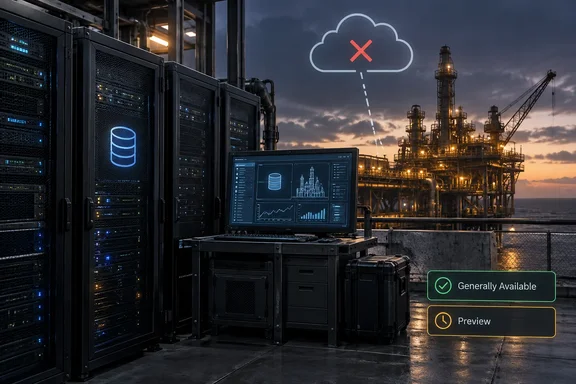
Microsoft's own messaging doesn't fully agree on the status, though. Before anyone takes this to a change advisory board, that conflict needs checking.
What Microsoft announced
In a September 28 post on the Microsoft SQL Server Blog, Principal Program Manager Raj Pochiraju wrote that SQL Server on Azure Local is generally available for both connected and disconnected operations. The Azure Updates entry followed on September 29 with the "Launched" label. On Azure Updates, that label means a fully released, production-ready product available to all Azure customers.
A few points about scope:
- This isn't a new SQL Server version. Microsoft describes SQL Server on Azure Local as SQL Server running in virtual machines on Azure Local hardware in a customer's own datacenters and edge locations. The guest OS can be Windows Server or Linux.
- There are two deployment models:
- Connected: SQL Server runs locally on Azure Local, and Azure Arc manages the SQL Server resources through Azure.
- Azure Local Disconnected Operations (ALDO): SQL Server runs where outside connectivity is restricted, intermittent or unavailable, and operations continue locally.
- You can mix models by site. Microsoft says organizations can pick a model per environment. The corporate datacenter can stay connected while the remote site runs disconnected.
Microsoft's target list includes public sector, defense, financial services, healthcare, manufacturing and energy. Those are Microsoft's intended use cases. Being in one of those sectors doesn't make you eligible, and running disconnected doesn't guarantee compliance.
Section summary: SQL Server on Azure Local is officially GA. The SQL Server blog and the Azure Updates entry say the disconnected mode is GA as well.
Microsoft's announcements conflict on status
On the same day, the Official Microsoft Blog published a roundup of data announcements from the Barcelona conference. It said SQL Server on Azure Local is now generally available, but described the disconnected version differently: SQL Server on Azure Local with disconnected operations, now in preview, extends that flexibility to environments where cloud connectivity is interrupted, restricted or unavailable. Secondary coverage copied that wording. Daily.dev summarized the launch as SQL Server on Azure Local (now GA) with a disconnected-operations preview.
So which is right? The SQL Server blog is the product team's own post, and together with the Azure Updates "Launched" entry it says GA. The corporate roundup says preview. Several explanations are plausible: the roundup was written before a final status change, the two posts are measuring slightly different things, or one of them is simply wrong. Microsoft hasn't clarified publicly.
What to do about it: Before you commit production workloads, get your Microsoft account team to confirm the support status of SQL Server on ALDO in writing. As covered below, you'll be talking to them anyway, because ALDO can't be bought self-service.
Section summary: The product blog and Azure Updates say GA. The corporate blog says preview. Get written confirmation of support terms before you rely on either.
What "disconnected" means for SQL Server
"Disconnected" doesn't mean unplugging an Arc-enabled SQL Server and hoping it copes. According to Microsoft Learn, disconnected operations give you full operational control by moving the control plane into your environment, where your organization operates it. The documentation also says it provides a subset of cloud capabilities. You don't get all of Azure, just a local copy of the parts that support this model.
Under this model, the system doesn't require ongoing connectivity to Azure or the internet. Microsoft Learn says updates, servicing and onboarding use offline or staged workflows, and identity, monitoring and access control use supported on-premises integrations.
The local control plane includes a local Azure portal, Azure Resource Manager, role-based access control, managed identities for supported resource types, Azure Local VM management, Key Vault, Azure Policy and Azure Container Registry. Some neighboring services are still labeled preview in the documentation, including Arc-enabled Kubernetes clusters and AKS enabled by Arc for Azure Local. They aren't part of the SQL Server GA claim.
Some site-design points:
- Each Azure Local deployment is tied to a single site, such as a datacenter.
- One control plane can manage several sites, but you're responsible for providing any required private network connectivity between sites.
- Microsoft Learn says the feature requires Azure Local 2602 or later.
Who can buy it
ALDO has more gatekeeping than any Azure SKU you can buy with a credit card. Microsoft Learn lists these eligibility conditions:
- An eligible agreement. The Microsoft Online Subscription Agreement (MOSA) doesn't qualify. The documentation names the Microsoft Customer Agreement for Enterprises as an example of one that does.
- An active support plan at Standard or higher, with Microsoft or through a partner that has one.
- A valid business reason to run disconnected, such as connectivity limits or regulatory restrictions.
- Operational readiness: staff or a preferred partner who can deploy and run the environment, plus workloads identified in advance.
- Hardware you supply: supported Azure Local hardware and a dedicated management cluster for the control plane.
Access runs through your account team and an application form. Microsoft says applicants hear back within 10 business days with one of four statuses: approved, rejected, queued or needs more information.
Section summary: Expect an application, a qualification review and a real hardware budget before any database gets a VM.
Deployment overview
Microsoft's deployment guide for disconnected operations sets several fixed requirements:
- Physical machines only. Virtual deployments aren't supported, so you can't try this in a nested lab.
- At least three machines for disconnected operations, and up to 16 for the management instance.
- Long deployment times. Cluster deployment can take several hours. After the appliance is installed, Microsoft says a "system not configured" screen can stay up for two to three hours before the local portal appears.
- Control plane downtime happens. The local control plane can be unavailable during node reboots and updates. Plan maintenance windows around that.
The documented sequence, in order:
- Plan network, identity (the guide covers ADFS integration details), security controls and PKI, and size the dedicated management cluster.
- Prepare the Azure Local nodes and install the disconnected appliance on the first (seed) node.
- Deploy the management cluster through the local control plane. Set the Cloud parameter to
Azure.local. Microsoft warns that any other value makes the node try to register with public Azure, which fails. - Match versions.
TargetSolutionVersionmust match the disconnected appliance version, or deployment fails. - Pre-create Azure Key Vault to avoid a known issue that causes long deployment delays.
- Finish the post-deployment checklist. Microsoft says not to skip it: back up the BitLocker recovery keys, since the appliance can't be recovered without them. Also assign extra operators, register the management cluster, lock it down with Azure Policy so no workloads land on it, and clean up any bootstrap disks.
- Deploy workload clusters using the same steps. These are where your SQL Server VMs go.
Starting with release 2604, rack-aware clusters are supported in disconnected mode. They need a local file share witness hosted on a Windows Server in the same Active Directory forest.
For log locations when something goes wrong, the guide points to C:\ProgramData\Microsoft\AzureLocalDisconnectedOperations\Logs on the first machine. The management endpoint's Get-ApplianceHealthState cmdlet reports appliance health.
The step-by-step pages are versioned by Azure Local release. Always use the guide that matches your build rather than a script someone saved during an earlier release.
Licensing: two separate bills
Licensing is where planning spreadsheets usually go wrong, and it has two independent parts.
SQL Server licensing. Microsoft says SQL Server is licensed separately from the Azure Local platform:
- Connected deployments can use eligible existing licenses, including those with Software Assurance or qualifying subscriptions, or pay-as-you-go billing through Azure Arc.
- Fully disconnected deployments use eligible existing SQL Server licenses through Azure Hybrid Benefit.
The consequence of that is an inference: pay-as-you-go through Arc depends on the connected billing path, so disconnected sites should expect to use licenses they already own.
Azure Local disconnected operations infrastructure. Microsoft's billing documentation describes a capacity-based model with an annual term, billed monthly through your Azure subscription:
- You pay per physical processor core under management, including the cores that run the local control plane.
- VM count and vCPU changes don't affect the price.
- You can add cores during the term, and billing adjusts for the rest of it.
- No public prices are listed. Microsoft sends customers to their account representative.
There's also a Windows Server licensing rule. The billing page says Azure Hybrid Benefit covers Windows Server VMs on disconnected Azure Local if you have Standard or Datacenter licenses with active Software Assurance or a subscription, at a minimum of eight core licenses per VM. The same page says Azure Hybrid Benefit for the Azure Local host fee itself isn't available with disconnected operations. The Windows Server VM benefit and the SQL Server benefit are separate programs with separate terms, so don't combine them in one line item.
Section summary: Budget separately for SQL Server licenses, Windows Server guest licenses and the per-core ALDO platform fee.
The AI pitch is still preview
Microsoft pairs the launch with Foundry Local on Azure Local, which runs AI inference next to the data so processing stays on-premises. The SQL Server blog says that as of September 29, 2026, Foundry Local on Azure Local is in preview, and its availability and capabilities could change. It isn't part of the GA, and it isn't bundled automatically with SQL Server deployments.
Analysis: who should care?
This fits a pattern. Earlier this year, Techzine reported on the broader Azure Local and Microsoft 365 Local disconnected launch, noting that organizations with strict sovereignty requirements can operate completely offline, while other customers retain the flexibility to switch between different connectivity modes. Microsoft is working through the stack: infrastructure first, then productivity, and now the database layer.
The benefit is real for the organizations it's built for. They get a vendor-supported, Azure-consistent way to run SQL Server where "just use Azure SQL" isn't possible, whether because of law, policy or physical distance.
The limits matter just as much:
- You operate the control plane yourself. Its patching, its PKI, its BitLocker keys and its downtime during updates are your responsibility.
- The entry cost is high: at least three physical machines for the management side, plus workload clusters, a Standard support plan and an eligible agreement. A small branch office won't justify this.
- Some things are unknown. Microsoft has published no SQL Server–specific performance data, no public pricing, and, as covered above, no single consistent statement of support status.
If you already run SQL Server on-premises and feel no sovereignty pressure, nothing here requires you to move. If you've been keeping a separate, hand-built SQL setup at disconnected sites because Azure tooling couldn't reach them, this is worth taking to your account team. Bring the eligibility checklist, the hardware catalog and a direct question about whether the disconnected mode is GA or preview.
References
- (Launched) Generally Available: SQL Server on Azure Local Disconnected (ALDO) Azure Updates · 2026-09-29T17:51:34Z
- Disconnected Operations for Azure Local | Microsoft Learn learn.microsoft.com
- Disconnected operations for Azure Local overview - Azure Local | Microsoft Learn learn.microsoft.com