

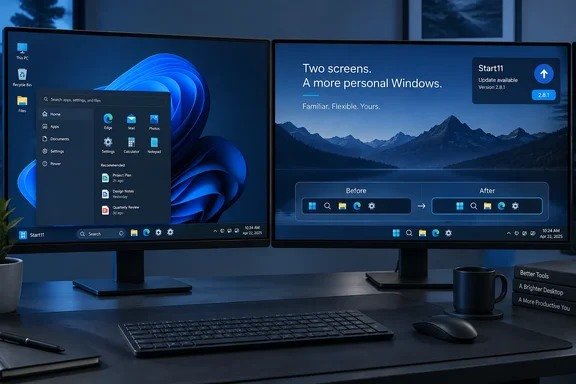
Start11 2.8.1 targets one secondary-display layout
Start11 replaces and customizes the Start menu on Windows 10 and Windows 11, with additional controls for taskbar appearance and behavior. Its taskbar work is what matters here: the new release addresses the alignment of centered icons on a secondary monitor, rather than the layout of the Start menu itself.
Stardock uses slightly different version formatting from Neowin’s listing. The official release history calls this Start11 v2.81, identifies the interface version as 2.81, and gives the file version as 2.8.1.0. Those identifiers describe the same maintenance release that Neowin labels 2.8.1; they are useful when checking whether an installed copy includes the fix.
The documented scope combines three conditions: a secondary display, centered taskbar icons, and a taskbar positioned along the bottom edge. Stardock does not describe whether the faulty icons appeared left-aligned, offset, or otherwise misplaced. Nor does it identify the first affected Start11 version or a particular Windows build, so the release should not be characterized as fixing a confirmed regression in Start11 2.8 or a Microsoft Windows defect.
Start11 2.8’s compatibility work is separate from this fix
The preceding Start11 2.8 release arrived on September 4. Its changelog covered broader taskbar work, including support for what Stardock describes as Windows 11 26H2 taskbar updates and a correction for vertical taskbars on secondary displays. Those changes belong to the earlier release; the newly documented 2.8.1 change concerns bottom-positioned taskbars with centered icons.
That separation helps with troubleshooting. A vertical-taskbar problem and a bottom-taskbar alignment problem can both appear on an additional monitor, but they are different documented cases. The 2.8.1 note does not promise fixes for every multi-monitor layout, missing icon, or taskbar interaction. Treat its narrow description as the basis for deciding whether it addresses the symptom you actually see.
Affected Start11 users have a clear update decision
Prioritize this update if your secondary display shows incorrectly aligned centered icons on a bottom-positioned taskbar. For users without that symptom, the published change supplies no comparable reason for urgency.
- Check the installed version against Stardock’s interface version 2.81 or file version 2.8.1.0 before concluding that the correction is already present.
- After updating, compare the secondary taskbar with its intended centered layout while keeping the taskbar at the bottom.
- Check the primary display as well, but remember that Stardock identifies the secondary-display alignment problem as the fixed behavior.
- Do not treat this release note as confirmation that top, left, or right taskbar placement problems have been resolved.
- If the same alignment fault remains, distinguish it from other taskbar symptoms when reporting it; the published note does not establish resolution- or scaling-specific causes.
Start11 2.8.1 is a focused maintenance release with a readily understandable outcome: centered icons should align correctly on a bottom-mounted secondary taskbar. For users matching that configuration, installing the update and checking the same layout is the meaningful next step—there is no need to redesign the desktop around a problem Stardock now says it has fixed.
References
- Stardock Start11 2.8.1 - Neowin Neowin · 2026-09-22T03:36:01+00:00
- stardock.atlassian.net stardock.atlassian.net