

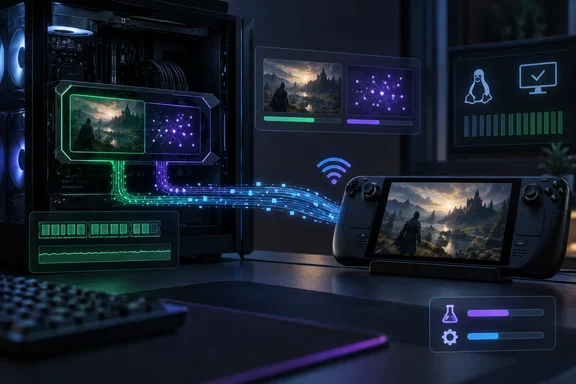
Valve's September 22 Steam Client Beta Patches Pyrowave a Day After Launch
Valve posted the changes in its Steam Client Beta announcements group, and Steam Deck HQ reported the same changelog on September 23. Valve sorts the fixes into three groups. Under Big Picture Mode, the on-screen keyboard now appears in non-Steam games after you toggle Wi-Fi or suspend the machine. Under Steam Input, the glyphs for Xbox Elite Controller paddle buttons are corrected. Under "Remote Play: Pyrowave," there are three fixes.
The three Pyrowave items, word for word from Valve's list, are:
- Fixed occasional flickering when streaming to Linux and SteamOS clients.
- Switched encoding to use the compute queue to avoid contention with game GPU usage.
- Fixed GPU memory leak on the client when frequently changing resolutions.
The timing is what makes this notable. Valve's September 21 beta notes introduced Pyrowave and described it as an experimental codec "which allows high bandwidth, low latency video streaming." So the September 22 update is the first follow-up after the codec reached a wider group of testers. According to GamingOnLinux, this was briefly added in a previous release a while back, then removed - seems they feel it's actually now ready enough for people to test it. Fixes arriving within a day suggest Valve is iterating quickly while the testing window is open. Nothing in the notes says the codec has left experimental status.
One small labeling difference: Steam Deck HQ files the keyboard fix under "General," while Valve's own announcement puts it under Big Picture Mode. The fix is identical either way.
Pyrowave Spends Bandwidth to Cut Latency, and the GPU Does the Work
The fixes make more sense once you know what Pyrowave is. Valve's announcement in the Steam Remote Play discussion group calls it a high bandwidth, low latency video codec created by Hans-Kristian Arntzen. The key design decision is that this codec uses the GPU to encode and decode frames to achieve extremely low end to end latency with a good network.
The cost shows up on your network. Valve says this codec uses 5-10 times the amount of bandwidth of other streaming codecs, so you'll want to have your computers connected directly to your router with at least Gigabit ethernet. Several outlets report that users can disable automatic bitrate control and manually select between 100 and 500 Mbit/s. Digital Citizen puts the trade-off simply: unlike H.264 and H.265, Pyrowave reduces compression work and prioritizes image quality and responsiveness, shifting more of the load onto the network.
There are two color options. HDR is automatically selected if supported by both the host and the client. YUV 4:4:4 takes slightly more bandwidth and processing time, so it's not enabled by default, but can be turned on if you're streaming your desktop or reading text on a 4K display. Valve also cautions that Pyrowave will not necessarily reduce latency on every system because total Remote Play latency also includes network and display latency.
Kantan.News goes further on how it works, reporting that the codec processes frames independently using Vulkan compute shaders and can achieve encoding and decoding times of less than 0.1 milliseconds at 1080p resolution and less than 0.2 milliseconds at 4K resolution. Those numbers describe the codec itself, not complete Remote Play sessions, and no outlet in this reporting measured them on consumer hardware.
Pyrowave's Compute Queue Switch Targets the Cost of Encoding on the Host
The most significant item in the September 22 notes is the change to use the compute queue. Valve says only that encoding now uses the compute queue "to avoid contention with game GPU usage." It gives no benchmarks, no frame-rate claims, and no list of affected hardware.
Some general background helps (this is widely understood GPU design, not something Valve explained). Modern graphics APIs such as Vulkan let an application submit work to separate queues, typically a graphics queue and one or more compute queues. If encode work shares a queue with the game's rendering, the two can end up waiting on each other. A separate compute queue gives the driver and hardware a chance to overlap them. Whether that overlap actually happens, and how much it helps, depends on the GPU and driver.
Here is why this matters in practice. Encoding happens on the machine running the game, and for many Remote Play users that is a Windows gaming PC streaming to a Steam Deck, a Steam Machine, or another PC. When encoding runs on the same GPU as the game, every millisecond spent encoding is a millisecond taken from rendering. Moving the encoder onto the compute queue is Valve's attempt to make that competition smaller. Valve's line doesn't say which host platforms get this change, so the safest reading is that it applies to Pyrowave encoding in the beta client wherever that encoding runs.
This fix makes no promise of higher frame rates or lower latency. It removes one known source of interference. Testers who saw the game's frame rate drop when Pyrowave was on are the people best placed to check whether the September 22 build changes things for them.
Pyrowave Flicker and Memory-Leak Fixes Target Linux, SteamOS, and Client Devices
The other two Pyrowave fixes each have a limited scope. The flicker fix applies to streaming to Linux and SteamOS clients. If you stream to a Windows or macOS client and saw flicker, this item doesn't claim to fix it.
The memory-leak fix is on the client: the receiving device leaked GPU memory when the stream resolution changed often. Valve doesn't say how many resolution changes it took, how big the leak got, or which hardware was affected. For a Steam Deck acting as a client, a leak like this would build up over a session with frequent resolution changes. This is an inference: switching between docked and handheld modes, or adjusting stream resolution, are plausible ways to trigger it, though Valve doesn't name a trigger beyond resolution changes.
Getting Pyrowave running on SteamOS takes an extra step. Valve's announcement says the codec is available now in Steam beta on macOS and Windows. It's available in Steam beta on Linux if you enable the experimental SteamRT3 Steam Client, available in System Settings. GamingOnLinux adds that on desktop Linux the SteamRT3 option is a toggle at the bottom of the Interface settings, while on SteamOS devices such as the Steam Deck and Steam Machine it sits in System settings. Valve also says Pyrowave support is coming soon to the Steam Link app for mobile devices.
On-Screen Keyboard and Xbox Elite Paddle Fixes Arrive in the Same Beta
The headline is about Pyrowave, but the two non-Pyrowave fixes will probably reach more people. The keyboard bug hit anyone running non-Steam games on the Deck, such as emulators, other launchers, or manually added programs. After toggling Wi-Fi or suspending and resuming, the on-screen keyboard wouldn't come up. Suspend and resume is a routine part of handheld use, so anyone who relies on non-Steam titles probably ran into this. Valve's notes don't list specific games or Deck models.
It follows another keyboard change in the September 21 beta. That update made it so that The current Steam beta has a new Remote Play video codec, Pyrowave! was accompanied by a Big Picture Mode tweak where clicking a text field with a physical mouse no longer brings up the on-screen keyboard. Taken together, the two updates show Valve refining when the keyboard should and shouldn't appear.
The Steam Input fix corrects the button glyphs, the on-screen icons, shown for the Xbox Elite Controller's paddle buttons. Valve doesn't say which Elite generation was affected or describe any wider change to controller support. Wrong glyphs don't break input, but they make remapping confusing when the configurator labels the rear paddles incorrectly.
What This Means for Steam Deck Owners and Windows Streaming Hosts
Decide whether to test based on your network and how you stream. If you have Gigabit Ethernet to both machines and you are already experimenting with Pyrowave, updating to the September 22 beta is an easy call, because every item in it is a fix. If you stream over Wi-Fi, or you mainly want stable Remote Play, you can wait for these changes to reach the stable client. Valve hasn't announced when that will happen.
On the Steam Deck, Steam Deck HQ says the update is in System Settings once your update channel is set to Beta or Preview. On Windows and macOS you need to opt in to the Steam Client Beta. Valve's beta group says opting in lets you see new features before release and asks testers to report feedback and bugs in its discussions area. Pyrowave stays off after you update: Pyrowave isn't enabled by default, but you can turn it on in the Steam Remote Play advanced client settings. The sources give no build number or rollback procedure for this update, so plan as if you will stay on the beta channel until you choose to leave it.
- The September 22, 2026 Steam Client Beta fixes Pyrowave flicker on Linux and SteamOS clients, a client-side GPU memory leak during frequent resolution changes, and moves encoding to the GPU compute queue.
- Valve says the compute-queue change is meant to reduce contention with the game's GPU use; it has published no performance figures.
- On a Steam Deck or other SteamOS device, Pyrowave requires the beta channel plus the experimental SteamRT3 client enabled in System settings.
- Pyrowave uses 5 to 10 times the bandwidth of other Remote Play codecs, and Valve recommends wired Gigabit Ethernet for both machines.
- The on-screen keyboard fix for non-Steam games after suspend or Wi-Fi toggles, and the Xbox Elite paddle glyph fix, are in the same beta and don't depend on Pyrowave.
- None of these fixes is on the stable Steam client yet, and Valve has not given a date.
Two days into public testing, Valve's own notes show it working on the first problems testers are likely to hit: GPU contention on the machine running the game, and display and memory bugs on the device receiving the stream. The next steps Valve has announced are Pyrowave support in the Steam Link mobile app and, eventually, these fixes moving from the beta channel to stable. Until then, the codec is best suited to Windows, macOS, and SteamOS users with a wired home network who don't mind running beta software.
References
- UPDATE NEWS - STEAM CLIENT BETA steamcommunity.com