

What the plugin does
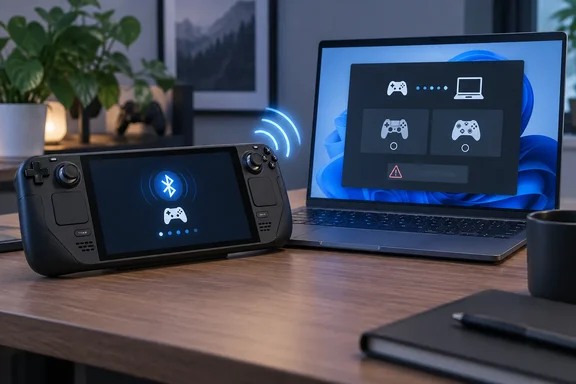
Notebookcheck says the old method meant setting up Steam Link or Steam Remote Play and then mostly ignoring the streaming part, so the handheld only sent its inputs. With the new plugin, the Steam Deck connects directly via Bluetooth as a controller, making it almost as easy to use as a regular gamepad. The aptly named "Deck as Controller" plugin was created by developer jmedina21, who offers the project as a free download on GitHub.
The project's README describes it as a Decky Loader plugin that turns your Steam Deck into a wireless Bluetooth controller for your Mac or iPad. It adds that nothing needs to be installed on the other device: the Deck pairs as a PS5 or Xbox controller. The developer also says it isn't affiliated with, endorsed by, or sponsored by Valve Corporation.
The no-software-on-the-host part matters. Remote Play needs Steam running on both ends. This plugin makes the Deck look like hardware your computer already knows how to talk to.
Summary: The Deck pairs over Bluetooth as a standard gamepad, with no streaming setup and no extra software on the host.
Three controller identities
You choose which controller the Deck pretends to be:
- PS5 DualSense: the standard Sony profile
- PS5 DualSense Edge: the pro Sony profile, and the only one that carries all four Deck back buttons
- Xbox Elite Series 2: Microsoft's high-end controller
Notebookcheck reports that Steam Controller emulation is also planned. A community member has already gone further: in a GitHub issue opened September 30, 2026, a user said they added support for the Steam Controller (2026) to the plugin and offered the code to the main project. As of this writing, that work lives in a fork and is not part of the official release.
Other features listed in the README:
- The Deck trackpads act as the PS5 touchpad, with a small haptic tick when you click them.
- Gyro on the PS5 types.
- Rumble, though the README notes its support varies (see the table below)
- The Deck automatically reconnects to the last device when you turn the plugin on, and it can remember more than one paired device
- The screen turns off while connected to save battery. Tap ⋯ to toggle it; hold ⋯ for 2 seconds to stop and get the Deck's screen and controls back.
Which profile to choose (Mac results from the developer)
According to the README, the profile you pick changes what works. Here are the developer's Mac test results:
| Scenario | PS5 / PS5 Edge | Xbox Elite |
|---|---|---|
| Steam and games played through it | Works | Works |
| Mac games that read controllers directly (e.g., Hollow Knight: Silksong) | Works | Not detected |
| Rumble from Steam / Steam Input games | Doesn't work | Works |
| Rumble from Mac games using Apple's controller support | Works | Works |
| Back buttons | PS5 Edge only | Not tested |
The developer explains the Steam rumble gap this way: Steam never sends rumble to the PlayStation profiles over Bluetooth, so use Xbox Elite if you need rumble in Steam Input games. Some Mac games miss the Xbox profile because macOS keeps the controller name from the first pairing, even after you forget the device. Games that identify controllers by name then ignore the Deck, and renaming it in Bluetooth settings doesn't fix that. The developer's overall pick for Mac is PS5 Edge.
Summary: No profile wins everywhere. PS5 Edge gives you the most buttons and gyro. Xbox Elite is the one that gets rumble from Steam.
How to install and pair
The plugin is not in the Decky store, so you install it from a ZIP:
- Install Decky Loader on your Deck.
- Download deck-as-controller.zip from the releases page. The latest release seen during research was v0.2.0, which github-actions released 30 Sep 16:21.
- In Game Mode, open ⋯ → Decky → Settings → General and turn on Developer mode.
- Go to Developer → Install Plugin from ZIP File and select the ZIP.
- Open ⋯ → Decky → Deck as Controller, pick a controller type, and turn on Use as controller.
- On the host, open Bluetooth settings and pair with the controller that appears, for example "DualSense Edge Wireless Controller."
Steam Deck HQ adds another option: you can extract that zip file to your homebrew/plugins folder manually instead of using developer mode.
Changing profiles: the host remembers the Deck as whatever type it first paired as. To switch, remove the Deck from the host's Bluetooth settings, pick the new type, choose Pair a new device, and pair again. A Linux tester hit the same problem in a different form: at first I was unable to connect because my steamdeck was paired previously to my PC, but after removing eachother from the Bluetooth devices I was able to pair it again through the decky plugin and it just worked. If pairing fails, clearing the old pairing on both devices is the first thing to try.
What we know about Windows
Notebookcheck's summary frames this as a PC controller, but the details are thinner than that framing. The developer has tested on a Steam Deck OLED (SteamOS, Decky Loader 3.2) with a Mac running macOS 27 and an iPad Mini 7 running iOS 27. Windows is on the README's list of platforms that still need community testing, alongside Linux, Android, and the original LCD Deck. Notebookcheck says Windows and Linux should work in theory but haven't been tested much. It also reports that the PS5, Xbox Series X/S, and USB connections are not supported.
Early community reports from the first day are mixed:
- Linux, worked: One user got it running with almost no issues on my Steamdeck LCD using the PS5 Edge Preset connecting it to my Linux desktop running Nixos, and said trackpads, back buttons all working great.
- Linux, failed: A CachyOS user reported an authentication failure between CachyOS/BlueZ and the emulated controller; the connection does get created, but the SSP exchange ends with "Authentication Failure (0x05)".
- Windows, unclear: Steam Deck HQ's writer tried it on a Windows PC, but the sentence as published says I can't confirm that it worked perfectly fine with my Windows PC. That reads like it could be a typo for "can confirm," but it's too ambiguous to count as a confirmed result.
The safe conclusion for Windows 11 users is that it may work, it hasn't been validated, and anyone who tests it can help the project by reporting results. The developer asks bug reporters to include their Deck model, chosen controller type, host device, and the plugin log from ~/homebrew/logs/deck-as-controller/ on the Deck.
There is a reasonable case for optimism, though this is general industry knowledge, not something anyone has tested: Windows has long had built-in support for DualSense and Xbox controllers over Bluetooth. If the plugin's emulation is accurate enough, Windows should treat the Deck like the real controller. The CachyOS failure shows that pairing authentication can break even when the general idea is sound.
Side effects to know about
The README lists trade-offs worth reading before you install:
- Turning the plugin on or off restarts the Deck's Bluetooth service, which briefly drops anything connected to the Deck.
- While it runs, headphones, controllers, and keyboards paired to the Deck can't be used, and the host can't use the Deck as a speaker.
- Under the hood, it restarts BlueZ with a temporary config under
/runand takes exclusive control of the built-in controller over USB, so Steam on the Deck stops responding to it. Stopping the plugin or rebooting puts everything back. - The developer warns this is still a very early build, expect latency and connection issues, specially with untested devices.
Because nothing is written permanently, a reboot is a reliable way out. Still, the developer says to use it at your own risk, and that's fair advice.
Should you bother?
Is a roughly half-kilogram handheld a good controller? According to Notebookcheck, Reddit users raised exactly that complaint: the weight makes it a poor fit for long sessions. The most convincing use is travel. If your Deck is already packed next to a gaming laptop and you forgot a gamepad, you now have a fallback that needs no Steam setup on the laptop.
It also shows how much the Decky community can add without Valve. Steam Deck HQ's reviewer noted they'd always hoped Steam would build this in, while Valve didn't do that, a new plug-in was released that does, and it works like a charm.
Bottom line: Deck as Controller is free, MIT-licensed, and clever. It works well on the developer's Mac and iPad setup, has one confirmed Linux success and one Linux failure, and Windows support is unproven. Treat it as a beta: worth trying, but don't count on it yet.
References
- Steam Deck: Free plugin transforms handheld into DualSense or Xbox controller - Notebookcheck Notebookcheck · 2026-10-01T11:02:00+00:00
- Steam Controller 2 profile · Issue #3 · jmedina21/deck-as-controller github.com
- GitHub - jmedina21/deck-as-controller · GitHub github.com