

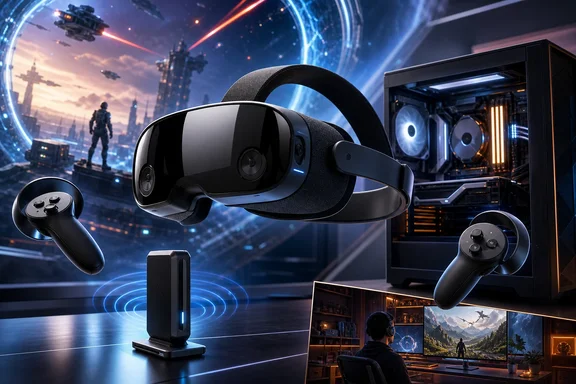
The U.S. models are priced at $1,059 for 256GB and $1,299 for 1TB. At those prices, Steam Frame is an enthusiast purchase rather than an inexpensive route into VR. Its supplied 6GHz wireless adapter, high-resolution displays, and standalone software ambitions create a distinctive package. Yet prospective buyers need to be comfortable with wireless-only PC streaming, the limits of local ARM-based play, and monochrome passthrough before entering Valve’s reservation process.
A wireless PC VR headset without a wired fallback
The most consequential fact for Windows buyers is that Steam Frame does not accept DisplayPort or HDMI input. It has no conventional tethered PC-VR mode. A cable cannot be substituted later as a simple remedy for a difficult wireless environment.
Instead, Valve’s PC-VR design relies on low-latency wireless streaming through the supplied 6GHz Wi-Fi 6E adapter, aided by eye-tracked foveated streaming. That makes Steam Frame fundamentally different from headsets that can use a direct video connection to a graphics card.
There are clear advantages to this approach. A wireless headset eliminates cable drag and gives room-scale VR players more freedom to turn, move, and change position. Including a dedicated adapter also makes the PC link a core part of the product rather than leaving owners to assemble a suitable network setup from unrelated equipment.
The trade-off is that the VR experience depends on more than the headset and GPU. The PC, adapter placement, play area, surrounding radio traffic, walls, and other local conditions can all affect a wireless connection. One independent reviewer reported no observed connection problems using the supplied adapter in home and office testing. That is encouraging evidence that Valve’s intended setup can work well, but it is not a guarantee of identical latency, image quality, or stability in every home.
Eye-tracked foveated streaming is an important part of the strategy. In broad terms, it is intended to focus streaming resources toward where the wearer is looking and reduce demand elsewhere in the image. That can make a great deal of sense for wireless PC VR. It should not, however, be read as a promise that every demanding game will run flawlessly on every PC or in every room.
For a Windows buyer, the practical rule is simple: Steam Frame should be purchased because wireless PC VR is the preferred experience, not because there might be a wired rescue path if that experience proves unsuitable.
Premium hardware, with performance still set by the workload
Steam Frame uses Qualcomm’s Snapdragon 8 Gen 3 processor and 16GB of memory. Its display system consists of two 2160×2160 LCD panels behind pancake lenses, with an approximately 110-degree field of view. The listed refresh options span 72Hz to 120Hz, with an experimental 144Hz mode also available.
These are substantial specifications for a headset that can operate independently of a PC. They also help explain why Valve includes 256GB and 1TB storage configurations rather than treating local storage as an afterthought.
Still, refresh-rate support should not be confused with assured game performance. A headset may offer a particular display mode without every title being able to render or stream at that rate. For PC VR, the actual result will depend on the game’s graphics demands, the Windows PC supplying the frames, and the quality of the wireless link. For local use, the Snapdragon-based headset operates within much tighter power and graphics limits than a gaming desktop.
The included Frame Controllers also signal that Valve is aiming beyond motion-controlled VR alone. They combine conventional gamepad-style inputs with grip controls, capacitive finger tracking, and six-degree-of-freedom tracking. That makes them relevant to VR interaction, but also to non-VR games and applications viewed inside the headset.
This matters for buyers considering Steam Frame as a general Steam device rather than only a room-scale VR accessory. A player who switches between flat games, virtual-screen use, and VR may find a hybrid controller design more useful than one focused exclusively on hand interaction.
Standalone software is a separate proposition from PC streaming
Steam Frame can run standalone VR and non-VR experiences locally as well as receive streamed PC content. Valve’s software approach extends beyond a narrow catalogue of purpose-built mobile applications: the company’s ARM support uses Proton and FEX to help x86 game software run on the headset’s ARM hardware.
That is an ambitious direction, particularly for people with extensive existing Steam libraries. But translation technology should not be mistaken for blanket compatibility or a guarantee of acceptable performance. PC games can differ dramatically in processor needs, graphics requirements, control assumptions, anti-cheat systems, operating-system dependencies, and support for unusual display environments.
The important distinction is between a title running on the headset and one running on a Windows gaming PC before being streamed to the headset. Local compatibility assessment concerns the former. It does not determine whether a PC game will stream well from a Windows desktop, because that remains dependent on the host machine, the game, and the wireless environment.
Likewise, a game starting locally is not by itself proof that it will be enjoyable or comfortable in a headset. VR places unusually high demands on consistent frame delivery, while a conventional 2D title shown on a virtual screen can have different practical expectations. Buyers should therefore look for suitability information for the specific local experience they intend to use instead of assuming that a familiar Steam library will transfer wholesale to standalone play.
For most Windows enthusiasts, standalone mode is best understood as added flexibility. It may enable lighter VR experiences, compatible games, and non-VR applications without powering on the main PC. Steam Frame’s defining use case remains the wireless delivery of PC-rendered Steam content, not replacement of a high-performance desktop for graphically intensive games.
Monochrome passthrough narrows the mixed-reality appeal
Steam Frame uses low-resolution black-and-white passthrough rather than colour passthrough. This is one of the most obvious product trade-offs.
Passthrough is useful for practical tasks such as finding a controller, checking the room, locating a keyboard, or maintaining basic awareness of people and objects nearby. A monochrome view can still serve those functions. It is less suited, however, to convincing room-aware experiences that depend on blending digital objects with a detailed view of the physical environment.
That creates a meaningful difference from Meta Quest 3, which has colour passthrough and is more directly oriented toward mixed reality. The comparison is not simply a matter of one headset being better than another. Steam Frame is aimed more squarely at premium wireless access to a PC Steam library, while Quest 3 may be a more natural fit for a buyer who prioritizes colour passthrough, room-aware applications, or a lower initial purchase price.
A shopper who expects frequent keyboard use, wants to move easily between physical and virtual tasks, or is particularly interested in mixed reality should treat passthrough quality as a major buying criterion. It is not a minor specification difference.
The price only works if the design matches your habits
At $1,059 for the 256GB version and $1,299 for the 1TB version in the United States, Steam Frame is firmly priced for enthusiasts. The cost includes premium-oriented elements: high-resolution panels, pancake lenses, 16GB of memory, sizable onboard storage, controllers, and the dedicated 6GHz adapter.
The adapter deserves special attention in any value calculation. It is not merely a bundled extra; it is foundational to the product’s wireless PC-VR model. A buyer who values the freedom of a cable-free headset may see real value in a package designed around that goal. A buyer who wants a simple direct connection to a PC may instead be paying for an approach they do not want.
Storage needs will also differ by usage. The 1TB model has a clearer rationale for someone who plans to install a substantial amount of local content. Someone intending chiefly to stream games from a desktop may place less value on the larger capacity, although standalone applications and media can still make local storage relevant.
There is no supported basis for reducing the retail price to one simple component-cost explanation. Reported comments indicate wider pressure in the RAM market, but they do not provide a complete, quantified explanation for Steam Frame’s final pricing.
Reservation guidance: registration is not an immediate order
As of September 15, 2026, Steam Frame should not be treated as broadly available through an ordinary instant-purchase process. The initial process is a controlled, randomized allocation.
Registration submitted by September 17, 2026, at 10 AM Pacific Time enters that allocation. Meeting the cutoff does not guarantee an immediate purchase opportunity, and it should not be described as a first-come, first-served queue. Valve will notify entrants after allocation regarding their status.
That distinction matters for buyers trying to plan an upgrade or sell an existing headset. Registration is a request to participate in the allocation process, not confirmation that an order can be completed on a particular day. It is sensible to avoid making hardware, accessory, or resale decisions until a purchase invitation and the relevant retail terms are actually available.
Who should consider Steam Frame?
Steam Frame makes its strongest case to a Windows gamer who already owns a capable PC, places a high value on wireless VR, and accepts that the local radio environment is part of the performance equation. It is also more compelling for someone interested in Valve’s evolving standalone ARM software ecosystem, rather than someone expecting every existing PC title to run locally without compromise.
It is a harder recommendation for buyers who want a conventional wired PC-VR path, regularly need high-quality colour passthrough, or are seeking the least expensive entry into VR. Those preferences directly conflict with Steam Frame’s central product choices.
Valve’s focus is unusually clear: serious wireless PC streaming paired with a self-contained headset that can also run selected content locally. For the right Windows gaming setup, that focus could be its greatest strength. For buyers whose priorities are wired reliability, broad local compatibility, or mixed reality, it is a reason to compare alternatives carefully before committing to the reservation process.
References
- Valve Officially Announces Steam Frame, A 'Streaming-First' Standalone VR Headset UploadVR
- Steam Frame, GDC 2026 Hardware Talk Valve / Steamworks
- Steam Frame review PC Gamer