

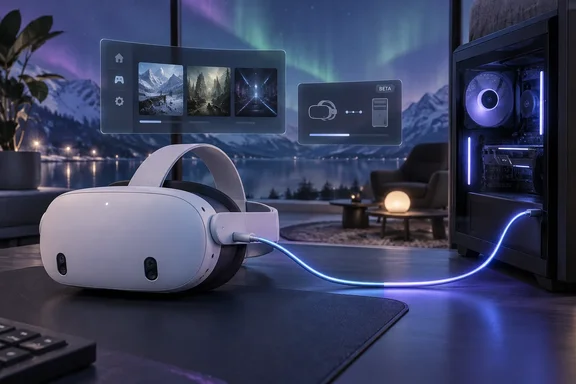
The same build also changes Steam Link frame rates and bitrate, the SteamVR environment and dashboard, controller bindings and Linux support. Here is what's new, how to opt in, and what Valve still hasn't said.
What's new in SteamVR beta 2.18.1
For Windows PC VR users, the main change is that Steam Link on Quest no longer has to depend only on your home Wi-Fi. Valve's Steam Link changelog for this build lists four items:
- Tethered Quest support over USB. This only works when the headset runs the Steam Link beta.
- Streaming fixes. Valve improved automatic bitrate selection and patched cases of video corruption, checkerboarding, and stuck streams.
- Headset frame rate can override the host. One feature lets the HMD override host framerate, when you've configured that manually at the OS level. Like the USB tethering, it needs the Steam Link Beta.
The frame-rate change has limits. It isn't automatic frame-rate matching, and it isn't a setting for every headset. Valve says it applies when the rate has been set manually at the OS level on Meta Quest headsets.
In short: wired streaming, better bitrate selection, fewer broken streams and a manual frame-rate override, all for users who opt into both betas.
How we got here: USB streaming came earlier in September
This is not Valve's first USB streaming note. Its September 1 beta (2.17.8) listed "initial support for USB streaming" and said it could be used without Wi-Fi by opting into the Steam Client Beta. The SteamVR 2.17 release on September 10 repeated that initial USB support, again noting that it required the new Steam Client Beta.
Early testing was mixed. UploadVR described the setup as simply plugging a data-capable USB-C cable into the headset after launching the app. An active USB connection is currently indicated by a cycling Wi-Fi signal on the SteamVR dock. But the reviewer found that Steam Link would still fail to find the host PC without an active Wi-Fi connection. UploadVR concluded that it instead seemed to require the PC to be discovered over Wi-Fi before switching to USB streaming, so the feature may not yet be fully implemented in the current release.
The 2.18.1 note is the first to call this "tethered Quest support" by name and to say the headset's Steam Link beta is required. What it doesn't say is whether the Wi-Fi discovery problem is fixed. It also doesn't say whether the Steam Client Beta, which the earlier notes required, is still needed. Treat both as unknown until your own setup or a later Valve note answers them.
In short: USB streaming first appeared as "initial support" in early September. The 2.18.1 build names Quest tethering directly, but Valve hasn't said whether it now works without Wi-Fi.
How to opt in
Valve says anyone can join the SteamVR beta. Road to VR's guide from the earlier USB beta gives these steps for the PC:
- Open your Steam library, right click SteamVR, select Properties in the context menu.
- Select the Game Versions & Betas tab on the left.
- Select Beta – SteamVR Beta Update and choose the beta option.
On the headset, you need the Steam Link beta. UploadVR says you can join the Steam Link for Meta Quest public beta using Valve's official invite link while signed in to your Meta account. Valve's own announcement sends users to its Steam Link for Meta Quest FAQ for setup.
The Steam Client Beta was a required step earlier in September. Road to VR describes opting in this way: click on Steam in the upper left of the main menu, choose the Settings menu. On the Interface tab under Client Beta Participation, select the dropdown menu. Select the Steam Beta Update from the drop down list and then restart Steam. The 2.18.1 notes don't mention it either way, so it's reasonable to have it on while testing.
If it doesn't connect
- Check both betas. Installing SteamVR 2.18.1 alone won't enable tethering. The headset must also run the Steam Link beta.
- Try with Wi-Fi on. Earlier testing found the PC had to be found over Wi-Fi before streaming switched to USB. If a cable-only setup fails, connect both devices to the same network first.
- Check the cable. You need a USB-C cable that carries data, not a charge-only one. Valve hasn't specified exactly what sort of USB-C cable you should use, according to Road to VR, which suggests following Meta's USB 3.0-or-better guidance for Link cables. That is Road to VR's advice, not a Valve requirement.
- Report bugs in the right place. Valve asks for reports in the SteamVR Bug Report forum, ideally with a system report attached. It says replies to the announcement post aren't tracked as bug reports.
In short: you need the SteamVR beta on the PC and the Steam Link beta on the Quest. Keep Wi-Fi available while testing, and send problems to Valve's bug forum.
What Valve hasn't said
Valve published no performance data. MIXED points out that there are no bandwidth or latency figures… more precisely, MIXED notes the notes give no bandwidth or latency figures, no cable specification, and no model named beyond "Meta Quest headsets." A Quest 2 owner has no more information than a Quest 3 owner.
Don't assume the cable will beat Wi-Fi. A wired link avoids busy wireless channels, which is the main reason to want one. But how well it performs depends on the USB controller, the cable, the encoder settings and how the headset handles the USB connection, and Valve hasn't published figures for any of that. VR.org's look at the earlier beta, and at an unofficial script built around it, suggests the Quest's USB port acts as a network interface. That points to the cable working more like a network connection than a direct video link. VR.org's reporting is secondary, and Valve hasn't documented how the feature works.
MIXED also points out that Meta's own Quest Link has carried PC VR down a USB cable for years. So why would a Quest owner try Valve's beta? For people who already use Steam Link, it keeps everything in Valve's app instead of switching to Meta's PC software. That matters most to people who mainly play Steam games.
The rest of the build: Aurora, dashboard and bindings
Everyone on the beta gets a new default environment. Valve's notes say the default environment is now the "Aurora" (can be disabled in settings). Added content-aware aurora color tinting, in theater environment.
Dashboard and control changes:
- System UI supports gamepad navigation.
- Lesser-used UX controls moved to an "Additional Options" menu.
- Game dimming while the dashboard is up can be disabled in settings.
- A fix for keyboard not showing up when summoned in some scenarios (Skyrim VR).
Three binding fixes cover render model simulation values not being recognised, the Binding UI showing the wrong default values for render model simulation type, and bindings missing when they were modified locally and then the Steam account was changed.
Linux fixes
Linux users get three fixes: async reprojection now works on AMD GPUs, GPU selection is fixed on systems with both discrete and integrated cards, and there's a fix for running without systemd. GamingOnLinux's Liam Dawe wrote that Valve left SteamVR in quite a state on Linux for far too long, so these fixes are welcome, if overdue.
Some coverage links this work to Valve's hardware plans. LinuxCompatible suggested all signs point toward Valve staging the software for its upcoming standalone Steam Frame headset, though no date or price has been announced. That's the publication's reading, not something Valve says in the changelog.
Where things stand
None of this is on the stable channel yet. According to MIXED, version 2.18.1 is the first 2.18 build Valve has announced, following the 2.17.10 hotfix on September 18, and the stable channel is still on the 2.17 line, which is where Valve switched Steam Link's new sharpening filter off by default. If you want that sharpening filter, Valve's 2.17.10 notes say you can turn it back on under SteamVR Settings → Steam Link → Sharpen image before encoding.
Who should try it?
- Try it if your Wi-Fi is congested, your router is far from where you play, or you're comfortable testing betas and filing bug reports.
- Wait if your Steam Link setup works well now, or if you need a PC VR setup you can count on. Any beta, including this one, can break things between builds.
- Don't buy a cable yet just for this. Valve hasn't named a supported cable, and its notes don't confirm that the cable works on its own without Wi-Fi.
Valve has now moved from "initial USB streaming support" to naming tethered Quest support in its changelog. What's still missing is the practical detail: a supported cable list, which Quest models work, performance figures, and confirmation that the cable works without Wi-Fi. Those answers are likely to decide whether wired Steam Link is ready by the time it reaches the stable channel.
References
- Steam Link now streams to your Quest over a USB cable, if you run two betas - MIXED Reality News MIXED Reality News · 2026-09-25T09:35:06+00:00
- Steam Link's Latest Public Beta Adds Wired USB Support On Quest Headsets uploadvr.com
- News - Steam Community Announcements store.steampowered.com