

The lineup
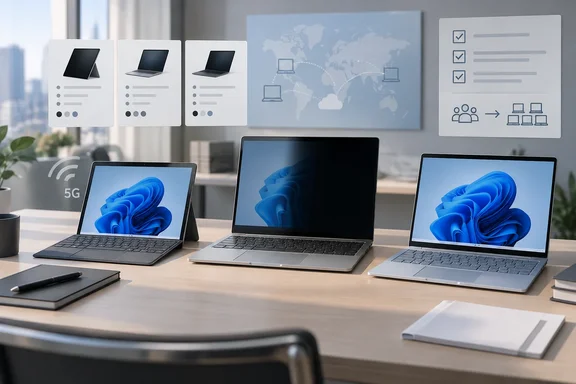
The refresh has three product families in four configurations. Every device is a Copilot+ PC with a touchscreen:
- Surface Pro for Business, 13-inch (12th Edition): the 2-in-1, available in Wi-Fi and Wi-Fi + 5G versions.
- Surface Laptop for Business, 13.8-inch and 15-inch (8th Edition): the main clamshells. Select 13.8-inch configurations offer an integrated privacy screen.
- Surface Laptop for Business, 13-inch: the smallest and lightest clamshell, now offered with Intel.
Windows Central's comparison lists the Intel Surface Pro processors as the Intel Core Ultra 5 335 and Core Ultra 7 366H. The previous Intel business Pro (11th Edition) used Intel Core Ultra 5 236V, Core Ultra 5 238V, Core Ultra 5 266V, Core Ultra 5 268V chips. Micro Center's listing names the CPU family directly: CPU Core Panther Lake.
Summary: This is a Panther Lake refresh of the existing designs, not a new form factor. If your imaging, docking and support processes already handle Surface, the changes are mostly inside the chassis.
The NPU spec: 50 TOPS isn't universal
The Data#3 piece says the whole family has a 50 TOPS NPU. Microsoft's own US store listing for the Surface Pro breaks it down differently: Intel® Core™ Ultra 5 processor (Series 3):Intel® AI Boost with 47 TOPS Intel® Core™ Ultra 7 processor (Series 3):Intel® AI Boost with 50 TOPS.
In practice this shouldn't block any deployment. Microsoft's documentation lists Click to Do as needing a 40 TOPS NPU, 16 GB of RAM, eight logical processors and 256 GB of storage, and the 47 TOPS part clears that bar. But if a procurement document, tender or internal standard says "50 TOPS", the Core Ultra 5 SKUs don't meet it. Spec documents get audited, so this is worth catching early.
A Copilot+ label also doesn't mean every AI feature is switched on. Recall, Click to Do, improved Windows Search and live captions depend on the Windows version, region, app support and your organization's policies. Microsoft's own launch notes say feature availability and performance vary by device, configuration and region, and that some AI features need an internet connection or a Microsoft 365 subscription. Treat the NPU as capacity you have available, not a set of features you've enabled.
Graphics: Microsoft's claims and their limits
Microsoft is selling this generation mainly on graphics. In its launch post, it says select Core Ultra X7 configurations deliver up to 35% more graphics performance than an M5 MacBook Air, and more than 90% better performance than Surface Laptop 5. The footnotes in Microsoft's Japanese version of the announcement narrow those claims:
- The tests were Microsoft's own, run in April 2026 with the Cinebench 2024 Multi-Core benchmark.
- The MacBook comparison set 13.8- and 15-inch Surface Laptops with Core Ultra X7 against a 13.5-inch MacBook Air with a 10-core M5.
- The Surface Laptop 5 comparison put Core Ultra X7 models against Core i7 Surface Laptop 5 units. Microsoft claims up to 95% faster on the 15-inch and up to 93% faster on the 13.8-inch.
Data#3 goes further and says users who used to need a discrete GPU for light creative work can now stay on integrated graphics. That may be true for some users, but neither Microsoft nor Data#3 has published workload testing to support it. One independent data point comes from TechRadar's hands-on. The reviewer installed Adobe Creative Cloud and Photoshop 2026 and edited a lot of photos and was impressed with speed and battery life, but the headline also complains about the fan. TechRadar also notes that the Pro's rating is 17 hours, but that's basically a video playback rundown.
What this means for your fleet: before you move design and marketing staff off machines with discrete GPUs, run a pilot with the actual apps, plug-ins and file sizes those teams use. Results will differ between the Core Ultra 5 and X7 tiers.
Surface Pro: 5G returns on Intel
For mobile workers, this is the most useful change. Intel business buyers had to go without cellular for a generation. A Wikipedia summary of the 11th-generation Pro says its business 5G option was offered Only on Snapdragon models, not Intel models. The older Surface 10 Pro is available with Intel and 5G. In this refresh, Microsoft's product page lists Optional 5G connectivity for the Intel 13-inch Pro.
Practical notes:
- Delivery dates vary by market. In Japan, orders opened May 20, but the Core Ultra 7 5G Pro was scheduled to ship on August 18, 2026. Microsoft Japan's later update moved the Core Ultra 7 Wi-Fi Pro, and some non-privacy 13.8-inch Core Ultra 7 Laptops, to July 31. Expect your region's schedule to differ.
- Check carrier support. Microsoft says 5G isn't available everywhere, and that compatibility and performance depend on the carrier's network and plan.
- eSIM: Data#3 says eSIM support lets you provision lines through your existing carrier processes. The Microsoft sources we reviewed don't specify how cellular provisioning works, so confirm it against your market's spec sheet before you design an onboarding process around it.
Memory goes up to 64 GB. Microsoft's product page lists 16 GB, 32 GB or 64 GB LPDDR5x RAM, and Microsoft's store lists a Removable solid-state drive (Gen 4) 256 GB, 512 GB, or 1 TB. A removable SSD makes it easier to keep data when a device fails, and that matters to organizations that require drives to be retained.
One more catch for anyone standardizing on OLED: Microsoft India's footnotes say that On devices with Intel®, OLED is only available on the Intel® Core™ Ultra X7 processor 368H (Series 3) configuration. The US store lists the Ultra 7 366H as the top processor. Microsoft's own pages name the top chip differently, so check the exact processor on the SKU you order, not the marketing name.
Surface Laptop 13.8 and 15-inch: privacy screen, with conditions
The new hardware feature is the built-in electronic privacy screen. Microsoft says it's software-driven and built into select 13.8-inch configurations, that users can turn it on with a single keystroke, and that IT can manage it centrally. It replaces the add-on privacy filters some security teams have required for years.
The conditions:
- It is available only on select 13.8-inch configurations. It isn't on every 13.8-inch unit and isn't offered on the 15-inch at all.
- Data#3 says there's no noticeable vignette at the edges when it's on. That's the partner's subjective impression. We found no independent measurements of viewing angles or brightness loss.
- It stops people reading over a user's shoulder. It doesn't replace screen-lock policy, BitLocker or data-loss prevention.
Microsoft lists the 13.8- and 15-inch models at US$1,949.99 MSRP and rates them at up to 23 hours of battery life in local video playback. Data#3 says both sizes now go up to 64 GB of RAM, compared with a 32 GB maximum before. Check which configurations your channel actually offers.
Surface Laptop 13-inch: Intel and a 24 GB option
The 13-inch Laptop is aimed at organizations that standardize on x86 for app compatibility or image reasons. Microsoft lists it from US$1,499 MSRP in 16 GB and 24 GB configurations, with an 8 GB model coming later at US$1,299.99. It also has Wi-Fi 7 and a removable Gen 4 SSD. Japan was still awaiting a date for the 8 GB model. Data#3 says 24 GB is a first for an Intel Surface. If a user has outgrown 16 GB but doesn't need 32 GB, it's an option worth pricing.
Management and security
Microsoft says these devices ship as Secured-core PCs and can be managed through Intune "from UEFI to browser," with firmware delivered through Windows Update. It also points to memory-safe firmware built on Project Mu, Rust-based drivers and a secure embedded controller.
On the Surface Management Portal, Data#3's description is broadly correct but leaves something out. According to Microsoft Learn, the portal sits inside the Intune admin center under All services > Surface Management Portal. It covers enrolled Surface devices only and shows device counts by model, compliance and hardware insights, warranty status, and support requests. It's useful for planning refreshes. But a Surface that isn't enrolled won't appear there, and the portal on its own doesn't speed up patching.
Pre-purchase checklist
- Match the SKU to the spec: confirm the processor model, NPU TOPS (47 or 50) and OLED eligibility for each configuration.
- Pilot graphics-heavy users with their real workloads before you retire machines with discrete GPUs.
- Confirm 5G carrier support and how eSIM provisioning works in your market.
- Check the privacy screen SKU if you need that feature. It isn't on every 13.8-inch model.
- Check AI feature policy: decide whether Recall, Click to Do and similar features should be on, off or managed before you deploy.
- Enroll devices in Intune so they show up in the Surface Management Portal.
- Test existing peripherals. Data#3 says older Flex Keyboards, pens and docks are compatible, but Microsoft's materials we reviewed don't confirm this.
Bottom line
The refresh is a real improvement, and the three most useful changes for business buyers are 5G returning on Intel, the built-in privacy screen and a smaller Intel laptop. Base your purchase on the specs for the exact SKU you're ordering, not on general claims. The 47 versus 50 TOPS split shows why: a family-wide spec isn't always true for every configuration.
References
- The new Intel-powered Surface family is here! Here’s what it means for your fleet. - iTnews iTnews · Wed, 07 Oct 2026 18:00:00 GMT
- I've been working on Microsoft's 13-inch Surface Pro 12th Gen for Business running Intel Core Ultra Series 3, and am surprised by its speed and battery life, but oh that fan techradar.com
- ビジネスを革新し、AI 活用を加速する新世代 Surface デバイスのご紹介 - Windows Blog for Japan blogs.windows.com