

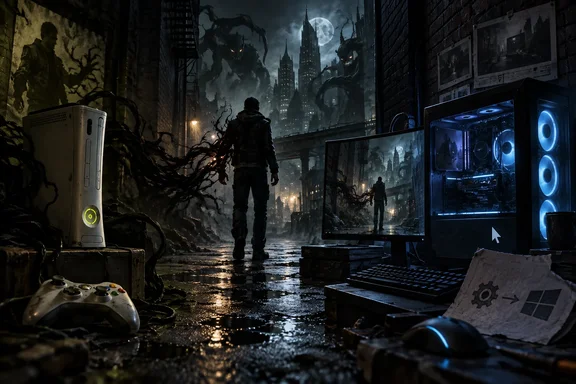
For Windows users this is more than nostalgia. It's the latest example of a technique that has been turning Xbox 360 games into real PC executables, and the project documents its setup, requirements and limits in useful detail.
What was released
The repository calls the project a native Windows x64 port of the Xbox 360 game. The Xbox 360 executable is translated to C++ ahead of time and compiled into a program called DarkRecomp.exe, which uses a Direct3D 11 renderer. The maintainer is clear that nothing is emulated at runtime.
The release history shows the project moving quickly:
| Version | Date (2026) | Focus |
|---|---|---|
| v0.1.0 | September 15 | First binary pre-release; renderer smoke-tested |
| v0.1.1 | September 20 | Easier Windows setup, generator fixes, corrected ZIP layout, bundled runtime DLLs |
| v0.1.2 | September 27 | Fixes for shadows, the Darkness Vision effect and high-resolution rendering |
GitHub labels all three builds as pre-releases. The v0.1.2 notes say the build passed 68 automated tests, but it has not been through a complete gameplay playthrough. Those test results come from the maintainer. Nobody has independently confirmed them. The project is GPLv3, matching the upstream tools it builds on.
In short: it's an open-source, unofficial native port with three pre-releases in two weeks. It runs, but it's still early.
How it works: static recompilation
The port uses the toolchain that made the unofficial PC version of Sonic Unleashed possible. According to the hedge-dev team's GitHub page, XenonRecomp and XenosRecomp are the main recompilers used for converting the game's original PowerPC code and Xenos shaders into compatible C++ and HLSL code respectively. The Darkness Recomp repository says its build pulls in a pinned copy of XenonRecomp and applies its own patches for The Darkness.
The recompiler only does part of the work. The XenonRecomp documentation warns that this project does not provide a runtime implementation. It only converts the game code to C++, which is not going to function correctly without a runtime backing it. In other words, translating the code is the easy bit. Someone still has to rebuild the console's kernel calls, graphics pipeline, audio, input and file system. The Darkness Recomp's source tree shows that work: a runtime folder for the native kernel, audio, input, XMA and filesystem bridges, and a renderer folder for the D3D11 backend and scene reconstruction.
Why not just use an emulator? The creator of ReXGlue, another Xbox 360 recompilation toolkit, told the ROM newsletter that "Static recompilation opens the door for things that are extremely difficult or outright impossible to achieve in the realm of JIT emulation. Things like deep modding support, native subsystem replacements, and platform-specific optimizations that just aren't feasible when you're translating instructions on the fly." The mouse support described below is a good example.
This isn't a one-off either. When XenonRecomp arrived in 2025, Video Gamer's Oasis described it as an exciting new way to preserve Xbox 360 games, especially when we consider many titles have been delisted or are stuck on the hardware. The Darkness is one of those titles.
In short: the port is built with XenonRecomp plus a lot of custom runtime and renderer code. The recompiler alone wouldn't get you here.
What works in the PC version
The README lists gameplay, mouse look, controller input, video settings, XMA audio and saves as working. The controls documentation adds these settings under Options > Video Settings:
- Resolution: 360p, 480p, 720p (the default internal render height), 1080p, 1440p and 2160p. You have to restart the game after changing it.
- Field of view: Original, or 60–120 horizontal degrees at 16:9. Ultrawide screens show more at the sides.
- Frame limit: 30, 60 (default), 90, 120, 144, 165, 240, 360 or Unlimited.
- Gamma from 0.50 to 1.50, bloom on or off, VSync (off by default), FXAA antialiasing, and windowed or borderless fullscreen.
The game starts in borderless fullscreen at your monitor's aspect ratio, including ultrawide and 32:9 displays, and Alt+Enter switches to a resizable window. Motion blur is turned off. Settings save to DarkRecomp.settings.ini.
The mouse support is properly native. The documentation says keyboard input comes through Win32 window messages and mouse look uses Raw Input, feeding the game's own input interface directly. It does not turn mouse movement into a simulated analog stick, so the controller's dead zones and acceleration don't apply. Anyone who has aimed through a mouse-to-stick remapper will know why that matters. Physical XInput controllers still work, and on-screen button prompts switch between keyboard and controller artwork depending on what you're using.
The v0.1.2 fixes cover some visible problems. The golden edge glow of Darkness Vision is back, character shadows no longer vanish or flicker as the camera moves, shadows on small props like stools have been restored, and a grey-green tint in dark areas above 720p has been fixed.
In short: you get the resolution, frame-rate, FOV and mouse options PC players expect. These are the project's own options, though, and there's no promise every setting works well on every system.
Requirements and setup
The download doesn't include the game. You need your own dumped copy of the Xbox 360 version, and an ISO alone won't work. The dump has to contain decrypted executable images for the one game revision the project supports.
What you need:
- 64-bit Windows 10 or 11
- A graphics device that supports Direct3D 11
- Your own Xbox 360 dump of The Darkness
- xorloser's XexTool, downloaded separately (the project tested v6.3)
You don't need a compiler, Python or a separate audio install to play the packaged release.
Steps, according to the repository:
- Download
The-Darkness-Recomp-v0.1.2-windows-x64.zipfrom the release's Assets. The "Source code" archives are for developers and won't run. - Right-click the ZIP and choose Extract All.
- Copy your whole dump (
default.xex,Content,Systemand everything else) into the includedDarknessfolder. - Put
xextool.exenext todefault.xex. Typepowershellinto File Explorer's address bar and press Enter, then run these commands one at a time:.\xextool.exe -e u -c u -o _uncrypted.xex default.xex.\xextool.exe -b basefile.exe default.xex
- Make sure both commands report success. Don't rename the output files or apply any region or devkit patches. Note that
basefile.exeis a raw Xbox 360 memory image. It is not a Windows program, so don't try to run it. - Check the hashes with
Get-FileHash .\_uncrypted.xex, .\basefile.exe -Algorithm SHA256 | Format-List. For the supported revision they should be:_uncrypted.xex:a7ccd87860889fa082d62dcc24382467d59c8031f6e99d2ed9f3dbddaa7d535ebasefile.exe:180b7fc8f57462f6bac3404ecab061a8d79914c7a3e9a12c238bd3449e72d049
- Double-click
Launch.cmdin the parent folder. Click the game window to capture the mouse. F1 shows the controls, F2 toggles mouse capture, and Esc releases the cursor.
If you're upgrading from an older build: close the game, extract the new ZIP over your existing folder, and keep Darkness, saves and DarkRecomp.settings.ini. You don't need to rebuild anything.
If it doesn't work:
- Hashes don't match: the tested files report Title ID
545407EE, Media ID0F213645, version0.0.0.1, and "All Regions". The maintainer warns that "All Regions" doesn't mean every disc revision works. The hashes are what decide it. A mismatch can mean a different revision, a modified dump or a preparation mistake. Report the hashes along with the output of.\xextool.exe -l default.xex. - Game closes after launch: attach the newest
build_native/run/desktop-*/runtime.logto a GitHub issue. - Don't post game files or the full XexTool output. The maintainer notes that output contains unrelated key fields.
Building from source is a bigger job. It needs Visual Studio 2022 with ClangCL, CMake 3.24+, Python 3.11+, Git, MSYS2 and LLVM for the audio build, and about 15 GB of free space.
Our take
This is good news with some clear limits. On the plus side, a 2007 game locked to old console hardware now runs as a native Windows program, with proper mouse input and modern display options, and the code is open for anyone to check or improve. The documentation is unusually careful: verified hashes, a warning about region labels, and privacy advice for bug reports.
Now the limits. There's no official support. The build is a pre-release that hasn't been played start to finish. And the dump requirement means you need Xbox 360 hardware or files you've already made from a disc you own. Getting a legal dump is on you. The project provides no game content.
The bigger point: as Xbox 360 recompilation tools mature, community developers are doing ports that publishers never did. The obvious question is whether rights holders will respond with official re-releases. For now, The Darkness on Windows is a fan project, and a pretty impressive one.
References
- 19 years later, the shooter The Darkness has been ported to PC - ixbt.games ixbt.games · 2026-09-27T22:14:57+00:00
- Releases · portingpete/The-Darkness-Recomp · GitHub github.com
- The Darkness Recomp github.com