

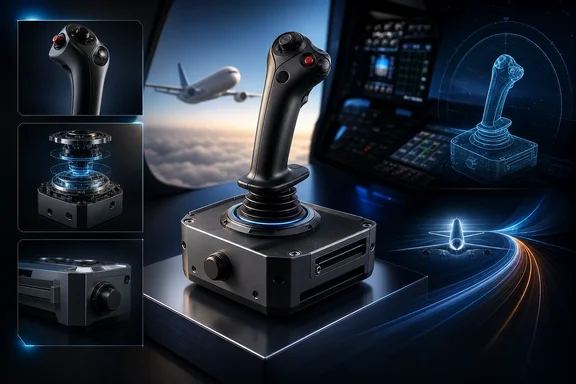
That distinction matters because the hardware’s appeal is real: a 1:1-scale, officially licensed Airbus grip, a configurable base, and controls suited to airliner flying. Yet the best buying decision depends less on the logo and more on a pilot’s mounting plan, desired resistance, Windows software setup, and tolerance for mechanical tuning. An independent hands-on test in Microsoft Flight Simulator 2024 with the Fenix A320 found the combination highly capable, smooth, and particularly appropriate for Airbus operations. Those are meaningful impressions, but they remain reviewer experience rather than controlled proof of superior precision or realism.
What You Are Actually Buying
The Airbus Add-On Grip is not a self-contained flight stick. It is a left-hand grip designed to connect to a compatible Thrustmaster base. At the checked U.S. prices, the grip costs $129.99 and the AVA Base costs $299.99, setting a $429.98 hardware floor before extras.
The grip is officially compatible with the AVA Base, Sol-R bases, and the Warthog MKII base. Owners of the original Warthog base should be especially careful: compatibility is limited and requires Thrustmaster’s separately sold Warthog Converter. That is an important constraint for upgraders who may assume an older Thrustmaster base will simply accept the new grip.
For its airline identity, the grip offers more than a visual resemblance. It is an officially licensed, 1:1-scale Airbus replica that can be converted between an A300-series airliner arrangement and an A400M arrangement with the supplied module and button cover. This is useful for sim pilots who fly different Airbus types, although it does not turn the stick into a universal replica for every Airbus cockpit.
The stated input set consists of five buttons, four axes, a dual-mode trigger, and a mechanically lockable Z-axis. Thrustmaster specifies 16-bit H.E.A.R.T. sensing for the grip’s Z-axis and mini-stick. The lockable twist axis is particularly practical: pilots using pedals can lock it to avoid inadvertent yaw commands, while desktop users without pedals can leave it available.
Prospective buyers should not extend that 16-bit specification to the entire assembly without qualification. The available AVA Base product description identifies its AXY and H.E.A.R.T. technologies but does not provide an equivalent 16-bit resolution figure for the base’s X/Y axes. It is fair to describe the grip’s specified Z-axis and mini-stick sensing; it is not currently justified to advertise independently verified 16-bit X/Y precision for the AVA Base.
AVA’s Main Advantage Is Adjustability
The AVA Base is the more consequential part of the pairing. Where the grip establishes the aircraft-inspired control layout, the base determines much of the force, travel, and return behavior the pilot feels.
Thrustmaster includes interchangeable components that let owners alter three central characteristics:
- Cams change the axis curve.
- Springs change resistance.
- Travel masks limit or alter travel.
The retail package includes Aero and Jet cams, Soft, Medium, and Strong springs, Small, Medium, and Extra Large masks, Allen keys, and a detachable USB-C cable. That is a substantial tuning kit at the base price, and it makes the AVA materially different from a typical fixed-feel consumer joystick.
This flexibility has practical value for Microsoft Flight Simulator 2024 players. A pilot who primarily flies Airbus airliners may prefer a configuration that supports steady, modest corrections, while someone sharing the base with a more combat-oriented setup may want a different resistance or travel profile. The hardware permits that experimentation instead of forcing one factory response curve on every user.
The trade-off is complexity. Adjustable hardware is not automatically better for someone who wants to unpack a stick, place it on a desk, and fly. Changing cams, springs, and masks requires time and some mechanical confidence. It also creates a wider range of possible owner experiences. A disappointing first impression may reflect a setup mismatch rather than a fundamental flaw, but a product at this price should still be judged partly on how usable it is before extensive tuning.
A separate grip-focused review found setup plug-and-play and reported a stable grip-to-base connection. That reinforces an important boundary: the grip itself is not where its handling character originates. Resistance, centering, and the broader mechanical feel come from the chosen base configuration.
The Damping Question: Useful Option, Not a Universal Requirement
The most important caveat around the AVA Base is damping. One independent test reported that an unmounted base was not stable enough for larger inputs and observed finger-induced wobble with the standard configuration. The reviewer recommended an optional plate for stability and suggested that separately sold dampers address the behavior.
Thrustmaster sells AVA Damper Plus separately for $39.99. It contains two adjustable dampers for the X and Y axes. The manufacturer says a semi-damped configuration reduces centering oscillations and improves stability. Crucially, these dampers are not listed among the AVA Base’s in-box contents.
That does not establish that every AVA owner must immediately budget for dampers. Owner accounts differ substantially. Some describe persistent wobble that changing springs reduced without fully eliminating. Others report bounce or springiness but say it is not noticeable during normal flight when they are actively holding the stick with proper forearm support. This disagreement is credible because gimbal behavior can be influenced by spring choice, grip weight, mounting method, control technique, and individual sensitivity.
The responsible conclusion is narrower than “the AVA is defective” or “dampers fix it.” A standard-configured AVA can exhibit a centering behavior that some users find objectionable, and optional dampers are designed to reduce it. Whether that behavior affects a particular pilot’s flying is setup-dependent.
For a desktop user, the larger issue may be physical stability. The independent test found an unmounted base inadequate for larger movements, so buyers should decide on a mounting approach before ordering. A suitable plate or more permanent cockpit mounting may be as important as the stick itself. Do not assume the $429.98 grip-and-base total represents a fully finished desk installation.
How the Pairing Feels in an Airbus Sim
The independent reviewer’s Microsoft Flight Simulator 2024 testing, using the Fenix A320, produced strongly favorable results. Compared with a Warthog setup and Thrustmaster’s TCA Airbus Sidestick, the AVA pairing was described as smoother, more precise, and more Airbus-like. The reviewer also felt it helped with fine aircraft control.
Those observations should be useful to prospective buyers, especially because they come from an airliner-oriented test rather than a generic controller evaluation. The Fenix A320 is a demanding context for judging a sidestick: it asks the user to make measured pitch and roll corrections rather than simply throwing a stick through wide ranges of motion.
Still, they are subjective findings, not instrumented comparisons. There are no supplied controlled measurements demonstrating finer roll increments, lower input jerkiness, or a universally superior response over the Warthog or TCA sidestick. Nor does a realistic-feeling grip make a consumer controller equivalent to certified flight-training equipment. The hardware can improve immersion and give the user a more adaptable control feel; it does not establish training fidelity by itself.
That limitation is not a dismissal. Flight simulation is unusually personal. Ergonomics, force profile, mounting height, and how a pilot rests their arm can matter as much as abstract sensor claims. The better question is whether the AVA’s configurable resistance and Airbus-focused grip are worth the cost and setup effort for the aircraft a buyer actually flies.
Windows Setup and Software Considerations
For Windows users, the basic appeal is relatively straightforward: the grip-and-base combination is intended to be plug-and-play, while Thrustmaster’s T.A.R.G.E.T software can provide deeper configuration for users who need it. There is a specific firmware caveat, however. Current T.A.R.G.E.T support for the AVA Base requires firmware version 2.07 or later.
That means a prudent initial setup should include checking the base firmware before relying on T.A.R.G.E.T profiles or troubleshooting configuration behavior. It is a modest task, but it avoids treating software support as automatic on every unit or every older installation.
Pilots should also map the hardware according to their actual cockpit workflow rather than its appearance alone. The five-button, four-axis arrangement will be sufficient for some essential functions, but a serious Airbus home cockpit can quickly outgrow a stick-only control scheme. Throttle, rudder pedals, button boxes, and other panels may still be needed for a more complete experience. The grip’s twist lock helps make that upgrade path cleaner for pilots who add pedals later.
Who Should Buy It—and Who Should Pause
This pairing makes the most sense for the Windows sim pilot who primarily flies Airbus-style airliners, values a left-hand sidestick, and is willing to tune and mount hardware. It is also a plausible upgrade for someone who already understands the limits of a simpler desktop stick and wants more control over resistance, travel, and centering behavior.
It is less compelling for a casual buyer looking for an inexpensive all-in-one controller. The advertised grip price masks the need for a compatible base, and the $429.98 minimum can rise once a stable mounting solution and optional dampers are considered. Those who already own the original Warthog base should also price the required converter and examine the limits of that compatibility rather than assuming a direct fit.
The AVA Base’s modular design is the reason to buy into the system, but it is also why the product rewards planning. Choose a mounting strategy, consider whether pedals will be used, expect to experiment with springs and cams, and treat dampers as a potentially useful refinement rather than a mandatory remedy.
Verdict
Thrustmaster’s Airbus Add-On Grip with AVA Base is a premium, modular Windows flight-sim control system rather than a conventional consumer joystick. Its strongest verified advantages are the licensed 1:1 Airbus grip, A300/A400M conversion, configurable base mechanics, supported base ecosystem, and detailed input options including a lockable twist axis.
The positive Microsoft Flight Simulator 2024 impressions are encouraging: in airliner flying, the pairing can feel notably refined and convincing. But buyers should keep those impressions in their proper place. They are not proof of quantified precision superiority, and the out-of-box damping and mounting experience is not uniform across users.
For an Airbus-focused pilot prepared to build a stable setup and fine-tune the mechanics, the combination has the ingredients for a first-class sim experience. For everyone else, its true cost, compatibility requirements, and optional-accessory path deserve as much attention as the attractive grip itself.