

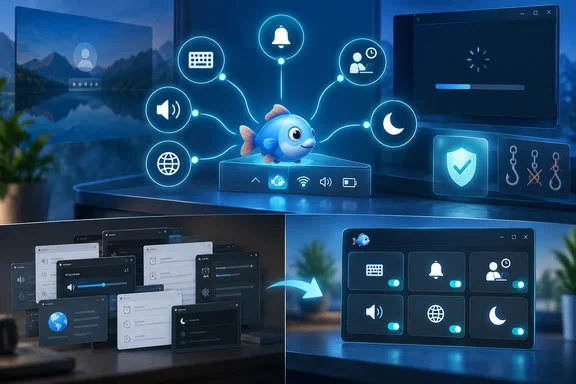
That turns a nostalgic utility recommendation into something more relevant for current Windows users: Toolfish is a small, local event engine for the miscellaneous PC jobs Microsoft still distributes across Settings, PowerToys, Task Scheduler, and Power Automate. MakeUseOf recently highlighted the application as a way to tie reminders, web-page monitoring, hotkeys, active-window volume, and idle detection into one interface. The more important finding is narrower: Microsoft supplies most of the individual capabilities, but not a lightweight, consumer-facing editor that combines those triggers and actions in one place.
Toolfish is not a replacement for enterprise workflow automation, and its age shows in every cartoon-fish button. But the project’s September release history also shows that it is not abandonware being rediscovered unchanged. For people who want a local automation tool without building scripts or maintaining a full Power Automate desktop flow, that distinction is practical.
Toolfish’s recent changes address the part that should concern Windows users
The Toolfish GitHub repository documents an unusually candid history for a decades-old tray tool. Version 2.39 says its keyboard and mouse hooks now run on a dedicated thread with a watchdog to reinstall them when Windows drops them, a problem the developer says was observed under heavy load with an anti-cheat driver. It also corrects a state bug after Win+L, where the software could think the Windows key remained pressed and leave every configured hotkey dead until that key was pressed again.
Those are not cosmetic fixes. A global-hotkey tool that silently stops working is worse than one that visibly crashes: users may assume a volume, mute, reminder, or macro event fired when it did not. The Explorer restart fix matters for the same reason. If a tray-only program loses its icon, an ordinary user has no obvious way to inspect its state or exit Stealth Mode without using Task Manager.
The security-relevant change is the removal of DLL injection into other 32-bit processes. Toolfish still relies on low-level input hooks for features such as global shortcuts and inactivity monitoring, so it remains software that observes keyboard and mouse activity. But avoiding process injection reduces one especially intrusive compatibility technique. It also puts Toolfish closer to the implementation pattern used by many Windows accessibility, remapping, and shortcut utilities.
That is progress, not a security certification. The project is now source-available under a BSD-style license, which makes inspection possible, but open source alone does not mean an application has received an independent security audit. Its repository remains a very small project, and there is no evidence of a broad external review program.
The useful idea is one event model for small jobs
MakeUseOf’s central observation holds up: Toolfish treats a desktop automation as a combination of triggers and actions, rather than assigning each task to a separate Microsoft utility.
Its listed triggers include time, time ranges, hotkeys, inactivity, day filters, and process state or focus. Its actions include notifications, text-to-speech, website comparisons, file launching, simulated keystrokes, sound-device changes, active-window volume adjustment, dark-mode changes, and basic power actions. The point is not that each action is unique. Most are not. The value is being able to express rules such as: “During work hours, on weekdays, if the PC has been in use, show a break reminder every hour.”
Windows can accomplish elements of that rule. Task Scheduler handles timed, logon, startup, and idle-oriented jobs. Power Automate for desktop can orchestrate more elaborate UI workflows. PowerToys Keyboard Manager can remap global or app-specific shortcuts. Windows’ Volume Mixer exposes per-application controls. But those tools start from different assumptions and live in separate places.
A Toolfish-style event asks what happened first, then lets the user decide what should follow. Power Automate asks the user to model a workflow. Task Scheduler asks the user to schedule or react to a system condition. PowerToys Keyboard Manager asks the user to remap an input. Each design is defensible. The friction comes when a small personal automation crosses categories.
The active-window volume shortcut is a good example. Toolfish added the action in version 2.36 on April 16, then added installer defaults for Ctrl+Alt+Minus and Ctrl+Alt+Plus in July after discovering those defaults were absent from fresh installations of versions 2.36 and 2.37. Windows can change an app’s volume in Volume Mixer, but it does not ship with an equivalent focused-app volume hotkey. PowerToys can start programs and map shortcuts, but it does not provide a native action for “reduce the current foreground process’s audio session by 10 percent.”
Microsoft’s tools overlap, but the comparison has limits
The claim that Microsoft “can’t replicate” Toolfish is too broad. Microsoft’s Power Automate for desktop explicitly supports launching desktop flows with keyboard shortcuts, and Microsoft documents a Send keys action for simulating input. PowerToys Keyboard Manager supports mapping shortcuts to text, other keys, applications, and app-specific targets. These are real overlaps, not theoretical alternatives.
Power Automate is also much stronger when the task involves applications, forms, data extraction, UI elements, conditions, variables, browser automation, or a business process that needs to be repeatable across users. Toolfish cannot credibly compete with it there. It is a local utility with a simple event manager, not a managed robotic-process-automation platform.
But Microsoft’s implementation has requirements that reveal the product divide. Microsoft says Power Automate desktop flows need the Power Automate application installed and the user signed in; its shortcuts are saved per user and per machine. That is sensible for a platform designed around desktop flows, governance, and connections. It is overbuilt for “make the active game quieter,” “toggle dark mode,” or “tell me when this static webpage changes.”
PowerToys is the closer cultural match, yet its utilities deliberately remain modular. Keyboard Manager needs PowerToys running in the background, and Microsoft warns that it will not work against elevated applications unless PowerToys is elevated too. Microsoft also cautions against using it in games because keyboard interception can affect frame rates or fail depending on how a game reads input. Toolfish faces a similar privilege boundary: its developer says hotkeys and inactivity detection need administrator mode to work while an elevated application has focus.
The key difference, then, is not raw capability. It is whether the user has a single compact place to join a hotkey, a time condition, an idle state, a process condition, and a local action. Microsoft does not currently offer that exact low-overhead experience as part of Windows or PowerToys.
The keylogger feature changes the deployment advice
Toolfish’s feature list includes “Keyboard Spy,” described by its developer as stealth keyboard logging. That should immediately disqualify the software from casual deployment on a shared household PC, a work-managed endpoint, or any system where the user cannot account for every configured event.
A capability being disabled by default does not erase the risk created by software that can capture keystrokes, synthesize them, react to process focus, run programs, and optionally run elevated. Those are powerful capabilities for personal automation. They are also exactly the permissions and behaviors security teams watch for in unwanted monitoring tools.
The least-risk way to evaluate it is straightforward:
- Run it only under a standard Windows user account unless an automation demonstrably needs to interact with elevated windows.
- Verify the installer’s digital signature in the file properties before executing it, rather than trusting a filename or a third-party mirror.
- Inspect the default events before enabling autostart, especially the hotkeys that retrieve an external IP address or inject clipboard text as keystrokes.
- Disable update checks and external-IP lookup in Toolfish’s options if those functions are not needed.
- Do not enable Keyboard Spy, and do not deploy Toolfish in an organization without the same approval process applied to any endpoint automation or input-hooking utility.
The project says its update check contacts RTsoft and sends the installed Toolfish version, while its external-IP shortcut contacts an RTsoft endpoint to determine the public-facing address. The developer says both can be disabled and that Toolfish does not automatically update. Those claims explain the intended behavior, but administrators should still treat them as networked features to validate in their own environment.
A maintained niche tool is more useful than a broad claim
Toolfish earns attention because it has moved beyond nostalgia: it became open source in February, added active-window audio controls and output-device switching in April, added a dark-mode action in July, and fixed its troublesome hooks in September. The interface is unmistakably from another Windows era, but the problems it addresses—context-sensitive volume control, simple local reminders, webpage monitoring, and input-driven actions—remain ordinary Windows problems.
It does not prove that Windows lacks automation. It shows that Windows automation remains fragmented for users whose needs fall between a settings toggle and a full desktop workflow. For a personal PC, Toolfish may be a compact answer if its broad permissions are acceptable and carefully configured. For managed machines, its keyboard-hooking and keylogging capability should put it behind an approval gate, not into a standard software catalog.