

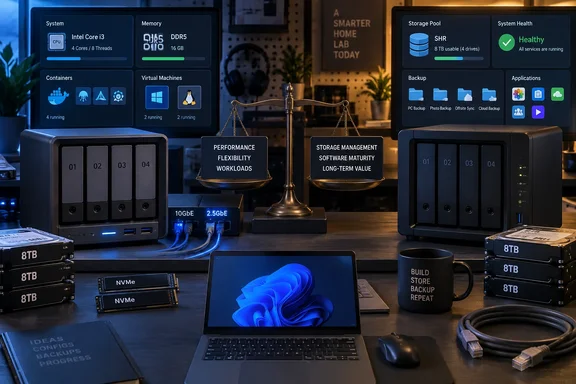
But the story leaves out the most important qualification for anyone considering the same move: the DXP4800 Pro is a hardware upgrade, not a universal Synology replacement. Whether it is an upgrade in practice depends heavily on the specific Synology model being replaced, the existing drive layout, and whether the buyer values raw CPU capacity more than mature storage management and software integrations.
XDA’s author does not identify the Synology model they moved from. That omission makes broad claims about the gulf between Synology and UGREEN difficult to apply. Synology sells everything from low-power two-bay backup appliances to higher-end Plus and XS systems; a Core i3 UGREEN will easily outrun a modest ARM-based or Intel Celeron-based NAS for container workloads, but that is a different comparison from replacing a current higher-tier Synology server.
For Windows users and homelab administrators, the useful takeaway is narrower: the DXP4800 Pro looks well suited to a NAS that must also run services. It should not be treated as a drop-in answer for organizations or households built around DSM-specific workflows.
The Core i3 Changes What the Box Can Carry
The DXP4800 Pro uses Intel’s Core i3-1315U, a six-core processor with two performance cores and four efficiency cores. UGREEN pairs it with 8GB of DDR5 memory by default and provides memory expansion, four SATA bays, two M.2 NVMe slots, HDMI, and the two network ports. Those specifications put more compute and I/O into the chassis than is typical of mainstream four-bay NAS hardware.
That matters when the NAS is expected to keep multiple jobs alive around the clock. A file share, Windows File History destination, backup target and media library do not usually demand much processor time. Add a Plex or Jellyfin server, Home Assistant, Pi-hole, an Immich photo deployment, a database-backed app, download automation, reverse proxy and a few test containers, and the NAS starts behaving like a small server with storage attached.
XDA’s author says Docker is central to the decision, and independent reviews support the broader performance conclusion. Android Central has highlighted the system’s stronger multithreaded performance and hardware media-transcoding capabilities, while IT Pro recorded sequential network transfer rates approaching the limits of 10GbE under the right test conditions. TechRadar likewise found that Docker and UGREEN’s Virtual Machine application worked properly on the DXP4800 Pro.
The lesson is not that every NAS buyer needs a Core i3. Most do not. It is that buyers should stop choosing NAS hardware solely by bay count if they plan to run persistent workloads locally. Four drive bays with a weak processor can become restrictive long before the storage pool is full.
A faster CPU also does not eliminate the need to manage containers as server workloads. Administrators still need update procedures, backups for application data and databases, a plan for secrets and certificates, and an understanding of which services are exposed beyond the LAN. A NAS that can run more containers can also accumulate more unattended attack surface.
Docker Compose Is Not a UGREEN-Only Advantage
The biggest factual problem in the XDA comparison is the suggestion that UGREEN’s Docker implementation is substantially more capable than Synology’s because it can use Compose files. UGREEN does support Docker and Docker Compose projects on the DXP4800 Pro, as the company documents. That is useful and expected for a device pitched at self-hosters.
However, Synology’s current Container Manager also supports Compose-based projects. Synology’s own documentation says users can create or manage projects consisting of one or more containers, either by uploading a docker-compose.yml file or creating one in the built-in editor. It also exposes common project actions, including build, start, stop, restart, cleanup and YAML editing.
Container Manager’s Compose project support dates to DSM 7.2.1-era software. In other words, Compose support alone is not a defensible reason to migrate from a compatible modern Synology NAS. The practical difference may be in interface preferences, image-update workflows, SSH access habits, system resources, or how a particular device behaves under load. But the claim that Synology lacks the basic Compose capability is outdated.
There are still legitimate reasons a homelabber may prefer UGREEN here. The DXP4800 Pro’s processor leaves more capacity for demanding containers, and its memory platform is more accommodating than that of many budget NAS appliances. If a user’s present Synology model cannot run Container Manager, lacks enough RAM, is restricted by its CPU architecture, or is already saturated by media transcoding and indexing, migrating workloads makes sense.
The safer migration path is to treat containers as portable but their data as irreplaceable. Export Compose definitions, preserve .env files, separately back up databases and application volumes, document host paths and ports, then test each restored service before decommissioning the old NAS. Copying a compose file without its persistent data is not a migration; it is a redeployment.
10GbE Is Valuable Only End to End
The DXP4800 Pro’s 10GbE Ethernet port is a material advantage over NAS models limited to 1GbE or 2.5GbE. Large Windows backups, VM images, video projects, disk-image archives and bulk transfers between workstations all benefit from the additional bandwidth. A 10GbE-capable NAS also has a longer useful life if the rest of the network is likely to be upgraded.
The XDA report is right that opening a Word document or viewing a single photo will not suddenly feel ten times faster. Those jobs are governed by latency, application behavior, client storage and often Wi-Fi long before a 1GbE link becomes the limiting factor. The payoff arrives with sustained reads and writes.
IT Pro’s DXP4800 Pro testing illustrates the condition behind the headline number: with 9,000-byte jumbo frames enabled, it measured roughly 9.2Gbit/s sequential reads and 8.1Gbit/s writes. Those are strong results, but they are not a promise a buyer can obtain simply by plugging in the NAS. The PC needs a 10GbE adapter, the switch must support the link speed, cabling must be suitable, and the storage pool must be fast enough to keep up.
Four hard disks in a RAID array can support good sequential throughput, but random I/O, parity calculations, simultaneous users, encryption, snapshots and container activity can reduce real-world performance. NVMe cache may help certain workloads, though it is not a substitute for understanding where the bottleneck sits. Windows users moving multi-gigabyte VHDX files or editing large media projects should benchmark the whole path, not just the NAS port.
A 10GbE purchase is most sensible when paired with a concrete workload: recurring PC image backups, a shared media-production folder, local virtualization, or regular migration of large datasets. It is harder to justify as a feature bought solely for ordinary file browsing.
Leaving SHR Behind Is a Storage-Design Decision
The XDA author’s strongest caution is the absence of an equivalent to Synology Hybrid RAID, or SHR. UGREEN lists conventional Basic, JBOD, RAID 0, RAID 1, RAID 5, RAID 6 and RAID 10 modes for the DXP4800 Pro. It does not list a flexible mixed-disk scheme equivalent to SHR.
Synology’s SHR is more than a friendly RAID setup wizard. Synology says it divides disks into smaller segments to optimize usable capacity from disks of different sizes, while maintaining the requested fault tolerance. Its own RAID calculator recommends SHR or SHR-2 when disks of different capacities are being combined because conventional RAID commonly strands capacity above the smallest disk size.
That makes SHR particularly attractive for a gradual home upgrade: perhaps two older 8TB disks, followed months later by a 14TB or 18TB replacement. Conventional RAID can still be reliable, but it forces more advance planning. Four matching disks in RAID 5 or RAID 6 are straightforward; an improvised collection of mixed-capacity drives is not.
This is the point where the UGREEN-to-Synology comparison becomes less about processor benchmarks and more about ownership cost. A buyer replacing all disks at once can choose a clean RAID design and enjoy UGREEN’s faster hardware. A buyer bringing a mismatched collection of drives should calculate usable capacity before purchasing the chassis, then decide whether the lost flexibility is acceptable.
Neither SHR nor conventional RAID is a backup. Synology itself makes that explicit, and the rule remains the same after migrating: a RAID array protects against certain disk failures, not accidental deletion, ransomware, fire, failed updates or an administrator error replicated across the pool. The move to a more powerful NAS should be accompanied by a separate backup target, preferably with a versioned off-device copy.
UGOS Pro Has Improved, but DSM Still Carries the Safer Default
UGREEN’s UGOS Pro is no longer the barebones software proposition it was at launch. The company’s June 2026 update added features including storage-pool sleep scheduling, app-storage volume migration, app permissions, custom fan curves, Backblaze B2 integration and dedicated graphics-card support for Docker on supported systems. UGREEN also documents support for SMB, NFS, WebDAV, FTP and SFTP, making the DXP4800 Pro capable of fitting into mixed Windows, Linux and macOS networks.
Still, the software gap identified by XDA is real. TechRadar’s DXP4800 Pro review described a polished setup flow and working core features, but found the app catalog shallow beside Synology’s and QNAP’s. It also pointed to missing iSCSI LUN snapshots and a surveillance application as meaningful holes for some users. Those are not cosmetic differences for a small business or a serious home deployment.
DSM’s advantage is accumulated operational maturity: a deeper app ecosystem, more established documentation, familiar backup tooling and a longer record of handling the mundane edge cases that emerge over years of use. UGREEN can close individual gaps with updates, and its rapid feature work matters. But a roadmap is not the same as software an administrator can deploy today.
For a Windows household that needs dependable SMB shares, PC backups and a few straightforward services, Synology remains the lower-risk choice if its hardware meets the workload. For a self-hoster whose existing NAS is CPU-bound, needs 10GbE, or has become an awkward compromise between file server and mini-server, the DXP4800 Pro makes a compelling case — provided the storage pool is designed before the data is moved.
References
- I ditched my Synology NAS for a UGREEN, and the processing power alone makes it worth it XDA · 2026-09-17T21:01:15+00:00