

What UGREEN has launched
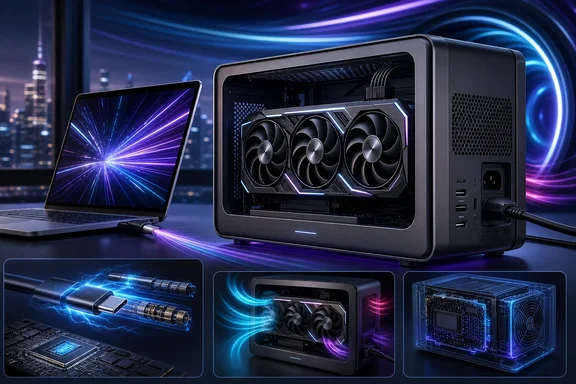
UGREEN has launched the LinkStation Pro eGPU dock in China. The reported design provides two ways to attach a graphics card to a compatible host: Thunderbolt 5 or OCuLink. It incorporates an ATX 3.1-compatible 850 W power supply rather than requiring buyers to install or cable up a separate unit.
The reported connectivity is unusually broad for an eGPU dock. It includes:
- Three Thunderbolt 5 ports
- One OCuLink port
- One USB-A 3.2 port
- Up to 140 W of laptop charging
The enclosure is reported to support graphics cards up to 370 mm long and 155 mm high. Those dimensions matter more than a marketing label such as “full-size GPU”: even when the PCIe card itself fits, prospective buyers still need to check the exact length, height, cooler thickness, power connectors, and cable-clearance requirements of their chosen card.
The 850 W integrated PSU should make the LinkStation Pro more practical than low-power eGPU boxes for users considering higher-end desktop graphics. It does not, however, establish that every graphics card and workload has been tested in this enclosure. The available material contains no independent LinkStation Pro validation with particular GPUs, hosts, games, AI tools, or displays.
Thunderbolt 5’s 80 Gbps claim is not GPU performance
The central upgrade over the earlier LinkStation is Thunderbolt 5, advertised at 80 Gbps. This is a meaningful interface-generation change on paper, but Windows buyers should resist translating that transport figure directly into gaming frame rates, AI throughput, or “80 Gbps of GPU bandwidth.”
An eGPU uses PCIe tunnelling over the external connection. The bandwidth available to a graphics workload is not identical to the headline Thunderbolt transport number, and real performance also depends on the host platform, GPU, drivers, software, display routing, storage and other traffic sharing the connection, and the workload itself. A game that regularly transfers data between system memory and the GPU can respond differently from a compute task that loads a model and then runs largely on the card.
That distinction is especially important because there are not yet independent LinkStation Pro benchmarks in the reviewed material. It would be premature to claim that Thunderbolt 5 materially improves results with a particular flagship GPU, or that it eliminates the familiar external-GPU trade-offs versus an internally installed desktop card. The sensible claim today is narrower: the LinkStation Pro supplies a newer high-bandwidth Thunderbolt connection, but measurable gains require testing on the buyer’s intended Windows host, GPU, display setup, and application.
A Thunderbolt 5 PC is needed for the headline mode
The host connection is the most important compatibility check. Intel says that a Thunderbolt 5 device connected to a Thunderbolt 4 computer runs at the Thunderbolt 4 host bandwidth of 40 Gbps. In practical terms, a Thunderbolt 4 or USB4 Windows laptop should not be bought or described as if it will receive the LinkStation Pro’s headline 80 Gbps Thunderbolt 5 mode.
That does not make the dock automatically useless on an older host. Backward operation may still be useful for an owner who expects to upgrade later, or who values the dock’s built-in power supply and ports. Yet the extra cost of this newer model is harder to justify solely as a performance upgrade if the laptop itself remains limited to the older connection speed.
Before ordering, Windows users should identify the actual port capability of the exact laptop configuration—not merely whether it has a USB-C-shaped port. Product pages, manuals, and firmware documentation can distinguish among USB-C, USB4, Thunderbolt 4, and Thunderbolt 5. A cable is also part of the setup: a physical USB-C connector alone does not guarantee Thunderbolt 5 operation.
OCuLink is the other major reason to consider it
The LinkStation Pro’s OCuLink port is important because it gives buyers an alternative to Thunderbolt for systems designed to expose OCuLink connectivity. The prior LinkStation was reported to offer USB4 up to 40 Gbps and OCuLink up to 64 Gbps, so OCuLink was already a core part of UGREEN’s approach rather than a new add-on for the Pro.
For a Windows laptop buyer with only Thunderbolt or USB4, OCuLink may not be an immediately usable alternative; an appropriate host-side OCuLink connection is required. Conversely, users of compatible small-form-factor PCs, specialized systems, or other hardware with OCuLink may see that port as the more relevant feature than Thunderbolt 5.
The presence of both interfaces makes the dock more flexible on paper, but it should not be mistaken for proof of seamless compatibility across all PCs. The reviewed evidence does not establish interoperability for every Windows platform, hot-plug behavior, GPU driver combination, or display configuration. Nor does it validate ambitious scenarios involving multiple eGPU docks connected in a chain. Such arrangements can encounter operating-system, firmware, enumeration, driver, and workload-scaling limits even where the connectors physically fit.
How it compares with the earlier LinkStation
The earlier LinkStation, reported in December 2025, used USB4 at up to 40 Gbps and OCuLink at up to 64 Gbps. It also included an 850 W 80 Plus Gold PSU and offered up to 100 W USB-C charging. Its reported China price was 2,299 yuan.
Against that model, the Pro’s clearest reported upgrades are the Thunderbolt 5 connection and charging capability raised to as much as 140 W. The GPU-size allowance, port arrangement, power-supply certification details, and cooling design should still be compared carefully model by model, especially by owners moving a specific card from an existing setup.
Just as importantly, the evidence does not support describing the Pro as priced “about the same” as its USB4 predecessor. Reports conflict on the LinkStation Pro’s Chinese price: one lists 2,999 yuan and another lists 3,489 yuan. It is not yet clear whether the difference reflects a launch promotion, an after-discount transaction price, a different configuration, or another sales-channel distinction.
Either reported figure is materially above the prior model’s reported 2,299-yuan price. Until UGREEN or the retailer provides a directly verifiable breakdown, prospective buyers should regard both Pro figures as reported prices rather than a confirmed universal MSRP, and should check the live listing before treating the dock as a straightforward generational replacement.
NAS and AI use: plausible, not yet a validated pairing
UGREEN’s iDX6011 Pro NAS product page promotes external-GPU expansion through OCuLink or Thunderbolt for VM rendering, AI workloads, and graphics-intensive applications. That establishes that UGREEN sees external GPUs as part of that NAS product’s intended use.
It does not establish that the LinkStation Pro has been explicitly validated with the iDX6011 Pro. The available material does not document a tested configuration, setup process, supported GPU list, operating constraints, or performance results for the two products together. Therefore, buyers planning local AI inference, virtual-machine rendering, or GPU-accelerated server tasks should not assume that the matching brand and matching interface names amount to a compatibility guarantee.
For such a project, the practical questions are broader than the dock: which operating system and drivers are supported, whether the workload recognizes the external GPU, what cabling and power sequence are required, whether the GPU can remain stable under sustained load, and how recovery works after a disconnect or reboot. Until an explicit compatibility statement or credible testing appears, this remains a promising use case rather than a confirmed LinkStation Pro feature.
What Windows buyers should verify before purchase
The LinkStation Pro is most compelling for a buyer who already owns, or is deliberately purchasing, a Thunderbolt 5 Windows machine and wants an integrated high-power enclosure with both Thunderbolt and OCuLink options. Its 140 W charging claim could also simplify a desk setup for laptops that accept high USB-C power input.
A more cautious calculation is appropriate for everyone else. Check these points before committing:
- Host interface: Confirm whether the PC genuinely supports Thunderbolt 5. A Thunderbolt 4 host operates at its 40 Gbps host bandwidth with a Thunderbolt 5 accessory.
- GPU dimensions and power: Compare the exact card’s measurements and connector layout against the 370 mm by 155 mm reported clearance, then account for cable bend space.
- Power needs: An 850 W supply is substantial, but a system’s practical requirements include the GPU’s rated power, transient behavior, connector needs, and the dock’s own overhead.
- Your workload: Do not buy on a presumed RTX 5090, gaming, or AI advantage without relevant benchmarks. External-GPU outcomes vary significantly by application and host.
- Price and region: The reported China price is inconsistent, and no official global launch timing or international pricing has been established in the reviewed information.
- Special configurations: Treat NAS deployments and multi-eGPU chains as projects requiring explicit support information or independent testing, not as launch-day assumptions.
A capable dock with performance still to prove
UGREEN has put together a notably ambitious eGPU dock: Thunderbolt 5, OCuLink, three Thunderbolt ports, high laptop charging, an 850 W ATX 3.1-compatible PSU, and accommodation for large GPUs form a strong hardware proposition. The Pro is also a real step forward in connectivity from the USB4-based earlier LinkStation for owners of compatible next-generation hosts.
Still, the purchase case should rest on verified compatibility and a buyer’s actual connection type, not on an 80 Gbps slogan alone. Thunderbolt 4 and USB4 systems cannot access the Thunderbolt 5 headline mode, the Chinese price needs clarification, and the expected gains in demanding GPU workloads have not yet been independently demonstrated for this dock. For Windows users, that makes the LinkStation Pro a product to watch closely—and to buy selectively once the host, graphics card, regional sales terms, and intended workload all line up.